EuroStorm EA V1.0 for MetaTrader 4: A Comprehensive Guide to Automated Forex Trading
In the dynamic and often unpredictable world of forex trading, having a reliable and efficient tool can make all the difference. For traders seeking to capitalize on the volatility of the EURUSD currency pair, the EuroStorm EA V1.0 for MetaTrader 4 (MT4) emerges as a powerful solution. This Expert Advisor (EA) is designed to automate trading processes, reduce emotional decision-making, and maximize profit potential. Whether you’re a novice trader dipping your toes into forex or an experienced professional looking to streamline your strategies, EuroStorm EA offers a robust, user-friendly platform to enhance your trading performance. In this blog post, we’ll explore the features, benefits, and operational mechanics of EuroStorm EA, and why it’s an excellent choice for trading the EURUSD pair.
What is EuroStorm EA V1.0?
EuroStorm EA V1.0 is an automated trading robot specifically developed for the MetaTrader 4 platform, one of the most widely used trading platforms in the forex market. This EA is tailored to trade the EURUSD currency pair, the most liquid and heavily traded pair in the forex world. By leveraging technical analysis and predefined trading algorithms, EuroStorm EA executes trades automatically, eliminating the need for constant manual intervention. Its design caters to traders of all experience levels, offering a seamless way to engage with the forex market while minimizing risks and optimizing returns.
The EA operates on the M15 timeframe, striking a balance between capturing short-term price movements and avoiding the noise of lower timeframes. With a minimum deposit requirement of $200, EuroStorm EA is accessible to traders with varying account sizes, making it an attractive option for those looking to start small or scale up their trading activities.
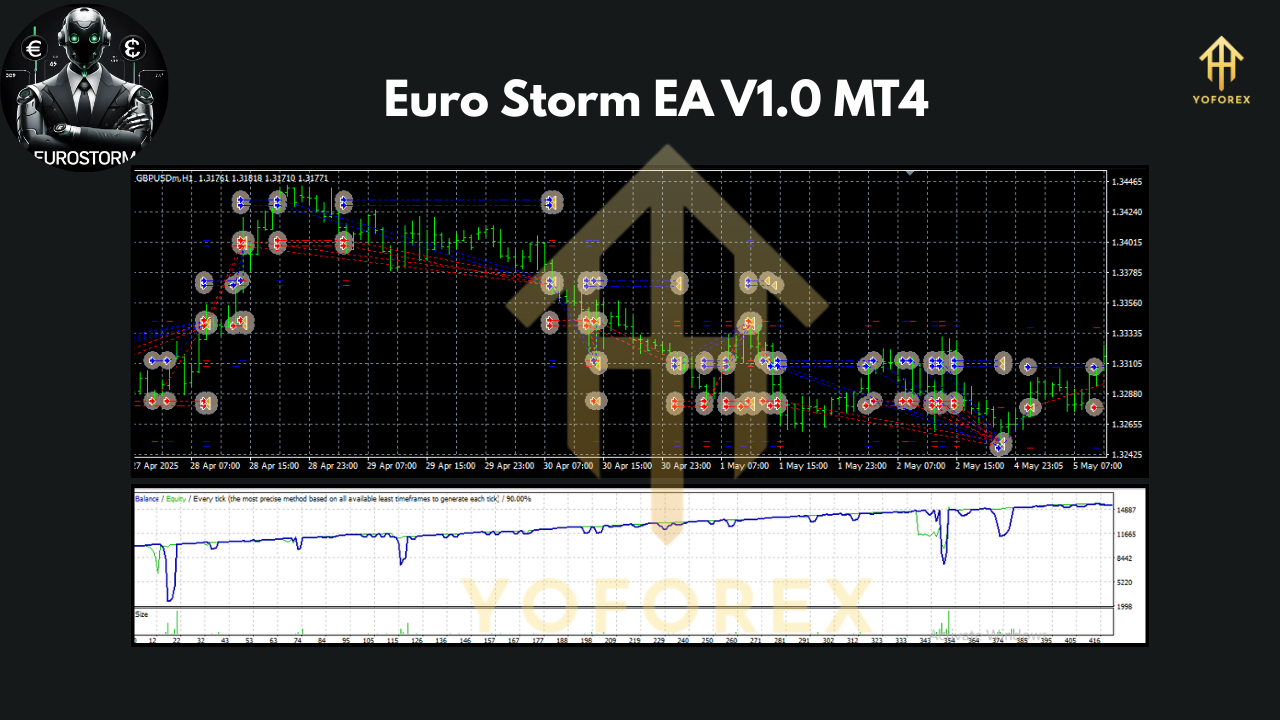
Key Features of EuroStorm EA V1.0
EuroStorm EA stands out in the crowded field of forex trading robots due to its robust features and thoughtful design. Here’s a closer look at what makes this EA a compelling choice:
1. Automated Trading with Precision
EuroStorm EA uses advanced algorithms to analyze market conditions and execute trades based on technical indicators. This automation removes emotional biases, ensuring trades are placed with precision and consistency. The EA’s focus on the EURUSD pair allows it to exploit the pair’s high liquidity and tight spreads, which are ideal for automated trading strategies.
2. Optimized for EURUSD
The EURUSD pair accounts for a significant portion of global forex trading volume, offering tight spreads and high volatility. EuroStorm EA is specifically optimized for this pair, enabling it to capitalize on price fluctuations effectively. Its algorithms are fine-tuned to identify entry and exit points that align with the pair’s unique market behavior.
3. M15 Timeframe for Balanced Trading
By operating on the 15-minute (M15) timeframe, EuroStorm EA strikes a balance between short-term scalping and longer-term trend-following strategies. This timeframe allows the EA to capture meaningful price movements while avoiding the excessive volatility of lower timeframes like M1 or M5.
4. Low Minimum Deposit
With a minimum deposit of just $200, EuroStorm EA is accessible to traders with modest capital. However, for optimal performance, a deposit of $1,000 or more is recommended, as it allows the EA to manage risk more effectively and take advantage of multiple trading opportunities.
5. Risk Management Features
EuroStorm EA incorporates built-in risk management tools, such as stop-loss and take-profit levels, to protect your account from significant drawdowns. These features ensure that each trade is safeguarded, helping traders maintain control over their capital even during volatile market conditions.
6. User-Friendly Setup
Designed with simplicity in mind, EuroStorm EA is easy to install and configure on the MetaTrader 4 platform. Even traders with limited technical expertise can set up the EA and start trading within minutes. The EA comes with clear instructions, making it accessible to beginners and seasoned traders alike.
Benefits of Using EuroStorm EA
The EuroStorm EA offers several advantages that make it a valuable addition to any trader’s toolkit. Here are some of the key benefits:
1. Time-Saving Automation
Manual trading requires constant market monitoring, which can be time-consuming and stressful. EuroStorm EA automates the entire trading process, allowing you to focus on other priorities while the EA executes trades on your behalf. This is particularly beneficial for traders with busy schedules or those managing multiple accounts.
2. Elimination of Emotional Trading
Emotional decision-making is a common pitfall in forex trading, often leading to impulsive trades and losses. EuroStorm EA operates based on predefined rules, ensuring that trades are executed objectively and consistently, regardless of market sentiment or trader psychology.
3. Consistency in Performance
The EA’s algorithmic approach ensures consistent trading performance over time. By adhering to a disciplined strategy, EuroStorm EA avoids the inconsistencies that often plague manual trading, providing a more predictable trading experience.
4. Accessibility for All Traders
With its low minimum deposit and user-friendly interface, EuroStorm EA is accessible to traders of all skill levels. Whether you’re just starting out or have years of experience, the EA’s flexibility allows you to tailor it to your trading goals and risk tolerance.
5. Scalability
EuroStorm EA is designed to scale with your trading ambitions. As your account balance grows, the EA can adapt to larger lot sizes and more aggressive strategies, helping you maximize profits while maintaining risk control.
How to Set Up EuroStorm EA on MetaTrader 4
Setting up EuroStorm EA on MT4 is straightforward and requires only a few steps. Here’s a quick guide to get you started:
-
Download and Install MetaTrader 4: If you haven’t already, download the MT4 platform from your broker’s website and install it on your computer or VPS (Virtual Private Server) for uninterrupted trading.
-
Obtain EuroStorm EA: Purchase or download the EuroStorm EA file (typically a .ex4 or .mq4 file) from a reputable source. Ensure you’re getting the authentic version to avoid compatibility issues.
-
Copy the EA File: Navigate to the MT4 installation folder on your computer (usually located at C:\Program Files\MetaTrader 4). Open the “MQL4” folder, then the “Experts” folder, and paste the EuroStorm EA file here.
-
Load the EA on MT4: Open MT4, go to the “Navigator” panel, and locate EuroStorm EA under “Expert Advisors.” Drag and drop the EA onto the EURUSD M15 chart.
-
Configure Settings: A settings window will appear, allowing you to adjust parameters such as lot size, risk levels, and stop-loss/take-profit settings. For beginners, it’s recommended to use the default settings initially.
-
Enable Auto-Trading: Ensure the “AutoTrading” button on the MT4 toolbar is enabled (it should be green). The EA will now start analyzing the market and placing trades automatically.
-
Monitor Performance: While the EA is fully automated, it’s wise to periodically check its performance and adjust settings as needed based on market conditions.
For optimal performance, consider running EuroStorm EA on a VPS to ensure 24/5 operation without interruptions. Additionally, test the EA on a demo account for at least a week to familiarize yourself with its behavior before deploying it on a live account.
Tips for Maximizing Success with EuroStorm EA
To get the most out of EuroStorm EA, consider the following tips:
-
Start with a Demo Account: Before using the EA on a live account, test it on a demo account to understand its performance and fine-tune settings.
-
Use a Low-Spread Broker: Since EuroStorm EA trades the EURUSD pair, choose a broker with tight spreads and low commissions to maximize profitability.
-
Monitor Market News: While the EA is automated, high-impact news events can cause significant market volatility. Consider pausing the EA during major economic announcements or using its news filter (if available).
-
Regularly Review Performance: Periodically assess the EA’s performance and adjust settings to align with changing market conditions.
-
Practice Proper Risk Management: Avoid over-leveraging your account and stick to the recommended deposit levels to minimize risks.
Potential Risks and Considerations
While EuroStorm EA offers numerous benefits, it’s essential to approach automated trading with caution. Forex trading inherently involves risks, and no EA can guarantee profits. Here are a few considerations:
-
Market Volatility: The EURUSD pair can experience sudden price swings during major economic events, which may affect the EA’s performance.
-
Broker Dependence: The EA’s effectiveness depends on your broker’s trading conditions, such as spreads, slippage, and execution speed.
-
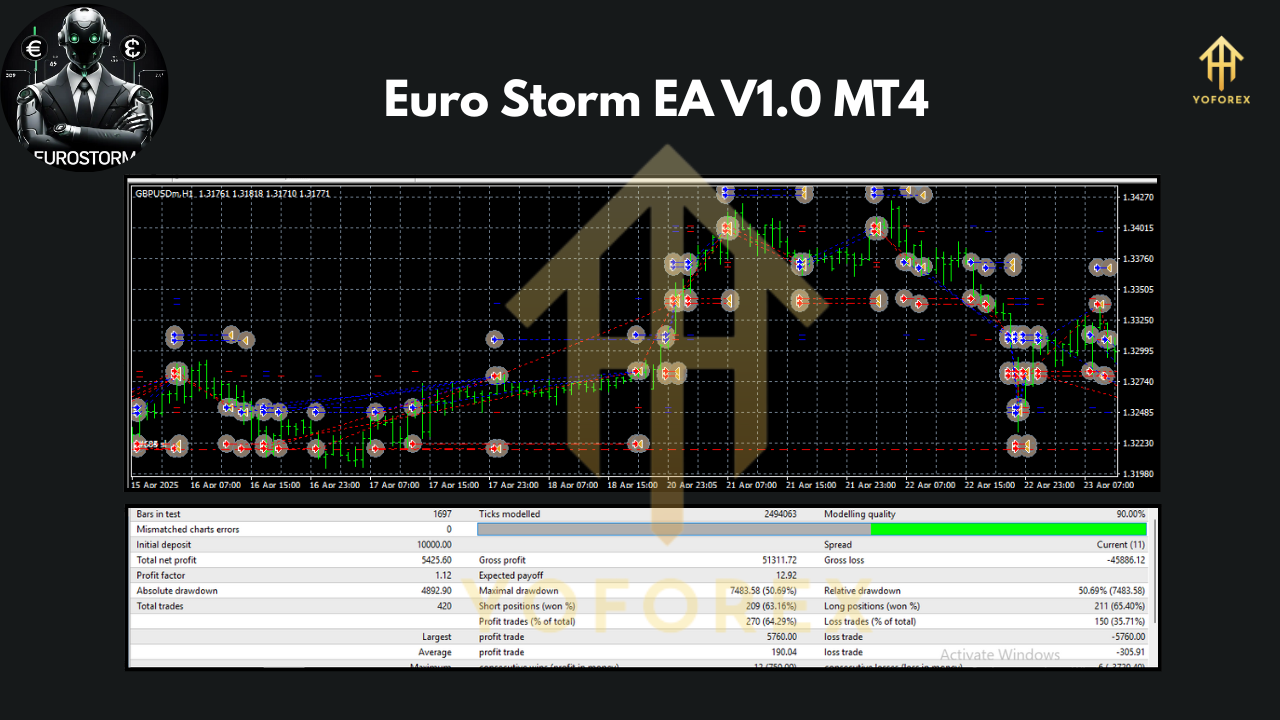
No Backtesting Guarantees: Past performance, even in backtests, does not guarantee future results. Always test the EA in real-time conditions before committing significant capital.
-
Martingale or Grid Strategies: If EuroStorm EA uses high-risk strategies like martingale (common in some EAs), it could lead to significant drawdowns during prolonged trends. Verify the EA’s strategy to ensure it aligns with your risk tolerance.
Why Choose EuroStorm EA in 2025?
As we move into 2025, the forex market continues to evolve, with increasing volatility driven by geopolitical events, economic shifts, and technological advancements. EuroStorm EA V1.0 is well-positioned to navigate these challenges, offering traders a reliable and efficient way to trade the EURUSD pair. Its combination of automation, precision, and accessibility makes it a standout choice for those looking to stay ahead in the competitive world of forex trading.
The EA’s focus on the EURUSD pair ensures it remains relevant in a market where this pair continues to dominate trading volume. Additionally, its low entry barrier and user-friendly design make it an attractive option for traders at all levels. By incorporating robust risk management and advanced algorithms, EuroStorm EA provides a balanced approach to automated trading, helping traders achieve their financial goals with confidence.
Conclusion
The EuroStorm EA V1.0 for MetaTrader 4 is a powerful tool for traders seeking to automate their forex trading and capitalize on the opportunities presented by the EURUSD currency pair. With its advanced algorithms, user-friendly setup, and built-in risk management, the EA offers a compelling solution for both novice and experienced traders. By automating trades on the M15 timeframe and focusing on the highly liquid EURUSD pair, EuroStorm EA simplifies the trading process while maximizing profit potential.
To succeed with EuroStorm EA, it’s crucial to test it thoroughly, choose a reliable broker, and practice sound risk management. While no trading system is foolproof, EuroStorm EA provides a solid foundation for navigating the complexities of the forex market. If you’re ready to take your trading to the next level, EuroStorm EA V1.0 could be the key to unlocking consistent and profitable results in 2025 and beyond.
Join our Telegram for the latest updates and support