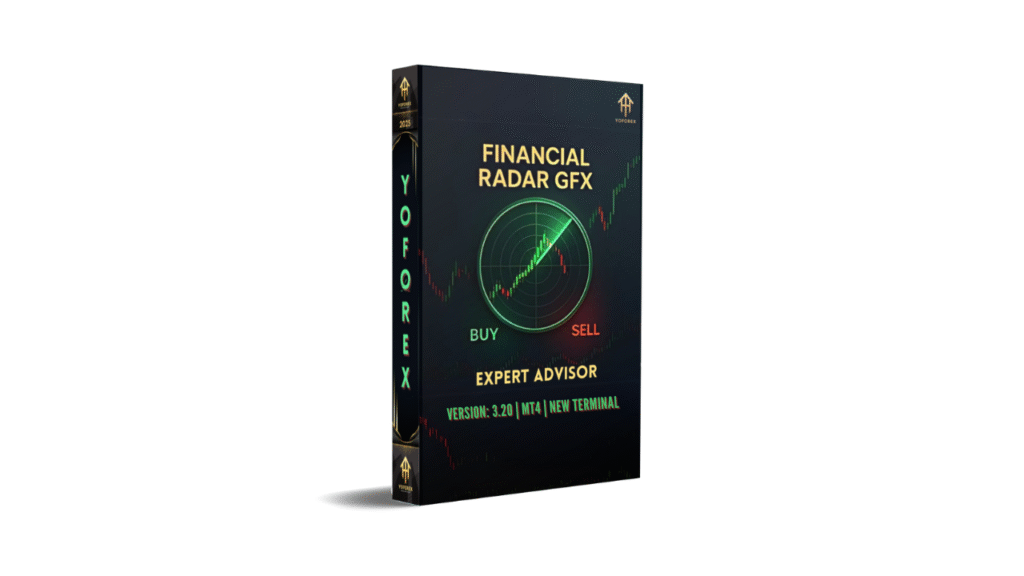
Exploring Financial Radar GFX EA V3.20 MT4: A Comprehensive Guide for Forex Traders
The world of forex trading is dynamic, fast-paced, and often overwhelming, especially for traders juggling multiple responsibilities. Automated trading systems, or Expert Advisors (EAs), have become indispensable tools for traders seeking to streamline their strategies and capitalize on market opportunities without constant manual intervention. One such tool is the Financial Radar GFX EA V3.20 for MetaTrader 4 (MT4), a fully automated Expert Advisor designed specifically for trading gold (XAUUSD). In this blog, we’ll dive deep into the features, strategies, performance, and considerations of the Financial Radar GFX EA V3.20, offering insights for both novice and experienced traders.
What is Financial Radar GFX EA V3.20 MT4?
The Financial Radar GFX EA V3.20 is an automated trading robot developed for the MetaTrader 4 platform, one of the most widely used trading platforms in the forex industry. This EA is tailored for trading gold (XAUUSD), a highly volatile and popular asset among forex traders due to its consistent demand and price fluctuations. The EA leverages a combination of technical indicators, including the Parabolic SAR, Intrabar Moving Average (IMA), Commodity Channel Index (CCI), and Moving Average Convergence Divergence (MACD), to analyze market conditions and execute trades with precision.
The primary goal of the Financial Radar GFX EA is to detect trends and capitalize on gold’s price movements, making it a trend-following system. It is marketed as a sophisticated tool that combines multiple indicators to enhance trading accuracy, reduce emotional decision-making, and optimize profitability. Available on platforms like the MetaTrader Market (MQL5), this EA appeals to traders looking for a reliable, hands-off approach to gold trading.
Key Features
1. Advanced Indicator-Based Strategy
The Financial Radar GFX EA V3.20 employs a multi-indicator approach to identify trading opportunities. The Parabolic SAR helps detect trend direction and potential reversals, while the IMA smooths intrabar price data to reduce noise. The CCI measures the strength of price movements, and the MACD identifies momentum and trend shifts. By integrating these indicators, the EA aims to make informed trading decisions based on robust technical analysis.
2. Fully Automated Trading
One of the standout features of this EA is its full automation. Once configured, it executes trades without requiring constant trader oversight. This is particularly beneficial for those with limited time to monitor charts or for traders who want to eliminate emotional biases, such as fear or greed, from their trading decisions.
3. Optimized for Gold (XAUUSD)
The EA is specifically designed for trading gold, capitalizing on its high volatility and liquidity. Gold trading requires a unique approach due to its sensitivity to macroeconomic events, and the Financial Radar GFX EA is tailored to navigate these dynamics effectively.
4. Customizable Settings
Traders can adjust parameters such as lot size, risk levels, stop-loss, and take-profit settings to align with their trading goals and risk tolerance. This flexibility makes the EA suitable for various account sizes, from small retail accounts to larger portfolios.
5. Risk Management Features
The EA incorporates risk management tools, including fixed stop-loss and take-profit levels, to limit potential losses and secure profits. It avoids high-risk strategies like martingale or grid trading, which can lead to significant drawdowns, making it a safer option for conservative traders.
6. Compatibility with MT4
Built for MetaTrader 4, the EA integrates seamlessly with this popular platform, known for its user-friendly interface, extensive charting tools, and support for automated trading. Traders can easily install and configure the EA, even with minimal technical expertise.
How Does Financial Radar GFX EA V3.20 Work?
The Financial Radar GFX EA V3.20 operates by analyzing market conditions through its suite of technical indicators. Here’s a breakdown of its trading process:
-
Market Analysis: The EA continuously scans the XAUUSD market, using the Parabolic SAR to identify trend direction, the CCI to gauge overbought or oversold conditions, and the MACD to confirm momentum. The IMA helps filter out short-term price fluctuations, ensuring the EA focuses on significant trends.
-
Entry Points: When the indicators align to signal a high-probability trade, the EA places buy or sell orders. For example, a bullish signal might occur when the Parabolic SAR dots move below the price, the CCI indicates upward momentum, and the MACD confirms a bullish crossover.
-
Trade Execution: Trades are executed automatically with predefined stop-loss and take-profit levels. The EA’s algorithm aims to capture short- to medium-term price movements, making it suitable for swing trading or scalping strategies.
-
Exit Strategies: The EA closes trades based on take-profit targets, stop-loss triggers, or changes in market conditions detected by its indicators. This disciplined approach helps lock in profits and minimize losses.
-
Risk Management: By setting fixed stop-loss and take-profit levels, the EA ensures that each trade has a clear risk-reward ratio, typically favoring a higher reward than risk to maintain a positive expectancy.
Performance and Backtesting
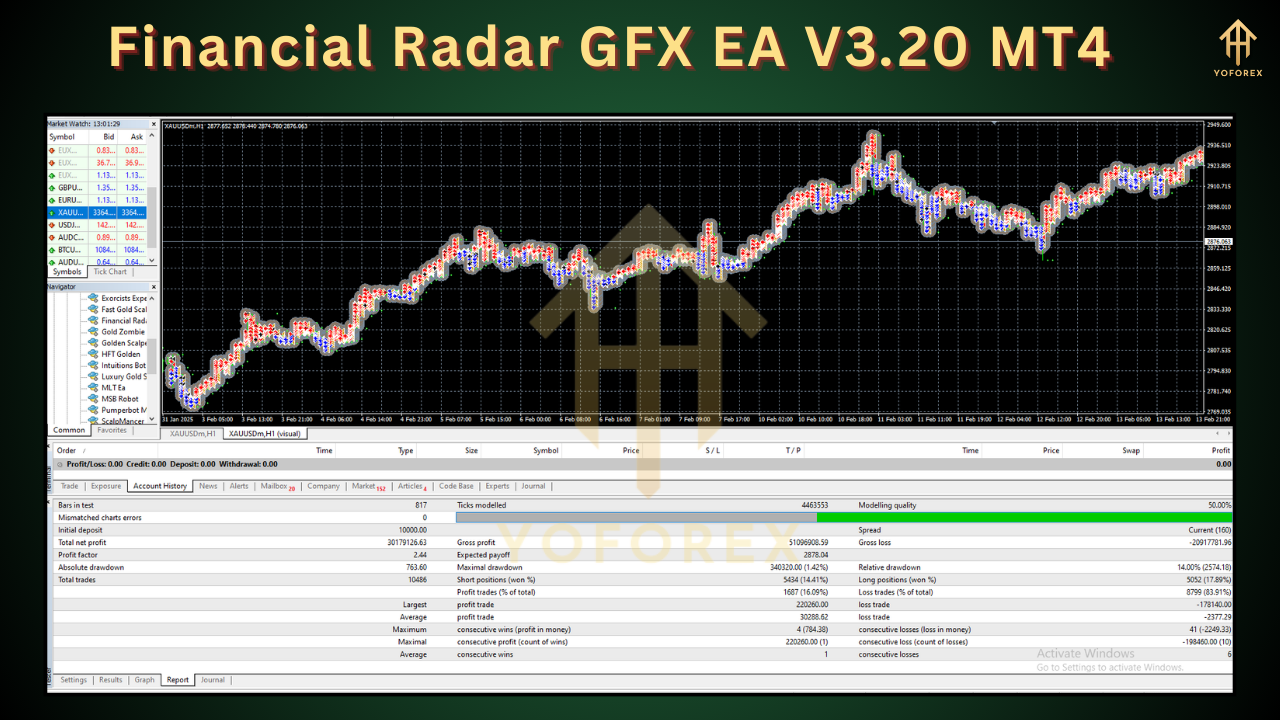
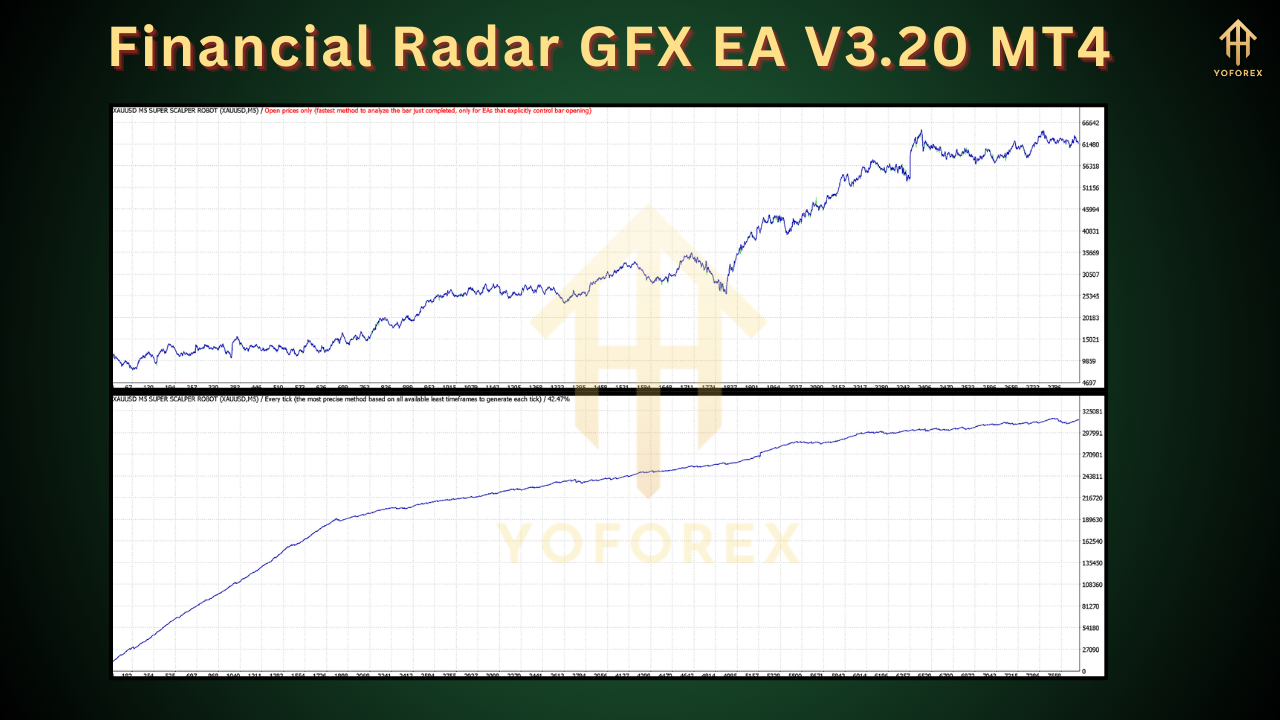
While specific performance metrics for the Financial Radar GFX EA V3.20 are not publicly detailed in the provided sources, its design suggests a focus on consistent profitability with controlled drawdowns. Backtesting is a critical step for evaluating any EA, and traders are encouraged to test the Financial Radar GFX EA on a demo account before deploying it in live trading. The EA’s developers claim it has been optimized for gold trading, with backtests showing stable performance across various market conditions.
However, traders should approach performance claims with caution. Past results, whether in backtests or forward tests, do not guarantee future success, especially in the volatile forex market. Gold trading, in particular, can be affected by geopolitical events, economic data releases, and central bank policies, which may challenge the EA’s performance during unexpected volatility.
Advantages of Financial Radar GFX EA V3.20
-
Time-Saving Automation: The EA eliminates the need for constant market monitoring, allowing traders to focus on strategy development or other activities.
-
Emotion-Free Trading: By relying on predefined algorithms, the EA removes emotional biases, fostering disciplined trading.
-
Specialized for Gold: Its focus on XAUUSD makes it a niche tool for traders interested in precious metals.
-
User-Friendly Setup: The EA is easy to install and configure on MT4, with detailed guides available for beginners.
-
Risk Management: Fixed stop-loss and take-profit settings help protect capital and secure profits.
Potential Drawbacks and Risks
-
Market Dependency: The EA’s performance is tied to gold market conditions. Unexpected volatility or low liquidity can affect its effectiveness.
-
Limited Asset Focus: Designed solely for XAUUSD, it may not suit traders looking to diversify across multiple currency pairs or assets.
-
No Guaranteed Profits: Like all EAs, there’s no assurance of consistent profits, and losses are possible, especially in adverse market conditions.
-
Broker Compatibility: The EA’s performance may vary depending on the broker’s spreads, execution speed, and trading conditions. Traders should choose a broker with low spreads and reliable execution, such as IC Markets or FxPro.
-
Learning Curve: While user-friendly, configuring optimal settings requires some understanding of trading parameters and risk management.
How to Get Started with Financial Radar GFX EA V3.20
Step 1: Choose a Compatible Broker
Select a reputable MT4 broker with low spreads and fast execution. Ensure the broker supports automated trading and offers competitive conditions for gold trading. Popular choices include IC Markets, FxPro, and Tickmill.
Step 2: Download and Install the EA
Purchase or download the Financial Radar GFX EA V3.20 from a trusted source, such as the MQL5 Market. Unzip the files and copy them to the “Experts” folder in your MT4 directory (typically found under MQL4/Experts).
Step 3: Configure Settings
Open MT4, navigate to the “Navigator” panel, and drag the EA onto the XAUUSD chart. Adjust settings such as lot size, risk percentage, stop-loss, and take-profit levels based on your trading plan. Enable the “AutoTrading” option in MT4.
Step 4: Test on a Demo Account
Run the EA on a demo account to evaluate its performance and fine-tune settings. Monitor its behavior over several weeks to assess its suitability for your trading style.
Step 5: Transition to Live Trading
Once satisfied with the demo results, deploy the EA on a live account with a conservative lot size. Start with a small deposit (e.g., $500–$1000) to minimize risk while gauging real-market performance.
Tips for Maximizing Success with Financial Radar GFX EA V3.20
-
Use a VPS: A Virtual Private Server ensures the EA runs 24/7 without interruptions, especially during volatile market hours.
-
Monitor Economic Events: Gold prices are sensitive to news like interest rate decisions or geopolitical tensions. Use a news filter or pause the EA during high-impact events.
-
Regularly Update Settings: Market conditions change, so periodically review and adjust the EA’s parameters to maintain optimal performance.
-
Practice Risk Management: Never risk more than 1–2% of your account per trade, and ensure your broker offers negative balance protection.
-
Stay Informed: Join forex trading communities or forums to learn from other users’ experiences with the EA and share insights.
Is Financial Radar GFX EA V3.20 Right for You?
The Financial Radar GFX EA V3.20 is an appealing choice for traders focused on gold trading and seeking an automated, trend-following strategy. Its use of multiple technical indicators and robust risk management features makes it a promising tool for both beginners and seasoned traders. However, its effectiveness depends on proper configuration, broker selection, and market conditions.
Before investing, thoroughly test the EA on a demo account and research user reviews on platforms like MQL5 or Myfxbook. Be wary of overstated claims, as no EA can guarantee profits. With a disciplined approach and realistic expectations, the Financial Radar GFX EA V3.20 could be a valuable addition to your trading arsenal.
Conclusion
The Financial Radar GFX EA V3.20 for MT4 offers a specialized, automated solution for trading gold, leveraging a sophisticated blend of technical indicators to navigate the volatile XAUUSD market. While it promises time-saving automation and disciplined trading, traders must approach it with caution, testing it thoroughly and aligning its settings with their risk tolerance. By combining the EA with sound risk management and a reliable broker, traders can potentially enhance their gold trading strategies and achieve consistent results in the dynamic forex market.
Disclaimer: Forex trading carries a high level of risk, and past performance is not indicative of future results. Always conduct thorough research and consider your financial situation before using any EA, including the Financial Radar GFX EA V3.20.