Forex Quant EA V1.0 for MT4: A Complete Guide to Automated Forex Trading
Introduction
In the ever‑evolving world of foreign exchange, automated trading systems have emerged as a powerful tool for both novice and experienced traders. Forex Quant EA V1.0 is a fully automated Expert Advisor (EA) designed for the MetaTrader 4 (MT4) platform, aiming to seize market opportunities without requiring constant manual intervention. This guide offers an in‑depth look at Forex Quant EA V1.0, covering its core features, strategy, setup, performance, and practical considerations. By the end, you’ll have a comprehensive understanding of how this EA operates and how to integrate it effectively into your trading routine.
What Is Forex Quant EA V1.0?
Forex Quant EA V1.0 is an algorithmic trading robot tailored for the MT4 environment. It automates the entire trading process—from market analysis to trade execution and risk management—on major currency pairs. Developed with adaptive algorithms, this EA adjusts to changing market conditions, striving to maintain consistency in both trending and ranging phases. With a user‑friendly setup and customizable parameters, Forex Quant EA V1.0 caters to traders of all skill levels, providing a set‑and‑forget experience.
Key Features
- Full Automation: Performs market scanning, trade entry, position sizing, and exit management without human input.
- Major Currency Focus: Optimized for high‑liquidity pairs such as EUR/USD and GBP/USD to ensure tight spreads and swift executions.
- Adaptive Algorithm: Incorporates self‑learning or neural network techniques (proprietary) to fine‑tune its approach based on real‑time data.
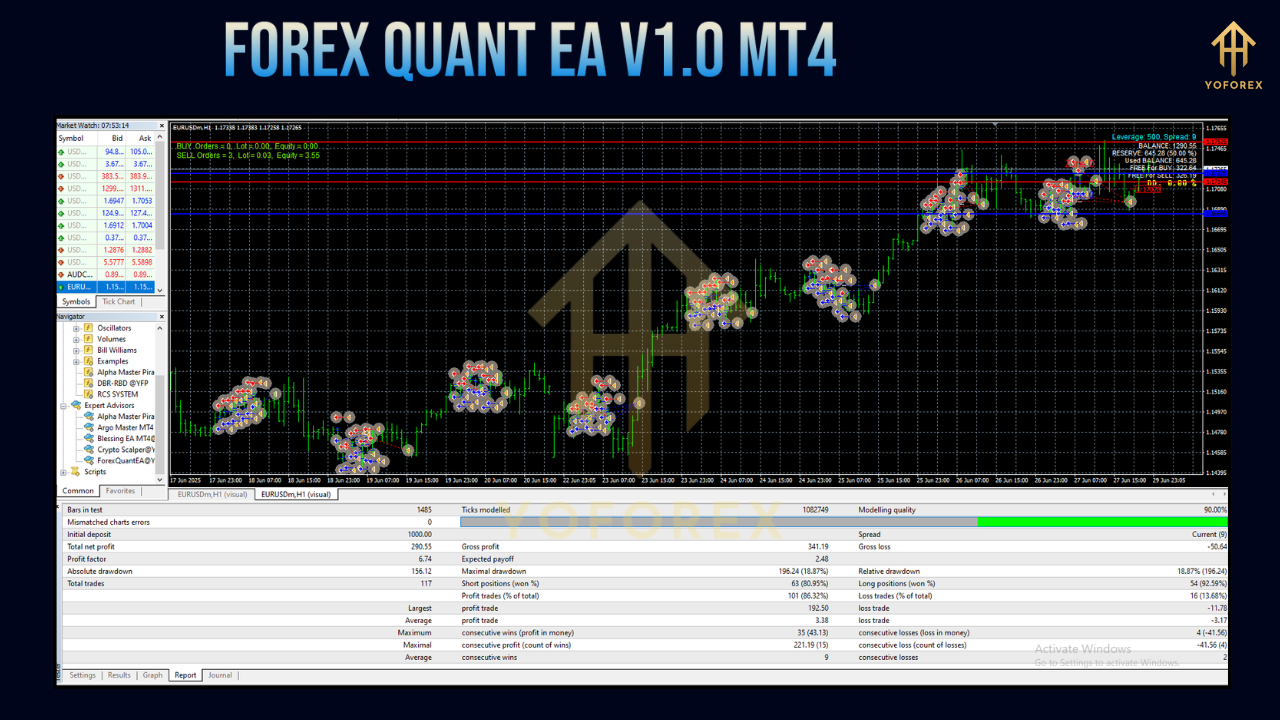
- Balanced Risk-Reward: Targets an average win of 18 pips against an average loss of 17 pips, aiming for a near 1:1 ratio to control drawdowns.
- Bonus Scalping Module: Includes an optional Asian session scalper that operates during low‑volatility periods for additional trade opportunities.
- Customizable Parameters: Allows traders to modify lot sizes, stop‑loss levels, take‑profit targets, and risk percentages.
- Set Files & Presets: Provides preset configurations for common account sizes and risk profiles, streamlining the onboarding process.
Trading Strategy and Mechanics
Although the full algorithm remains proprietary, user feedback and live account data suggest that Forex Quant EA V1.0 employs a hybrid strategy, blending trend‑following and scalping elements.
- Trend Detection: Utilizes technical indicators or machine learning filters to identify the prevailing market direction.
- Scalping Execution: Seeks small, consistent gains (around 18 pips) by opening and closing positions within short to medium timeframes.
- Timeframe Selection: Operates primarily on the M15 chart, balancing responsiveness with noise reduction.
- Risk Controls:
- Fixed Stop‑Loss: Automatically applies a stop‑loss level—typically equal in pips to the take‑profit—to cap potential losses.
- Take‑Profit Targets: Set at a similar distance to the stop‑loss, ensuring a disciplined exit approach.
- Trailing Stop Option: Some presets enable a trailing stop to lock in profits as the trade moves favorably.
- Position Sizing: Calculates lot size based on predefined risk percentages (commonly 1–2% of account balance).
- Session Filters: Optionally restricts trading to high‑volume market sessions, avoiding erratic price action during off‑peak hours.
Supported Currency Pairs
Forex Quant EA V1.0 performs best on major forex pairs known for their tight spreads and deep liquidity:
- EUR/USD
- GBP/USD
- USD/JPY (if enabled by user)
- USD/CHF (in select presets)
Although the EA can trade additional pairs, sticking to its primary recommendations will generally yield the most reliable results.
Installation and Setup
Installing Forex Quant EA V1.0 on your MT4 terminal is straightforward:
- Download Files:
- Obtain the
ForexQuantEA.ex4expert file, any.setpreset files, and the user manual from the vendor.
- Obtain the
- Copy to MT4:
- Open MT4 and navigate to
File → Open Data Folder. - Place the
.ex4file intoMQL4/Experts. - Copy any
.setfiles intoMQL4/Presets(orMQL4/Config).
- Open MT4 and navigate to
- Launch MT4:
- Restart the platform to load the new EA.
- Attach to Chart:
- Open an M15 chart for EUR/USD or GBP/USD.
- Drag
ForexQuantEAfrom the Navigator panel onto the chart. - In the EA settings dialog, load your chosen
.setfile or adjust parameters manually.
- Enable AutoTrading:
- Click the
AutoTradingbutton on MT4’s toolbar and ensure the smiley face icon appears on the chart.
- Click the
- VPS Recommendation:
- For uninterrupted operation and minimal latency, run MT4 24/7 on a reliable VPS with at least 1 ms ping to your broker’s server.
Recommended Settings
- Initial Lot Size: 0.01 lots per $1,000 balance to minimize drawdown during testing.
- Risk Percentage: 1–2% of account equity, adjustable in the EA’s risk management tab.
- Broker Type: ECN/STP brokers with sub‑1 pip spreads (e.g., XM, FXOpen, Pepperstone).
- Slippage Control: Enable maximum allowed slippage of 2 pips to reduce requotes.
- Session Filters: Activate trading during London and New York sessions, disable during Asian night hours (unless using the Asian scalper module).
Performance and Backtesting
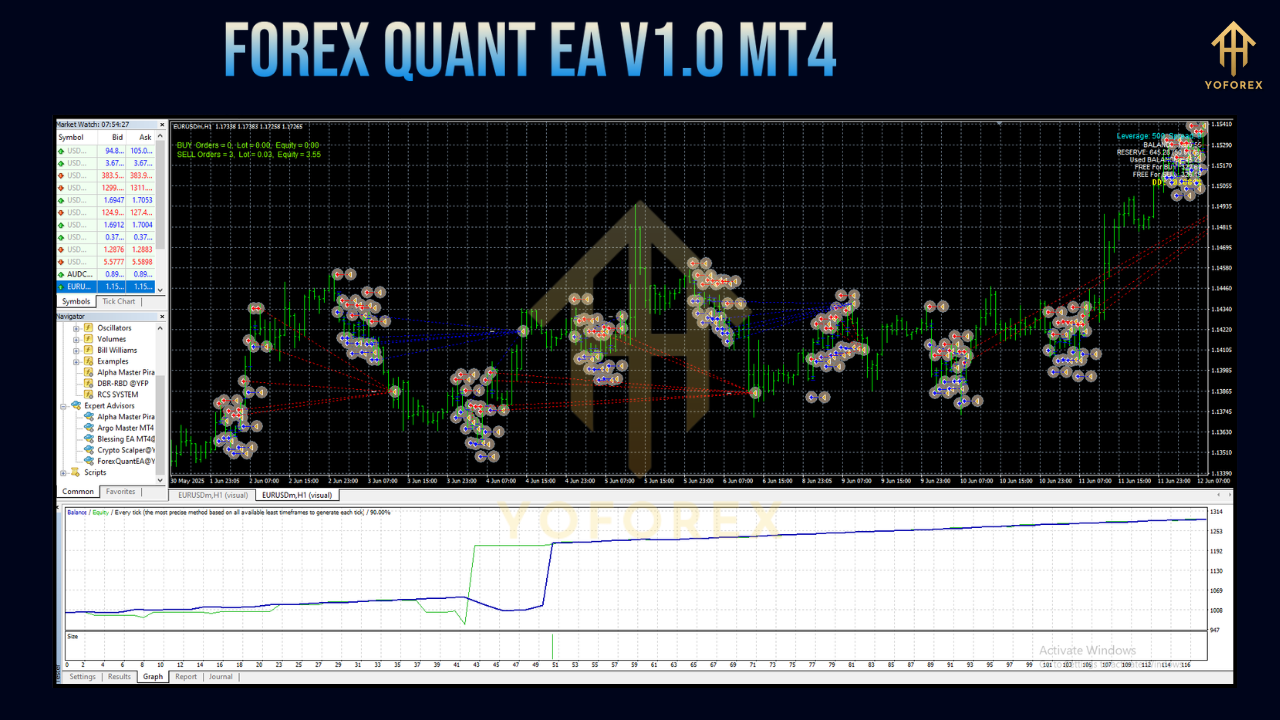
Performance varies based on market conditions, but aggregated reports indicate:
- Average Win Rate: ~80%
- Average Trade Duration: 10–20 hours
- Monthly ROI: 20–30% in favorable trending months
- Drawdown: Typically under 20% on live accounts
Backtesting Considerations:
- Traders should use 99% tick data and real spread inputs to conduct robust backtests.
- Demo account trials for at least one month help verify real‑time performance before risking live capital.
Pros and Cons
Pros:
- Ease of Use: Minimal setup for beginners, with reliable presets and a user manual.
- Affordability: Priced under $50, making it accessible compared to high‑end commercial EAs.
- Liquidity Focus: Optimized for major pairs, ensuring fast execution and tight spreads.
- Scalper Bonus: Adds extra profit potential during low‑volatility sessions.
- Customizability: Advanced settings allow fine‑tuning to individual risk preferences.
Cons:
- Proprietary Strategy: Lack of full transparency on underlying algorithms can concern some traders.
- Backtesting Gaps: Limited published backtesting reports with high modeling quality.
- Market Sensitivity: Performance may dip during extreme volatility or major news events.
- Broker & VPS Dependency: Requires low‑spread ECN brokers and stable VPS hosting for best results.
Practical Considerations
Who Should Use Forex Quant EA V1.0?
- Beginners seeking a hands‑off approach to forex trading.
- Busy Traders unable to monitor the markets around the clock.
- Risk‑Conscious Traders preferring controlled stop‑loss and take‑profit measures.
- Advanced Users who want to tweak algorithm parameters for custom strategies.
Risk Mitigation Tips:
- Demo Testing: Run the EA on a demo account for 4–6 weeks to understand its behavior.
- Diversified Portfolio: Avoid allocating more than 20% of equity to a single EA system.
- Regular Monitoring: Check performance reports monthly and adjust settings as needed.
- Avoid Over‑Optimization: Resist the urge to overfit parameters to historic data, which can degrade future performance.
Conclusion
Forex Quant EA V1.0 for MT4 provides a compelling introduction to automated forex trading. With its adaptive algorithm, focus on major currency pairs, and user‑friendly design, it offers a practical solution for both new and seasoned traders. While proprietary details and backtesting transparency remain limitations, diligent demo testing and disciplined risk management can help you harness its potential. Whether you’re seeking supplemental income or exploring algorithmic strategies, Forex Quant EA V1.0 delivers a balanced, efficient, and affordable tool for navigating the dynamic forex market.