Introduction
Sick of chasing laggy signals and over-priced indicators? You’re not alone. In today’s lightning-fast markets, waiting on slow or repainting tools can cost you real cash… and sanity. That’s where FTLM Hist Arrows Alerts MTF 1.02 MT4 comes in. Totally free on MQL5.software and powered by YoForex, this MT4 indicator serves up clear, multi-timeframe trend arrows plus instant alerts—no martingale, no repaint, no sweat. Let’s dive in.
Overview
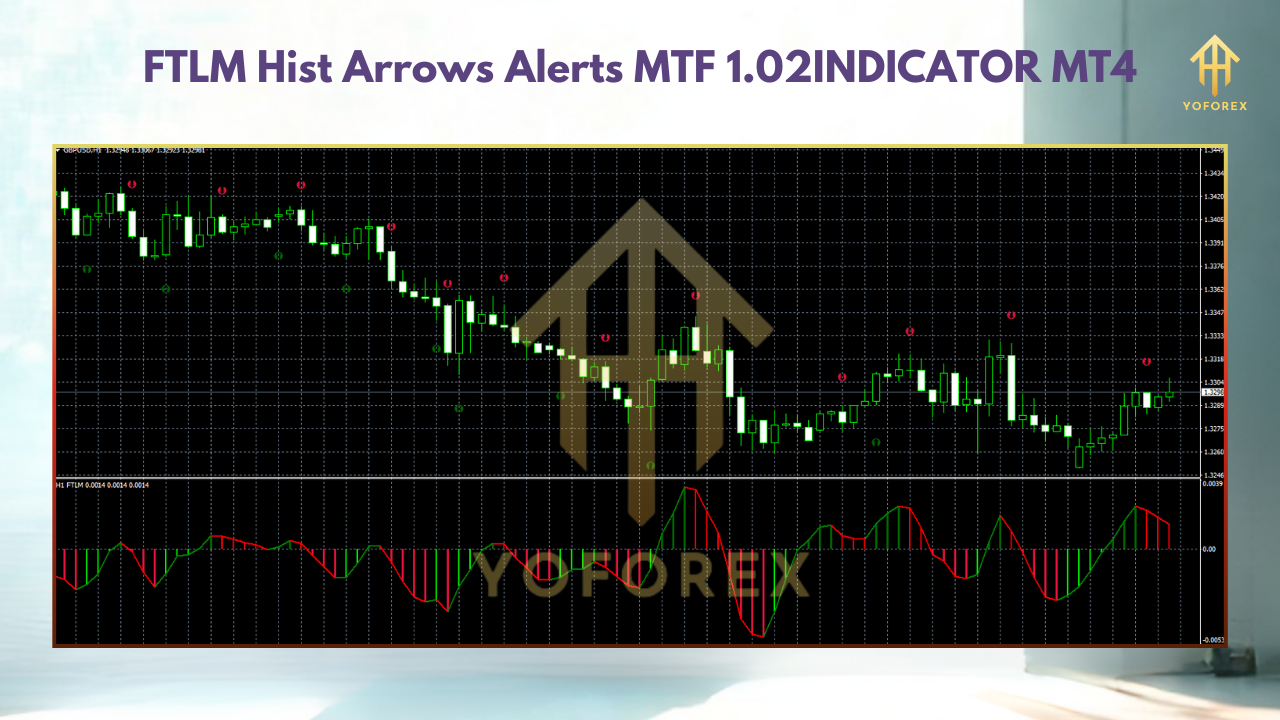
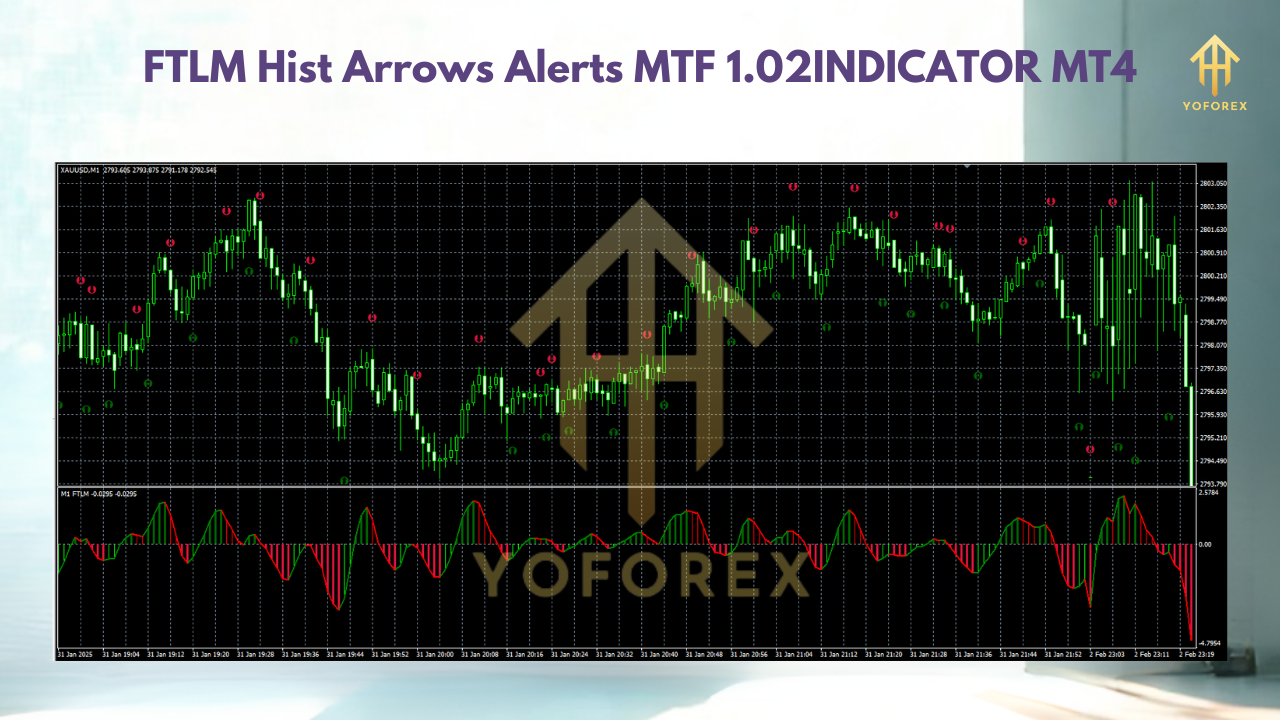
The FTLM Hist Arrows Alerts MTF 1.02 is a multi-timeframe (MTF) histogram-based trend detector for MetaTrader 4. It overlays color-coded bars to show rising or falling momentum, then plots arrows when the trend shifts. Better yet, you get pop-up, sound, email and push notifications to your mobile—so you can react ASAP. Developed and back-tested by YoForex’s crack team, it’s designed for any instrument: Forex majors, Crypto, Indices… you name it.
You’ll see how this MT4 indicator scans your chart’s timeframe and one higher timeframe (configurable) to confirm trend alignment. When both line up, it drops a big arrow and fires off an alert. No more guesswork. It’s about simplicity: trade with the trend, exit on the flip.
Key Features
• +Multi-Timeframe Alerts: simultaneous signals on two timeframes for robust entries.
• +Arrow Signals: clear up/down arrows marking trend shifts.
• +Configurable Alert Types: pop-up, sound, email, push.
• +Zero Repainting: arrows never disappear or shift after the bar closes.
• +Histogram Trend Bars: color-coded momentum on chart.
• +Adjustable Timeframes: choose any pair (e.g., M15+H1, H1+H4).
• +No Martingale or Grid: straightforward price-action driven.
• +Minimal CPU Load: coded efficiently for speed.
• +Works on All Assets: Forex, metals, crypto, stocks, indices.
• +Free Updates: stay current with ongoing YoForex releases.
Upgrade to Version 1.02
-
Improved arrow size and position for better visibility.
-
Added “AlertOnce” option to avoid repeated pings on same bar.
-
Optimized memory usage—runs smoother on old PCs.
-
Fixed minor bug when switching chart templates.
How to Install & Configure
-
Download the indicator from MQL5.software:
Download FTLM Hist Arrows Alerts MTF 1.02 MT4 -
Copy
FTLM_HistArrowsAlerts_MTF_v1.02.mq4into your/MQL4/Indicators/folder. -
Restart MetaTrader 4.
-
Attach it to your chart (Insert → Indicators → Custom → FTLM Hist Arrows Alerts MTF).
-
Open the “Inputs” tab:
Timeframe1= the chart TF (e.g. M15)Timeframe2= higher TF (e.g. H1)AlertType= Popup/Sound/Email/Push (choose one or multiple)ArrowSize= adjust 1–5AlertOnce= true/false- Hit OK, then watch for arrows and histogram changes.
Tip: Test settings on demo first. Fine-tune
HistogramPeriodto suit your style (longer for swing, shorter for scalping).
Why Choose YoForex-Powered Tools?
-
100% Free Access: No hidden fees, lifetime updates.
-
Community Feedback: Regular improvements based on your suggestions.
-
Reliable Support: Our dev team jumps on bug-fixes fast.
-
Education: Detailed docs and video guides so you’re never left guessing.
Support & Disclaimer
If you hit any bug or need help, ping us on WhatsApp or join our Telegram group:
-
WhatsApp: https://wa.me/+443300272265
-
Telegram: https://t.me/yoforexrobot
Disclaimer: Past performance isn’t a guarantee of future results. Always demo-test strategies and manage risk responsibly. Trade with proper position sizing—never risk more than you can afford to lose.
Call to Action
Ready to streamline your MT4 trades? Grab FTLM Hist Arrows Alerts MTF 1.02 now—totally free! Empower your charts with clear, multi-timeframe signals and never miss a trend flip again. Downloadable right now on MQL5.software, with unlimited support via WhatsApp or Telegram.