
Introduction to FTMO Robots EA V5.0
The FTMO Robots EA V5.0 is a collection of eight Expert Advisors optimized for MetaTrader 5, a platform renowned for its advanced algorithmic trading capabilities. These EAs are designed to trade a diverse set of assets, including XAUUSD (gold), AUDCHF, AUDUSD, EURAUD, EURUSD, GBPAUD, USDCAD, and USDCHF, on the M15 timeframe. The suite is particularly tailored for traders participating in proprietary trading firm challenges, such as those offered by FTMO, where strict risk management and performance metrics are critical.
Each EA is optimized for a specific currency pair or asset, leveraging distinct algorithmic strategies to adapt to varying market conditions. With a focus on strong reversal signals, robust risk management, and compatibility with prop firm rules, the FTMO Robots EA V5.0 aims to simplify the trading process while maximizing efficiency and profitability.
Key Features of FTMO Robots EA V5.0
1. MetaTrader 5 Compatibility
The FTMO Robots EA V5.0 is built exclusively for MetaTrader 5, a platform favored by algorithmic traders for its advanced features like multi-threading testers and depth-of-market display. This compatibility ensures seamless integration, allowing traders to leverage MT5’s robust charting tools, technical indicators, and fast execution capabilities.
2. Diverse Algorithmic Strategies
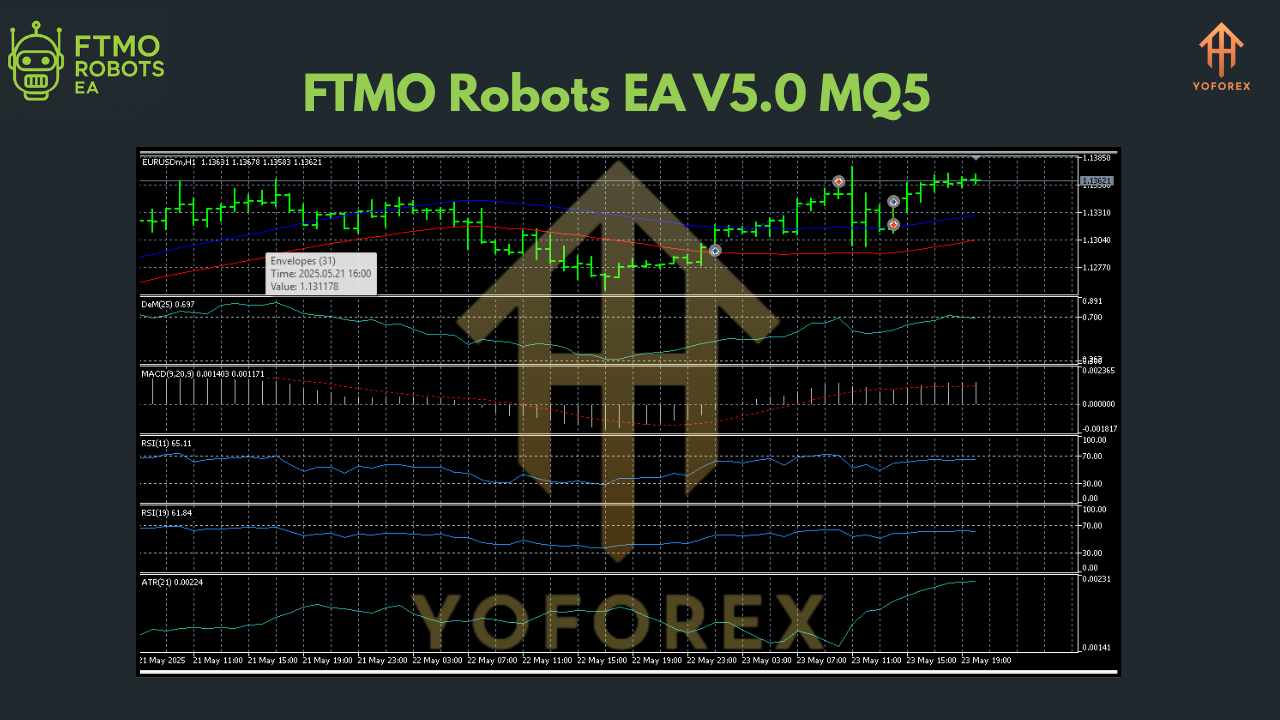
The suite incorporates eight unique EAs, each tailored to a specific currency pair or gold (XAUUSD). These EAs employ varied strategies, such as trading based on strong reversal signals using indicators like Envelopes and MACD. This diversity enables traders to select the most lucrative asset based on prevailing market conditions, enhancing adaptability.
3. Robust Risk Management
Risk management is a cornerstone of the FTMO Robots EA V5.0. The suite includes protocols to optimize risk-reward ratios, with fixed Stop Loss (30 pips) and Take Profit (60 pips) settings in version 4.3, which have been further refined in V5.0. These settings help protect trading capital, crucial for meeting FTMO’s strict maximum loss rules (e.g., 10% drawdown limits).
4. Currency Pair and Gold Trading
The EAs support trading on XAUUSD, AUDCHF, AUDUSD, EURAUD, EURUSD, GBPAUD, USDCAD, and USDCHF. This broad selection allows traders to diversify their portfolios, reducing reliance on a single asset and mitigating risk through balanced exposure.
5. Regular Updates and Transparency
Developed by Petko at EA Trading Academy, the FTMO Robots EA V5.0 comes with lifetime updates at no extra cost. The inclusion of source code (.mq5 files) and preset files ensures transparency, allowing traders to understand and customize the EAs if needed. Regular updates address issues like the “Invalid order filling type” error on MT5, ensuring compatibility with the latest platform versions.
6. Recommended Deposit and Timeframe
The EAs are designed for accounts with a minimum/recommended deposit of $10,000, aligning with typical prop firm challenge account sizes (e.g., FTMO’s 10k, 50k, or 200k challenges). Operating on the M15 timeframe, the EAs focus on short- to medium-term trades, balancing frequency and signal strength.
Performance and Real-World Application
Verified Performance
The FTMO Robots EA V5.0 has demonstrated profitability in real-world scenarios, with performance verified by platforms like Myfxbook. For instance, results from Myfxbook show successful trading on accounts like FTMO Robot Top 1 Scale and Top 3 25k, highlighting consistent gains across diverse market conditions. The Forex Gold Investor EA, a standout in the suite, passed a $200k FTMO challenge fully automatically, showcasing its reliability.
However, performance varies by currency pair and market conditions. Backtesting results on MT5’s Strategy Tester can sometimes be unreliable due to the platform’s limitations, as noted by Petko. Forward testing on demo accounts is recommended to assess real-time performance, especially since historical data differs across brokers.
Challenges and Limitations
While the FTMO Robots EA V5.0 offers significant advantages, it’s not without challenges:
-
Infrequent Trading: The EAs prioritize strong reversal signals, which may result in days without trades. Traders must ensure constant internet connectivity and MetaTrader’s connection to the FTMO server, often necessitating a VPS.
-
Backtesting Issues: Some users report no trades during backtesting due to incorrect settings (e.g., lot size too high for smaller accounts like 10k). Adjusting lot sizes to 0.1–0.3 and using control points for backtesting can resolve this.
-
Broker Variability: Performance may differ across brokers due to variations in historical data and spreads. Testing on a demo account with the target broker (e.g., FTMO or IC Markets) is advised.
-
Learning Curve: While the EAs are user-friendly, setting them up correctly requires understanding MT5 and adjusting parameters like lot size based on account size (e.g., 0.3 lots for a 10k account).
Setup and Installation Guide
To get started with FTMO Robots EA V5.0, follow these steps:
-
Download and Install MetaTrader 5: Ensure you have MT5 installed from your broker’s website (e.g., FTMO or Axi) to avoid compatibility issues.
-
Copy EA Files: Place the .mq5 files and preset files into the “Experts” and “Presets” folders within the MetaTrader 5 directory (typically located at C:\Program Files\MetaTrader 5).
-
Enable Algorithmic Trading: In MT5, go to Tools > Options > Expert Advisors and enable “Allow Algo Trading” and “Allow DLL imports.”
-
Attach EAs to Charts: Open MT5, navigate to the Navigator panel, and drag each EA onto the M15 chart of its corresponding currency pair or XAUUSD. Ensure the timeframe is set to M15.
-
Adjust Settings: Configure lot sizes based on account size (e.g., 0.3 lots for a 10k account, 1–3 lots for a 200k account) and verify risk settings (e.g., 1% risk per trade).
-
Run on a VPS: For uninterrupted trading, use a Virtual Private Server to keep MT5 running 24/5, ensuring the EA can execute trades when signals occur.
-
Monitor and Backtest: Use MT5’s Strategy Tester for backtesting, but prioritize forward testing on a demo account for at least one month to evaluate performance.
Pros and Cons
Pros
-
Automation: Eliminates emotional trading, executing trades based on predefined rules.
-
Diverse Strategies: Eight EAs tailored for specific assets enhance adaptability.
-
Risk Management: Fixed Stop Loss and Take Profit settings align with prop firm rules.
-
Transparency: Source code and regular updates provide clarity and flexibility.
-
Prop Firm Compatibility: Optimized for FTMO and other algo-friendly prop firms.
Cons
-
Infrequent Trades: May not suit traders seeking high-frequency strategies.
-
Backtesting Limitations: MT5’s Strategy Tester may yield inconsistent results.
-
Setup Complexity: Requires proper configuration to avoid errors like “no trades.”
-
Broker Dependency: Performance varies across brokers due to data differences.
Tips for Success with FTMO Robots EA V5.0
-
Test Extensively: Run each EA on a demo account for at least one month to understand its behavior and optimize settings.
-
Adjust Lot Sizes: Scale lot sizes according to account size to manage risk (e.g., 0.1–0.3 lots for 10k accounts).
-
Use a VPS: Ensure constant connectivity to avoid missed trades, especially during volatile periods.
-
Monitor News Events: While the EAs don’t trade frequently during high-impact news, consider pausing them during events like Non-Farm Payrolls if volatility affects performance.
-
Leverage Community Support: Engage with EA Trading Academy’s forums for insights and troubleshooting tips from other users.
Is FTMO Robots EA V5.0 Right for You?
The FTMO Robots EA V5.0 is ideal for traders seeking automated solutions for prop firm challenges or personal forex accounts. Its strengths lie in its robust risk management, diverse strategies, and compatibility with MT5, making it suitable for disciplined traders comfortable with moderate trade frequency. However, it may not appeal to those preferring high-frequency scalping or lacking the patience to fine-tune settings.
For FTMO challenge participants, the suite’s alignment with strict risk rules and verified performance (e.g., passing a $200k challenge) makes it a compelling choice. Seasoned traders can benefit from its transparency and customization options, while beginners may appreciate the included startup guide and community support.
Conclusion
The FTMO Robots EA + Setfile V5.0 MQ5 is a powerful toolset for automated forex trading, offering precision, adaptability, and compliance with prop firm requirements. Its eight EAs, optimized for various currency pairs and gold, provide traders with a diversified approach to navigating dynamic markets. While challenges like infrequent trading and backtesting issues exist, proper setup, demo testing, and risk management can unlock its full potential. Whether you’re aiming to pass an FTMO challenge or enhance your personal trading, this EA suite is a noteworthy addition to your trading arsenal. Explore it with a demo account, fine-tune your settings, and let automation pave the way to consistent profits.
Join our Telegram for the latest updates and support