FTR HolyGrail Indicator V1.0 MT4 – Complete Guide
Introduction
The FTR HolyGrail Indicator V1.0 for MetaTrader 4 is built for traders who want clean, actionable signals without clutter. Whether you scalp on the lower timeframes or swing trade the H1–H4 charts, this indicator combines trend filtering with smart signal logic to help you focus on the highest-probability setups. In this guide, you’ll learn what the tool does, how to install and configure it, and a few practical strategies you can test on demo before going live.
What the FTR HolyGrail Indicator Does
At its core, FTR HolyGrail scans market structure and recent volatility to surface potential entries where momentum and structure align. It aims to:
- Identify trend direction and strength.
- Highlight potential reversal or continuation points.
- Filter out low-quality signals using volatility/ATR filters.
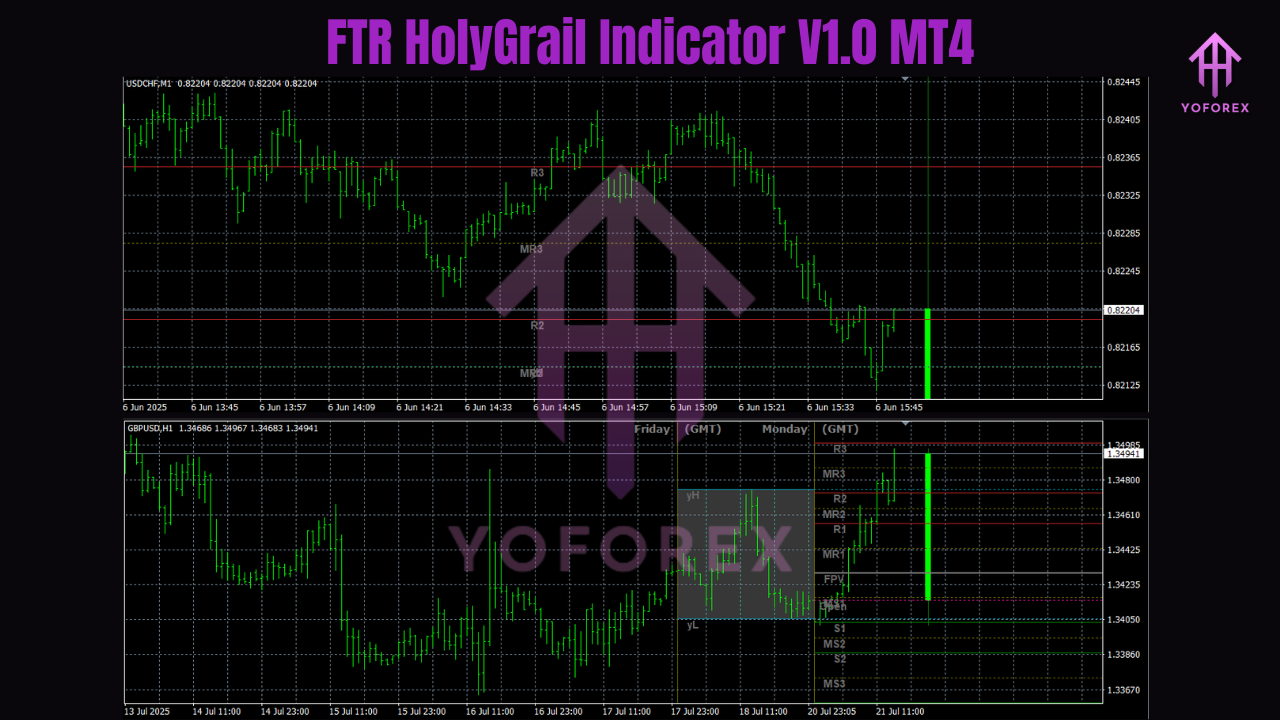
- Plot clear on-chart arrows/markers with optional alerts.
Because it focuses on structure and momentum, the indicator adapts across pairs and timeframes, from M5 scalping to H4 swing trading.
Key Features
- Trend Filter: A built-in directional filter helps reduce counter-trend noise.
- Signal Sensitivity Control: Dial signals tighter for scalping or looser for swing entries.
- ATR/Volatility Filter: Avoids choppy, low-quality conditions or overly whipsaw markets.
- Multi-Timeframe (MTF) Confluence (if enabled): Optional higher-timeframe check to confirm direction.
- Clean Visuals: On-chart arrows/labels and an optional compact dashboard.
- Alert Suite: Pop-ups, sound, and push/email notifications when new signals print.
- Session Awareness: Optional session filter to focus on London/NY or your preferred sessions.
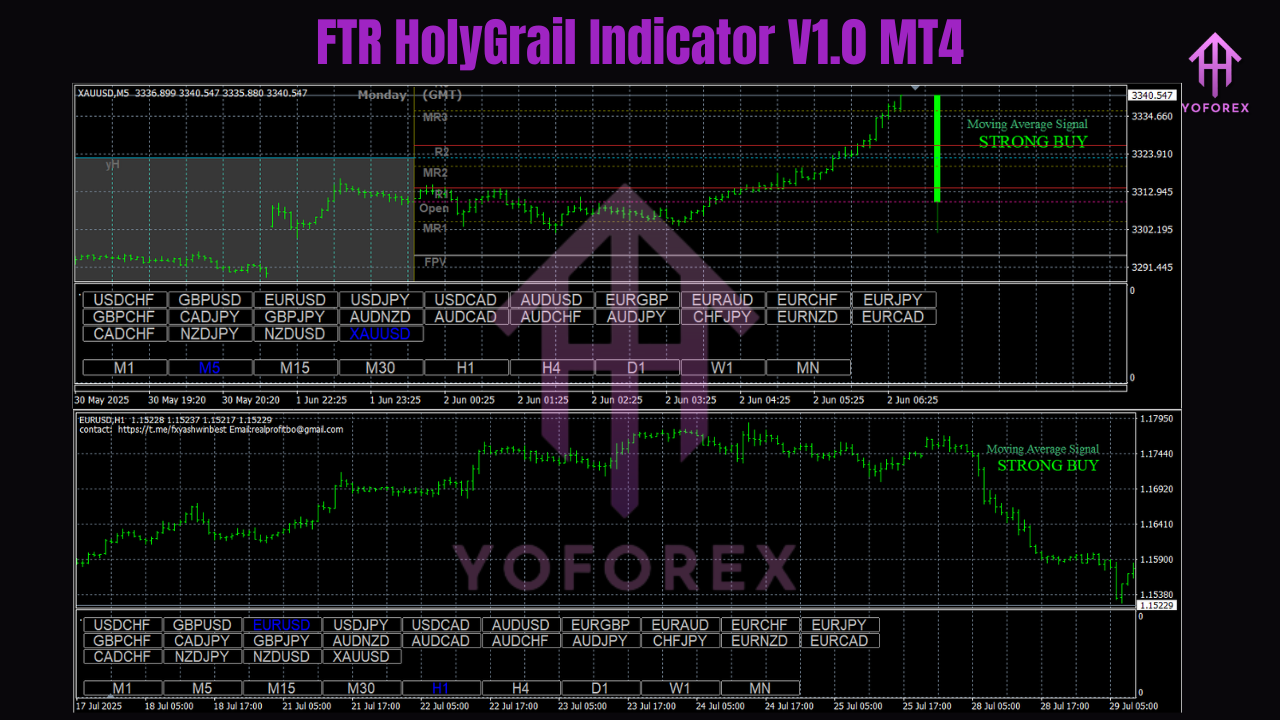
Installation & Setup (MT4)
- Copy File: Place the
.ex4/.mq4file intoMQL4 > Indicators. - Restart MT4: Or refresh the Navigator window.
- Attach to Chart: Drag FTR HolyGrail Indicator V1.0 onto your chosen pair/timeframe.
- Allow Alerts: If you want mobile or email push, set them up in MT4 options.
- Save a Template: After tuning settings, save your chart as a template for quick reuse.
Recommended Markets & Timeframes
- Markets: Major and minor FX pairs, XAUUSD (Gold), and some indices (check your broker’s symbols).
- Timeframes:
- Scalping: M5–M15
- Intraday: M15–H1
- Swing: H1–H4
Start with one or two pairs you know well (e.g., EURUSD, GBPUSD, XAUUSD) to learn how the signals behave.
Suggested Settings (Start Here)
These are sensible starting points. Always forward-test and adjust to your style.
- Signal Sensitivity: Medium (balances frequency with quality).
- Trend Filter Period: 50–100 lookback (shorter = more reactive; longer = smoother).
- ATR Filter: 14 period; block signals if current ATR is below a threshold you define (avoids dead markets).
- MTF Confirmation: Enable 1 higher timeframe (e.g., trading on M15, confirm with H1).
- Session Filter: Enable only your active trading hours to prevent overnight noise.
- Alerts: On; push/email if you’re away from the screen.
Clear Trading Rules You Can Test
Strategy 1: Trend Continuation (Beginner-Friendly)
Idea: Trade in the direction of the prevailing trend when a fresh signal appears after a pullback.
Rules:
- Timeframe: M15 or H1.
- Entry (Buy): Trend filter is bullish + FTR HolyGrail prints a buy arrow after a minor pullback.
- Stop-Loss: Below the most recent swing low (or 1× ATR(14)).
- Take-Profit: 1.5× to 2× risk; or trail using a moving average/ATR.
- Exit (Early): If an opposite signal prints and the trend filter weakens, cut the trade.
Notes: This setup tries to ride the “next leg” of a trend. Works best during active sessions.
Strategy 2: Reversal + Structure (Intermediate)
Idea: Capture early reversals when structure shifts and the indicator flags a potential turn.
Rules:
- Timeframe: M15–H1.
- Entry (Sell Example): Price breaks a key structure level, the trend filter flips, and a sell arrow prints near a retest.
- Stop-Loss: Above the retest high (or 1–1.5× ATR).
- Take-Profit: Scale out at 1× risk, then trail remainder behind lower highs/higher lows.
Notes: Combine with a higher-timeframe bearish context for extra confluence.
Strategy 3: Session Breakout (For Active Markets)
Idea: Focus on London/NY session when volatility picks up.
Rules:
- Timeframe: M5–M15.
- Filters: ATR not “too low,” session filter on.
- Entry: Take the first valid indicator signal in the new session that aligns with MTF direction.
- Stop-Loss: Tight (0.8–1.2× ATR) to respect session speed.
- Take-Profit: Partial at 1× risk, let the rest trail.
Practical Risk Management
- Fixed % Risk: 0.5–1% per trade for new users.
- Daily Stop: Set a daily loss cap (e.g., 2–3%) to avoid over-trading.
- No Signal Chasing: If you miss an entry, wait for the next signal.
- News Awareness: Consider pausing around high-impact events if your plan requires stability.
- Trade Fewer, Better: Quality beats quantity—especially with leverage.
Reading the Signals Like a Pro
- Clustering: Multiple signals in the same direction after a compression often precede a clean move.
- Divergence with Trend Filter: If price makes a new high but the filter softens, be cautious; take profits or tighten stops.
- MTF Confluence: When lower and higher timeframes agree, probability improves; when they disagree, size down or skip.
Optimization Tips
- Sensitivity vs. Noise: If you get too many false starts, reduce sensitivity and lengthen the trend period.
- Pair Personality: Gold (XAUUSD) moves differently from EURUSD—use a slightly wider ATR stop on Gold.
- Session Focus: Many traders see better follow-through during London and early NY.
- Journal Everything: Save screenshots of signals, entries, exits, and settings. Small tweaks add up.
Step-By-Step: Your First Trade
- Choose EURUSD M15.
- Load the indicator with the default/medium sensitivity.
- Enable MTF confirmation (H1).
- Wait for the trend filter to align and a fresh buy/sell signal to appear after a pullback.
- Place stop at swing + ATR buffer; set TP at 1.5–2× risk.
- Manage trade: partial at 1× risk, trail the rest.
- Journal the result and note whether settings felt too tight or too loose.
Final Thoughts
The FTR HolyGrail Indicator V1.0 MT4 is not a magic button—but it does streamline the heavy lifting of reading trend, momentum, and structure. With sensible risk, session discipline, and a tested set of rules, it can become a reliable part of your trading workflow. Start simple on one or two pairs, track your results, and only then expand to more markets or timeframes. Consistency is your edge.
Next step: Install, test on demo for two weeks, refine your settings, and move to live only when your rules and results are stable.
Join our Telegram for the latest updates and support