The world of forex trading is fast-paced and ever-evolving, with traders constantly seeking tools to enhance their strategies and boost profitability. One such tool that has gained attention is the FX Vector Indicator for MT4, a powerful technical analysis tool designed to help traders navigate the complexities of the forex market. In this comprehensive guide, we’ll explore what the FX Vector Indicator is, how it works, its benefits, and tips for integrating it into your MetaTrader 4 (MT4) trading platform to optimize your trading performance.
What is the FX Vector Indicator for MT4?
The FX Vector Indicator is a custom technical indicator designed specifically for the MetaTrader 4 platform, one of the most popular trading platforms globally due to its robust charting capabilities and support for automated trading. This indicator is crafted to analyze market trends, identify potential entry and exit points, and provide traders with clear, actionable signals. By leveraging advanced algorithms, the FX Vector Indicator simplifies complex market data, making it easier for both novice and experienced traders to make informed decisions.
Unlike standard indicators like Moving Averages or RSI, the FX Vector Indicator is tailored to detect momentum shifts and trend directions with high accuracy. It’s particularly valued for its non-repainting signals, meaning once a signal is generated, it remains fixed, reducing the risk of false positives that can mislead traders. This feature makes it a reliable tool for scalping, day trading, and swing trading strategies.
How Does the FX Vector Indicator Work?
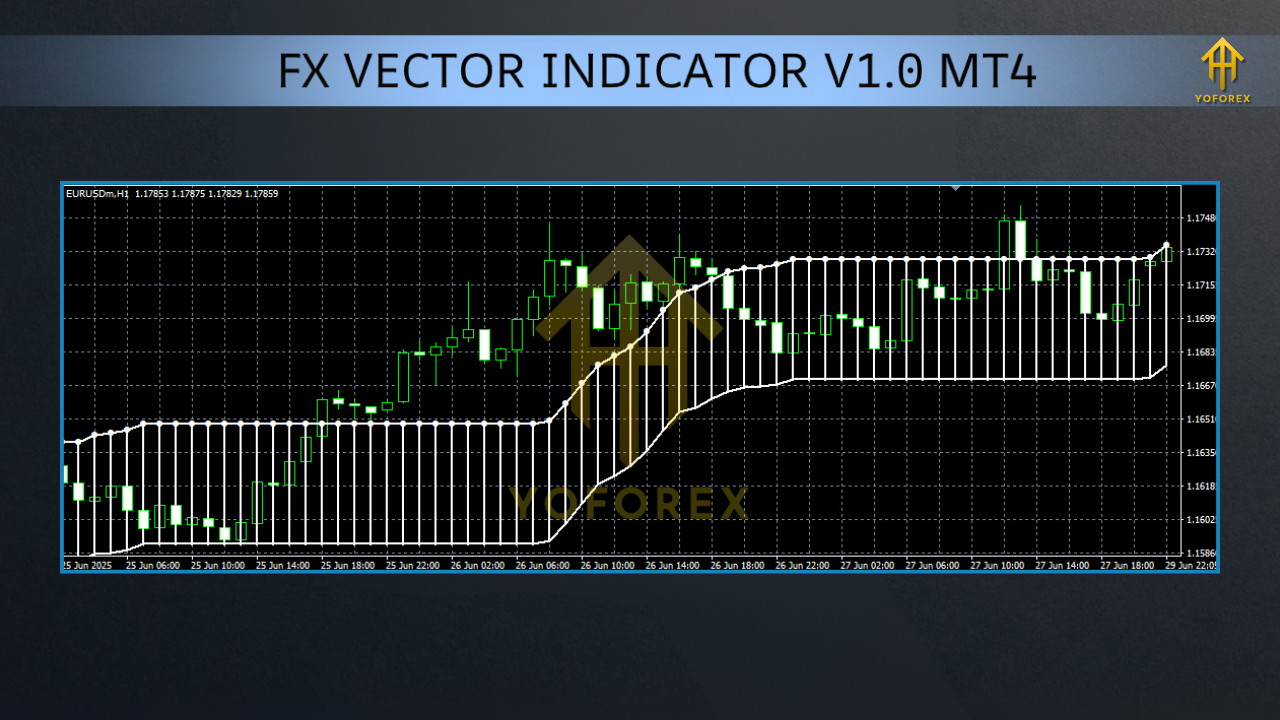
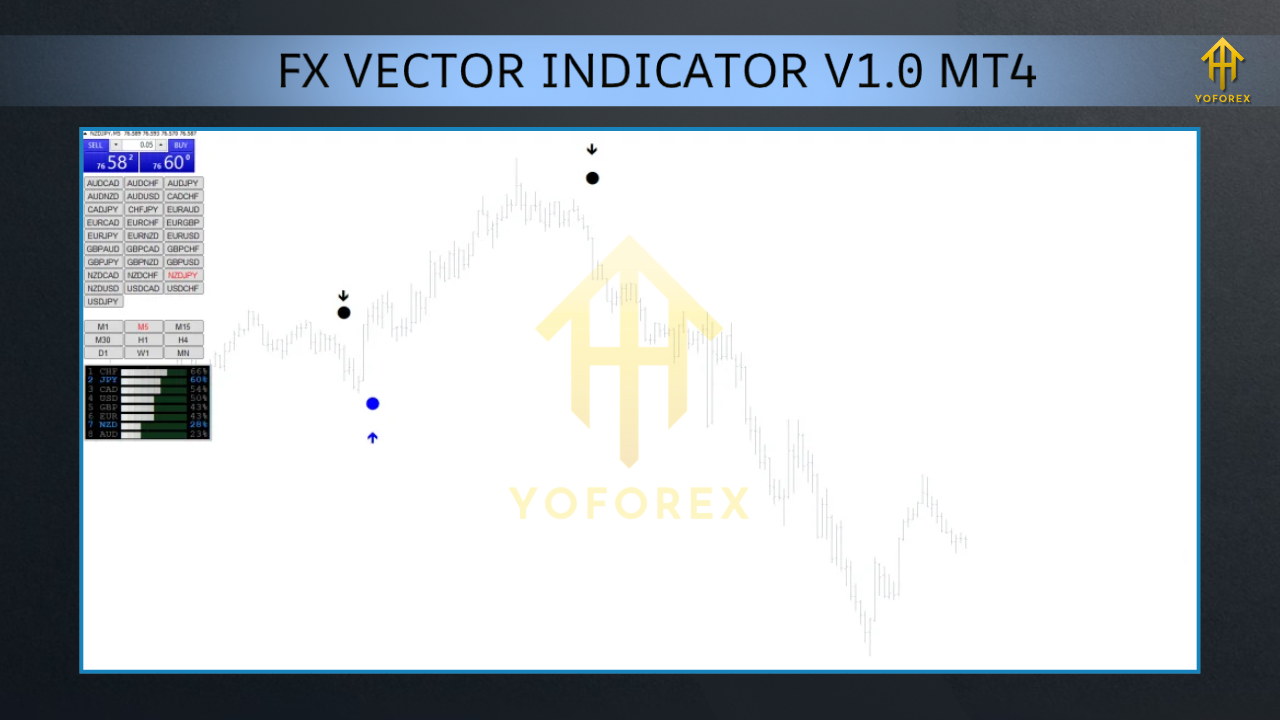
The FX Vector Indicator operates by analyzing price action and market momentum to generate buy and sell signals. It uses a combination of mathematical calculations and price movement patterns to plot signals directly on the MT4 chart. Typically, the indicator displays arrows or lines to indicate bullish (buy) or bearish (sell) opportunities, making it user-friendly even for beginners.
Key features of the FX Vector Indicator include:
- Trend Detection: Identifies the direction and strength of market trends, helping traders align their trades with the prevailing market momentum.
- Signal Accuracy: Provides clear, non-repainting signals to minimize confusion and improve trade reliability.
- Customizable Settings: Allows traders to adjust parameters like signal sensitivity and timeframes to suit their trading style.
- Multi-Timeframe Compatibility: Works across various timeframes, from 1-minute charts for scalpers to daily charts for long-term traders.
To use the indicator, traders install it on their MT4 platform by downloading the .ex4 or .mq4 file and placing it in the MQL4/Indicators folder. Once installed, the indicator can be dragged onto a chart, and settings can be customized via the “Inputs” tab to match specific trading preferences.
Benefits of Using the FX Vector Indicator
- Enhanced Decision-Making: By providing clear buy and sell signals, the indicator reduces guesswork, allowing traders to focus on strategy execution.
- Versatility: Suitable for various trading styles, including scalping, day trading, and swing trading, making it adaptable to different market conditions.
- Time Efficiency: Automates the process of identifying trading opportunities, saving traders hours of manual chart analysis.
- Non-Repainting Signals: Ensures reliability by locking signals once they appear, reducing the risk of acting on false indications.
- User-Friendly Interface: Easy to install and configure, even for traders new to MT4 or technical analysis.
How to Install and Use the FX Vector Indicator on MT4
- Download the Indicator: Obtain the .ex4 or .mq4 file from a reputable source, such as a trusted forex indicator website like best-metatrader-indicators.com.
- Access the MT4 Data Folder: In MT4, go to File > Open Data Folder > MQL4 > Indicators.
- Copy the File: Paste the downloaded indicator file into the Indicators folder.
- Restart MT4: Close and reopen the MT4 platform to load the indicator.
- Apply to Chart: Navigate to the “Navigator” panel, find the FX Vector Indicator, and drag it onto your desired chart. Adjust settings as needed.
Tips for Maximizing the FX Vector Indicator’s Potential
- Combine with Other Indicators: Pair the FX Vector Indicator with complementary tools like MACD, RSI, or Bollinger Bands to validate signals and improve accuracy.
- Test on a Demo Account: Before using the indicator with real money, practice on a demo account to understand its behavior and fine-tune settings.
- Focus on Higher Timeframes: For more reliable signals, use the indicator on higher timeframes like H1 or H4 to filter out market noise.
- Manage Risk: Always use proper risk management techniques, such as setting stop-loss orders and limiting position sizes, to protect your capital.
- Stay Updated: Regularly check for updates to the indicator, as developers may release improved versions with enhanced features.
SEO Optimization for Forex Traders
For traders searching for tools like the FX Vector Indicator, this blog is designed to be SEO-friendly, targeting keywords such as “FX Vector Indicator MT4,” “best forex indicators,” and “MT4 trading tools.” By providing in-depth, valuable content, this article aims to rank highly on search engines, helping traders discover reliable resources to enhance their trading strategies. Additionally, including internal links to related topics (e.g., MT4 installation guides) and external links to trusted sources can further boost SEO performance.
Limitations and Considerations
- Market Conditions: The indicator may perform less effectively in choppy or sideways markets, where false signals are more common.
- Over-Optimization Risk: Excessive tweaking of settings can lead to curve-fitting, reducing the indicator’s effectiveness in live trading.
- Not a Standalone Solution: Relying solely on the indicator without considering market context or other analysis tools can lead to poor trading decisions.
Conclusion
The FX Vector Indicator for MT4 is a versatile and reliable tool for forex traders seeking to enhance their technical analysis and improve trade accuracy. Its non-repainting signals, customizable settings, and compatibility with various trading styles make it a valuable asset for both beginners and seasoned traders. By understanding how to install, configure, and use the indicator effectively, traders can unlock new opportunities in the forex market. However, success requires combining the indicator with sound risk management, complementary tools, and a disciplined trading strategy.