
In the fast‑paced world of forex and indices trading, small market reversals can offer lucrative opportunities—if you can catch them in time. The Gator Scalper SAR EA V2.20 for MetaTrader 4 is built precisely for this purpose. By combining the time‑tested Parabolic SAR indicator with dynamic Bollinger Bands, this Expert Advisor (EA) identifies micro‑trends and executes pending orders at the most favorable price levels. Whether you’re trading AUDCAD, NZDCAD, XAUUSD, or even US30, Gator Scalper SAR EA is designed to react in milliseconds—ensuring that each pip counts.
How Gator Scalper SAR EA Works
At its core, Gator Scalper SAR EA V2.20 employs two complementary technical tools:
-
Parabolic SAR (Stop And Reverse): Tracks potential reversal points by plotting dots above or below price candles. When the dots “flip” from one side to the other, it signals a change in trend direction.
-
Bollinger Bands: Composed of a middle simple moving average (SMA) line and upper/lower bands at a set number of standard deviations away, these bands gauge volatility and act as dynamic support and resistance zones.
By cross‑referencing Parabolic SAR flips with price interactions at the Bollinger Bands, the EA pinpoints high‑probability scalping setups. It places pending “buy stop” or “sell stop” orders just beyond key levels, so trades only trigger when the market confirms the move.
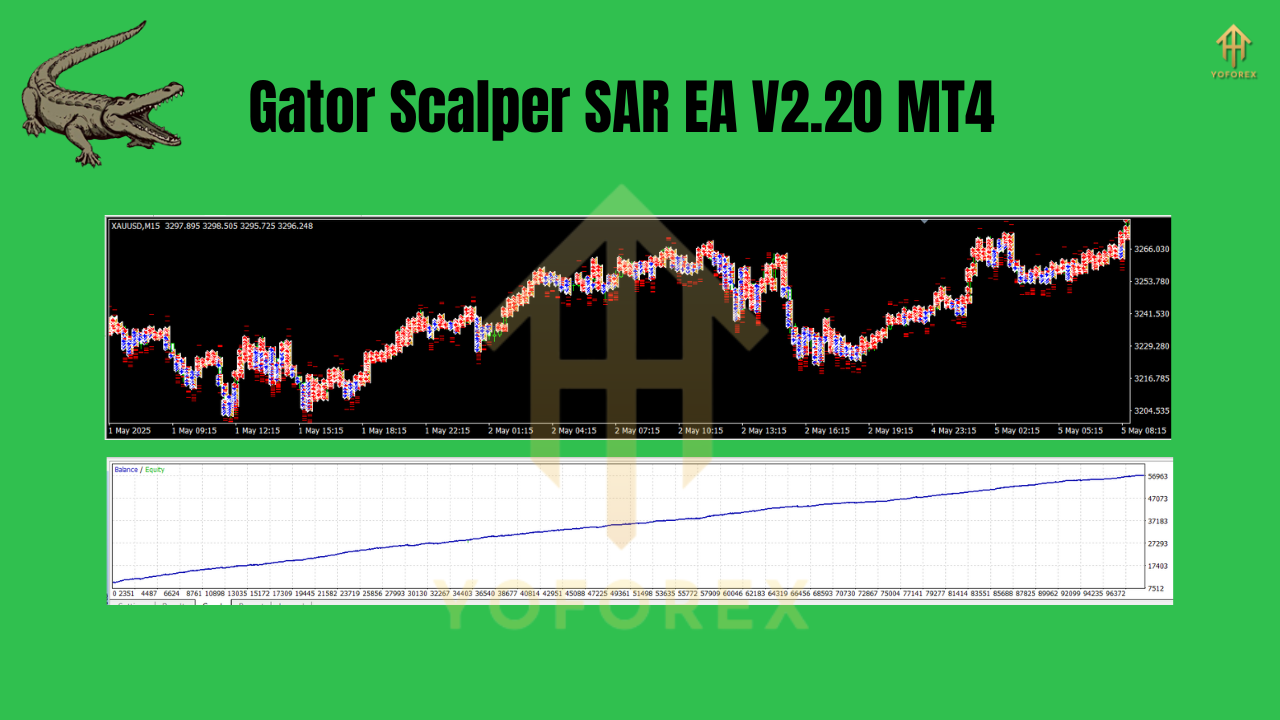
Pending Orders & Tick Counter for Precision Entry
Instead of instant market orders—which can suffer from slippage in fast markets—Gator Scalper SAR EA uses pending orders. Here’s how it optimizes entries:
-
Pending Order Placement: Once the EA detects a reversal signal, it calculates an optimal entry price slightly beyond recent swing highs or lows.
-
Tick Counter: A built‑in tick counter measures real‑time tick volume and tick frequency to determine market momentum. Higher tick frequency indicates strong participation, so the EA only keeps pending orders active when conditions are favorable.
-
Order Expiration: If the pending order isn’t filled within a specified number of ticks or seconds, the EA cancels it and waits for the next signal—avoiding stale entries during low‑liquidity periods.
Dynamic Trailing Stop Loss & Accelerator
Managing risk and locking in profits is critical to any scalping strategy. Gator Scalper SAR EA V2.20 features a sophisticated trailing stop loss system:
-
Initial Stop Loss: Placed at a conservative level based on recent volatility, typically just beyond the opposite Bollinger Band.
-
Trailing Stop Activation: Once the trade moves a user‑defined number of pips into profit, the EA activates the trailing stop.
-
Accelerator Function: Unlike a static trailing stop, the accelerator adjusts the trailing distance dynamically in relation to volatility and momentum. When momentum is strong, the trailing stop tightens quickly—maximizing profit capture. When momentum weakens, it loosens slightly to avoid premature stop‑outs.
Fixed‑Lot Grid Recovery Method
No system is immune to occasional losses. To handle drawdown periods, Gator Scalper SAR EA uses a fixed‑lot grid recovery:
-
Recovery Orders: If an initial trade hits its stop loss, the EA places a second grid order at a predetermined distance.
-
Consistent Lot Sizing: All recovery orders use the same lot size, preventing exponential risk increases.
-
Profit Target: Once any recovery order is filled and moves into profit, the EA closes all open positions—recovering the initial loss and securing net gains.
This grid recovery approach helps the EA navigate small adverse moves without blowing out the account, provided adequate capital is allocated.
Pair‑Specific Settings & Adaptability
Gator Scalper SAR EA V2.20 ships with optimized presets for several instruments:
| Instrument | Timeframe | SAR Step/Maximum | Bollinger Period/Deviation | Tick Threshold | Recovery Distance (pips) |
|---|---|---|---|---|---|
| AUDCAD | M5 | 0.02 / 0.2 | 20 / 2.0 | 50 | 8 |
| AUDNZD | M5 | 0.015 / 0.2 | 20 / 2.0 | 45 | 7 |
| NZDCAD | M5 | 0.02 / 0.2 | 20 / 2.0 | 50 | 8 |
| BTCUSD | M1 | 0.01 / 0.3 | 20 / 2.5 | 80 | 15 |
| US30 | M5 | 0.03 / 0.25 | 20 / 2.0 | 60 | 12 |
| XAUUSD | M5 | 0.02 / 0.2 | 20 / 2.0 | 70 | 10 |
Adaptability: These settings can be further tuned for other currency pairs or indices. Users can adjust SAR step values, Bollinger deviations, tick thresholds, and grid distances to align with each instrument’s volatility profile.
Broker & Spread Considerations
Gator Scalper SAR EA V2.20 is highly sensitive to broker spreads and execution speed. To maximize performance:
-
Choose Low‑Spread ECN Accounts: Aim for spreads under 1 pip on major pairs and under 20 points on XAUUSD.
-
Fast Execution: Ensure your broker’s servers are co‑located near major liquidity providers (e.g., Equinix NY4 for USD pairs).
-
FIFO Compliance: U.S. traders using FIFO‑regulated brokers will find Gator Scalper SAR EA fully compliant, as it never hedges opposite directions on the same pair.
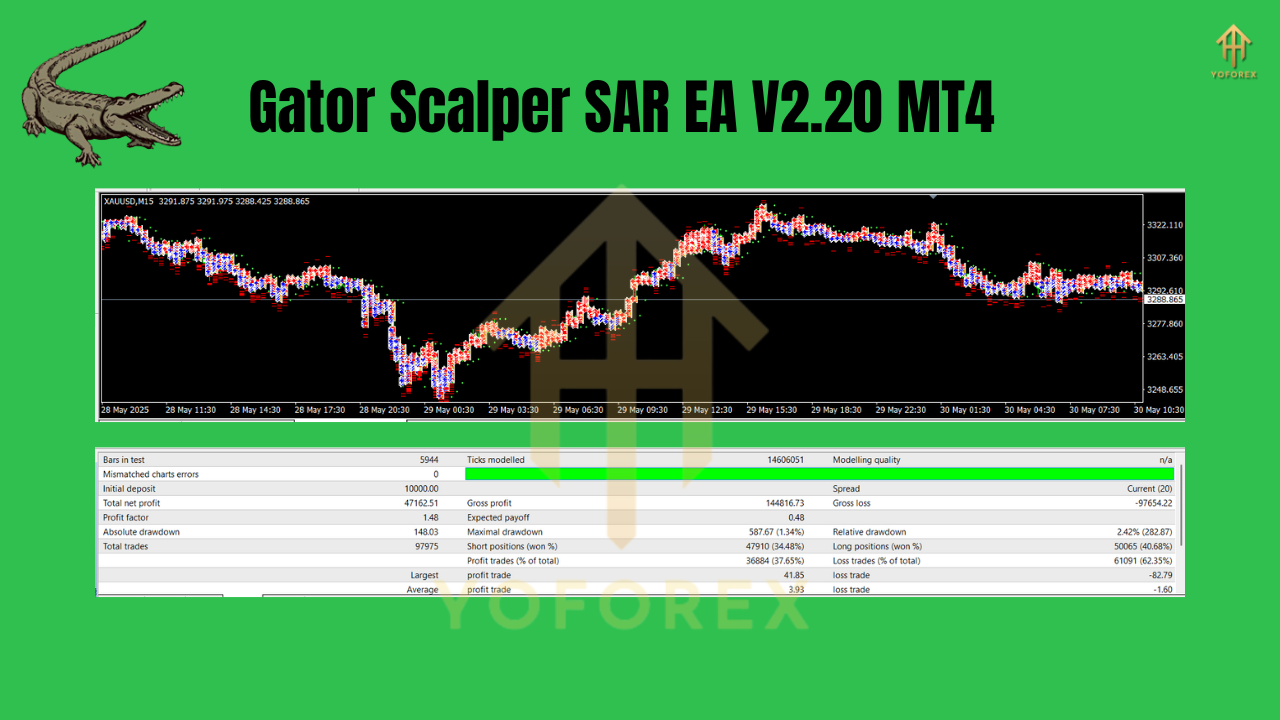
News & Event Risk Management
Scalping strategies rely on micro‑price stability. High‑impact news (“red news”) can introduce sudden spikes, widening spreads and causing slippage. Gator Scalper SAR EA includes:
-
News Filter: An optional feature to pause trading for a user‑definable window around scheduled news releases.
-
Manual Shutdown: For utmost safety, traders can stop the EA entirely before major events (FOMC, NFP, GDP releases) to avoid uncontrolled gaps.
Minimum Capital & Risk Guidelines
To ensure grid recovery and trailing mechanisms function as intended, allocate at least $500 per instrument. For example:
-
Trading three pairs concurrently (AUDCAD, NZDCAD, XAUUSD) → $1,500 total equity.
-
Use fixed‑lot sizing of 0.01–0.05 lots per $500 to keep drawdown within tolerable limits.
-
Apply max drawdown controls (e.g., equity stop at 5%) to guard against extended adverse moves.
Installation & Setup
-
Download & Install: Copy the
GatorScalper_SAR.ex4file into your MT4Expertsfolder. -
Chart Attachment: Open a clean M5 chart of your chosen instrument, then drag the EA onto the chart.
-
Inputs Configuration: Review and adjust inputs—particularly SAR step/max, Bollinger settings, tick counter threshold, and recovery distance.
-
Enable Auto‑Trading: Ensure “AutoTrading” is active in MT4’s toolbar.
-
Monitor & Optimize: Let the EA run through multiple market sessions, then review its journal and optimize parameters if needed.
Best Practices for Consistent Results
-
Backtest Before Live Deployment: Use MT4’s strategy tester with at least one year of tick data for each instrument.
-
Forward Test on Demo: Validate optimized settings on a live‑price demo account to ensure real‑world execution matches backtest assumptions.
-
Risk Management Discipline: Never exceed 2% risk per trade. Adjust lot sizes downward if more conservative risk tolerance is desired.
-
Regular Parameter Reviews: Market conditions evolve; retest and tweak SAR and Bollinger settings quarterly to maintain peak performance.
Conclusion
Gator Scalper SAR EA V2.20 MT4 stands out as a high‑precision scalping solution. By merging Parabolic SAR’s swift reversal signals with Bollinger Bands’ volatility profiling, it captures micro‑trends with surgical accuracy. Add in pending orders, a tick counter for momentum validation, dynamic trailing stops with an accelerator, and grid recovery for drawdown control—and you have a robust toolkit for consistent, low‑drawdown scalping.
Whether you’re aiming to add a gold‑scalping robot to your arsenal or seeking a multi‑instrument scalper for forex and indices, Gator Scalper SAR EA V2.20 deserves a close look. With disciplined capital allocation ($500 per pair), strict risk management, and a low‑spread broker, you can harness small price movements to build steady profits—one pip at a time.
Join our Telegram for the latest updates and support