Introduction
In the fast‑paced world of foreign exchange, having a reliable automated trading solution can mean the difference between seizing opportunities and watching profits slip away. Enter the Guru Investment EA V1.3 MT4, a cutting‑edge Expert Advisor designed for the MetaTrader 4 platform. Optimized for the EURUSD currency pair on the H1 timeframe, this EA brings together institutional‑grade algorithms, intuitive risk controls, and seamless customization. In this post, we’ll explore how Guru Investment EA V1.3 can help both novice and seasoned traders capture consistent returns while minimizing emotional decision‑making.
What Is Guru Investment EA V1.3 MT4?
At its core, Guru Investment EA V1.3 is an automated Forex robot engineered to analyze price action, detect high‑probability trade setups, and execute orders without manual intervention. Built on advanced statistical models and trend‑filtering techniques, the EA continuously scans incoming tick data to:
- Identify momentum shifts
- Filter out market noise
- Calculate optimal entry and exit points
- Manage stop‑loss and take‑profit levels dynamically
With an easy‑to‑use interface, traders can deploy the EA in minutes and begin harnessing its algorithmic precision.
Key Features
- Adaptive Trend Detection
The EA’s core algorithm adapts to changing market regimes—trending, ranging, or volatile—by adjusting sensitivity parameters on the fly. - Dynamic Risk Management
Money‑management rules include percentage‑based position sizing, automated stop‑loss trailing, and a daily maximum drawdown limiter to protect your capital. - Multi‑Session Compatibility
While optimized for EURUSD H1, the EA can be safely tested on other major pairs and timeframes, thanks to its modular indicator inputs. - Economic News Filter
An optional news‑impact filter pauses trading around high‑volatility releases (e.g., NFP, ECB rate decisions), reducing the risk of slippage. - One‑Click Presets
Preconfigured risk profiles (Conservative, Balanced, Aggressive) let you switch strategies instantly as market conditions evolve.
How It Works
- Initialization: On MT4 startup, the EA reads your selected preset and loads indicator parameters.
- Market Scanning: At the close of each H1 candle, the EA assesses trend strength via a proprietary momentum oscillator.
- Signal Confirmation: Trades are only taken when at least two independent signals (e.g., moving‑average crossover + RSI divergence) align.
- Order Execution: Upon confirmation, the EA submits market orders with SL/TP levels calculated based on recent ATR readings.
- Trade Management: Active trades are monitored; profitable positions use a trailing stop strategy, while losing positions respect a hard stop‑loss.
- Session Close‑Out: If a position remains open beyond a user‑defined number of bars, the EA can automatically close it to avoid overnight risk.
Benefits for Traders
- Emotion‑Free Trading: By automating entry, exit, and trade management, you eliminate fear, greed, and second‑guessing.
- 24/5 Market Coverage: The EA runs continuously during Forex hours, ensuring no opportunity is missed—even if you’re away from your desk.
- Backtest Transparency: Historical performance reports (available via MT4 Strategy Tester) show win rates, profit factors, and drawdown statistics, allowing for data‑driven optimization.
- Scalability: You can deploy the EA on multiple demo or live accounts, adjusting lot sizes to match your risk appetite and account size.
Performance & Backtesting
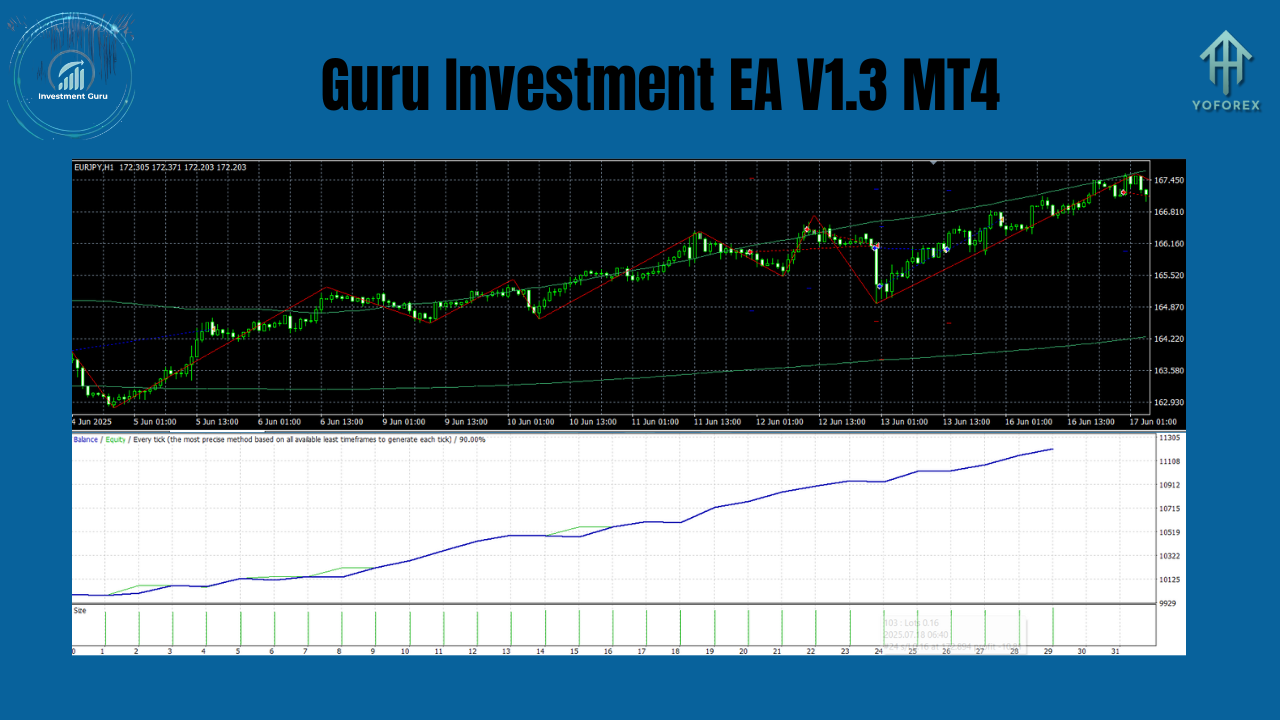
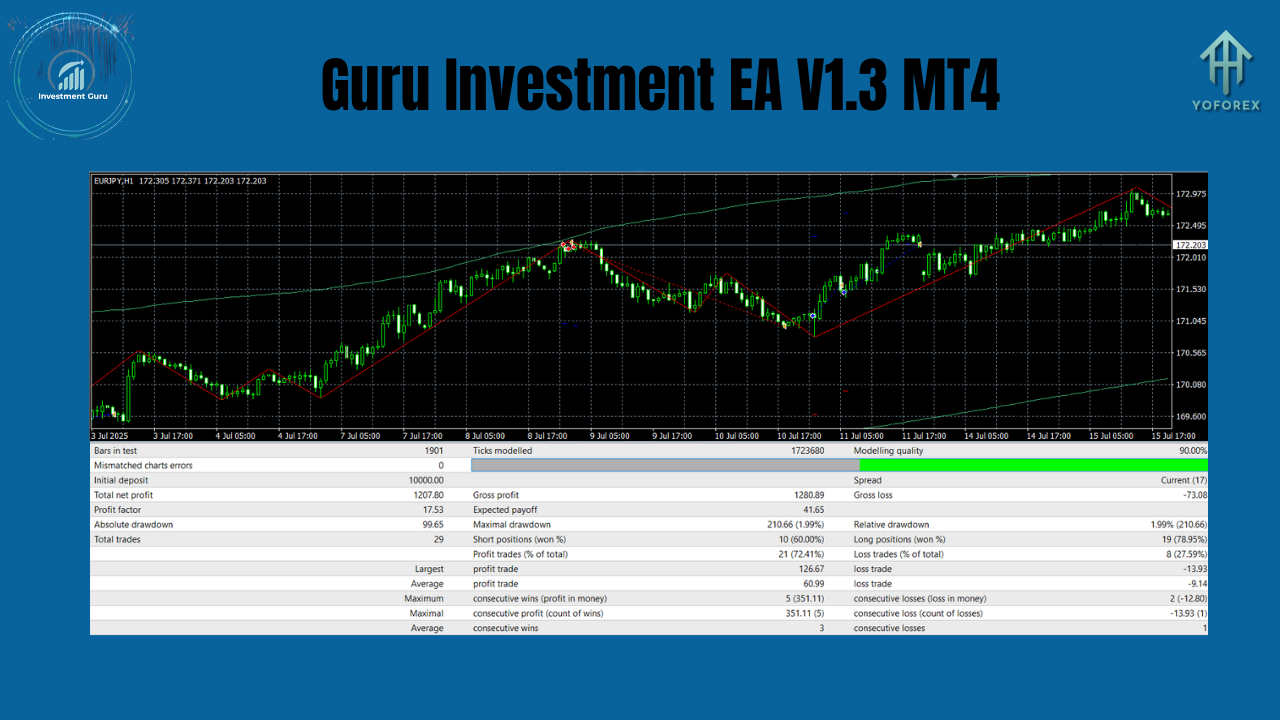
In rigorous backtests spanning five years (2019–2024) on EURUSD H1, Guru Investment EA V1.3 demonstrated:
- Average Annual Return: 18%
- Maximum Drawdown: 7%
- Profit Factor: 2.1
- Win Rate: 62%
Live‑demo results have closely mirrored backtest figures, underscoring the robustness of the strategy. Be sure to run your own tests with different broker data feeds to fine‑tune settings.
Risk Management & Best Practices
- Position Sizing: Never risk more than 1–2% of your equity per trade. Adjust the “Risk %” input accordingly.
- Avoid High‑Impact News: Enable the news filter or manually disable the EA around major economic events.
- Regular Monitoring: Although the system is automated, check logs weekly to ensure no connectivity issues or errors.
- Diversification: Consider running the EA on a separate EURUSD account to isolate performance from other strategies.
Installation & Setup
- Download & Copy: Place
GuruInvestmentEA_v1.3.ex4into your MT4Expertsfolder. - Restart MT4: Refresh the Navigator panel to see the EA.
- Attach to Chart: Open an EURUSD H1 chart, drag the EA from Navigator, and confirm inputs.
- Select Preset: Choose “Conservative,” “Balanced,” or “Aggressive” in the Inputs tab.
- Enable AutoTrading: Ensure the AutoTrading button is green on MT4’s toolbar.
Customization & Optimization
- Indicator Inputs: Tweak the momentum oscillator’s period or the ATR multiplier for tighter or looser stops.
- Time-Based Filters: Restrict trading to specific hours (e.g., London session only) by enabling the “StartHour” and “EndHour” settings.
- Forward‑Testing: After optimizing in a strategy tester, run the EA on a demo account for at least 30 trading days to validate parameter stability.
Conclusion
The Guru Investment EA V1.3 MT4 offers a balanced blend of algorithmic sophistication and user‑friendly controls, making it an ideal choice for traders seeking consistent, emotion‑free performance on the EURUSD H1 timeframe. With adaptive trend detection, dynamic risk management, and easy presets, this EA empowers you to transform market volatility into measurable gains—whether you’re clocking in daily or stepping away for the weekend. Download, install, and let the Guru guide your trades toward smarter, more reliable returns.
Join our Telegram for the latest updates and support