The Haos Visual Indicator is a robust technical analysis instrument designed for the MetaTrader 4 (MT4) platform. Forex traders widely utilize it to pinpoint market trends, reversals, and momentum shifts. This indicator stands out because it translates intricate market behavior into an easy-to-understand visual format. This makes it accessible to both beginners and experienced traders. In this piece, we’ll dive into the Haos Visual Indicator, its functions, installation process, trading approaches, and tips for maximizing its potential in forex trading.
What’s the Haos Visual Indicator?
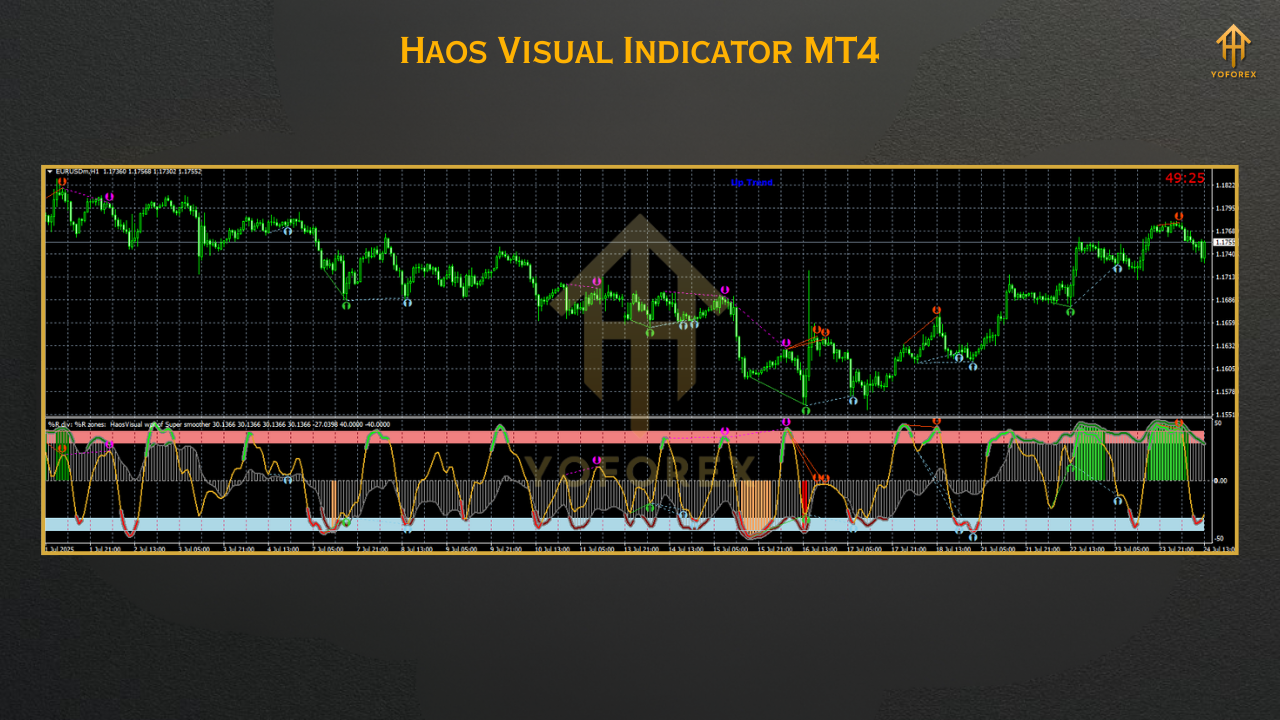
The Haos Visual Indicator is an oscillator-based tool. It assesses market chaos by comparing two William’s Percent Range (WPR) oscillators with various periods. Presented as a histogram oscillating around a zero line, it also has a signal line to aid traders in interpreting market conditions. This indicator is prized for not redrawing past signals, providing reliable data for making decisions. Adaptable, it works with any currency pair and time frame, serving as a standalone tool or alongside other indicators.
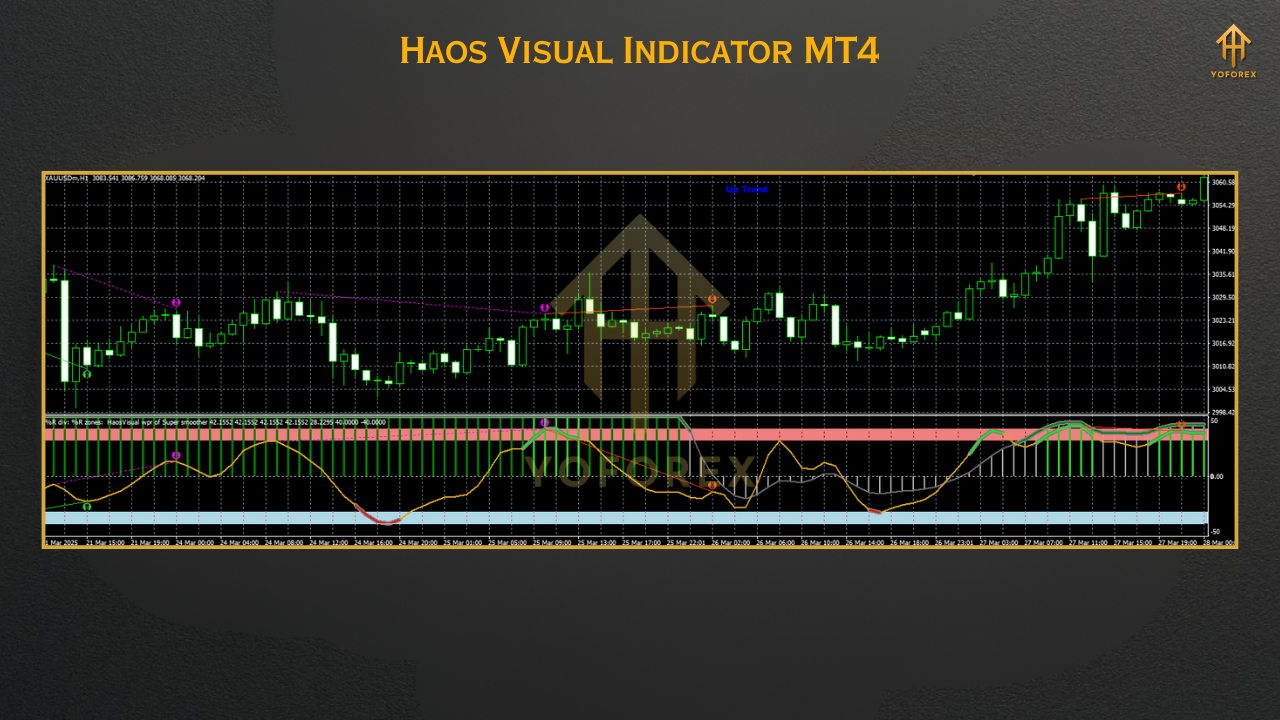
The primary function is to detect bullish and bearish market sentiments. When the histogram is above the zero line, it suggests an uptrend. Conversely, below the zero line signals a downtrend. Further, the Haos Visual Indicator highlights overbought and oversold conditions. This assists traders in anticipating potential reversals or pattern continuations.
Key Features of the Haos Visual Indicator
Trend Identification: The grey histogram bars show the overall trend direction—above zero for uptrends and below zero for downtrends. This helps traders align their trades with the prevailing market direction.
Overbought/Oversold Signals: The indicator flags extreme situations (typically at +30 for overbought and -30 for oversold), signaling potential reversals or pullbacks.
Non-Repainting: Unlike some indicators, Haos Visual maintains signal integrity. This makes it reliable for backtesting and live trading.
Multi-Timeframe (MTF) Compatibility: Versions like the Haos Visual MTF TT enable traders to assess trends across different time frames, increasing flexibility.
Visual Clarity: The indicator employs color-coded lines (green for slower, red for faster) and histograms for a clear view of market behavior.
How to Set Up the Haos Visual Indicator on MT4
Get the Indicator: Find the Haos Visual Indicator file (usually .ex4 or .mq4 format) from a trustworthy source, like best-metatrader-indicators.com or indicatorspot.com.
Unpack the File: If the file is .rar or .zip, extract it to access the .ex4 or .mq4 file.
Open MT4 Data Folder: In MT4, go to “File” then “Open Data Folder.”
Go to Indicators Folder: Open the “MQL4” folder, then the “Indicators” subfolder.
Paste the File: Copy and paste the Haos Visual .ex4 or .mq4 file into the Indicators folder.
Restart MT4: Close and reopen MT4 to load the indicator.
Add to Chart: Drag the Haos Visual Indicator from the Navigator panel onto your chosen chart, or right-click and select “Attach to Chart.” Customize the settings as needed (defaults often work).
Trading Strategies Utilizing the Haos Visual Indicator
1. Trend-Following Strategy
The Haos Visual Indicator excels at spotting trends. To trade with the trend:
Buy Signal: Enter a buy trade when the histogram goes above the zero line, and the red line (faster) is over the green line (slower), showing strong bullish momentum.
Sell Signal: Enter a sell trade when the histogram falls below the zero line, with the red line below the green line, suggesting bearish momentum.
Exit Strategy: Place take-profit levels at key support/resistance areas or use a trailing stop to hold onto extended trends.
2. Reversal Trading with Overbought/Oversold Levels
The indicator’s ability to emphasize extreme conditions makes it ideal for reversal trading:
Buy Signal: When the red line nears the -30 (oversold) level and starts rising, consider a potential buy, especially if the histogram starts turning positive.
Sell Signal: When the red line approaches the +30 (overbought) level and starts falling, consider a sell trade, especially if the histogram turns negative.
Confirmation: Incorporate price action (e.g., candlestick patterns like pin bars) or support/resistance levels to confirm entries.
3. Combining with TMA Bands
The Haos Visual Strategy, as detailed on forexstrategiesresources.com, blends the indicator with Triangular Moving Average (TMA) Bands for enhanced accuracy:
Buy Signal: Wait for the price to bounce off or break the lower TMA band, confirmed by a buy arrow from the SSRC indicator and a bullish Haos Visual signal (histogram over zero).
Sell Signal: Watch for the price to bounce off or break the upper TMA band, confirmed by a sell arrow from the SSRC indicator and a bearish Haos Visual signal.
Profit Targets: Set take-profit at critical price levels or the opposite TMA band.
Tips for Effective Use of the Haos Visual Indicator
Keep Charts Clean: The indicator offers much data. Avoid cluttering your chart with more oscillators, to prevent conflicting signals.
Test on Demo Accounts: Prior to using the indicator in live trading, try it on a demo account to understand its performance across diverse market conditions.
Employ Multiple Timeframes: Use the MTF version to confirm signals on higher timeframes, improving trade setups.
Combine with Price Action: Use candlestick patterns or support/resistance levels to filter out false signals and boost trade precision.
Manage Risk: Regardless of its high accuracy (said to be 80-90% for specific signals), always utilize stop-loss orders to protect against unforeseen market changes.
Pros and Cons of the Haos Visual Indicator
Pros
High Accuracy: Particularly for “Extreme” signals, with claims of up to 95% accuracy in backtesting.
Versatility: Suitable for trend-following, counter-trend, and scalping strategies.
User-Friendly: Its visual nature makes it easy to interpret, fitting traders of all skill levels.
Cons
Signal Frequency: On higher timeframes (e.g., 15-minute or greater), extreme signals might be infrequent. This forces traders to watch multiple pairs.
Strong Trends: The indicator might generate incorrect signals in very strong trends, potentially causing losses.
Compatibility Issues: Some versions might not function smoothly with the latest MT4 updates, necessitating that traders find compatible files.
Conclusion
The Haos Visual Indicator for MT4 is a valuable tool for forex traders. It can help them navigate market complexity. Its skill in spotting trends, reversals, and momentum changes, combined with its non-repainting property, makes it a valuable addition to a trader’s toolbox. Integrating it with methods such as TMA Bands or price action analysis can improve its efficacy, helping traders get consistent results. However, like any indicator, it is not perfect—careful risk management and comprehensive testing are essential. Download the Haos Visual Indicator today, experiment on a demo account, and release its potential to elevate your trading success.