
Haven Gold EA V1.0 MT4: A Comprehensive Guide to Automated Gold Trading
The Haven Gold EA V1.0 is an innovative Expert Advisor (EA) designed for the MetaTrader 4 (MT4) platform, tailored specifically for trading the XAUUSD (Gold) currency pair. This automated trading tool aims to simplify and enhance gold trading by leveraging advanced algorithms, robust risk management, and a user-friendly interface. In this blog post, we’ll explore the features, setup process, recommended settings, and performance potential of the Haven Gold EA V1.0, focusing on its suitability for traders with a minimum deposit of $200. Whether you’re a beginner or an experienced trader, this guide will provide a detailed overview to help you make informed decisions about incorporating this EA into your trading strategy.
Overview of Haven Gold EA V1.0
The Haven Gold EA V1.0 is a fully automated trading system developed for the MT4 platform, one of the most popular trading platforms globally due to its versatility and support for algorithmic trading. The EA specializes in trading XAUUSD, the gold-to-US-dollar pair, which is known for its high volatility and liquidity, making it a favorite among traders seeking short-term opportunities. The EA employs a scalping strategy, focusing on capturing small price movements on the M1 (1-minute) timeframe, which allows for rapid trade execution and the potential for consistent profits.
With a minimum deposit of $200, the Haven Gold EA is accessible to traders with limited capital, making it an attractive option for those looking to enter the gold market without significant upfront investment. The EA incorporates advanced risk management features, such as stop-loss and take-profit mechanisms, to protect capital while maximizing returns. Its design emphasizes ease of use, allowing both novice and seasoned traders to automate their trading strategies effectively.
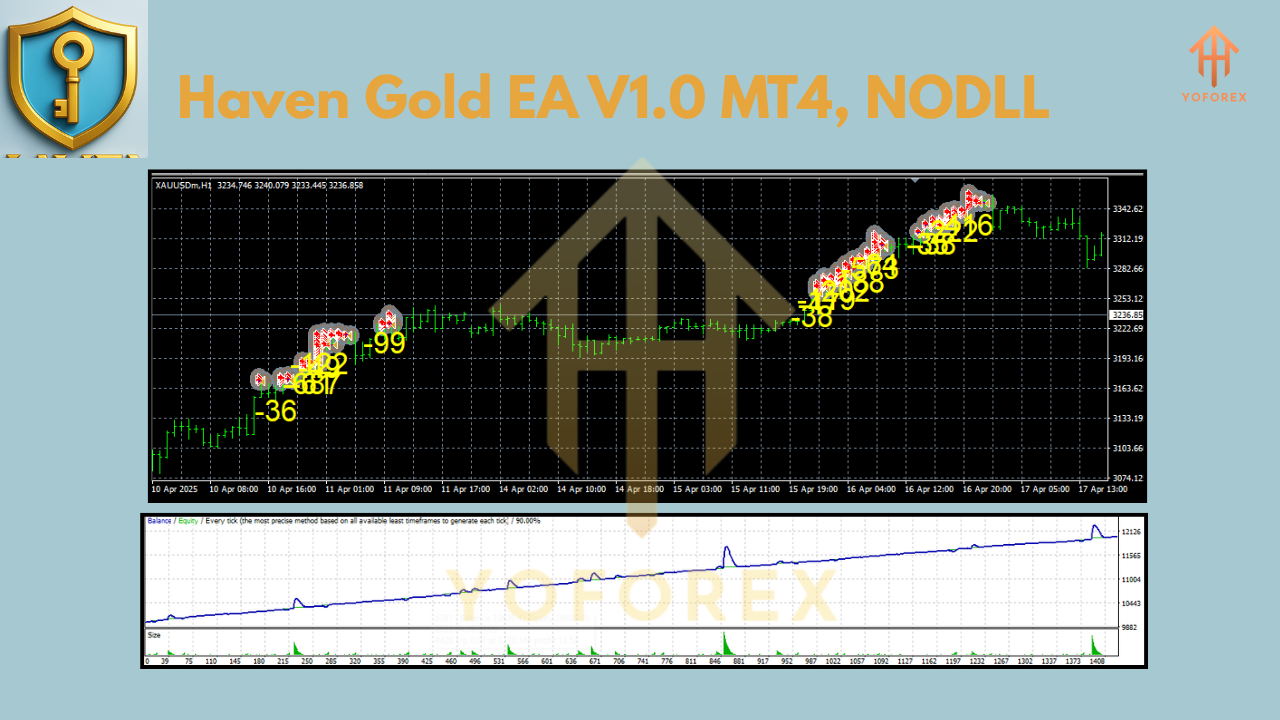
Key Features of Haven Gold EA V1.0
The Haven Gold EA V1.0 stands out due to its robust feature set, optimized specifically for gold trading. Here are some of its standout features:
-
Scalping Strategy for XAUUSD: The EA is designed to capitalize on the rapid price fluctuations of gold on the M1 timeframe. By executing multiple trades in quick succession, it aims to secure small, frequent gains, which can accumulate into substantial profits over time.
-
Advanced Risk Management: The EA includes built-in stop-loss and take-profit settings to limit potential losses and secure profits. It also features dynamic lot sizing, allowing traders to adjust risk levels based on their account balance.
-
Low Minimum Deposit: With a minimum deposit requirement of just $200, the EA is accessible to a wide range of traders, making it ideal for those starting with smaller accounts.
-
News Filter: The EA incorporates a news filter to pause trading during high-impact news events, reducing the risk of losses due to sudden market volatility.
-
User-Friendly Interface: The EA is easy to install and configure, with pre-optimized settings for the XAUUSD pair, allowing traders to get started quickly.
-
No High-Risk Strategies: Unlike some EAs that rely on risky methods like Martingale or grid trading, Haven Gold EA uses a safer approach, focusing on price action and market trends.
Recommended Settings
To achieve optimal performance with the Haven Gold EA V1.0, it’s crucial to configure it correctly. Below are the recommended settings for trading XAUUSD on the M1 timeframe with a minimum deposit of $200:
-
Currency Pair: XAUUSD (Gold)
-
Timeframe: M1 (1-minute)
-
Minimum Deposit: $200 (recommended $500 for better risk management)
-
Lot Size: 0.01 per $1,000 of capital (for a $200 account, use 0.002 lots)
-
Stop-Loss (SL): 30 pips to limit potential losses
-
Take-Profit (TP): 10-20 pips to capture small, frequent gains
-
Risk Per Trade: Keep risk below 2% of account balance
-
Broker: Use an ECN broker with low spreads (e.g., IC Markets, Tickmill) and leverage of at least 1:100
-
VPS: Highly recommended for low latency and uninterrupted trading
-
News Filter: Enable to avoid trading during high-impact news events
These settings are designed to balance profitability and risk, ensuring the EA performs reliably while protecting your capital. Traders with larger accounts ($500 or more) can scale up lot sizes proportionally for potentially higher returns.
Installation and Setup Guide
Setting up the Haven Gold EA V1.0 on the MetaTrader 4 platform is straightforward. Follow these steps to get started:
-
Download and Install MT4: If you don’t already have MetaTrader 4, download it from your broker’s website or the official MetaTrader site. Install it on your computer by following the on-screen instructions.
-
Obtain the EA File: Purchase or download the Haven Gold EA V1.0 .ex4 file from a trusted source. Ensure you receive any accompanying set files or documentation.
-
Add the EA to MT4:
-
Open MT4 and go to File > Open Data Folder.
-
Navigate to MQL4 > Experts.
-
Copy and paste the Haven Gold EA .ex4 file into the Experts folder.
-
-
Restart MT4: Close and reopen MetaTrader 4 to ensure the platform detects the EA.
-
Attach the EA to a Chart:
-
Open a new XAUUSD chart (M1 timeframe).
-
Open the Navigator panel (Ctrl+N).
-
Locate Haven Gold EA under the Expert Advisors section and drag it onto the XAUUSD chart.
-
A settings window will appear. Configure the EA with the recommended settings above or use the provided set file.
-
-
Enable Auto Trading:
-
Click the Auto Trading button in the MT4 toolbar to allow the EA to execute trades.
-
Verify that a smiley face appears in the top-right corner of the chart, indicating the EA is active.
-
-
Monitor Performance: While the EA is fully automated, periodically check its performance to ensure it aligns with your trading goals. Adjust settings if necessary.
For optimal performance, use a Virtual Private Server (VPS) to ensure low latency and 24/7 operation, especially for a high-frequency scalping strategy like Haven Gold EA.
Performance and Backtesting
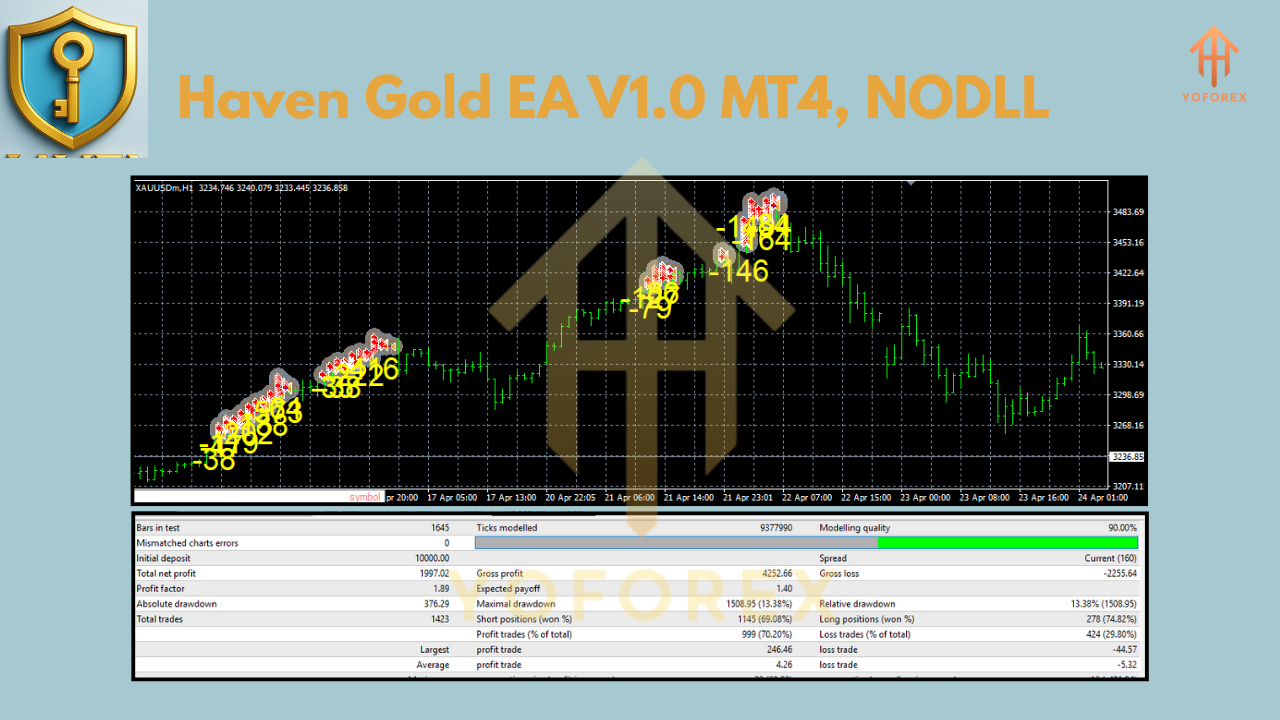
While specific backtesting results for Haven Gold EA V1.0 are not publicly available, similar gold-trading EAs have demonstrated impressive performance. For instance, some gold-focused EAs report profits of up to 78,891.92% with a drawdown of 50.98% over extended periods, with win rates averaging 67-68%. These figures suggest that well-optimized gold EAs can achieve significant returns, though they may come with higher drawdowns.
To evaluate the Haven Gold EA’s potential, traders should conduct backtests using historical XAUUSD data on the M1 timeframe. Use MT4’s Strategy Tester to simulate performance with the recommended settings. Key metrics to monitor include:
-
Net Profit: Total profit after accounting for losses
-
Maximum Drawdown: The largest peak-to-trough decline in account balance
-
Profit Factor: Ratio of gross profit to gross loss
-
Win Rate: Percentage of winning trades
Backtesting with a $200 deposit over a 6-12 month period can provide insights into the EA’s stability and profitability.
Join our Telegram for the latest updates and support