Hunter Scalper EA V1.10 MT4 – The Ultimate Scalping Solution
Scalping in forex trading requires precision, speed, and a reliable expert advisor (EA) that can execute trades efficiently. Hunter Scalper EA V1.10 MT4 is designed specifically for traders who want to take advantage of small price movements with a low-risk approach. This powerful EA is built to work on specific currency pairs and optimized timeframes, ensuring consistent profitability.
📌 Key Features of Hunter Scalper EA V1.10 MT4
✔ Highly accurate entry & exit points
✔ Low drawdown strategy
✔ Optimized for low-spread brokers
✔ Works best on major currency pairs
✔ Easy-to-use, fully automated trading system
✔ Uses stop-loss and take-profit for risk management
✔ Operates in a short time frame for quick profits

📌 Technical Details & Recommended Settings
| Feature | Details |
|---|---|
| Trading Platform | MetaTrader 4 (MT4) |
| Version | V1.10 |
| Strategy | Scalping |
| Currency Pairs | EUR/USD, GBP/USD, USD/JPY |
| Timeframe | M5 (5-minute chart) |
| Minimum Deposit | $200 |
| Leverage | 1:500 (Recommended) |
| Stop-Loss | Yes (Automatically Adjusts) |
| Take-Profit | Yes (Smart TP System) |
📌 How Hunter Scalper EA V1.10 Works?
Hunter Scalper EA V1.10 is based on a short-term scalping strategy that aims to take advantage of small price fluctuations. It works efficiently on low timeframes, analyzing market momentum, volatility, and liquidity to execute trades at the right moment. Below is an overview of how the EA takes trades:
🔹 Entry Strategy:
- The EA identifies rapid price movements within a short period.
- Uses Bollinger Bands, Moving Averages, and RSI filters to confirm entry points.
- Ensures trades align with the trend using smart trend-detection algorithms.
🔹 Trade Execution:
- Opens multiple small trades with tight stop-loss.
- Trades are executed at high speeds to capitalize on quick price changes.
- Uses an intelligent spread filter to avoid high-spread conditions.
🔹 Exit Strategy:
- Implements a smart take-profit mechanism to lock in profits.
- Stop trades when market conditions change to prevent losses.
- Uses dynamic stop-loss trailing to secure winnings while minimizing risks.
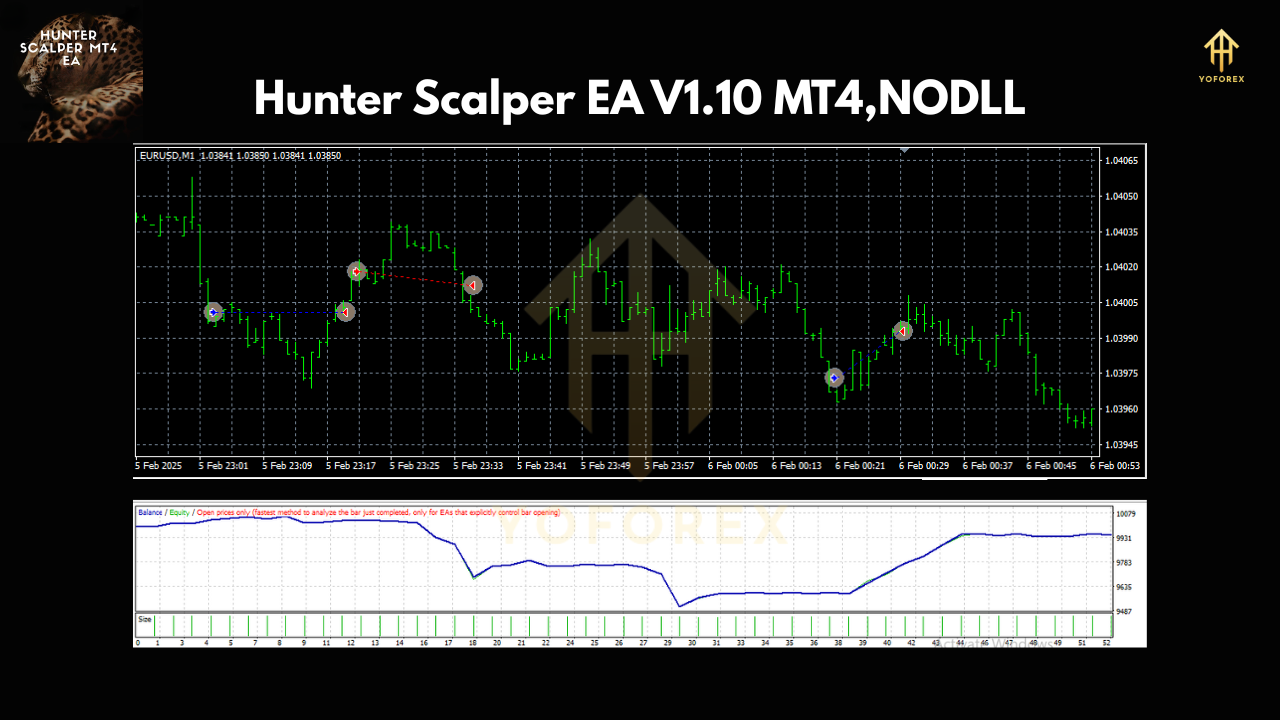
📌 Why Choose Hunter Scalper EA V1.10?
✅ Consistent Profits: The EA is optimized to maximize gains from quick price movements.
✅ Minimal Risk: Built-in risk management ensures protection from large losses.
✅ No Emotional Trading: Fully automated system eliminates human errors.
✅ Simple to Use: Easy setup, even for beginners.
✅ No Need for Manual Analysis: Advanced AI technology does the work for you.
📌 Recommended Broker Conditions
To achieve the best results, it’s important to use Hunter Scalper EA V1.10 with the right broker. Here’s what to look for:
✔ Low Spread Broker – The EA performs best when trading costs are low.
✔ ECN Account Recommended – Ensures faster execution and lower slippage.
✔ VPS Hosting – Running the EA on a VPS ensures 24/7 trading without interruptions.
✔ Fast Order Execution – Essential for high-frequency scalping strategies.
📌 Installation & Setup Guide
Step 1: Download the EA file from our website.
Step 2: Open MT4 and go to File > Open Data Folder > MQL4 > Experts.
Step 3: Copy and paste the EA file into the Experts folder.
Step 4: Restart MT4 and attach the EA to the M5 timeframe on EUR/USD, GBP/USD, or USD/JPY.
Step 5: Enable Auto Trading and adjust lot size according to your risk preference.
📌 Final Thoughts
Hunter Scalper EA V1.10 MT4 is a powerful tool for traders looking to capitalize on short-term price movements. With a well-optimized strategy, risk management, and ease of use, this EA is an excellent choice for traders who prefer scalping.
Join our Telegram for the latest updates and support