
Hyper Core Scalp EA V1.0 MT5: Revolutionizing Automated Forex Trading
Introduction
In the fast-paced world of forex trading, automation has become a game-changer, enabling traders to capitalize on market opportunities with speed and precision. The Hyper Core Scalp EA V1.0 MT5 is a cutting-edge Expert Advisor (EA) designed for the MetaTrader 5 (MT5) platform, tailored specifically for scalping strategies. Scalping, a trading approach that focuses on profiting from small price movements over short timeframes, requires rapid decision-making and flawless execution—qualities that the Hyper Core Scalp EA delivers through its advanced algorithms and robust risk management features.
This blog post explores the Hyper Core Scalp EA V1.0 MT5 in detail, covering its features, trading strategy, setup process, performance considerations, and tips for optimizing its use. Whether you’re a novice trader or a seasoned professional, this EA offers a powerful tool to enhance your trading efficiency in volatile markets.
What is Scalping in Forex Trading?
Before diving into the specifics of the Hyper Core Scalp EA, let’s clarify what scalping entails. Scalping is a high-frequency trading strategy that aims to capture small price movements, typically within seconds or minutes. Scalpers execute numerous trades throughout the day, relying on tight spreads, high liquidity, and rapid order execution to generate consistent profits. This approach thrives in volatile markets, such as during major trading sessions (e.g., London or New York), where price fluctuations are frequent.
However, scalping is not without challenges. It demands precision, low latency, and a disciplined approach to risk management. Manual scalping can be exhausting, as it requires constant market monitoring. This is where automated tools like the Hyper Core Scalp EA V1.0 MT5 shine, automating the process to deliver speed, accuracy, and efficiency.
Key Features of Hyper Core Scalp EA V1.0 MT5
The Hyper Core Scalp EA V1.0 MT5 is engineered to excel in high-frequency trading environments. Below are its standout features:
1. Advanced Scalping Algorithm
The EA employs a sophisticated algorithm designed to identify short-term price movements in highly liquid markets. By analyzing real-time market data, it detects trends, reversals, and breakout opportunities, enabling precise trade entries and exits.
2. Customizable Risk Management
Risk control is paramount in scalping due to the high volume of trades. The Hyper Core Scalp EA includes adjustable parameters for stop-loss (SL), take-profit (TP), and lot sizing. Traders can tailor these settings to align with their risk tolerance and account size, ensuring a balanced approach to profitability and safety.
3. Multi-Pair Compatibility
While optimized for major currency pairs like EURUSD, GBPUSD, and USDJPY, as well as commodities like XAUUSD (gold), the EA is versatile and can be configured for other assets. This flexibility allows traders to diversify their portfolios across different markets.
4. Low Timeframe Operation
The EA operates on low timeframes, such as M1 (1-minute) and M5 (5-minute), ideal for capturing rapid price fluctuations. Its algorithms are fine-tuned to handle the noise and volatility inherent in these short timeframes.
5. Non-Martingale Strategy
Unlike some EAs that rely on risky strategies like martingale or grid trading, the Hyper Core Scalp EA uses a single-order approach with strict stop-loss settings. This minimizes exposure to large drawdowns and promotes sustainable trading.
6. Broker Compatibility
The EA is designed to work with brokers offering low spreads, fast execution, and ECN/STP accounts. These conditions are critical for scalping, as they reduce trading costs and slippage, enhancing overall profitability.
7. User-Friendly Interface
Despite its advanced capabilities, the EA is accessible to traders of all experience levels. Its intuitive setup process and customizable parameters make it easy to configure, even for those new to automated trading.
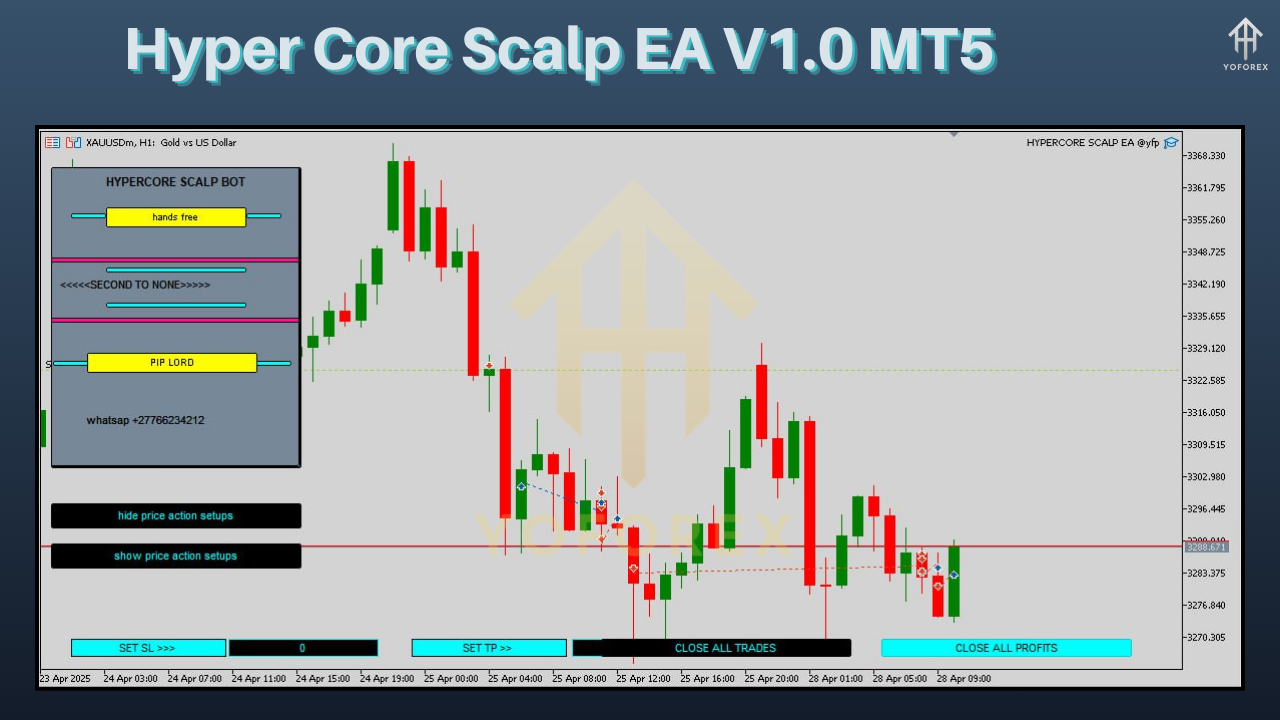
How Does Hyper Core Scalp EA V1.0 MT5 Work?
The Hyper Core Scalp EA V1.0 MT5 is built around a scalping strategy that leverages technical indicators and price action analysis. Here’s a breakdown of its operational mechanism:
Entry Strategy
The EA uses a combination of technical indicators, such as Moving Averages, Relative Strength Index (RSI), and Bollinger Bands, to identify entry points. It looks for signals like:
-
Breakouts: When the price breaches key support or resistance levels.
-
Trend Reversals: When indicators suggest a shift in market momentum.
-
Volatility Spikes: When rapid price movements create short-term opportunities.
Once a signal is confirmed, the EA places a trade with predefined stop-loss and take-profit levels.
Exit Strategy
The EA aims to close trades quickly, often within minutes, to lock in small profits. It employs:
-
Tight Take-Profit Targets: Typically set at 5-15 pips, depending on market conditions.
-
Stop-Loss Protection: To limit losses if the market moves against the position.
-
Trailing Stops: To secure profits as the price moves favorably, especially in trending markets.
Risk Management
The EA’s risk management system is designed to protect capital while maximizing returns. Traders can adjust lot sizes based on their account balance (e.g., 0.01 lots per $1,000) and set risk percentages per trade (e.g., 1-2% of account equity). This ensures that no single trade jeopardizes the account.
Setting Up Hyper Core Scalp EA V1.0 MT5
To get started with the Hyper Core Scalp EA, follow these steps:
1. Choose a Compatible Broker
Select an ECN or STP broker with low spreads (ideally below 1 pip for major pairs) and fast execution. Popular choices include IC Markets, Pepperstone, or XM. Ensure the broker supports MT5 and offers a VPS for uninterrupted trading.
2. Install MetaTrader 5
Download and install the MT5 platform from your broker’s website or the official MetaQuotes site. Log in with your trading account credentials.
3. Install the EA
-
Download the Hyper Core Scalp EA V1.0 MT5 file (typically in .ex5 format).
-
Open MT5, navigate to File > Open Data Folder > MQL5 > Experts, and copy the EA file into the Experts folder.
-
Restart MT5 to load the EA.
4. Configure the EA
-
In MT5, open the Navigator panel, locate the Hyper Core Scalp EA, and drag it onto a chart (e.g., EURUSD M5).
-
Adjust the settings in the pop-up window, including:
-
Lot Size: Start with 0.01 per $1,000 of capital.
-
Stop-Loss: Set at 20-30 pips to limit losses.
-
Take-Profit: Set at 10-15 pips for quick exits.
-
Trading Hours: Restrict trading to high-liquidity sessions (e.g., 8:00–18:00 GMT).
-
Indicators: Customize RSI, MA, or Bollinger Band settings if needed.
-
5. Enable Auto-Trading
Click the AutoTrading button in MT5 to allow the EA to execute trades. Ensure your VPS is running to keep the platform active 24/7.
6. Backtest and Optimize
Before deploying the EA on a live account, backtest it using MT5’s Strategy Tester. Use historical data to evaluate performance and tweak settings for optimal results. Focus on metrics like profit factor, drawdown, and win rate.
Performance Considerations
The performance of the Hyper Core Scalp EA V1.0 MT5 depends on several factors:
Market Conditions
Scalping thrives in volatile, high-liquidity markets. The EA performs best during the London-New York session overlap (8:00–12:00 EST), when spreads are tight and price movements are frequent. Avoid trading during low-liquidity periods, such as the Asian session, to minimize slippage.
Broker Quality
A broker with low spreads, minimal slippage, and fast execution is critical. Test the EA on a demo account to assess your broker’s performance under real market conditions.
Account Size
The recommended minimum deposit is $200, though $1,000 is ideal for smoother performance and lower risk. Smaller accounts may face higher relative risk due to fixed spread costs.
VPS Reliability
A Virtual Private Server (VPS) ensures the EA runs continuously without interruptions. Choose a VPS with low latency (below 4ms) and high uptime.
Tips for Optimizing Hyper Core Scalp EA
To maximize the EA’s potential, consider these tips:
-
Start with a Demo Account: Test the EA in a risk-free environment to understand its behavior and fine-tune settings.
-
Monitor Performance: Regularly review trade logs to identify patterns and adjust parameters as needed.
-
Avoid Over-Optimization: While backtesting is valuable, avoid curve-fitting by ensuring settings are robust across different market conditions.
-
Use Conservative Risk Settings: Keep risk per trade below 2% to protect your capital during losing streaks.
-
Stay Updated: Check for EA updates to ensure compatibility with the latest MT5 builds and market dynamics.
Advantages and Limitations
Advantages
-
Automation: Eliminates emotional trading and saves time.
-
Precision: Executes trades with speed and accuracy.
-
Flexibility: Supports multiple pairs and customizable settings.
-
Safety: Non-martingale strategy reduces risk.
Limitations
-
Broker Dependency: Performance relies on low spreads and fast execution.
-
Market Sensitivity: May underperform in low-volatility markets.
-
Learning Curve: Requires some technical knowledge to optimize settings.
Conclusion
The Hyper Core Scalp EA V1.0 MT5 is a powerful tool for traders seeking to capitalize on short-term price movements in the forex market. Its advanced algorithms, robust risk management, and user-friendly design make it an excellent choice for both novice and experienced traders. By automating the scalping process, the EA delivers speed, precision, and consistency, allowing traders to focus on strategy rather than execution.
To succeed with the Hyper Core Scalp EA, choose a reliable broker, optimize settings through backtesting, and maintain disciplined risk management. With the right setup, this EA can be a valuable addition to your trading arsenal, helping you navigate the volatile world of forex with confidence.
Ready to take your trading to the next level? Install the Hyper Core Scalp EA V1.0 MT5 today and experience the power of automated scalping!