The i-Regr Indicator for MetaTrader 4 (MT4) is a powerful and versatile tool that has gained popularity among forex traders for its ability to identify market trends and potential reversal points. By leveraging linear regression principles, this free indicator plots a dynamic price channel on the chart, helping traders make informed decisions. Whether you’re a novice or an experienced trader, the i-Regr Indicator offers a user-friendly way to analyze market movements, detect support and resistance levels, and execute trades with precision. In this blog, we’ll explore the features, benefits, and practical applications of the i-Regr Indicator for MT4, along with tips on how to integrate it into your trading strategy.
What is the i-Regr Indicator?
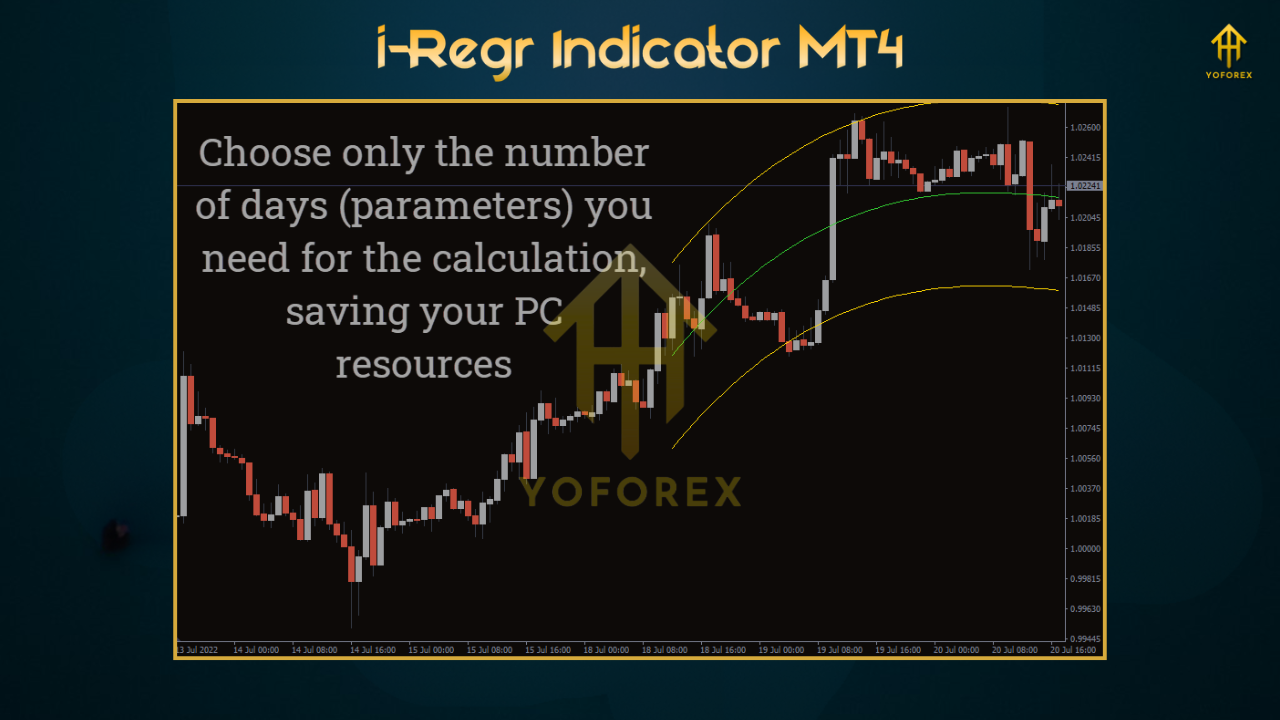
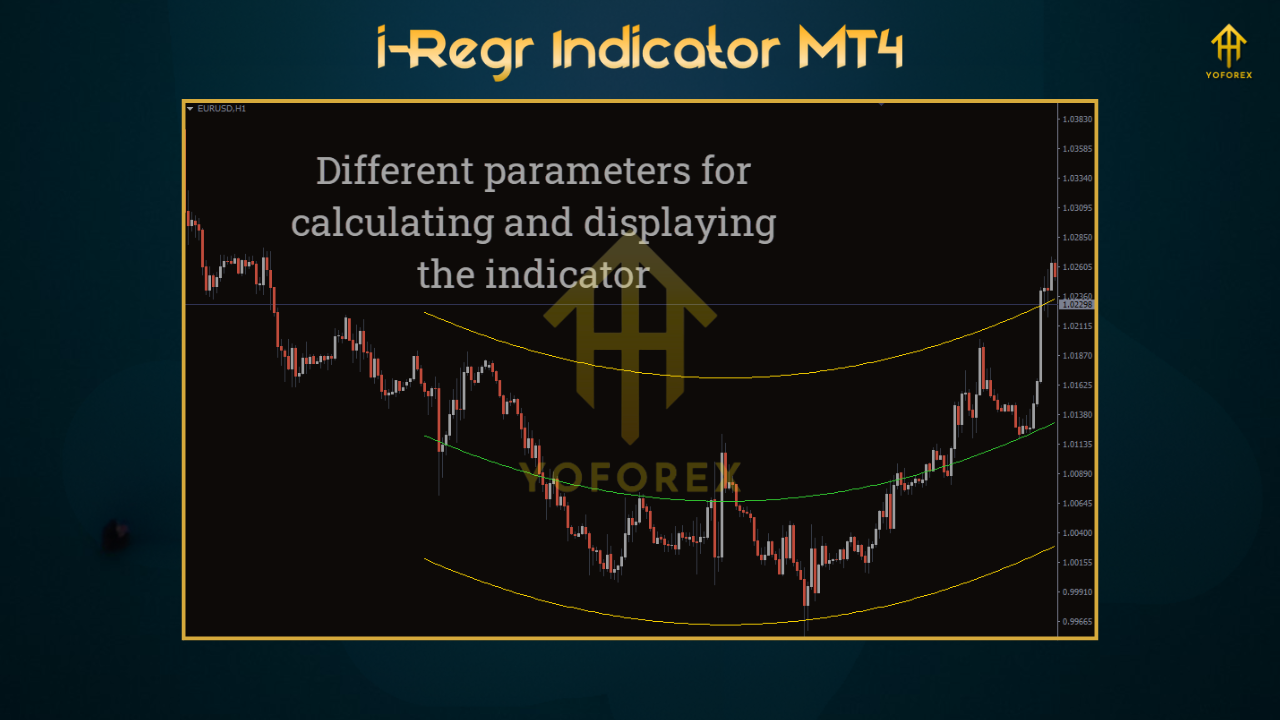
The i-Regr Indicator is a technical analysis tool designed to create a linear regression channel on your MT4 chart. This channel consists of a central regression line flanked by two parallel lines, equidistant above and below, representing the highest deviation of the closing price from the trend line. These lines form a price channel that visually indicates the market’s trend direction—bullish when prices are above the central line and bearish when below. The indicator’s simplicity and effectiveness make it a go-to choice for traders looking to identify trend directions, support and resistance zones, and potential entry or exit points.
Unlike traditional moving averages, the i-Regr Indicator uses statistical regression to plot a line that closely follows price movements, offering a more accurate representation of the trend. It also supports quadratic and cubic regression options, allowing traders to adapt the tool to different market conditions, such as choppy or trending markets.
Key Features of the i-Regr Indicator
- Trend Identification: The i-Regr Indicator excels at highlighting the overall trend direction. An upward-sloping channel suggests a bullish trend, while a downward slope indicates a bearish trend. This visual cue helps traders align their strategies with the market’s momentum.
- Support and Resistance Levels: The upper and lower channel lines act as dynamic support and resistance zones. Prices touching or breaking these lines can signal potential reversals or continuation patterns, making them ideal for setting entry and exit points.
- Versatility Across Timeframes: The indicator performs well on various timeframes, though it tends to provide higher-quality signals on larger ones, such as 4-hour or daily charts, where market noise is reduced.
- Customizable Settings: Traders can adjust parameters like the number of candles used for calculations (Bars To Count) and the multiplier for channel width, tailoring the indicator to their preferred trading style.
- Alert Features: Some versions of the i-Regr Indicator, such as the i-Regr Notifier, include email or pop-up alerts when the price interacts with the channel lines, enhancing its usability for active traders.
Benefits of Using the i-Regr Indicator
- Ease of Use: Its straightforward visual representation allows traders to quickly interpret market trends without complex analysis. The clear channel lines simplify decision-making, even for beginners.
- Enhanced Trade Timing: By identifying when prices hit the upper or lower channel lines, traders can anticipate potential reversals or breakouts, improving the timing of their trades.
- Risk Management: The channel lines can serve as reference points for setting stop-loss and take-profit levels. For example, a stop-loss can be placed a few pips beyond the channel line to protect against unexpected price movements.
- Compatibility with Other Tools: The i-Regr Indicator can be combined with other technical indicators, such as Fibonacci retracements, moving averages, or the Relative Strength Index (RSI), to create a robust trading strategy.
- Free and Accessible: Available for free download, the i-Regr Indicator is widely accessible to MT4 users, making it an attractive option for traders on a budget.
How to Install the i-Regr Indicator on MT4
- Download the Indicator: Obtain the i-Regr Indicator file (.mq4 or .ex4) from a reputable source, such as MT4Collection or IndicatorsPot.
- Open MT4 Data Folder: In your MT4 terminal, go to “File” > “Open Data Folder.” Navigate to the “MQL4” folder, then the “Indicators” folder.
- Copy the File: Drag and drop the downloaded indicator file into the “Indicators” folder.
- Restart MT4: Close and reopen the MT4 platform, or refresh the indicators list by right-clicking in the Navigator window and selecting “Refresh.”
- Apply to Chart: Locate the i-Regr Indicator in the Navigator window, double-click to add it to your chart, and adjust settings as needed.
Using the i-Regr Indicator in Your Trading Strategy
- Trend Following: Enter buy trades when the price is above the central regression line in an upward-sloping channel, and sell trades when below in a downward channel. Confirm signals with additional indicators like RSI to avoid false entries.
- Reversal Trading: Look for price interactions with the upper or lower channel lines. A price touching the upper line in a bullish trend may signal an overbought condition, while a touch of the lower line in a bearish trend may indicate an oversold condition.
- Breakout Trading: A price breaking through the channel lines can indicate a strong trend continuation or reversal. Use volume indicators or price action patterns to confirm breakouts before entering trades.
- Higher Timeframe Analysis: For better signal accuracy, apply the indicator on higher timeframes to filter out market noise and focus on significant trends.
Limitations and Considerations
While the i-Regr Indicator is highly effective, it’s not without limitations. It may repaint, meaning the channel lines can adjust as new price data comes in, potentially leading to false signals. To mitigate this, use the indicator alongside other tools and avoid relying on it in isolation. Additionally, the indicator performs best in trending markets and may produce less reliable signals in choppy or ranging conditions. Always practice proper risk management, as forex trading carries inherent risks.
Conclusion
The i-Regr Indicator for MT4 is a versatile and user-friendly tool that empowers traders to navigate the forex market with confidence. By plotting a linear regression channel, it simplifies trend identification, highlights support and resistance levels, and provides actionable trading signals. Whether you’re scalping, day trading, or swing trading, the i-Regr Indicator can enhance your strategy when used thoughtfully. Combine it with other technical tools, practice on a demo account, and always prioritize risk management to maximize its benefits. Download the i-Regr Indicator today and start exploring its potential to elevate your trading game