The FlexiTrade Bot EA V1.0, designed for the MetaTrader 4 (MT4) platform, is an innovative Expert Advisor (EA) that promises to revolutionize automated trading. This blog delves into the features, strategies, and benefits of the FlexiTrade Bot EA V1.0, offering insights into why it’s a must-have tool for traders of all levels. With its advanced algorithms and flexible settings, this EA is poised to deliver consistent results in the dynamic forex market.
What is FlexiTrade Bot EA V1.0?
The FlexiTrade Bot EA V1.0 is an automated trading system tailored for the MT4 platform, one of the most widely used platforms in forex trading. This EA leverages sophisticated algorithms to analyze market conditions, execute trades, and manage risk, all without requiring constant human intervention. Whether you’re a novice trader looking to simplify your trading process or a seasoned professional seeking to optimize your strategy, FlexiTrade Bot EA V1.0 offers a versatile solution.
The EA is designed to adapt to various market conditions, making it suitable for trading multiple currency pairs, including majors like EURUSD, GBPUSD, and USDJPY, as well as more volatile pairs like XAUUSD (gold). Its flexibility lies in its customizable settings, allowing traders to tailor the bot’s behavior to their risk tolerance and trading goals.
Key Features of FlexiTrade Bot EA V1.0
1. Adaptive Trading Strategy
FlexiTrade Bot EA V1.0 employs a dynamic trading strategy that adjusts to real-time market data. By analyzing technical indicators such as Moving Averages, Relative Strength Index (RSI), and Bollinger Bands, the EA identifies optimal entry and exit points. This adaptability ensures the bot can capitalize on both trending and ranging markets, maximizing profit potential.
2. Robust Risk Management
Risk management is at the heart of the FlexiTrade Bot EA V1.0. The EA includes features like adjustable stop-loss and take-profit levels, trailing stops, and lot size customization. Traders can set a maximum daily drawdown limit (e.g., 5% of the initial balance) to protect their capital. Additionally, the bot uses volatility-based stop-loss calculations, such as those derived from the Average True Range (ATR), to adapt to changing market conditions.
3. User-Friendly Interface
Despite its advanced capabilities, FlexiTrade Bot EA V1.0 is designed with simplicity in mind. The EA’s interface is intuitive, making it easy to set up and configure, even for traders with limited technical expertise. Installation instructions are straightforward, requiring users to copy the EA files to the appropriate MT4 folders and input a serial number for activation.
4. Multi-Timeframe Compatibility
The EA supports multiple timeframes, including M1, M5, M15, and H1, allowing traders to choose the timeframe that best suits their strategy. For scalpers, the M1 and M5 timeframes offer opportunities to capture small price movements, while swing traders may prefer the H1 timeframe for longer-term trades.
5. Customizable Settings
FlexiTrade Bot EA V1.0 offers a wide range of customizable parameters, including:
-
Lot Size: Adjustable to match account size and risk appetite.
-
Take Profit and Stop Loss: Fixed or dynamic based on market conditions.
-
Trading Hours: Restrict trading to specific sessions (e.g., 00:00–04:00) to target high-liquidity periods.
-
Indicator Settings: Fine-tune RSI, Moving Averages, and other indicators to align with your strategy.
6. Martingale Option
For traders comfortable with higher risk, the EA includes an optional Martingale strategy. This feature increases lot sizes after a losing trade to recover losses, with customizable parameters like a multiplier (e.g., 1.5) and a maximum number of Martingale levels (e.g., 7). However, users are cautioned to use this feature sparingly due to its aggressive risk profile.
How FlexiTrade Bot EA V1.0 Works
The FlexiTrade Bot EA V1.0 operates by continuously monitoring the market for trading opportunities. Here’s a step-by-step breakdown of its process:
-
Market Analysis: The EA uses technical indicators to assess market conditions, identifying trends, reversals, or overbought/oversold conditions.
-
Trade Execution: When a trading signal is generated, the EA opens a trade with predefined parameters, such as lot size, stop loss, and take profit.
-
Risk Management: The EA applies stop-loss and take-profit levels to each trade, with the option to use trailing stops to lock in profits.
-
Trade Closure: Trades are closed when the take-profit or stop-loss level is reached, or when the EA detects a reversal signal.
-
Performance Monitoring: The EA tracks daily profit and loss, pausing trading if the maximum drawdown or profit target is reached.
This automated process eliminates emotional decision-making, ensuring trades are executed based on logic and predefined rules.
Benefits of Using FlexiTrade Bot EA V1.0
1. Time Efficiency
Manual trading requires constant market monitoring, which can be time-consuming. FlexiTrade Bot EA V1.0 automates the trading process, allowing traders to focus on other priorities while the bot handles market analysis and trade execution.
2. Emotion-Free Trading
Emotional decisions often lead to poor trading outcomes. By relying on algorithms, the EA removes psychological biases, ensuring consistent adherence to the trading strategy.
3. Scalability
The EA’s customizable settings make it suitable for accounts of all sizes, from micro accounts with a $100 minimum deposit to larger accounts aiming for higher returns. Traders can scale their strategies as their capital grows.
4. Backtesting Capabilities
FlexiTrade Bot EA V1.0 supports backtesting on historical data, allowing traders to evaluate its performance before deploying it in live markets. This feature helps identify the best settings for specific currency pairs and timeframes.
5. Versatility
The EA’s ability to trade multiple currency pairs and timeframes makes it a versatile tool for various trading styles, including scalping, day trading, and swing trading.
Installation and Setup
Installing FlexiTrade Bot EA V1.0 is a straightforward process:
-
Download the EA: Obtain the FlexiTrade_EA-V1.0.zip file from the official source.
-
Extract Files: Unzip the contents to a local folder on your computer.
-
Copy to MT4: Navigate to MT4’s “File > Open Data Folder > MQL4 > Experts” and paste the FlexiTrade_Position_Manager_V1.0.ex4 file. Repeat for any associated Libraries and Indicators folders.
-
Restart MT4: Close and reopen the MT4 platform to load the EA.
-
Attach to Chart: Drag the EA from the Navigator panel to a chart, or right-click the chart and select “Expert Advisors > Properties.”
-
Enter Serial Number: Input the serial number provided with your download to activate the EA.
-
Configure Settings: Adjust the EA’s parameters (e.g., lot size, risk settings, trading hours) to align with your strategy.
Performance Expectations
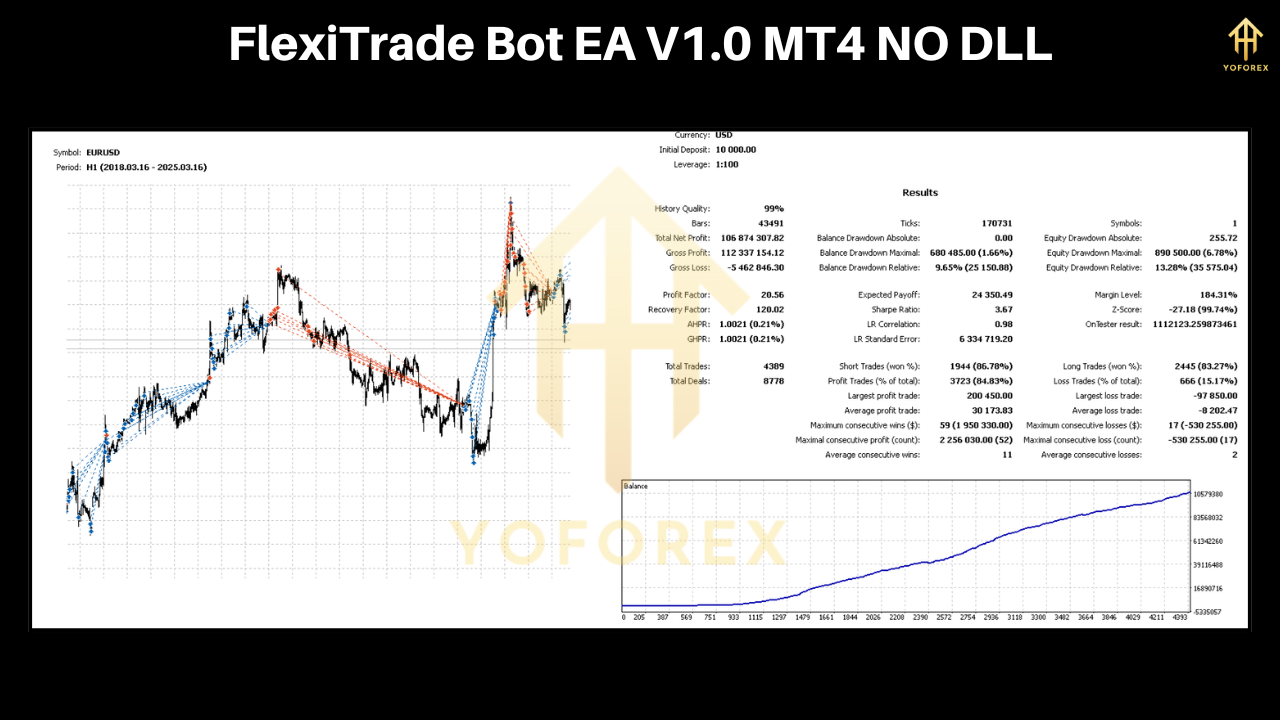
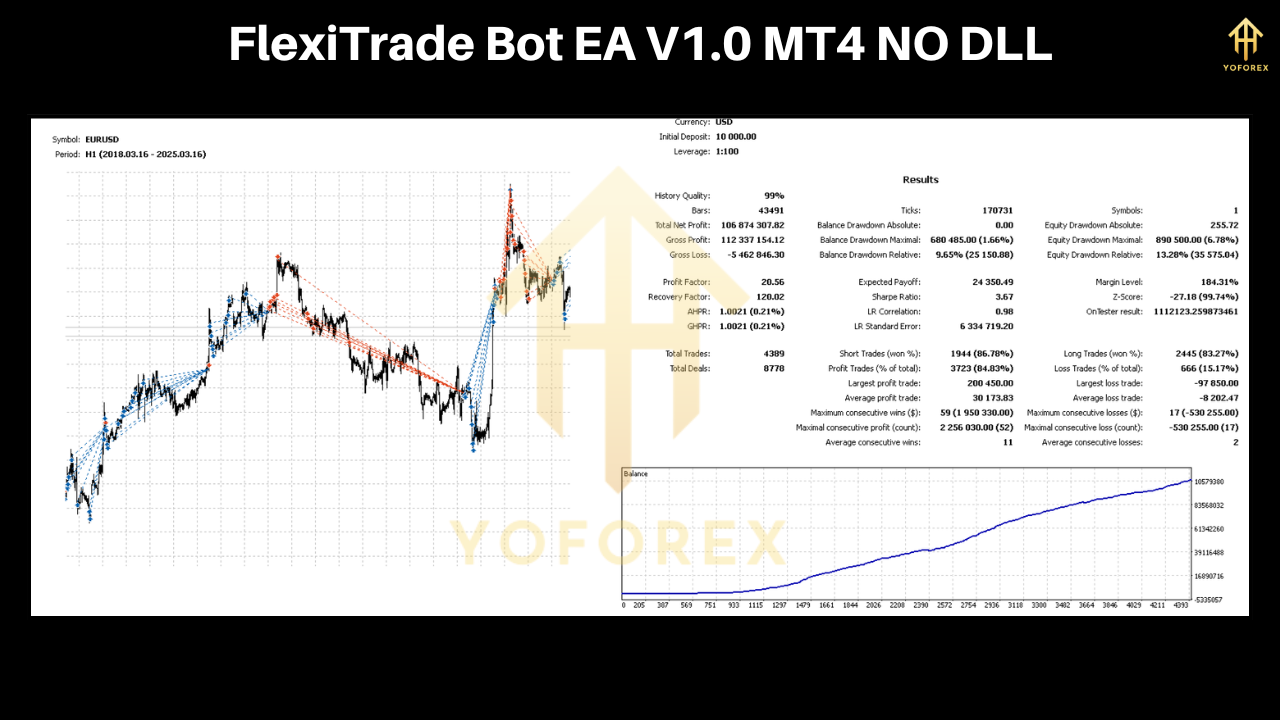
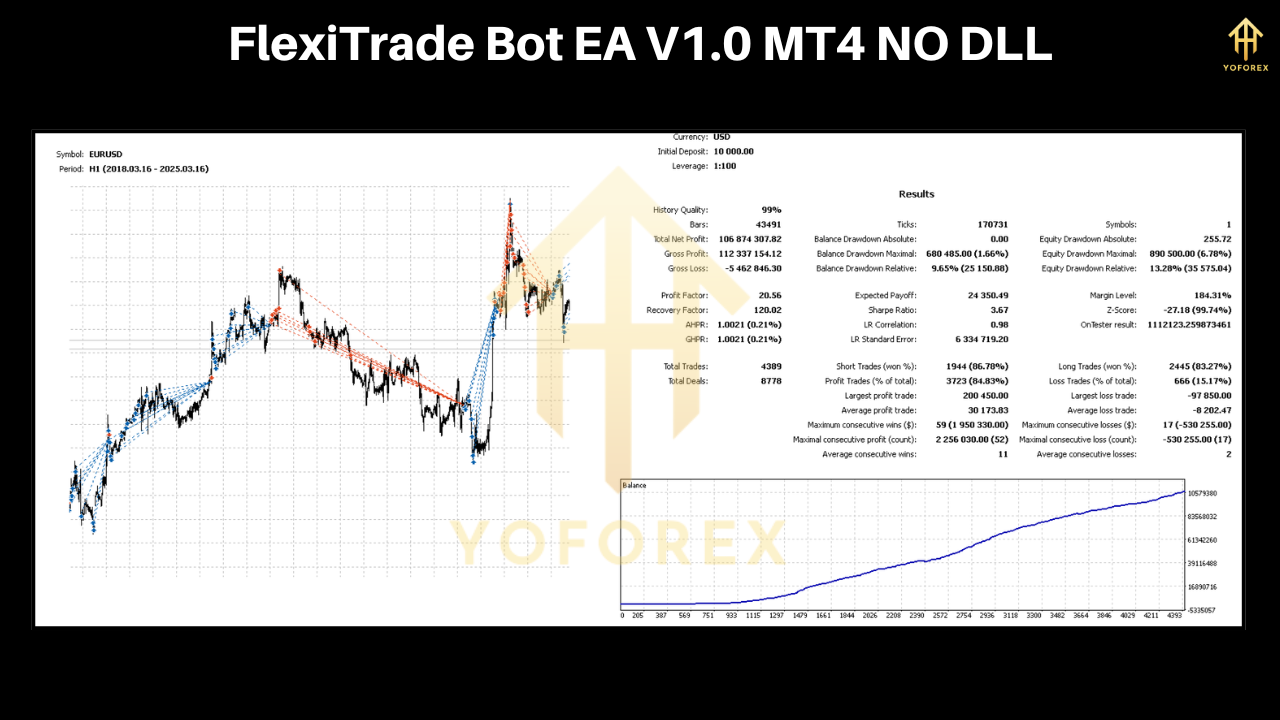
While past performance is not a guarantee of future results, FlexiTrade Bot EA V1.0 has shown promising results in backtesting and live trading. For example, similar EAs like Forex Flex EA have achieved returns of 5–10% per month with low risk settings. The FlexiTrade Bot EA V1.0’s adaptive strategy and robust risk management suggest it can deliver comparable results, depending on market conditions and user settings.
Traders should start with conservative settings (e.g., 0.1 risk, 0.01 lot size for a $1,000 account) and gradually increase risk as they gain confidence in the EA’s performance. Regular monitoring and periodic optimization are recommended to ensure the bot remains aligned with current market dynamics.
Risks and Considerations
While FlexiTrade Bot EA V1.0 offers significant advantages, it’s not without risks:
-
Market Volatility: Unpredictable events, such as geopolitical news or economic data releases, can lead to losses. The EA’s news filter can help mitigate this risk.
-
Martingale Strategy: The optional Martingale feature can amplify losses if not used cautiously.
-
Broker Dependency: The EA’s performance may vary across brokers due to differences in spreads, slippage, and execution speeds. Using an ECN broker with low spreads is recommended.
-
Technical Issues: System errors or internet connectivity issues can disrupt trading. Running the EA on a Virtual Private Server (VPS) ensures uninterrupted operation.
Traders should thoroughly backtest the EA on a demo account before transitioning to live trading and ensure they understand its settings and limitations.
Community Feedback
Although specific reviews for FlexiTrade Bot EA V1.0 are limited, feedback on similar EAs provides context. For instance, users of Forex Flex EA praise its flexibility and consistent returns but note the importance of proper risk management and broker selection. The FlexiTrade Bot EA V1.0’s design suggests it could garner similar acclaim, provided traders invest time in optimizing its settings.
Conclusion
The FlexiTrade Bot EA V1.0 is a powerful and versatile tool for forex traders seeking to automate their strategies. With its adaptive trading approach, robust risk management, and user-friendly interface, it caters to both beginners and experienced traders. By leveraging advanced algorithms and customizable settings, the EA offers the potential for consistent profits while minimizing emotional decision-making.
To maximize its effectiveness, traders should start with a demo account, backtest thoroughly, and use conservative settings initially. While risks remain, the FlexiTrade Bot EA V1.0’s features position it as a valuable addition to any trader’s toolkit. As the forex market continues to evolve, tools like FlexiTrade Bot EA V1.0 will play a crucial role in helping traders navigate its complexities and achieve their financial goals.