Julia Scalper EA V6 MT4: Precision Scalping Reimagined
Introduction
In the dynamic world of forex trading, speed and precision often define profitability. The Julia Scalper EA V6 MT4 is an advanced trading robot engineered for traders who seek high-frequency, low-latency scalping across volatile pairs—particularly Gold (XAUUSD). With its automated, logic-driven strategy, Julia Scalper V6 aims to capture consistent profits by leveraging rapid market fluctuations.
This article explores the strategy, features, risk parameters, and best practices for using the Julia Scalper EA V6 on MetaTrader 4.
What is Julia Scalper EA V6 MT4?
Julia Scalper EA V6 is a fully automated Expert Advisor designed to operate on the MetaTrader 4 (MT4) platform. It’s specifically developed for short-term scalping, targeting micro-movements in highly liquid markets. The EA analyzes market volatility and price action to enter and exit trades within seconds to minutes.
With the capability to run 24/5, it eliminates emotional bias from trading and provides a structured, high-frequency trading solution suitable for experienced traders and algorithmic enthusiasts.
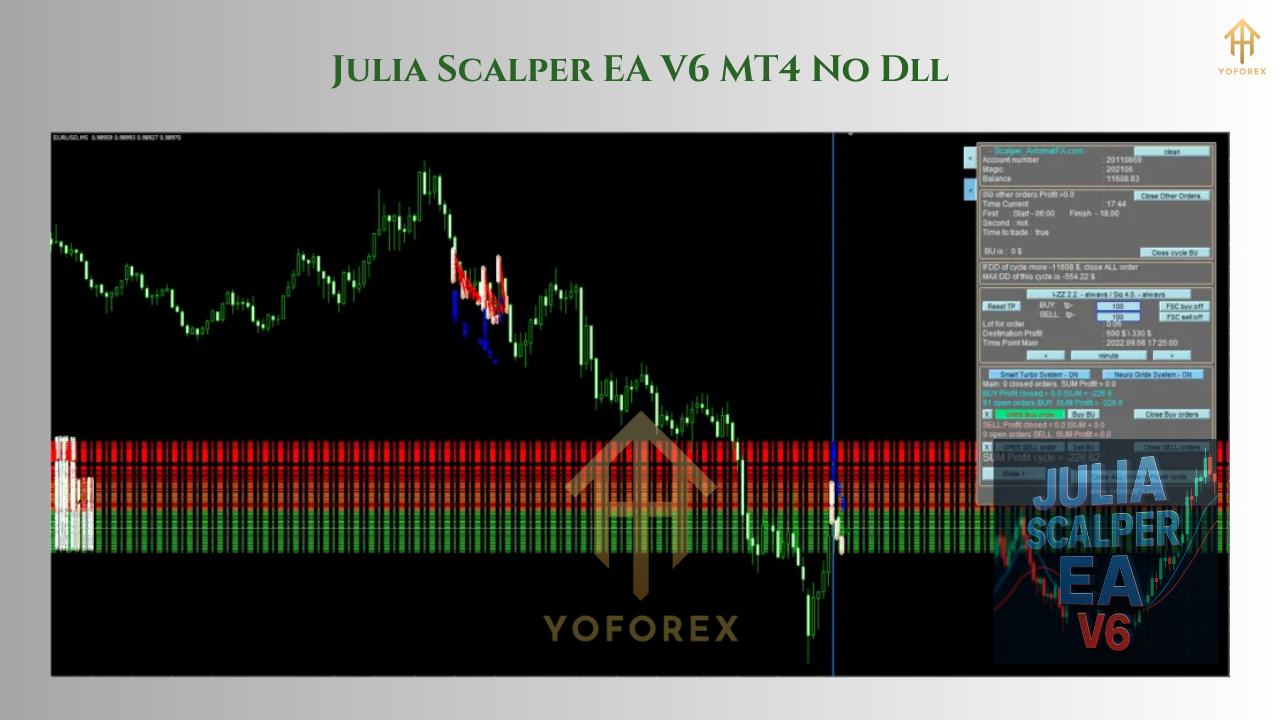
Key Features
- Scalping Focused Logic
The EA is optimized for small pip gains per trade. It opens and closes multiple orders based on quick price movement patterns, ideal for scalping strategies on low timeframes (typically M1 to M15). - Multiple Entry Algorithms
Julia Scalper EA V6 comes with dynamic entry systems that combine tick-flow monitoring, micro-trend detection, and reversal zone analysis. - Auto-Restart Profit Cycle
The EA operates in profit cycles. Once a predefined target is met (either per trade or total floating profit), it resets all positions and begins a new cycle. - Lot Multiplier System
To manage drawdowns and increase recovery speed, the EA utilizes a smart lot size multiplier. This allows the EA to recover from losing streaks by compounding trades. - Stop Loss & Take Profit Protection
Although scalpers often rely on speed rather than SL/TP settings, this EA includes built-in stop loss and take profit for safety. - Trailing Stop & Breakeven Option
Once a trade moves in favor, the EA can automatically shift stop loss to breakeven or trail profits, locking in gains.
Best Timeframe & Pairs
- Timeframes: M1, M5, and M15
- Pairs: Designed specifically for Gold (XAUUSD), but may also be adapted for high-liquidity forex pairs such as EURUSD and GBPUSD with sufficient optimization.
However, the most tested and stable results have been observed on XAUUSD, due to its high volatility and predictable intraday swings.
Broker & VPS Requirements
For optimal performance, the Julia Scalper EA V6 requires:
- Low-spread broker
- Fast order execution
- No trading restrictions on scalping
- Latency below 20ms (VPS recommended)
A high-speed VPS hosting environment can significantly improve execution quality, reduce slippage, and prevent partial fills.
Risk Management
While the EA is powerful, scalping strategies carry inherent risks—especially during volatile market news or periods of low liquidity (e.g., rollover times). Here’s how to manage that risk:
- Start with a demo account: Always test the EA thoroughly before deploying real capital.
- Set a daily drawdown limit: Configure the EA to stop trading after a predefined loss threshold.
- Avoid over-leveraging: Use conservative leverage to reduce margin pressure during reversals.
- Use lower multipliers: If using the lot size multiplier, set a smaller factor like 1.3–1.5 instead of aggressive levels.
User Experience & Performance
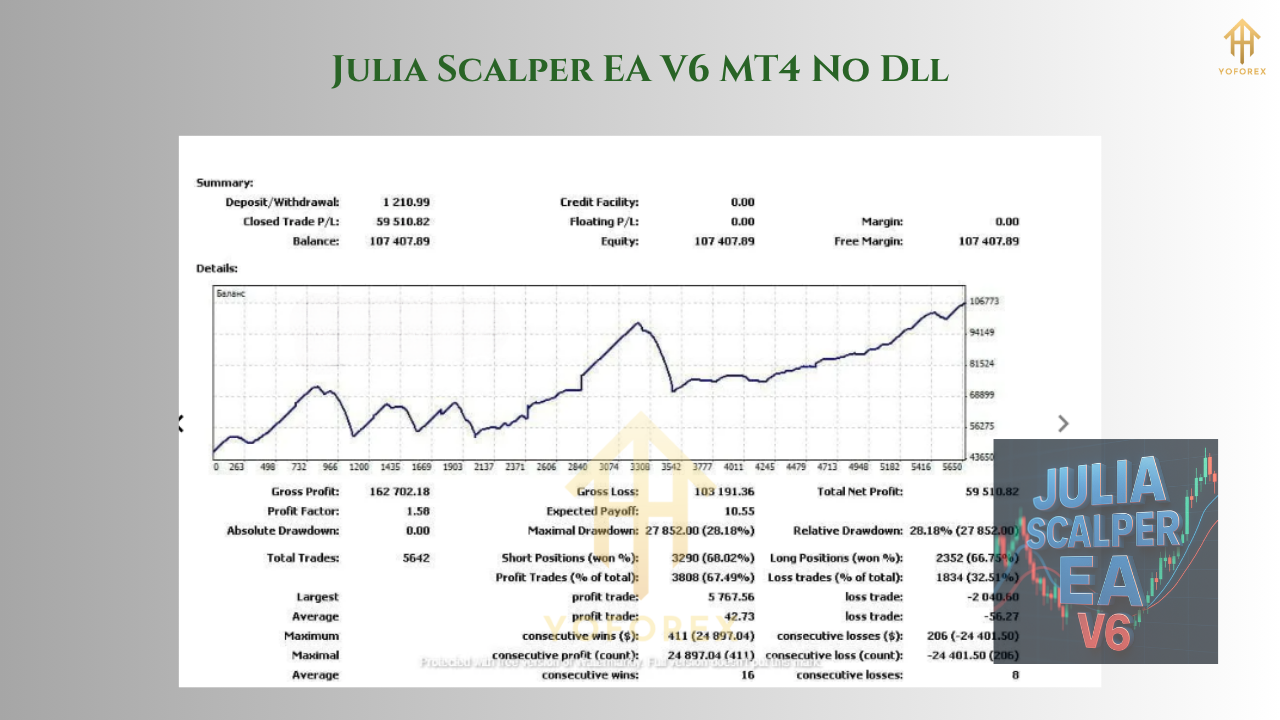
Many traders using Julia Scalper EA V6 have reported consistent short-term profits when configured correctly. However, it is highly dependent on the broker, execution speed, and VPS quality. When paired with favorable conditions, it can open dozens of trades daily, each aiming for small yet precise profits.
Performance metrics often include:
- Win rate: 75%–85%
- Average trade duration: <5 minutes
- Monthly ROI (risk dependent): 10%–40%
These metrics vary based on risk appetite, trading hours, and lot size configuration.
Installation Guide
To install Julia Scalper EA V6 MT4:
- Open MT4 platform
- Go to File > Open Data Folder
- Navigate to
MQL4 > Expertsand paste the EA.ex4file - Restart MT4 or refresh the Navigator
- Drag the EA onto a chart (XAUUSD recommended)
- Enable AutoTrading and configure settings:
- Lot size or risk percentage
- SL/TP levels
- Trading sessions (e.g., only London or New York)
- Lot multiplier, profit cycle settings
Always check if DLL imports or live trading permissions are enabled for the EA.
Advantages of Julia Scalper EA V6
- High-frequency trading with minimal manual intervention
- Suited for volatile pairs like Gold
- Integrated with risk protection and recovery strategies
- Fully automated and easy to install
- Consistent performance in trending or ranging short-term markets
Limitations to Consider
- Over-aggressive settings can wipe out accounts quickly
- Not suitable for high-spread or slow brokers
- Requires VPS or high-performance system for best results
- May underperform during major economic news events
Tips for Maximum Performance
- Use a news filter plugin to disable trading during high-impact news.
- Monitor spread and slippage logs to ensure the EA is not being hindered.
- Keep the terminal running 24/5 to maintain consistent algorithm cycles.
- Update settings periodically based on market conditions.
Conclusion
The Julia Scalper EA V6 MT4 is a powerful tool for traders aiming to automate high-frequency strategies. With its advanced logic, recovery systems, and speed-oriented design, it delivers a competitive edge in short-term trading. However, like all EAs, it requires a disciplined approach, proper setup, and a robust trading environment.
Whether you’re a full-time trader or an algorithmic enthusiast, Julia Scalper EA V6 can be a valuable addition to your trading arsenal—provided it’s handled with the right risk management and system conditions.