
Exploring the MA Money Tree EA V1.0 for MetaTrader 4: A Comprehensive Guide
The forex market, with its daily trading volume exceeding $7.5 trillion, offers immense opportunities for traders seeking to capitalize on currency price movements. However, navigating this volatile market manually can be daunting, especially for those with limited time or experience. Enter the MA Money Tree EA V1.0, an automated trading robot designed for MetaTrader 4 (MT4) that promises to simplify forex trading while aiming for consistent profits. In this blog post, we’ll dive into the features, setup, performance, and risks of the MA Money Tree EA V1.0, focusing on its currency pairs, timeframe, and a minimum deposit of $200.
What is the MA Money Tree EA V1.0?
The MA Money Tree EA V1.0 is a fully automated Expert Advisor (EA) built for the MT4 platform, one of the most popular trading platforms in the forex world. This EA leverages moving average (MA) strategies combined with proprietary momentum filters to identify short-term trading opportunities. Unlike manual trading, which requires constant market monitoring, the MA Money Tree EA executes trades automatically based on predefined rules, making it ideal for both novice and experienced traders.
The EA is designed to trade multiple currency pairs, focusing on short-term trends to lock in profits quickly. It’s marketed as a low-risk, high-reward solution, with features like tight stop-loss settings and custom volatility filters to manage exposure. With a minimum deposit of just $200, it’s accessible to traders with smaller accounts, though certain precautions are necessary to ensure safe trading.
Key Features of the MA Money Tree EA V1.0
1. Multi-Currency Pair Trading
The MA Money Tree EA is optimized to trade across a diverse range of currency pairs, including majors and crosses such as AUDCAD, AUDCHF, AUDNZD, AUDUSD, EURAUD, EURCHF, EURGBP, EURJPY, EURNZD, EURUSD, GBPUSD, NZDCAD, NZDCHF, NZDJPY, and NZDUSD. This diversification helps spread risk across different markets, reducing dependency on a single currency pair’s performance.
2. M15 Timeframe
The EA operates on the 15-minute (M15) timeframe, striking a balance between capturing short-term price movements and avoiding the noise of lower timeframes like M1 or M5. This timeframe allows the EA to identify trends using moving averages while maintaining responsiveness to market changes.
3. Low Minimum Deposit
With a minimum deposit requirement of $200, the MA Money Tree EA is accessible to traders with limited capital. However, for optimal performance, using a cent account is recommended when trading multiple pairs with a small deposit to manage risk effectively.
4. Scalping and Cost Averaging
The EA employs a combination of scalping and cost averaging strategies. It uses moving averages to detect short-term trends and enters trades in the direction of the momentum. If a trade moves against the position, the EA may use cost averaging to manage losses, though it avoids risky grid or martingale techniques.
5. Risk Management
The MA Money Tree EA incorporates tight stop-loss settings and custom volatility filters to minimize account exposure. It skips trades deemed too risky, ensuring only high-probability setups are executed. Traders can also customize risk settings, such as lot sizes and maximum trades per pair, to align with their risk tolerance.
6. User-Friendly Setup
The EA comes with a detailed setup guide, making it easy to install and configure on MT4. Traders receive full software access with built-in settings, requiring minimal adjustments. Free lifetime updates and customer support further enhance its usability.
Recommended Setup for the MA Money Tree EA
To get started with the MA Money Tree EA V1.0, follow these steps:
-
Choose a Reliable Broker: Select a broker with low spreads (ideally under 1.3 pips) and high leverage (1:200 or higher). ECN accounts with brokers like IC Markets or TickMill are ideal for optimal performance.
-
Install MT4: Download and install the MetaTrader 4 platform from your broker’s website or the official MetaTrader site.
-
Set Up the EA:
-
Download the MA Money Tree EA file (usually in .ex4 or .mql4 format).
-
Open MT4, go to File > Open Data Folder > MQL4 > Experts, and copy the EA file into the Experts folder.
-
Restart MT4 or refresh the Navigator panel to load the EA.
-
Attach the EA to an M15 chart of your chosen currency pair by dragging it from the Navigator panel.
-
-
Configure Settings:
-
Currency Pairs: Select up to 15 pairs, such as EURUSD, GBPUSD, or AUDNZD, depending on your account size.
-
Lot Size: For a $200 deposit, use a cent account with a lot size of 0.01 to minimize risk. For standard accounts, a higher deposit ($3,000–$5,000) is recommended for safe trading with multiple pairs.
-
Risk Settings: Adjust stop-loss, take-profit, and maximum trades per pair to align with your risk tolerance.
-
Timeframe: Set to M15 for all charts.
-
-
Test on a Demo Account: Before going live, test the EA on a demo account for at least one month to understand its performance and tweak settings as needed.
Performance and Track Record
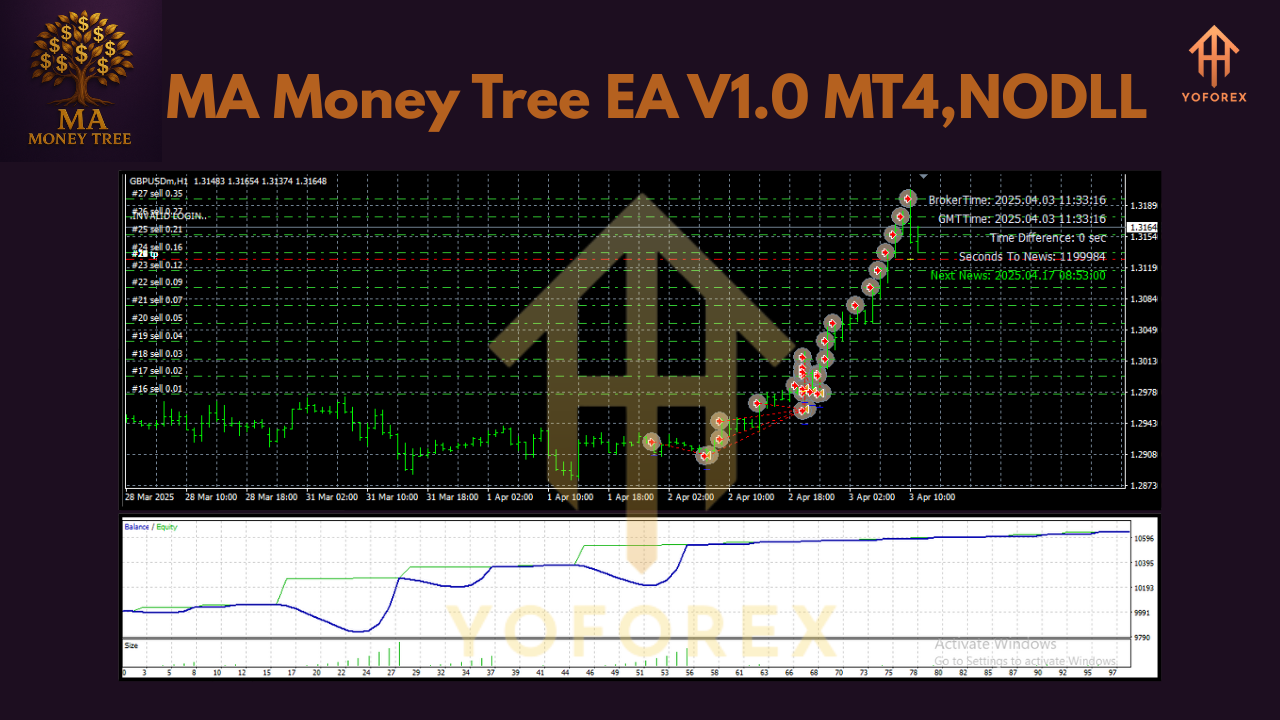
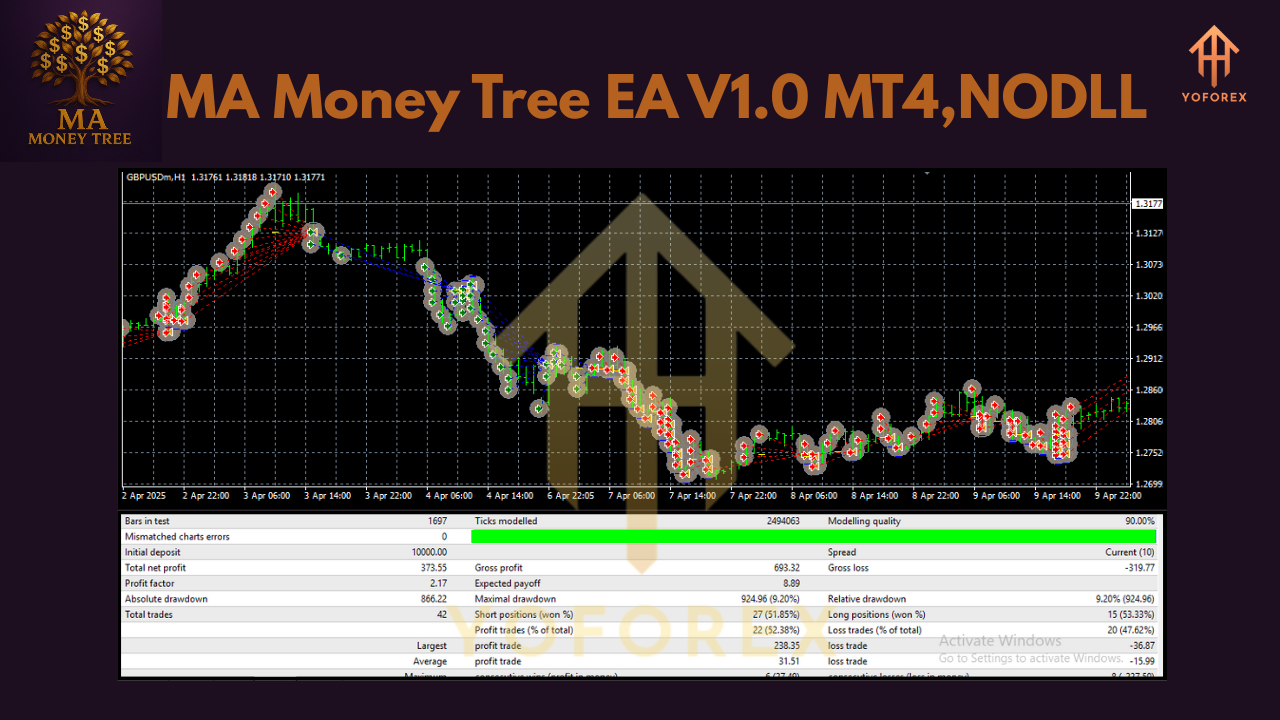
The MA Money Tree EA has shown promising results in live trading tests. According to verified Myfxbook accounts for similar EAs, it has achieved gains of over 1000% in some cases, with a win rate of approximately 90% and a profit factor of 1.84. However, these results come with a drawdown of around 46%, indicating moderate risk. The EA’s performance is driven by its ability to capitalize on short-term trends, typically holding trades for less than five hours.
For a $200 deposit, traders should expect higher risk and volatility, especially when trading multiple pairs. Using a cent account can mitigate this, allowing the EA to operate with lower lot sizes while maintaining profitability. Historical data suggests monthly gains of around 19–20%, though past performance is not a guarantee of future results.
Risks and Considerations
While the MA Money Tree EA offers significant potential, forex trading carries inherent risks:
-
High Leverage Risk: The recommended 1:200 leverage can amplify both profits and losses. A $200 account is vulnerable to significant drawdowns without proper risk management.
-
Broker Dependency: Performance depends on low spreads and fast execution. High-spread brokers can reduce profitability.
-
Market Volatility: The EA may struggle during high-impact news events, so consider disabling trading during major economic releases.
-
No Backtest Data: Limited backtest data for the MA Money Tree EA makes it harder to predict long-term performance. Always test on a demo account first.
Forex trading is inherently risky, and you should never trade with money you cannot afford to lose. The MA Money Tree EA’s cost-averaging approach, while less aggressive than martingale, still requires careful monitoring to avoid significant losses.
Is the MA Money Tree EA Worth It?
The MA Money Tree EA V1.0 is a compelling option for traders seeking automation with a low entry point. Its multi-currency approach, M15 timeframe, and robust risk management features make it versatile and user-friendly. With a minimum deposit of $200, it’s accessible, but traders should use a cent account and conservative settings to manage risk effectively.
For those with larger accounts ($3,000+), the EA’s performance can be optimized further, potentially yielding consistent profits. However, its reliance on short-term trends and lack of extensive backtest data warrant caution. Testing on a demo account and choosing a reputable broker are critical steps to ensure success.
Conclusion
The MA Money Tree EA V1.0 for MetaTrader 4 offers a powerful, automated solution for forex traders. By leveraging moving averages, scalping, and cost averaging, it aims to capitalize on short-term market movements across multiple currency pairs. With a low minimum deposit of $200, it’s an attractive option for beginners, but careful setup and risk management are essential. Whether you’re a seasoned trader or just starting, the MA Money Tree EA could be a valuable addition to your trading arsenal—provided you approach it with diligence and realistic expectations.
Join our Telegram for the latest updates and support