MACD Scalper EA V1.0 MT4 – Your Automated Edge in Forex Scalping
Introduction: Precision Scalping Powered by Automation
In the fast-paced world of forex trading, scalping is a favored strategy among traders looking to profit from small price movements. However, the manual effort and emotional discipline required can be overwhelming. This is where the MACD Scalper EA V1.0 for MetaTrader 4 (MT4) comes in—a smart, automated Expert Advisor (EA) built to leverage the MACD indicator for quick, precise trades. This blog explores how the EA works, how to install and configure it, and why it’s gaining traction among scalpers in 2025.
Understanding the MACD Indicator
Before diving into the EA itself, it’s important to understand the core indicator it uses—the MACD (Moving Average Convergence Divergence). Created by Gerald Appel, the MACD is a momentum-based trend-following indicator used by millions of traders worldwide.
MACD has three main components:
-
MACD Line: The difference between the 12-period and 26-period Exponential Moving Averages (EMAs).
-
Signal Line: A 9-period EMA of the MACD line.
-
Histogram: The difference between the MACD and the Signal Line, indicating the strength and direction of momentum.
The MACD is especially helpful for identifying entry and exit points in short-term trading, making it ideal for scalping strategies.
What Is MACD Scalper EA V1.0?
The MACD Scalper EA V1.0 is a fully automated trading robot for MT4, designed to take advantage of quick price fluctuations using the MACD indicator. It’s built for traders who prefer fast execution, minimal human interference, and strict risk control.
Highlights:
-
Designed for high-frequency scalping
-
Works best on lower timeframes (M1, M5)
-
Uses MACD for signal generation
-
No use of risky strategies like martingale or grid
-
Compatible with multiple currency pairs
-
Full control over parameters including lot size, SL/TP, and risk
Key Features
Here are the standout features that make MACD Scalper EA V1.0 a powerful tool for modern-day scalpers:
-
Automated Trading Logic
-
Executes buy/sell trades based on MACD crossovers and histogram changes
-
Monitors market in real-time for accurate and fast decisions
-
-
Customizable Inputs
-
Modify MACD parameters (Fast EMA, Slow EMA, Signal Line)
-
Adjustable lot size (fixed or dynamic based on equity)
-
Control over Stop Loss, Take Profit, and trailing stop features
-
-
Risk Management Tools
-
Built-in trailing stop to secure profits
-
Optional dynamic lot sizing for better capital management
-
No martingale/grid-based tactics
-
-
Timeframe Flexibility
-
Best suited for M1 and M5 charts
-
Can be tested on M15 or H1 for less frequent trades
-
-
Multi-Currency Functionality
-
Run on multiple pairs from a single terminal
-
-
Emotionless Trading
-
Completely removes psychological interference from the trading process
-
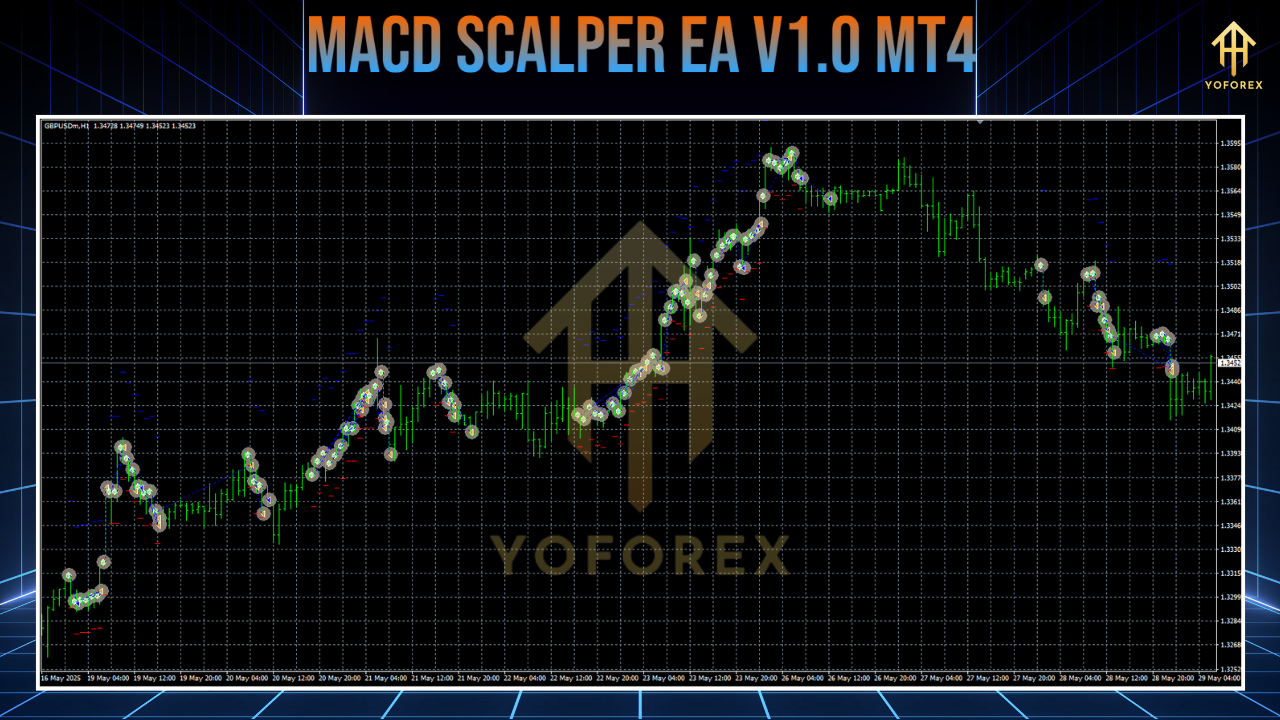
How MACD Scalper EA V1.0 Works
The EA follows a simple yet effective trading model centered around MACD signals.
Buy Conditions:
-
When the MACD line crosses above the signal line
-
When the MACD histogram moves from negative to positive
-
Confirmation through zero line crossover for added accuracy
Sell Conditions:
-
When the MACD line crosses below the signal line
-
When the histogram turns from positive to negative
-
Zero line cross on histogram indicates potential downward momentum
Trade Management:
-
Executes trade with a set Stop Loss and Take Profit (e.g., 10–20 pips SL, 5–10 pips TP)
-
Trailing stops adjust automatically to secure running profits
-
Magic number tracking ensures trade identification for the EA
Risk Control:
-
Trades are sized based on fixed lot or percentage of equity
-
Avoids overexposure by not stacking positions or using doubling strategies
How to Install and Configure MACD Scalper EA
Setting up the MACD Scalper EA on your MT4 is straightforward. Here’s a step-by-step guide:
Step 1: Download and Install
-
Download the EA file (MACD Scalper EA V1.0) from a trusted source
-
Open MT4 → File → Open Data Folder
-
Navigate to:
MQL4 > Expertsand paste the.ex4file -
Place any presets into the
MQL4 > Presetsfolder -
Restart MT4 to load the EA into your Navigator panel
Step 2: Attach EA to Chart
-
Open a chart for your desired pair (e.g., EUR/USD) and timeframe (M1/M5)
-
Drag and drop the EA onto the chart from the Navigator
-
Enable “Auto Trading” and allow DLL imports
Step 3: Configure Parameters
-
MACD Inputs: Fast EMA (12), Slow EMA (26), Signal EMA (9)
-
Lot Size: Set to 0.01 or dynamic based on equity
-
Stop Loss/Take Profit: E.g., 15 pips SL, 10 pips TP
-
Trailing Stop: Enable and define distance (e.g., 5 pips)
-
Magic Number: Unique identifier for managing trades
Step 4: Backtest and Optimize
-
Use MT4’s Strategy Tester for backtesting
-
Optimize parameters for different pairs and timeframes
-
Monitor metrics like profit factor, drawdown, and win rate
Step 5: Demo and Live Testing
-
Run on a demo account for 1–2 weeks before going live
-
Once stable, go live using a low-spread ECN broker and a VPS for 24/7 operation
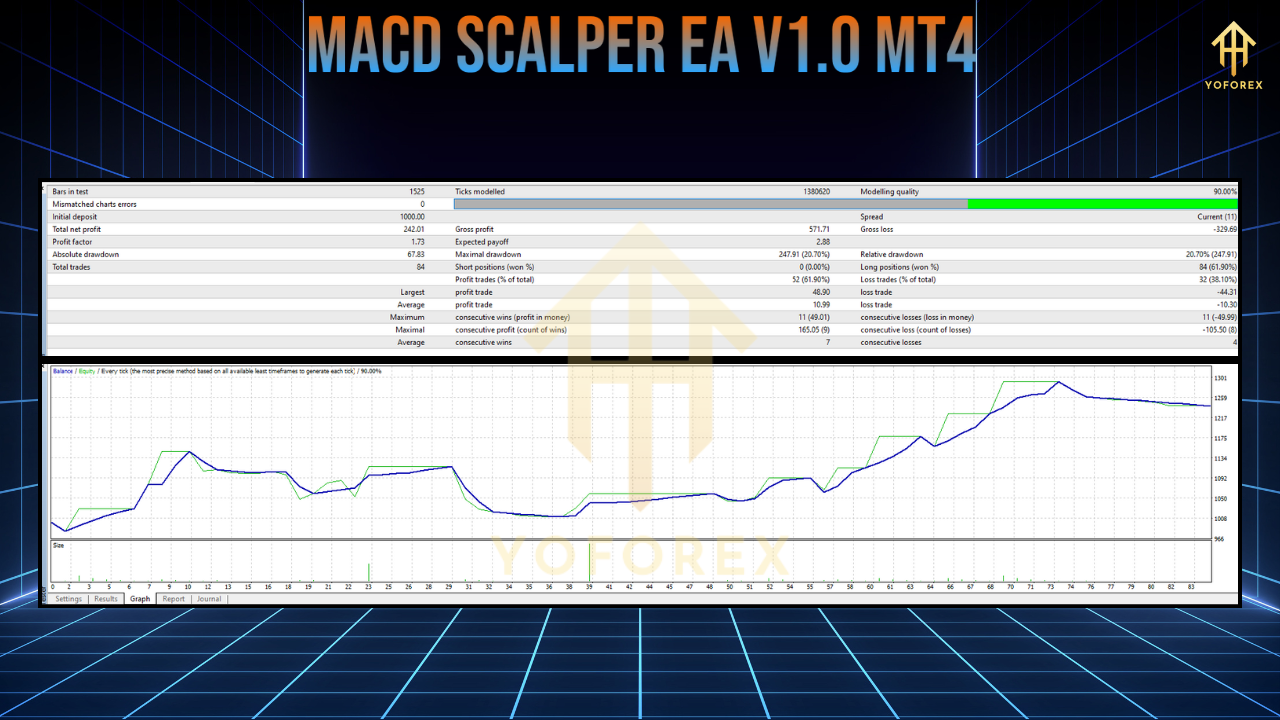
Performance Overview
While exact performance of MACD Scalper EA V1.0 is subject to market conditions, similar MACD-based scalping bots have shown:
-
Win Rates between 70–75%
-
Monthly Gains of 8–20% depending on risk setup
-
Drawdowns generally under 30–35%
-
Stable Profits on EUR/USD, GBP/USD, and XAUUSD in trending and ranging markets
A backtest example on EUR/USD M1 with $2,000 equity might yield ~$6,000 over 6 months with optimal settings. However, real market performance can vary.
Pros of Using MACD Scalper EA V1.0
-
Hands-Free Scalping – Ideal for busy traders
-
Precise Timing – Fast execution reduces slippage
-
Reduced Emotional Stress – Trades follow strategy without hesitation
-
Adaptable Settings – Can be customized for aggressive or conservative styles
-
Cost-Efficient – Works well even on small accounts
Important Considerations and Risks
Despite its benefits, no EA is perfect. Here are potential downsides:
-
Broker Dependency: Needs a low-spread, high-speed broker to be effective
-
Latency Issues: Without a VPS, execution delays can lead to losses
-
Over-Optimization Risks: Curve-fitting in backtests may reduce live performance
-
Market News Impact: Scalping is vulnerable to spread spikes during news releases
-
No Guarantees: Historical backtest profits do not ensure future results
Best Practices for MACD Scalper EA
To get the most out of this EA, follow these practices:
-
Choose ECN Brokers: Like IC Markets, Pepperstone, or XM with 0.1–0.5 pip spreads
-
Always Use a VPS: Ensure uptime and fast execution
-
Backtest on Multiple Pairs: Optimize individually for each currency
-
Run on Demo First: Validate profitability under live market conditions
-
Keep Drawdown in Check: Limit exposure to 2–5% per trade
-
Stay Updated: Regularly check for EA updates or parameter improvements
MACD Scalper EA vs Other Scalping EAs
Let’s compare MACD Scalper EA with other popular scalping bots:
MACD Scalper EA V1.0
-
Focuses only on MACD signals
-
Easy setup, ideal for beginners
-
Low risk, no martingale
RM-SCALPER EA
-
Combines Super Scalper and AI strategies
-
Advanced users preferred
-
75% win rate with higher customization
RoyalPrince Scalper
-
Supports multiple indicators
-
Optimized for MT5 platform
-
Slightly higher complexity
MACD Scalper EA V1.0’s biggest strength is its simplicity—perfect for traders who prefer clarity and quick setups.
Community Support and Reviews
-
Discussions on forums like Forex Factory, MQL5, and MT4talk show mixed yet insightful feedback
-
Most users appreciate the hands-off nature and low drawdown
-
Telegram groups dedicated to EA users provide setup tips and performance results
-
Ongoing support is usually available through the EA developer or vendor site
Conclusion: Is MACD Scalper EA V1.0 Worth It?
If you’re a trader looking to automate your scalping strategy with minimal fuss, MACD Scalper EA V1.0 for MT4 offers a solid solution. With a strong foundation in one of the most trusted indicators, adjustable parameters, and real-time trade execution, this EA brings convenience and consistency to scalping.
However, remember that success depends on backtesting, responsible risk management, and choosing the right broker setup. Start slow, test smart, and optimize often—because in scalping, every pip counts.