Understanding the Main Indicator in MT4: A Comprehensive Guide
Introduction
MetaTrader 4 (MT4) is one of the most widely used trading platforms in the world, favored by forex traders for its robust features, user-friendly interface, and extensive customization options. Among its many tools, technical indicators stand out as essential for analyzing market trends and making informed trading decisions. The term “Main Indicator” in MT4 often refers to the primary or default indicators traders use to interpret price movements, such as Moving Averages, Relative Strength Index (RSI), or Bollinger Bands. However, in this blog, we’ll explore the concept of a “Main Indicator” in the context of MT4, focusing on how traders can select and utilize key indicators effectively to enhance their trading strategies. This guide will dive into the functionality, customization, and practical applications of main indicators in MT4, offering insights for both novice and experienced traders.
What is a Main Indicator in MT4?
In MT4, indicators are mathematical calculations based on price, volume, or open interest data, visualized on charts to help traders identify trends, momentum, volatility, and potential reversals. A “Main Indicator” is not a single, predefined tool but rather the primary indicator(s) a trader relies on as the cornerstone of their analysis. These indicators are typically displayed directly on the price chart (e.g., Moving Averages, Bollinger Bands) or in a separate window below the chart (e.g., RSI, MACD). The choice of a main indicator depends on the trader’s strategy, market conditions, and trading style—whether scalping, day trading, or swing trading.
MT4 offers a wide array of built-in indicators, and traders can also create custom indicators using the platform’s MQL4 programming language. The flexibility to combine multiple indicators makes MT4 a powerful tool for technical analysis, but selecting the right main indicator is critical to avoid information overload and ensure clarity in decision-making.
Why Choose a Main Indicator?
The primary purpose of a main indicator is to simplify the complex task of market analysis. By focusing on one or two key indicators, traders can filter out noise and concentrate on actionable signals. Here are some reasons why selecting a main indicator is essential:
-
Clarity in Analysis: A main indicator provides a clear framework for interpreting price action, reducing confusion caused by conflicting signals from multiple tools.
-
Consistency: Using a primary indicator ensures consistency in trading decisions, as it serves as the foundation for entry and exit points.
-
Customization: MT4 allows traders to tweak indicator settings to align with their trading goals, making the main indicator highly adaptable.
-
Time Efficiency: By prioritizing a main indicator, traders can quickly analyze charts without sifting through excessive data.
Popular Main Indicators in MT4
MT4 comes equipped with a variety of built-in indicators, and some are more commonly used as main indicators due to their reliability and versatility. Below, we explore a few of the most popular ones, their functionalities, and how they can be applied as main indicators.
1. Moving Averages (MA)
Moving Averages are among the most widely used indicators in MT4, smoothing out price data to identify trends over a specific period. There are several types of Moving Averages, including Simple Moving Average (SMA), Exponential Moving Average (EMA), and Weighted Moving Average (WMA).
-
How it Works: The MA calculates the average price over a set number of periods, plotting a line on the chart. For example, a 50-period SMA averages the closing prices of the last 50 candles.
-
Use as a Main Indicator: Traders often use MAs to identify trend direction (uptrend if price is above the MA, downtrend if below) or to spot crossovers (e.g., when a shorter MA crosses a longer MA, signaling potential buy or sell opportunities).
-
Settings in MT4: In MT4, navigate to Insert > Indicators > Trend > Moving Average. Adjust the period, method (SMA, EMA, etc.), and applied price (e.g., Close, Open).
Example Application: A trader might use a 50-period EMA and a 200-period EMA to identify long-term trends. A bullish signal occurs when the 50-EMA crosses above the 200-EMA, indicating a potential buy.
2. Relative Strength Index (RSI)
The RSI is a momentum oscillator that measures the speed and change of price movements, typically on a scale of 0 to 100.
-
How it Works: RSI compares the magnitude of recent gains to recent losses to determine overbought (above 70) or oversold (below 30) conditions.
-
Use as a Main Indicator: RSI is often used to identify potential reversals or confirm trend strength. Traders might enter a buy trade when RSI moves above 30 after being oversold or sell when it drops below 70 after being overbought.
-
Settings in MT4: Go to Insert > Indicators > Oscillators > Relative Strength Index. Adjust the period (default is 14) and levels (e.g., 70 and 30).
Example Application: A scalper might use a 14-period RSI to spot short-term reversals in a ranging market, entering trades when RSI exits overbought or oversold zones.
3. Bollinger Bands
Bollinger Bands consist of a middle band (usually a 20-period SMA) and two outer bands set at a standard deviation above and below the middle band.
-
How it Works: Bollinger Bands measure volatility and identify overbought or oversold conditions. Prices near the upper band suggest overbought conditions, while prices near the lower band indicate oversold conditions.
-
Use as a Main Indicator: Traders use Bollinger Bands to trade breakouts, reversals, or range-bound markets. A common strategy is to buy when the price touches the lower band and sell when it reaches the upper band in a ranging market.
-
Settings in MT4: Navigate to Insert > Indicators > Trend > Bollinger Bands. Adjust the period (default 20) and deviations (default 2).
Example Application: A swing trader might use Bollinger Bands to identify breakout opportunities when the price breaks above the upper band after a period of low volatility (a “squeeze”).
4. MACD (Moving Average Convergence Divergence)
MACD is a trend-following and momentum indicator that shows the relationship between two moving averages of a security’s price.
-
How it Works: MACD consists of the MACD line (difference between a 12-period and 26-period EMA), a signal line (9-period EMA of the MACD line), and a histogram showing the distance between the two.
-
Use as a Main Indicator: Traders use MACD crossovers (MACD line crossing the signal line) to identify buy or sell signals or divergence to spot potential reversals.
-
Settings in MT4: Go to Insert > Indicators > Oscillators > MACD. Adjust the fast EMA (12), slow EMA (26), and signal line (9) as needed.
Example Application: A day trader might use MACD to confirm a trend by entering a buy trade when the MACD line crosses above the signal line in an uptrend.
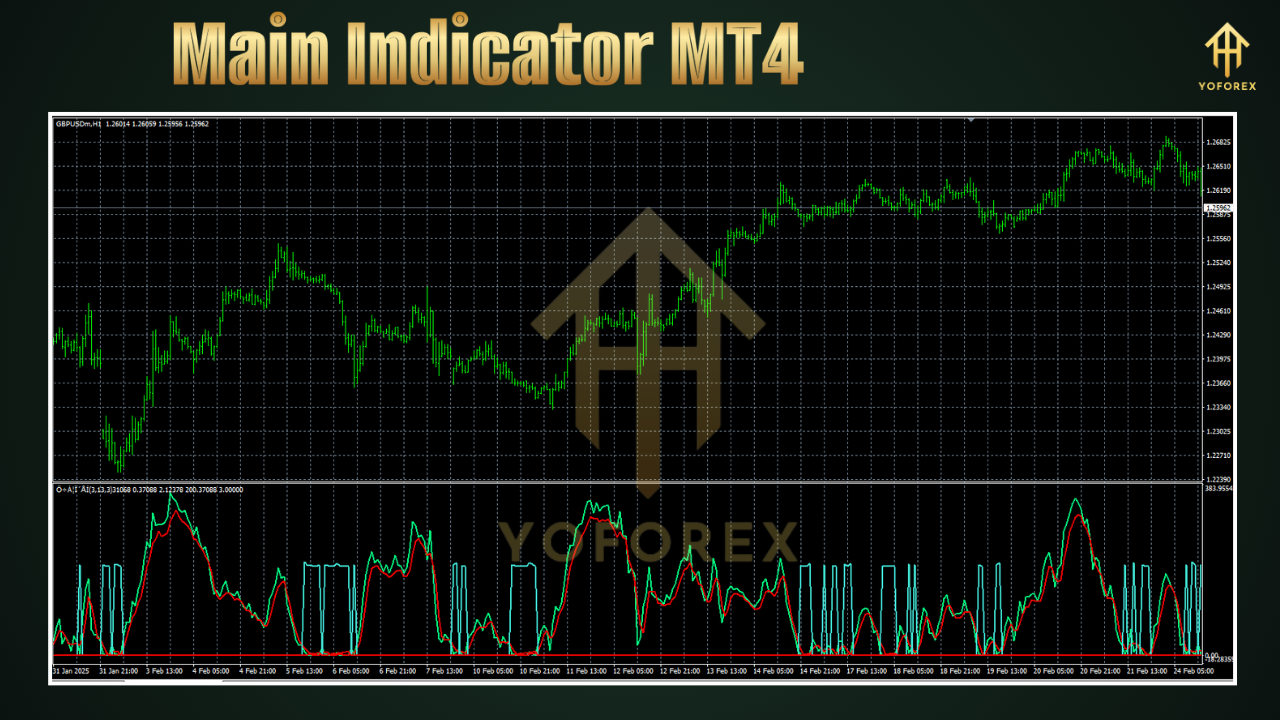
How to Choose Your Main Indicator in MT4
Selecting a main indicator depends on several factors, including your trading style, time frame, and market conditions. Here are some tips to guide your decision:
-
Define Your Trading Style:
-
Scalping: Fast-paced traders might prefer RSI or Stochastic Oscillator for quick signals.
-
Day Trading: MACD or Moving Averages work well for intraday trends.
-
Swing Trading: Bollinger Bands or Fibonacci Retracement can help identify longer-term reversals.
-
-
Understand Market Conditions:
-
Trending Markets: Moving Averages or MACD are effective for following trends.
-
Ranging Markets: RSI or Bollinger Bands excel in identifying overbought/oversold levels.
-
-
Combine Indicators Wisely: While the main indicator is your primary tool, combining it with a secondary indicator can enhance accuracy. For example, use Moving Averages to confirm trend direction and RSI to time entries.
-
Backtest Your Strategy: Use MT4’s Strategy Tester to evaluate how your chosen indicator performs with historical data. This helps you fine-tune settings and assess profitability.
Customizing Indicators in MT4
One of MT4’s strengths is its customization options. Traders can adjust indicator settings to suit their preferences or even create custom indicators using MQL4. Here’s how to customize a main indicator:
-
Accessing Indicators: Open the Navigator window (Ctrl+N) or go to Insert > Indicators.
-
Modifying Settings: Right-click an indicator on the chart, select “Properties,” and adjust parameters like period, color, or levels.
-
Creating Custom Indicators: Use the MetaEditor in MT4 to code custom indicators in MQL4. For example, you could create a modified Moving Average that incorporates volume data.
Example: To make RSI more sensitive to short-term movements, reduce the period from 14 to 9. To make it smoother, increase the period to 21.
Practical Tips for Using Main Indicators in MT4
-
Avoid Overloading Charts: Using too many indicators can lead to analysis paralysis. Stick to one or two main indicators and a few complementary ones.
-
Use Multiple Time Frames: Confirm signals on higher time frames (e.g., H4 or D1) to increase reliability.
-
Combine with Price Action: Indicators work best when paired with price action analysis, such as support/resistance levels or candlestick patterns.
-
Practice Risk Management: No indicator is foolproof. Always use stop-loss orders and proper position sizing to manage risk.
-
Stay Updated: Markets evolve, so periodically review and adjust your main indicator settings to adapt to changing conditions.
Common Mistakes to Avoid
-
Over-Reliance on Indicators: Indicators are tools, not crystal balls. Always consider fundamental factors and market context.
-
Ignoring False Signals: Indicators can produce false signals, especially in choppy markets. Use confirmation tools to filter them out.
-
Using Default Settings Blindly: Default settings may not suit your strategy. Experiment with different parameters to optimize performance.
-
Neglecting Backtesting: Failing to test your indicator-based strategy can lead to unexpected losses.
Advanced Strategies with Main Indicators
For experienced traders, combining main indicators with other MT4 features can create sophisticated strategies. Here are a few ideas:
-
Automated Trading with Expert Advisors (EAs): Use MT4’s Expert Advisors to automate trades based on your main indicator’s signals. For example, program an EA to execute trades when the MACD line crosses the signal line.
-
Multi-Indicator Systems: Create a trading system that combines Moving Averages for trend direction, RSI for entry timing, and Bollinger Bands for volatility analysis.
-
Custom Indicator Development: Code a unique indicator in MQL4 that combines elements of multiple indicators, such as a hybrid MA-RSI indicator.
Conclusion
The “Main Indicator” in MT4 is the backbone of a trader’s technical analysis, providing clarity and structure to their trading strategy. Whether you choose Moving Averages, RSI, Bollinger Bands, or MACD, the key is to select an indicator that aligns with your trading style, test it thoroughly, and use it in conjunction with sound risk management. MT4’s flexibility allows traders to customize and combine indicators, making it possible to adapt to various market conditions. By mastering your main indicator and avoiding common pitfalls, you can enhance your trading performance and navigate the markets with greater confidence. Start experimenting with MT4’s indicators today, and discover the power of technical analysis in transforming your trading journey.