In the fast-paced world of forex trading, automation has become a cornerstone for traders aiming to maximize profits while minimizing manual effort. The NySession EA V2 for MetaTrader 4 (MT4) is a cutting-edge Expert Advisor (EA) designed to capitalize on the unique dynamics of the New York trading session. This blog explores the features, benefits, and setup process of NySession EA V2, offering insights into how it can enhance your trading strategy.
Understanding the New York Trading Session
The forex market operates 24 hours a day, segmented into major trading sessions: Tokyo (Asian), London (European), Sydney (Pacific), and New York (North American). The New York session, running from 8:00 AM to 5:00 PM EST, is known for its high volatility and liquidity, particularly when it overlaps with the London session (8:00 AM to 12:00 PM EST). This period often sees significant price movements, making it ideal for traders employing aggressive strategies or seeking high-probability setups. The NySession EA V2 is tailored to exploit these characteristics, automating trades during this critical window.
What is NySession EA V2 MT4?
NySession EA V2 is an automated trading robot designed for the MetaTrader 4 platform, one of the most widely used trading platforms globally. This EA leverages advanced algorithms to analyze market conditions, identify high-probability entry points, and execute trades during the New York session. Unlike manual trading, which requires constant monitoring, NySession EA V2 operates autonomously, allowing traders to save time while maintaining disciplined trading.
Key Features of NySession EA V2
- Session-Specific Trading: The EA is programmed to trade exclusively during the New York session, focusing on high-volatility periods to maximize profit potential. It uses a session filter to avoid low-liquidity hours, reducing the risk of slippage.
- Advanced Technical Analysis: NySession EA V2 integrates popular indicators like Relative Strength Index (RSI) and Bollinger Bands to confirm trends and identify overbought or oversold conditions. This ensures precise entry and exit points.
- Robust Risk Management: The EA includes adjustable stop-loss and take-profit settings, allowing traders to customize risk levels. It also limits the number of active trades to prevent overexposure during volatile market conditions.
- Scalping and Intraday Strategies: Designed for short-term trading, the EA targets quick profits (e.g., 10-20 pips per trade), making it suitable for scalping or intraday trading styles.
- Compatibility and Flexibility: NySession EA V2 works across multiple currency pairs and timeframes, offering versatility for traders with diverse strategies.
Benefits of Using NySession EA V2
1. Time Efficiency
Manual trading during the New York session requires constant attention, especially during the London-NY overlap. NySession EA V2 automates the process, freeing traders to focus on strategy development or other tasks.
2. Emotion-Free Trading
Emotional decision-making often leads to costly mistakes in forex trading. The EA follows predefined rules, eliminating emotional bias and ensuring consistent execution.
3. Optimized for Volatility
The New York session’s high trading volume creates opportunities for significant price movements. NySession EA V2 is designed to capitalize on these fluctuations, targeting optimal entry points for maximum profitability.
4. Customizable Settings
Traders can adjust parameters like lot size, risk levels, and session hours to align with their trading goals. This flexibility makes the EA suitable for both conservative and aggressive traders.
5. Backtesting and Optimization
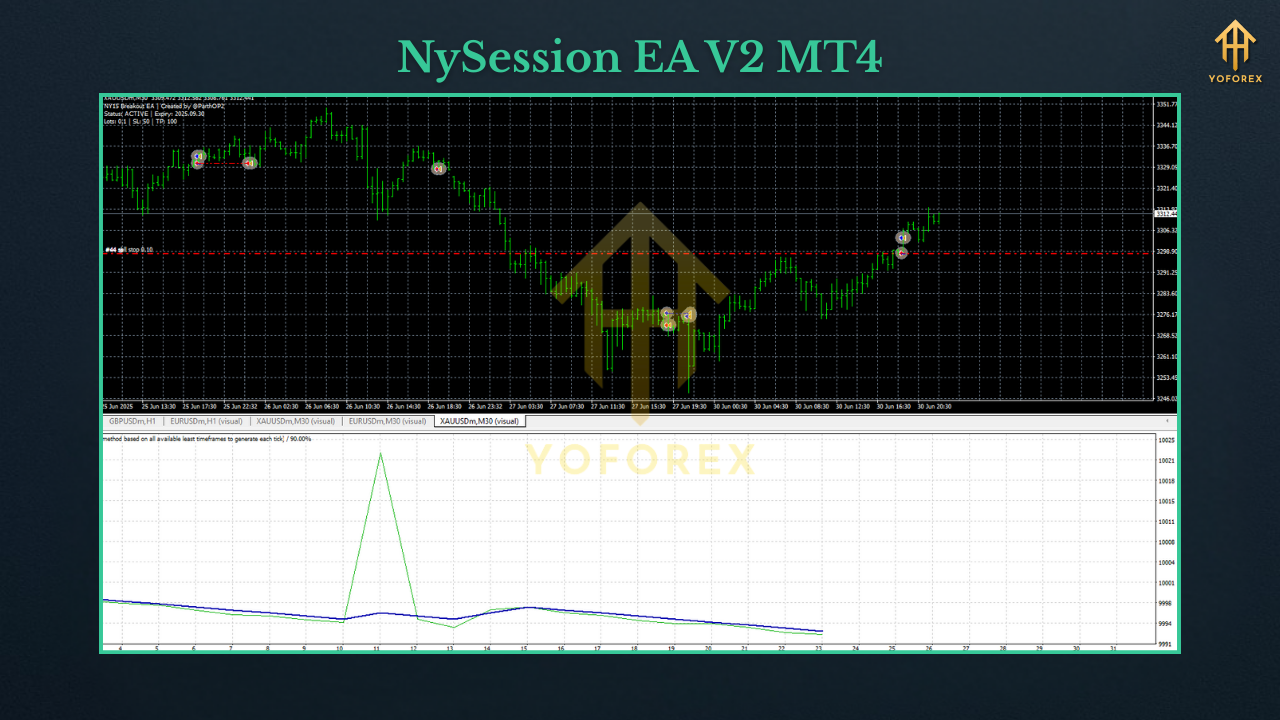
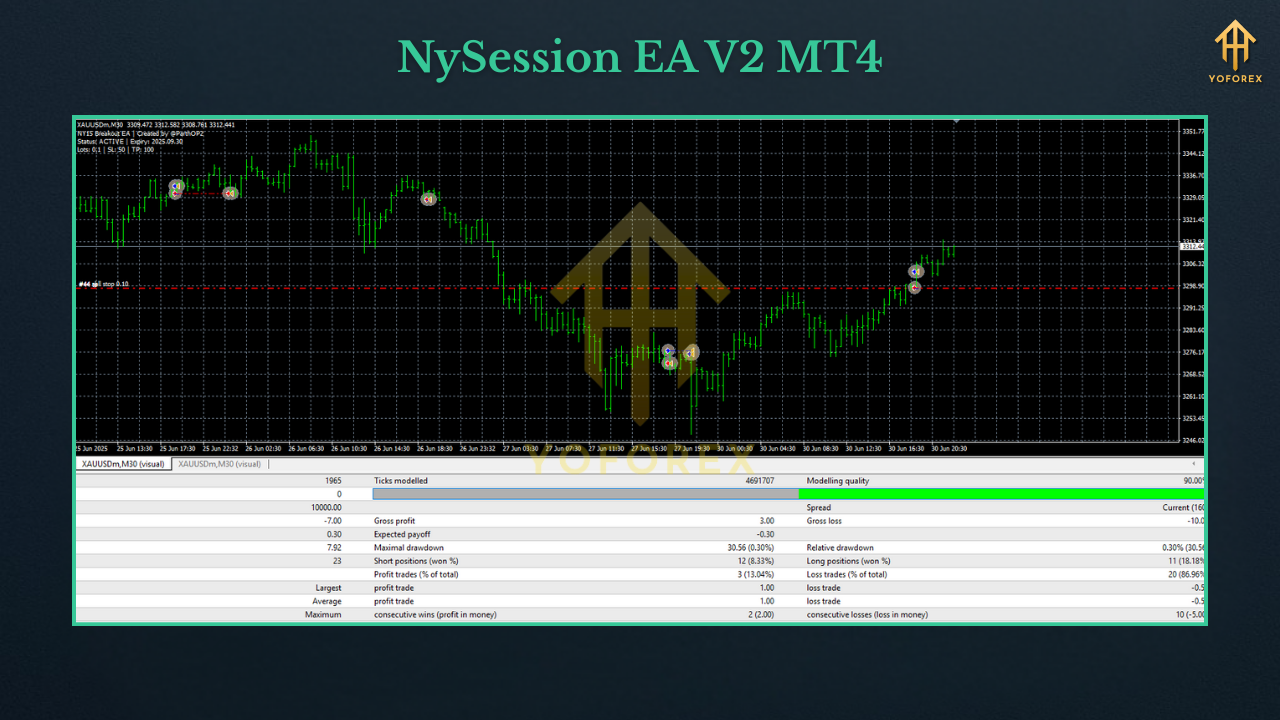
NySession EA V2 supports backtesting on MT4, allowing traders to evaluate its performance using historical data. This helps fine-tune settings before deploying the EA in live trading.
How to Install NySession EA V2 on MT4
- Download the EA File: Obtain the NySession EA V2 file (typically in .ex4 or .mq4 format) from a reputable source. Ensure you verify the authenticity to avoid potential risks.
- Open MT4 Data Folder: Launch MetaTrader 4, go to File > Open Data Folder, then navigate to MQL4 > Experts.
- Install the EA: Copy the NySession EA V2 file into the Experts folder. Restart MT4 to refresh the platform.
- Configure Settings: In MT4, go to Navigator > Expert Advisors, locate NySession EA V2, and drag it onto a chart (e.g., USDJPY M5). A settings window will appear, allowing you to adjust parameters like lot size, stop-loss, take-profit, and session hours.
- Enable Automated Trading: In the MT4 toolbar, ensure the AutoTrading button is active (green). Check that Allow DLL imports and Allow automated trading are enabled in Tools > Options > Expert Advisors.
- Test on Demo Account: Before using the EA with real funds, test it on a demo account to ensure it aligns with your trading strategy.
Tips for Maximizing NySession EA V2 Performance
- Choose Low-Spread Brokers: Use an ECN or Raw spread broker to minimize trading costs, as NySession EA V2 often employs scalping strategies.
- Avoid Major News Events: High-impact news can cause unpredictable volatility. Pause the EA during major economic releases to reduce slippage risks.
- Optimize Regularly: Periodically backtest and adjust settings to adapt to changing market conditions.
- Use a VPS: A Virtual Private Server ensures 24/7 operation, preventing disruptions due to internet or power issues.
- Monitor Performance: Regularly review the EA’s performance to ensure it meets your expectations. Adjust risk settings if drawdowns exceed your comfort level.
Potential Risks and Considerations
While NySession EA V2 offers significant advantages, automated trading carries inherent risks. Market conditions can change rapidly, and no EA guarantees consistent profits. Over-optimization or improper settings may lead to poor performance. Always test the EA thoroughly on a demo account and avoid risking more capital than you can afford to lose. Additionally, ensure you source the EA from a trusted provider to avoid potential scams or malware.
Conclusion
NySession EA V2 MT4 is a powerful tool for traders looking to automate their forex trading during the dynamic New York session. Its session-specific focus, advanced technical analysis, and robust risk management make it a valuable addition to any trader’s toolkit. By combining automation with disciplined trading, NySession EA V2 can help you capitalize on market opportunities while minimizing manual effort. Whether you’re a novice or an experienced trader, this EA offers the flexibility and performance needed to elevate your trading game.