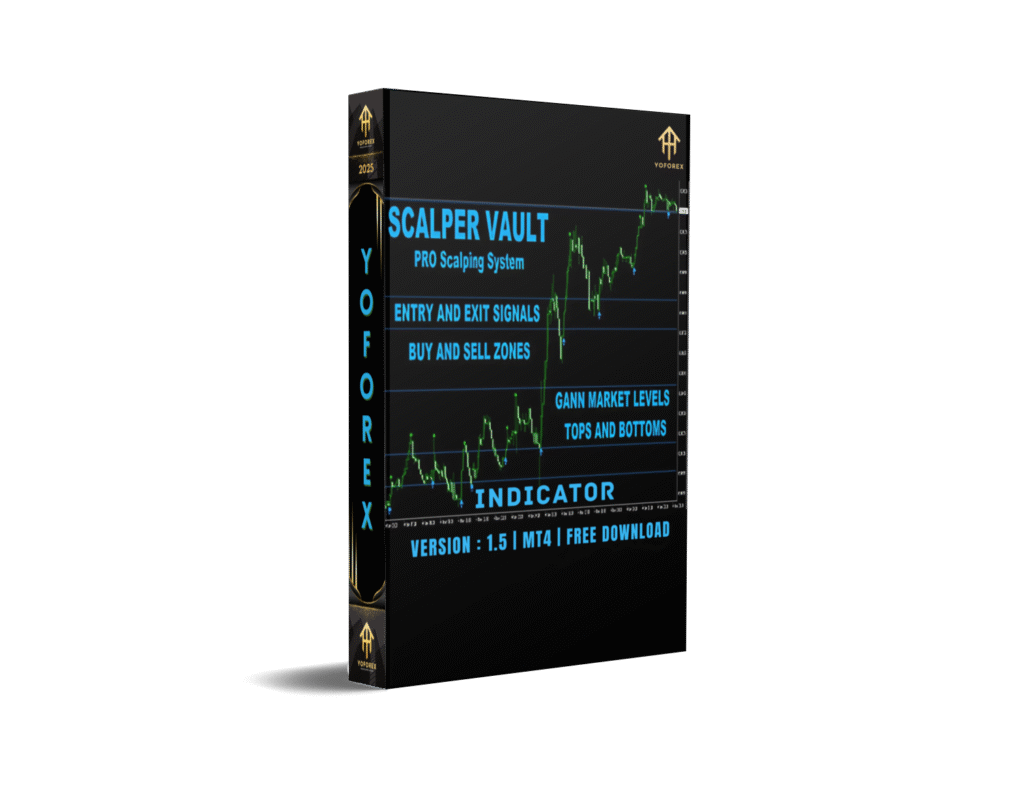
Scalper Vault Indicator V1.5 for MT4: A Comprehensive Guide to Scalping Success
Introduction
In the fast-paced world of forex and binary options trading, scalping remains one of the most popular strategies for traders aiming to capitalize on small, frequent price movements. The Scalper Vault Indicator V1.5 for MetaTrader 4 (MT4) is a professional-grade tool designed to streamline this high-frequency trading approach. Created by trader Oleg Rodin, this indicator combines a suite of advanced tools to deliver accurate, actionable signals for scalping on short timeframes, particularly the M5 (5-minute) chart. This blog post provides an in-depth review of the Scalper Vault Indicator V1.5, exploring its features, setup, performance, and practical applications to help traders determine if it’s the right tool for their trading arsenal.
Scalping requires precision, speed, and a deep understanding of market dynamics. The Scalper Vault Indicator aims to simplify this process by offering clear buy and sell signals, trend direction indicators, and critical market insights like tops, bottoms, and Gann levels. Whether you’re a novice or an experienced trader, this tool promises to enhance your ability to make informed decisions in the fast-moving forex and binary options markets. Let’s dive into its key features, setup process, and how it can elevate your scalping strategy.
Key Features
1. Accurate Arrow Signals for Trend Direction
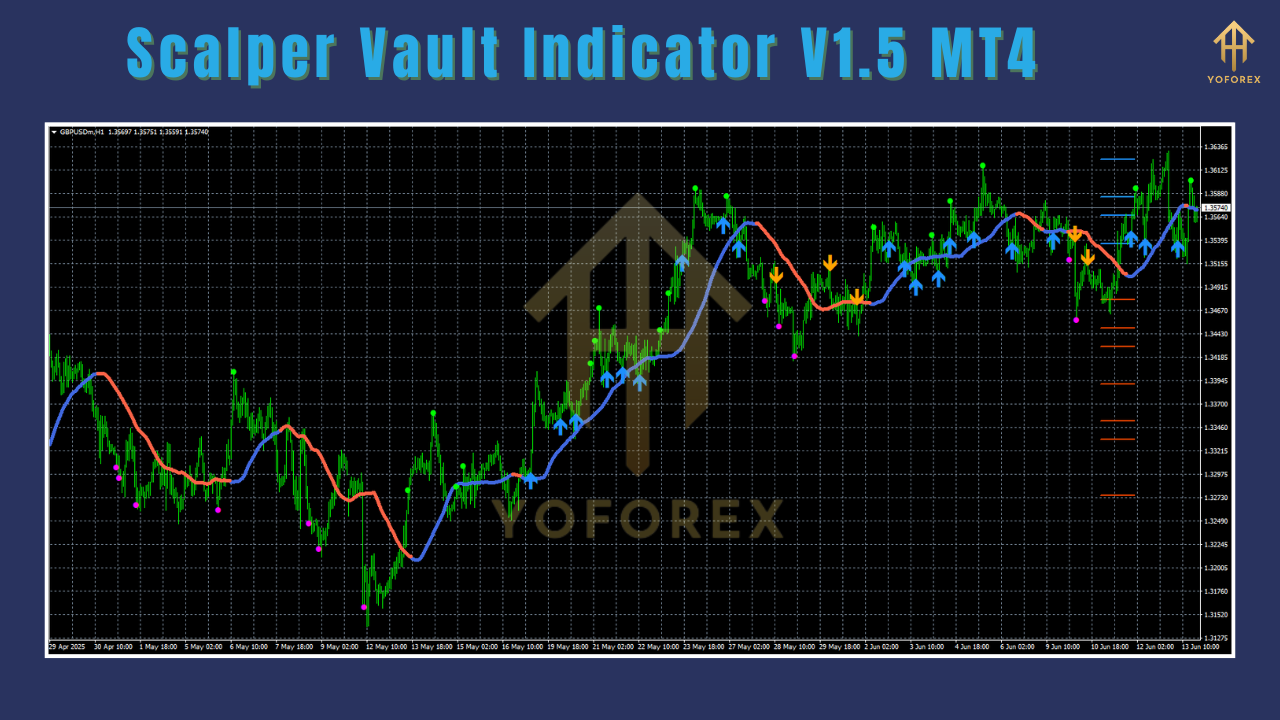
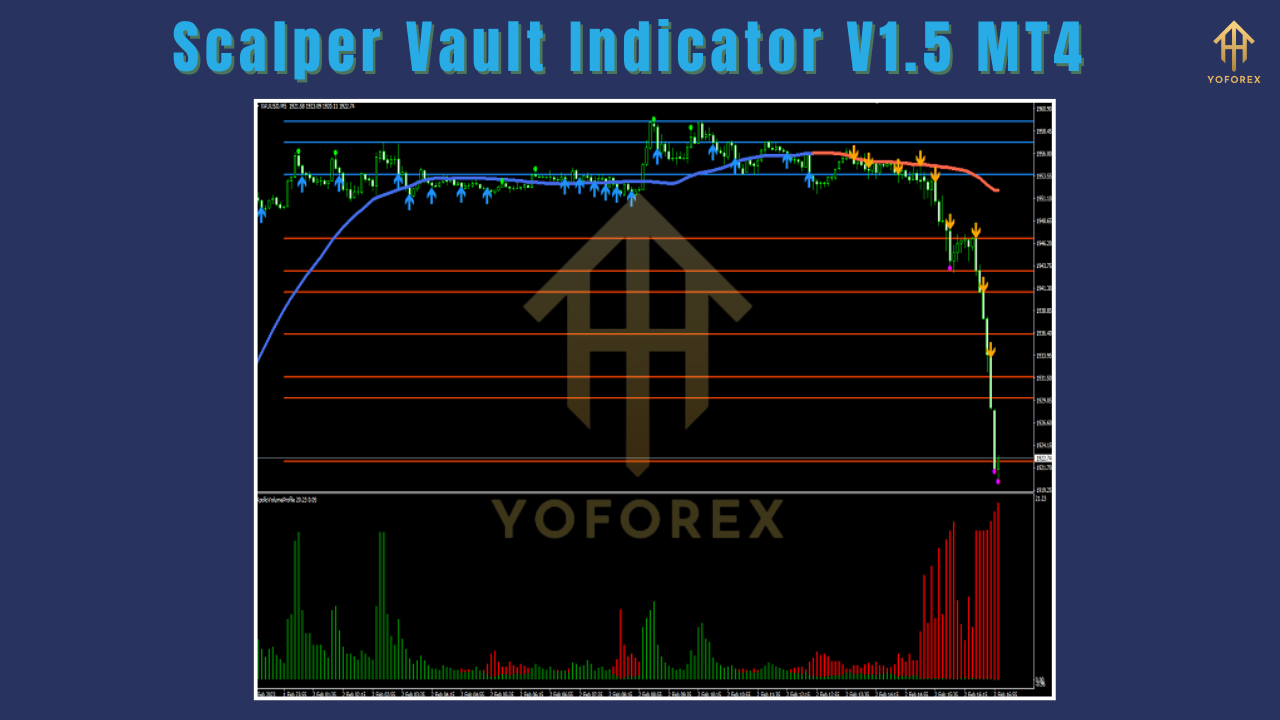
At the core of the Scalper Vault Indicator is its ability to generate precise arrow signals that align with the market’s trend direction. These signals are powered by an advanced algorithm that analyzes market momentum and price action, providing clear buy (up arrow) and sell (down arrow) indications. This feature is particularly valuable for scalpers who need to make quick decisions without second-guessing market movements. The arrows help traders stay in sync with the market’s pulse, increasing the probability of successful trades.
2. Top and Bottom Signals
Beyond trend direction, the indicator identifies potential market tops and bottoms, which are critical for optimizing entry and exit points. By pinpointing these reversal zones, the Scalper Vault Indicator helps traders avoid common pitfalls, such as entering trades too late or exiting prematurely. This feature is especially useful for scalpers looking to maximize profits from short-term price swings.
3. Gann Market Levels
The inclusion of Gann market levels adds a layer of sophistication to the indicator. Based on W.D. Gann’s theories, these levels provide insights into key support and resistance zones, helping traders anticipate potential price reversals or continuations. This feature enhances the indicator’s versatility, making it suitable for both trend-following and counter-trend strategies.
4. Advanced Alert System
The Scalper Vault Indicator ensures traders never miss a trading opportunity with its robust alert system. It offers audio, visual, and push notifications, keeping users informed of significant signals or market changes, even when away from their trading desks. This feature is invaluable for scalpers who need to act swiftly in volatile markets.
5. Optimized for M5 Timeframe
Designed specifically for the M5 timeframe, the Scalper Vault Indicator is tailored for traders who thrive on the intensity of scalping. The M5 chart allows traders to capitalize on minor price movements throughout the trading day, making it ideal for high-frequency trading. While optimized for M5, the indicator can also be used on other timeframes, offering flexibility for different trading styles.
6. Versatility Across Markets
While primarily designed for forex trading, the Scalper Vault Indicator is also effective for binary options traders. Its clear signals can be applied to forex currency pairs and binary options contracts, making it a versatile tool for traders operating in multiple markets. This adaptability broadens its appeal to a diverse trading community.
7. User-Friendly Interface
Despite its advanced features, the Scalper Vault Indicator boasts an intuitive, user-friendly interface. Traders of all skill levels can easily navigate its settings and interpret its signals. This simplicity does not compromise its effectiveness, allowing users to focus on making quick, informed decisions in fast-moving markets.
Setting Up Scalper Vault Indicator V1.5 on MT4
Setting up the Scalper Vault Indicator on MetaTrader 4 is straightforward. Follow these steps to get started:
-
Purchase and Download: Acquire the Scalper Vault Indicator V1.5 through the MetaTrader Market or a trusted vendor. Ensure you download the correct version (e.g., ScalperVault NoDLL.ex4 V1.5 for MT4).
-
Install on MT4:
-
Open MT4 and navigate to the ‘Navigator’ tab.
-
Right-click on ‘Indicators’ and select ‘Refresh’ to update the list.
-
The Scalper Vault Indicator should now appear in the Indicators list.
-
Drag the indicator onto your desired chart (preferably M5).
-
-
Configure Settings:
-
Number of Bars Analyzed: Adjust the number of historical bars analyzed. Higher values provide more data but may slow the refresh rate.
-
Arrow Signal Colors: Customize colors for better visualization.
-
Alert Settings: Enable pop-up, email, or push notifications as preferred.
-
Visual Settings: Adjust colors, styles, and other display options to suit your chart setup.
-
-
Apply to Chart: Once configured, the indicator will display on your chart, generating real-time signals.
For TradingView users, the indicator is available as a paid subscription through the Pine Script library. Search for ‘Scalper Vault Indicator’ and follow the platform’s instructions to add it to your charts.
How Scalper Vault Indicator Works
The Scalper Vault Indicator combines multiple technical analysis tools to deliver a comprehensive scalping system. Its algorithm analyzes market momentum, price action, and key levels to generate signals. Here’s how it operates:
-
Trend Analysis: The indicator identifies the current market trend using arrow signals. A blue arrow indicates a buy signal, while a red arrow signals a sell. These arrows are designed to align with the trend, reducing the risk of trading against the market’s direction.
-
Reversal Detection: By identifying potential tops and bottoms, the indicator helps traders time their entries and exits more effectively. This feature is particularly useful in range-bound markets where reversals are common.
-
Gann Levels: The incorporation of Gann levels provides additional context for support and resistance, helping traders anticipate key price zones.
-
Double Confirmation: Similar to other advanced scalping indicators, the Scalper Vault uses a “double confirmation” approach. It first confirms the trend direction and then checks for overbought or oversold conditions to ensure high-probability signals.
-
Non-Repainting Signals: The indicator is designed to be stable and non-repainting, meaning signals remain consistent even in fast-moving markets. This reliability is crucial for scalpers who rely on precise entry and exit points.
Performance and Effectiveness
The Scalper Vault Indicator is optimized for short-term trading on the M5 and M15 timeframes, making it ideal for scalpers who aim to capture small profits multiple times a day. Its signals are designed to capitalize on short-term price movements and volatility, which are common in forex and binary options markets.
Strengths:
-
High Accuracy: The indicator’s advanced algorithm and double confirmation approach ensure high-probability signals, reducing false entries.
-
Versatility: It works across forex and binary options, making it suitable for traders with diverse portfolios.
-
Ease of Use: The intuitive interface and clear signals make it accessible to beginners while remaining powerful for experienced traders.
-
Real-Time Alerts: The push notification system ensures traders stay informed, even during busy trading sessions.
Limitations:
-
Timeframe Specificity: While optimized for M5, the indicator may generate more false signals on lower timeframes (e.g., M1) due to market noise. Using higher timeframes (e.g., H1) can reduce this risk.
-
Market Conditions: The indicator performs best in trending or range-bound markets but may struggle in highly volatile conditions. Traders should combine it with other technical analysis tools for better results.
-
Platform Limitation: The indicator is designed for MT4’s computer version and does not support MT5, mobile phones, or tablets.
Practical Trading Strategies with Scalper Vault
To maximize the Scalper Vault Indicator’s effectiveness, consider the following strategies:
-
Trend-Following Scalping:
-
Use the indicator’s arrow signals to trade in the direction of the trend. For example, only take buy signals when the indicator’s background is blue (uptrend) and sell signals when it’s red (downtrend).
-
Set stop-loss at 1.5x the Average True Range (ATR) from the entry price and aim for a profit target of 2x the stop-loss.
-
-
Reversal Trading:
-
Use top and bottom signals to identify potential reversals. Combine these with Gann levels to confirm key support or resistance zones.
-
Enter trades when a reversal signal aligns with a Gann level for higher confidence.
-
-
Multi-Timeframe Analysis:
-
Check the trend on a higher timeframe (e.g., H1) to confirm the overall market direction. For example, if the H1 trend is bullish, wait for blue arrows on the M5 chart to enter buy trades.
-
-
Risk Management:
-
Set stop-losses at 30-50 pips or based on ATR to protect against unexpected market moves.
-
Avoid trading during high-impact news events, as volatility can lead to false signals.
-
Tips for Using Scalper Vault Indicator
-
Test on a Demo Account: Before using the indicator on a live account, practice with a demo account (e.g., ICMarket) to familiarize yourself with its signals and settings.
-
Combine with Other Tools: Enhance accuracy by pairing the indicator with tools like Bollinger Bands, RSI, or MACD to confirm signals.
-
Optimize Settings: Experiment with the number of bars analyzed and alert settings to match your trading style and chart preferences.
-
Avoid Overtrading: Stick to high-probability setups and avoid forcing trades in choppy markets.
Conclusion
The Scalper Vault Indicator V1.5 for MT4 is a powerful, versatile tool that simplifies the complexities of scalping. Its accurate arrow signals, top and bottom detection, Gann levels, and advanced alert system make it a valuable asset for forex and binary options traders. Optimized for the M5 timeframe, it caters to scalpers who thrive on quick, high-frequency trades while offering flexibility for other trading styles. By combining technical precision with a user-friendly interface, the Scalper Vault Indicator empowers traders of all levels to make informed decisions in fast-moving markets.
While it excels in trending and range-bound conditions, traders should be cautious in volatile markets and consider pairing it with other technical tools for optimal results. With proper setup, testing, and risk management, the Scalper Vault Indicator V1.5 can significantly enhance your scalping strategy, helping you capture small, consistent profits in the dynamic world of forex trading. For those interested in exploring this tool, visit trusted platforms like the MetaTrader Market or consult the developer’s official resources for more details.