Exploring the Sekelper Update Indicator for MT4: A Comprehensive Guide
The foreign exchange (Forex) market is a dynamic and fast-paced environment where traders rely on sophisticated tools to make informed decisions. MetaTrader 4 (MT4) remains one of the most popular trading platforms due to its robust features, flexibility, and extensive library of custom indicators. Among these, the Sekelper Update Indicator, often associated with the Isakas Sekelper Trading System, stands out as a powerful tool for scalping and short-term trading strategies. In this 1500-word blog, we’ll dive deep into what the Sekelper Update Indicator is, how it works, its role in the Isakas Sekelper Trading System, and practical tips for using it effectively on MT4.
What is the Sekelper Update Indicator?
The Sekelper Update Indicator is a custom technical indicator designed for the MetaTrader 4 platform, primarily used within the Isakas Sekelper Trading System. This system is a scalping strategy tailored for quick trades on lower timeframes, such as the 5-minute (M5) chart, though it can be adapted for higher timeframes like M15 or M30. The indicator is part of a set of personalized tools that include the Hull Moving Average (HMA), NonLagDot, and FX_FISH_Mode indicators, which together create a unique trading setup.
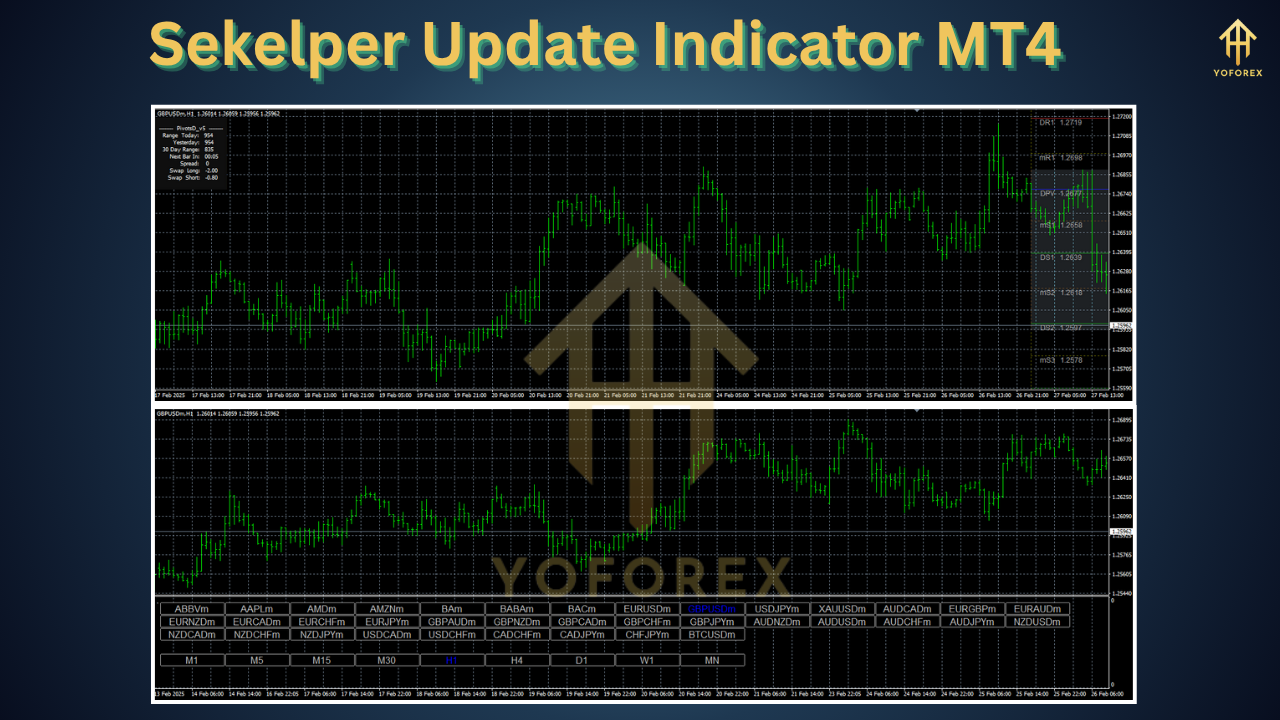
Unlike traditional candlestick charts, the Isakas Sekelper system often omits standard candles, displaying only the indicators to reduce visual noise and focus on key signals. The Sekelper Update Indicator, specifically, is an evolution of the NonLagDot alert indicator, providing buy and sell signals through colored dots and alerts. These signals are based on price action and momentum, making it ideal for traders who prefer a clean, signal-driven approach to scalping.
The term “Sekelper” is rooted in the system’s origins, attributed to an Indonesian trader named Ossentog, with the name possibly derived from Malaysian or Indonesian trading communities. The “Update” in its name suggests enhancements over earlier versions, such as improved signal accuracy or additional alert features like pop-ups and email notifications.
Understanding the Isakas Sekelper Trading System
To fully grasp the Sekelper Update Indicator, it’s essential to understand the broader Isakas Sekelper Trading System. This strategy is designed for major currency pairs (e.g., EUR/USD, GBP/USD) and focuses on capturing small, consistent profits through scalping. Here’s a breakdown of its core components:
-
Hull Moving Average (HMA): The system uses HMA30 and HMA50 to identify trend direction. The HMA is a faster, smoother moving average that reduces lag, making it ideal for scalping.
-
NonLagDot Indicator: This is the precursor to the Sekelper Update Indicator. It plots colored dots (blue for buy, red for sell) based on price momentum and trend changes. The Sekelper Update Indicator enhances this with alerts and refined signal logic.
-
FX_FISH_Mode Indicator: An oscillator that confirms momentum by displaying bars above or below a reference line. Green bars on the positive side indicate bullish momentum, while red bars on the negative side suggest bearish momentum.
The system’s unique feature is its chart setup, which replaces candlesticks with these indicators to minimize distractions. Traders rely on the alignment of signals—such as three blue dots and green FX_FISH_Mode bars for a buy signal—to enter trades.
How the Sekelper Update Indicator Works
The Sekelper Update Indicator is essentially an advanced version of the NonLagDot indicator, designed to provide clear, actionable signals. Here’s how it operates:
-
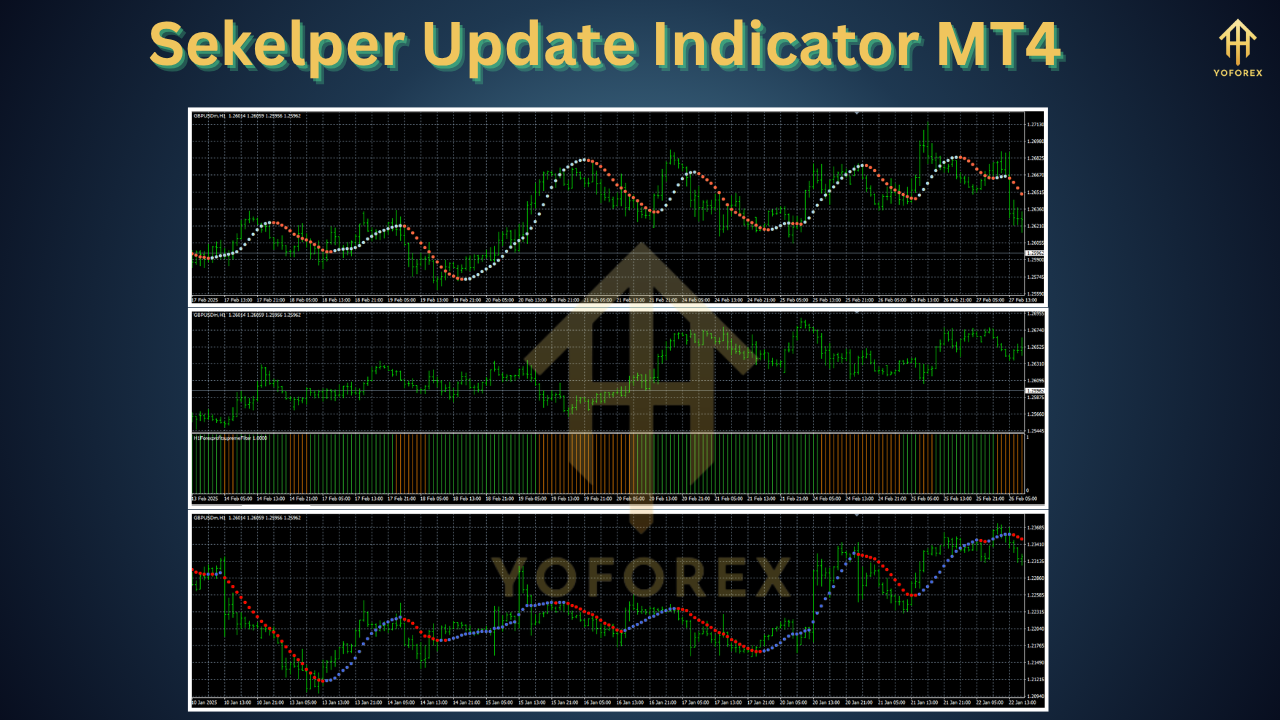
Signal Generation: The indicator plots dots on the chart to indicate potential trade setups. Blue dots signal a buy opportunity, while red dots indicate a sell. These dots are generated based on a proprietary algorithm that analyzes price action and momentum with reduced lag.
-
Alerts: The “Update” aspect likely refers to enhanced alert features. Traders can enable pop-up alerts, sound notifications, or email alerts when a new signal appears. This is particularly useful for scalpers who need to act quickly on short-term opportunities.
-
Trend Reversal Detection: The indicator excels at identifying potential trend reversals. For example, when three red dots appear, followed by a shift to blue, it may signal a bullish reversal. The FX_FISH_Mode indicator confirms this by showing green bars.
-
Timeframe Flexibility: While optimized for the M5 timeframe, the indicator can be used on M15 or M30 charts for traders seeking more stable signals in less volatile conditions.
The indicator’s strength lies in its simplicity and ability to filter out market noise, allowing traders to focus on high-probability setups.
Installing the Sekelper Update Indicator on MT4
To use the Sekelper Update Indicator, you’ll need to install it on your MT4 platform. Follow these steps:
-
Download the Indicator: Obtain the indicator files (.ex4 or .mq4) from a reputable source, such as forex forums or websites like ForexMT4Indicators.com or MQL5.com. Ensure the files are compatible with your MT4 build (e.g., Build 600+).
-
Copy Files to MT4 Directory:
-
Open your MT4 platform and go to File > Open Data Folder.
-
Navigate to MQL4 > Indicators.
-
Copy the .ex4 (compiled) or .mq4 (source code) files into this folder.
-
-
Load the Indicator:
-
Restart MT4 or refresh the Navigator panel.
-
In the Navigator window, find the Sekelper Update Indicator under Indicators.
-
Drag and drop it onto your chart or double-click to apply it.
-
-
Configure Settings:
-
Adjust the indicator’s inputs, such as alert settings (e.g., enable/disable pop-ups, emails) or dot colors.
-
Ensure “Allow DLL imports” is checked in the indicator settings to avoid functionality issues.
-
-
Apply the Template: If using the full Isakas Sekelper system, download and apply the provided template (.tpl file) from the same source. Save it in MQL4 > Templates and apply it via Charts > Template.
If the indicator doesn’t work, check for compatibility issues (e.g., outdated MT4 build) or missing dependencies like .dll files. Recompiling the .mq4 file in MetaEditor may also resolve issues.
Trading Rules for the Sekelper Update Indicator
The Isakas Sekelper Trading System provides clear rules for entering and exiting trades using the Sekelper Update Indicator. Here’s a summary:
Buy Signal
-
Conditions:
-
Three blue dots appear on the chart, indicating bullish momentum.
-
The FX_FISH_Mode indicator shows green bars above the reference line.
-
HMA30 and HMA50 align to confirm an uptrend (optional, depending on setup).
-
-
Entry: Enter a long position when all conditions align.
-
Exit: Close the trade when:
-
You achieve a 30-pip profit (or 300 points, depending on broker terminology).
-
The blue dots turn red, signaling a potential reversal.
-
-
Stop Loss: Place a stop loss 2 pips below the nearest support level.
Sell Signal
-
Conditions:
-
Three red dots appear, indicating bearish momentum.
-
The FX_FISH_Mode indicator shows red bars below the reference line.
-
HMA30 and HMA50 confirm a downtrend (optional).
-
-
Entry: Enter a short position when all conditions align.
-
Exit: Close the trade when:
-
You achieve a 30-pip profit.
-
The red dots turn blue, signaling a reversal.
-
-
Stop Loss: Place a stop loss 2 pips above the nearest resistance level.
Risk Management
-
Position Sizing: Use a risk-reward ratio of at least 1:1. For a 30-pip target, ensure your stop loss doesn’t exceed 30 pips.
-
Avoid News Events: The system performs best in stable market conditions. Avoid trading during major economic news releases, as they can cause false signals.
-
Demo Practice: Test the system on a demo account for at least a month to master its signals and build confidence.
Advantages of the Sekelper Update Indicator
-
Simplicity: The indicator’s dot-based signals and alert system make it easy to use, even for beginners.
-
Noise Reduction: By omitting candlesticks, the system minimizes distractions, allowing traders to focus on signals.
-
Scalping Efficiency: Optimized for short timeframes, it’s ideal for traders seeking quick profits.
-
Custom Alerts: Pop-up and email alerts ensure you never miss a signal, even when away from the chart.
-
Versatility: Works on major currency pairs and can be adapted to higher timeframes for swing trading.
Limitations and Challenges
-
Learning Curve: The unique chart setup (no candlesticks) may be confusing for traders accustomed to traditional charts.
-
False Signals: Like all indicators, it’s not immune to false signals, especially in choppy markets.
-
Broker Dependency: Tight spreads (below 3 pips) are crucial for scalping profitability. Ensure your broker offers low spreads.
-
Untested Updates: As a relatively new iteration, the Sekelper Update Indicator may lack extensive backtesting compared to older versions.
-
Platform Issues: MT4 can freeze if too many indicators are running. Optimize your platform by limiting active indicators.
Tips for Maximizing Success
-
Combine with Price Action: Use support/resistance levels or trendlines to confirm signals, increasing accuracy.
-
Backtest Thoroughly: Use MT4’s Strategy Tester to evaluate the indicator’s performance on historical data.
-
Sync Timeframes: For higher accuracy, align signals on M1 and M5 charts, entering trades in the direction of the higher timeframe.
-
Monitor Market Conditions: Avoid trading during high-impact news or low-liquidity sessions (e.g., Asian session for EUR/USD).
-
Stay Disciplined: Stick to the system’s rules and avoid overtrading, which is a common pitfall in scalping.
Conclusion
The Sekelper Update Indicator for MT4, as part of the Isakas Sekelper Trading System, offers a unique and powerful approach to scalping. Its signal-driven design, enhanced alerts, and noise-reducing chart setup make it an attractive tool for traders seeking quick, consistent profits. However, success requires practice, discipline, and careful risk management, especially given the challenges of scalping in volatile markets.
By mastering the indicator’s signals, optimizing your MT4 platform, and trading in stable conditions, you can unlock its potential to enhance your Forex trading strategy. Whether you’re a novice or an experienced trader, the Sekelper Update Indicator is worth exploring for its simplicity and effectiveness. Start with a demo account, refine your approach, and take the first step toward scalping success.