Understanding the Core Concept: What is the Sior FX Cycles Indicator?
The Sior FX Cycles Indicator is a technical analysis tool designed for the MetaTrader 4 (MT4) platform. Its primary function is to identify and display the cyclical nature of the forex market. Unlike standard trend-following indicators that excel in trending markets but often falter in ranging conditions, cycle indicators aim to pinpoint the tops and bottoms of market cycles, providing potential entry and exit points in both trending and sideways markets.
While the precise algorithm behind the Sior FX Cycles Indicator may be proprietary, its foundation lies in the principle that markets move in repetitive patterns or cycles. These cycles, driven by a confluence of economic data, market sentiment, and institutional order flow, can be harnessed to anticipate future price movements. The indicator typically appears in a separate window on the MT4 chart, displaying oscillating lines or histograms that fluctuate around a zero line, signaling overbought and oversold conditions.
Key Features and Potential Benefits
- Early Trend Reversal Detection: By identifying the peak of a bullish cycle or the trough of a bearish cycle, the indicator can provide early warnings of potential trend reversals.
- Effectiveness in Ranging Markets: Where many indicators fail, the Sior FX Cycles Indicator can shine by identifying short-term buying and selling opportunities within a consolidated market.
- Clear Visual Signals: The indicator’s visual representation, often through colored lines or bars, provides intuitive buy and sell signals, making it accessible to both novice and experienced traders.
- Reduced Lag: Compared to some traditional trend indicators, cycle indicators are often designed to be more responsive to price changes, potentially reducing lag and providing more timely signals.
- Versatility Across Timeframes: The Sior FX Cycles Indicator can be applied to various timeframes, from short-term scalping charts to long-term swing trading charts, offering flexibility to different trading styles.
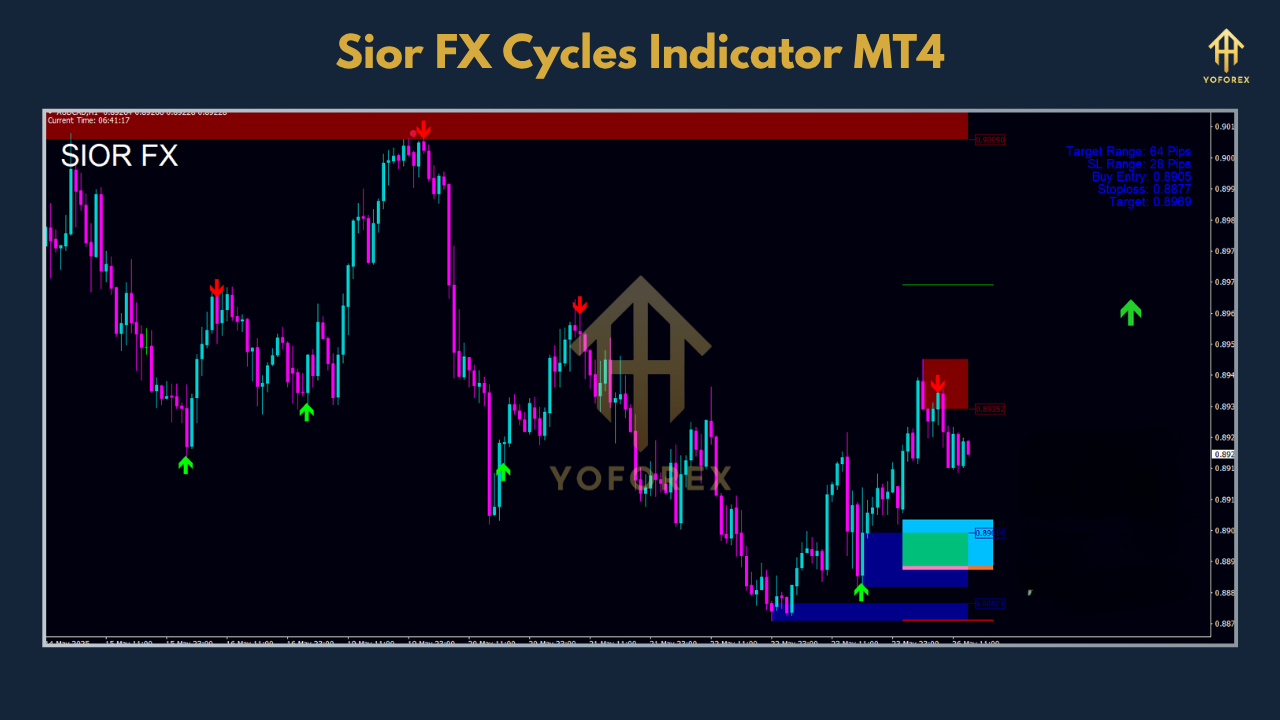
How to Interpret the Signals of the Sior FX Cycles Indicator
- Buy Signal: A potential buy signal is typically generated when the indicator’s line or histogram crosses above the zero line from below. This suggests that a new bullish cycle may be commencing. Another strong buy signal occurs when the indicator rises from an oversold area (a lower extreme level on the indicator’s scale).
- Sell Signal: Conversely, a potential sell signal is often indicated when the indicator’s line or histogram crosses below the zero line from above, suggesting the start of a bearish cycle. A move down from an overbought area (an upper extreme level) also serves as a strong sell signal.
- Identifying Cycle Tops and Bottoms: The peaks and troughs of the indicator’s oscillator correspond to potential tops and bottoms in the price chart. A peak in the indicator suggests that the upward momentum is waning and a reversal could be imminent. A trough suggests the opposite for downward momentum.
Developing a Trading Strategy with the Sior FX Cycles Indicator
1. Combining with Trend Analysis
A powerful approach is to use a longer-term trend indicator, such as a 200-period moving average, to establish the overall market direction. You would then use the Sior FX Cycles Indicator for timing your entries in the direction of the prevailing trend.
- For an Uptrend (Price above the 200 MA): Look for the Sior FX Cycles Indicator to dip into oversold territory and then cross back above the zero line to initiate a buy trade.
- For a Downtrend (Price below the 200 MA): Wait for the Sior FX Cycles Indicator to move into an overbought area and then cross below the zero line to enter a sell trade.
2. Confluence with Support and Resistance
- Buy Signal Confirmation: If the Sior FX Cycles Indicator generates a buy signal near a strong support level, it provides a higher conviction entry point.
- Sell Signal Confirmation: Similarly, a sell signal from the indicator near a major resistance level strengthens the case for a short position.
3. Divergence Trading
- Bullish Divergence: When the price makes a new low, but the indicator makes a higher low, it signals that the downward momentum is weakening and a potential reversal to the upside is on the horizon.
- Bearish Divergence: Conversely, if the price forges a new high, but the indicator forms a lower high, it indicates that the upward momentum is fading and a downward reversal may be imminent.
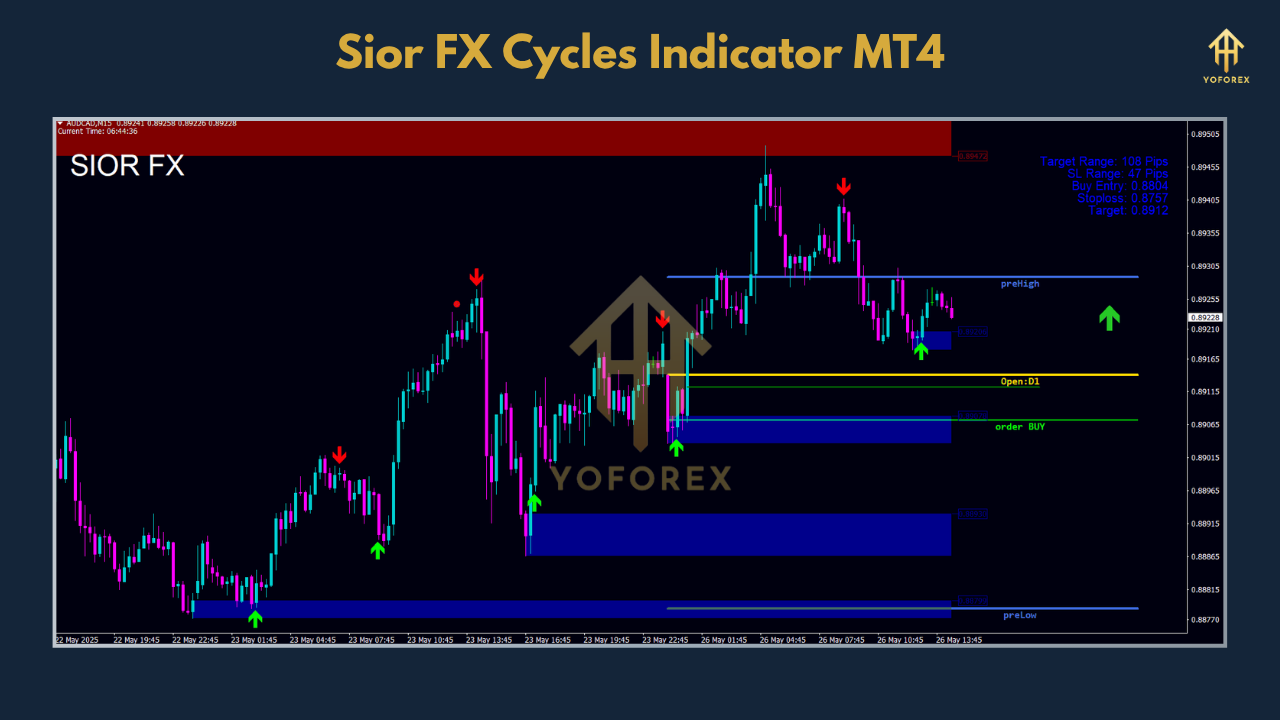
Important Considerations and Limitations
- False Signals: Like all indicators, it can generate false signals, especially in highly volatile or news-driven markets.
- Repainting: It is crucial to ascertain whether the specific version of the Sior FX Cycles Indicator you are using repaints. A repainting indicator redraws its past signals, which can be misleading when backtesting or trading live.
- Parameter Settings: The default settings of the indicator may not be optimal for all currency pairs or timeframes. Experimenting with the parameters in a demo account is highly recommended.
Where to Find and How to Install the Sior FX Cycles Indicator
- Open your MT4 platform.
- Go to “File” > “Open Data Folder.”
- Navigate to the “MQL4” folder and then the “Indicators” folder.
- Copy and paste the downloaded indicator file into this folder.
- Restart your MT4 platform.
- The indicator will then be available in the “Navigator” window under “Indicators.”
The Final Word
The Sior FX Cycles Indicator for MT4 offers a compelling approach to analyzing the forex market by focusing on its cyclical nature. By understanding its signals and integrating it into a robust trading strategy that includes other forms of analysis and sound risk management, traders may find it to be a valuable addition to their toolkit. As with any trading tool, diligent practice on a demo account is the key to unlocking its full potential and navigating the market’s rhythms with greater confidence.