
SmartChoise EA V1.0 MT4: A Neural Network-Powered Trading System for XAU/USD
The world of automated trading just got smarter with the release of SmartChoise EA V1.0 for MT4, a neural network-driven Expert Advisor (EA) designed specifically for trading XAU/USD (Gold) on the M15 timeframe. Built for traders who prioritize long-term growth, controlled risk, and adaptability to dynamic market conditions, this EA is a game-changer for both novice and experienced traders. In this post, we’ll dive into what makes SmartChoise EA stand out, its key features, setup tips, and best practices to maximize its potential.
Why SmartChoise EA V1.0 MT4?
After numerous requests for an MT4 version of the popular SmartChoise EA (originally developed for MT5), the developers have delivered a streamlined, powerful tool tailored for the MetaTrader 4 platform. While some features from the MT5 version were removed to enhance safety and simplicity, the core functionality remains robust, with a focus on consistency, transparency, and flexibility to suit various risk profiles.
SmartChoise EA V1.0 MT4 is not your typical trading bot. It leverages a neural network engine to analyze live market data and make intelligent trading decisions, avoiding risky strategies like martingale. Whether you’re managing a small account or scaling up with a larger balance, this EA offers customizable settings to align with your trading goals.
Core Technology: What Powers SmartChoise EA?
At the heart of SmartChoise EA is its neural network-driven decision-making system, which continuously adapts to changing market conditions. This technology allows the EA to analyze live data, identify trends, and make calculated entries without relying on aggressive or high-risk techniques. Here’s a breakdown of its core components:
- Neural Network Engine: Processes real-time market data to optimize trade entries and exits, ensuring adaptability to volatility and trend shifts.
- No Martingale: Unlike many EAs that compound risk through martingale strategies, SmartChoise focuses on sustainable growth to protect your capital.
- Dynamic Lot Sizing: Adjusts trade sizes based on equity, volatility, trend strength, and market conditions, ensuring balanced risk management.
This combination makes SmartChoise EA a reliable tool for traders seeking steady performance without unnecessary exposure.
Key Features of SmartChoise EA V1.0 MT4
SmartChoise EA is packed with features that cater to both conservative and aggressive traders. Below are the standout elements that make this EA a must-have for XAU/USD trading:
- Multiple Risk Levels: Choose from Low, Medium, High, or Extreme risk settings to match your comfort level and account size.
- Trading Styles: Select Conservative (fewer, lower-risk trades) or Aggressive (more frequent, higher-risk trades) to align with your strategy.
- Trend Strategy Only: The EA uses an enhanced, optimized trend-following strategy for reliable performance, eliminating riskier strategies from earlier versions.
- Advanced Recovery System: Intelligently manages drawdowns to recover losses without aggressive lot size increases.
- Virtual Take Profit, Stop Loss, and Trailing Stop: These are hidden from brokers to prevent interference, offering better trade protection.
- Support/Resistance and Candlestick Detection: Optional features to refine entry precision.
- News Filter: Pauses trading around high-impact news events (Low, Medium, High impact) to avoid volatility spikes. Customizable buffer times ensure flexibility.
- Built-in Panel Buttons: Allows manual trade entries and recovery for traders who want hands-on control.
- Trade Comments: Each trade is labeled (e.g., NN for Neural Network, TR for Trend, R for Recovery, M for Manual Entry) for easy tracking.
Important Notes for Traders
Before diving into live trading, here are some critical points to understand about SmartChoise EA:
- Small Accounts: Recovery-based strategies require sufficient drawdown capacity, so small accounts may face limitations. Use Low or Medium risk settings and enable Hard Stop % or Stop Loss for safer trading.
- Disabling Recovery: Turning off the recovery system or using a fixed lot size transforms the EA into a basic Take Profit/Stop Loss bot, limiting its adaptive capabilities.
- Take Profit/Trailing Stop: Setting a manual Take Profit or Trailing Stop overrides the EA’s internal profit logic, closing trades only when these levels are hit.
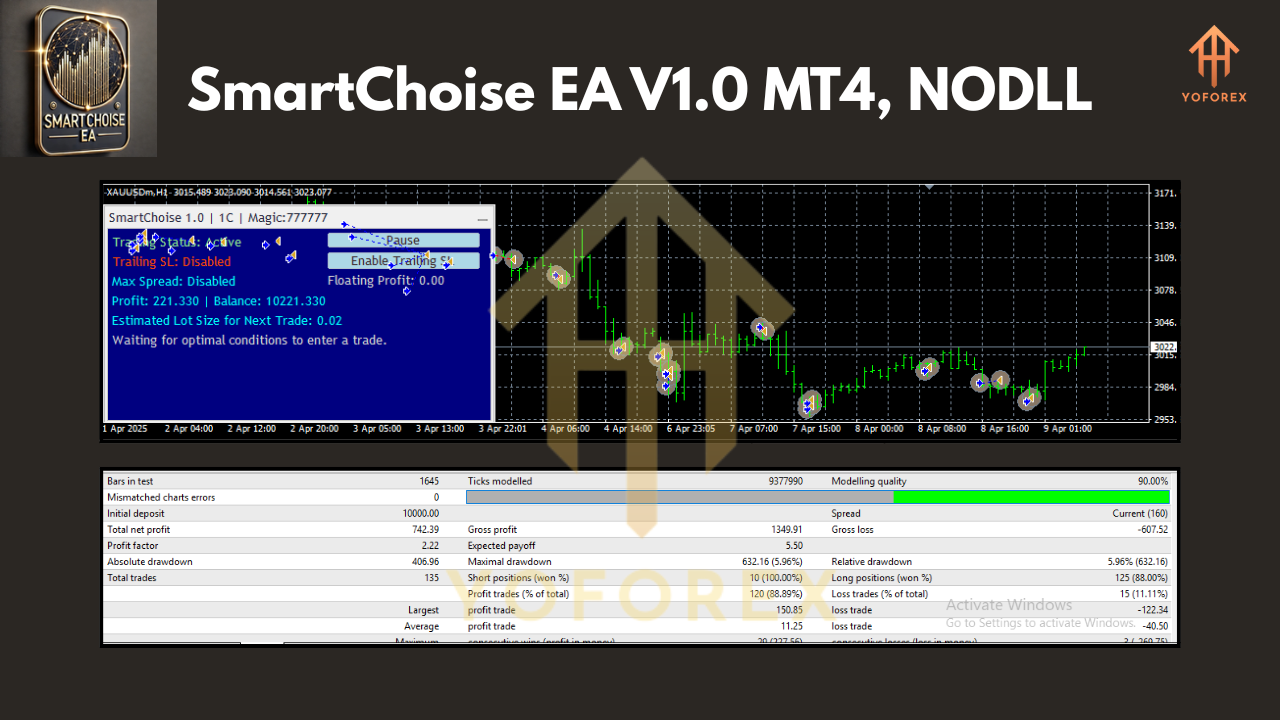
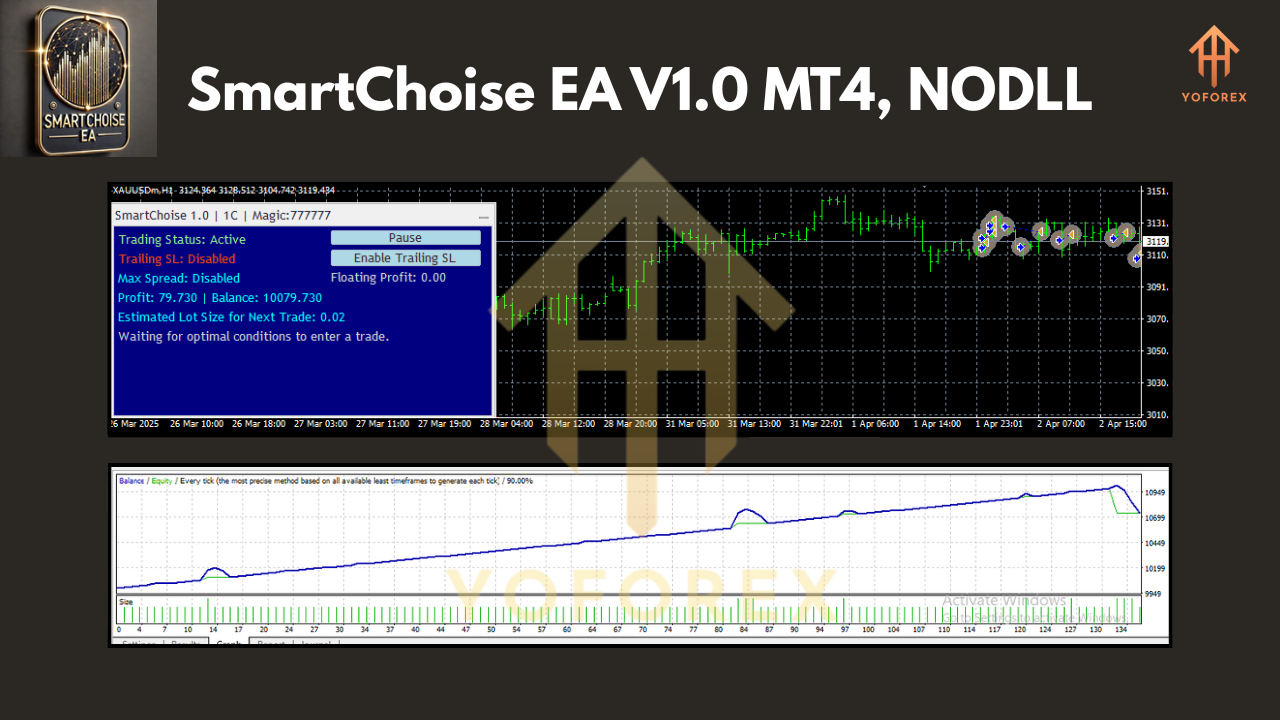
- Backtesting Limitations: The neural network’s adaptive nature means backtesting results won’t fully reflect live performance. Always forward-test on a demo account first.
- WebRequest for News Filter: Enable WebRequest in MT4 to use the news filter effectively.
Recommended Usage for Different Account Sizes
SmartChoise EA is versatile, but its performance depends on proper configuration based on your account size and trading experience.
For Small Accounts
- Risk Level: Stick to Low or Medium to prioritize capital preservation.
- Focus: Aim for steady, long-term growth rather than aggressive returns.
- Settings: Use Hard Stop % (e.g., 20% daily loss limit) and Stop Loss to protect your balance during volatile periods.
For Larger Accounts or Experienced Traders
- Risk Level: Explore High or Extreme settings for higher returns, but ensure you’re comfortable with wider drawdowns.
- Trading Style: Aggressive traders can opt for the Aggressive style for more frequent trades.
- Diversification: Run multiple charts with different Magic Numbers to spread risk across various strategies.
Basic Configuration Guide
Setting up SmartChoise EA is straightforward, but understanding the key parameters is essential for optimal performance. Here’s a quick guide to the main settings:
- Risk Level: Choose from 1 (Low), 2 (Medium), 3 (High), or 4 (Extreme) based on your risk tolerance.
- Trading Style: Select Conservative (C) for fewer, safer trades or Aggressive (A) for more frequent, higher-risk trades.
- Hard Stop %: Set a daily loss limit (e.g., 20 = 20% max equity drawdown) to protect your account.
- Max Spread: Controls trade entries during high-volatility periods to avoid unfavorable conditions.
- Virtual Trailing Stop Loss: Managed internally by the EA for better protection and broker-proofing.
- News Filter: Customize buffer times to pause trading before and after high-impact news events (Low, Medium, High impact).
Understanding Trade Comments
Each trade includes a comment to clarify the strategy used:
- NN: Neural Network-driven trade
- TR: Trend-based trade
- R: Recovery trade
- M: Manual entry via panel buttons
- MR: Manual recovery trade
For example, a trade labeled SmartChoise_4A_NN indicates:
- 4: Extreme risk level
- A: Aggressive trading style
- NN: Neural Network strategy
Best Practices for Live Trading
To get the most out of SmartChoise EA, follow these best practices:
- Start with a Demo Account: Always test the EA on a demo account to understand its behavior with your broker and chosen settings.
- Forward-Test First: Due to the neural network’s adaptive nature, forward-testing is critical to align expectations with live performance.
- Diversify Risk: Use multiple charts with unique Magic Numbers to run different strategies simultaneously.
- Monitor News Events: Enable the news filter and ensure WebRequest is activated to avoid trading during volatile news periods.
- Adjust Settings Gradually: Start with conservative settings and scale up as you gain confidence in the EA’s performance.
What’s New in SmartChoise EA V1.0 MT4?
To enhance safety and usability, the developers made significant improvements over the MT5 version:
- Removed Risky Options: Most lot size increase features were eliminated to prevent users from taking excessive risks.
- Streamlined Strategies: Only the enhanced Trend Strategy was retained, offering more stable and reliable performance.
- Simplified Interface: The MT4 version is easier to configure, making it accessible for traders of all experience levels.
A dedicated MT4 User Manual is in development, but for now, the MT5 manual (available via the developer’s profile page) covers all current settings.
Final Thoughts
SmartChoise EA V1.0 MT4 is a powerful, neural network-driven trading system designed for XAU/USD on the M15 timeframe. With its focus on controlled growth, adaptability, and risk management, it’s an ideal choice for traders seeking a balance between consistency and profitability. Whether you’re a beginner with a small account or an experienced trader managing a larger balance, SmartChoise EA offers the flexibility to tailor your trading strategy.