Guide to Installing and Using Solo Sniper Pro EA V25.17 on MT4
The Solo Sniper Pro EA V25.17 is a highly precise automated trading system designed for the MetaTrader 4 (MT4) platform, boasting an impressive accuracy rate of around 90%. Tailored for traders seeking a reliable and efficient trading solution, this Expert Advisor (EA) employs scalping techniques combined with a compound interest method, ensuring both profitability and safety. With no reliance on risky strategies like grids or martingale, each trade is protected by a dynamic Stop Loss (SL) based on market volatility. This blog post provides a comprehensive guide to installing, configuring, and optimizing the Solo Sniper Pro EA V25.17 for trading the GBPAUD and GBPCAD currency pairs on the M15 timeframe.
Overview of Solo Sniper Pro EA V25.17
The Solo Sniper Pro EA V25.17 is an original product available exclusively on the MQL5 website. It is designed to execute trades with high precision during specific market hours, focusing on the GBPAUD and GBPCAD currency pairs. The EA operates on the M15 timeframe and is optimized for accounts with narrow spreads, such as Raw Spread or ECN accounts. Key features include:
-
High Accuracy: Achieves approximately 90% trade accuracy, making it a reliable tool for both novice and experienced traders.
-
Safe Trading Strategy: Avoids dangerous methods like grids or martingale, with each order protected by a dynamic Stop Loss tailored to market conditions.
-
Compound Interest Method: Enhances profitability by leveraging a compounding approach to grow account equity over time.
-
Precise Time Filter: Operates from the end of the US trading session to the middle of the Asian session, using a 1-minute accuracy filter to identify optimal entry points.
-
No Weekend Trading: Eliminates exposure to weekend market gaps, reducing risk.
-
User-Friendly Interface: Includes an Info Spread Swap Display showing real-time spread, swaps, account balance, equity, and margins, customizable to any chart corner.
-
Flexible Leverage: Compatible with leverage ranging from 1:30 to 1:2000, accommodating various account types.
This EA is designed to be plug-and-play, requiring minimal configuration once the provided Set_file v25.17 is applied. It is ideal for traders who prefer automated systems that operate seamlessly with minimal intervention, either on a personal computer or a Virtual Private Server (VPS).
Why Choose Solo Sniper Pro EA V25.17?
The Solo Sniper Pro EA stands out in the crowded field of automated trading systems due to its stability and performance. Its scalping strategy targets small, consistent price movements during low-volatility periods, reducing the risk of significant drawdowns. The dynamic Stop Loss adjusts automatically based on market volatility, providing robust account protection. Additionally, the EA’s precise time filter ensures trades are executed only when high-probability opportunities arise, avoiding unnecessary market noise.
The system’s compatibility with ECN and Raw Spread accounts ensures optimal performance in environments with tight spreads, which is critical for scalping strategies. The inclusion of the Info Spread Swap Display enhances transparency, allowing traders to monitor key metrics directly on the chart. With no reliance on risky techniques and a focus on disciplined trading, the Solo Sniper Pro EA is a dependable choice for traders aiming to achieve steady growth.
Installation Guide
Installing the Solo Sniper Pro EA V25.17 is straightforward, but careful attention to the setup process is essential for optimal performance. Follow these steps to get started:
Step 1: Prepare Your MT4 Platform
-
Ensure MT4 Compatibility: Verify that you have the MetaTrader 4 platform installed on your computer or VPS. The Solo Sniper Pro EA is designed specifically for MT4 and requires a broker offering narrow spreads, such as Raw Spread or ECN accounts.
-
Select a Suitable Broker: Choose a broker with low spreads (ideally 0-3 points on 5-digit quotes) and a server time set to GMT+2 (Standard time) or GMT+3 (Daylight Saving time). If your broker’s server uses a different GMT offset, contact the EA developer for assistance in adjusting time settings.
-
Account Requirements: Ensure your account has a leverage range of 1:30 to 1:2000 and sufficient funds to support the EA’s auto-lot risk management or fixed lot settings. A minimum deposit of $100 is recommended, though higher balances may improve performance.
Step 2: Open Charts for GBPCAD and GBPAUD
-
Launch the MT4 platform and open two separate charts: one for GBPCAD and one for GBPAUD.
-
Set the timeframe for each chart to M15 (15-minute). This is the only timeframe supported by the Solo Sniper Pro EA, as it is optimized for this specific interval.
Step 3: Download and Apply the Set_file v25.17
-
Visit the MQL5 website (the exclusive vendor for Solo Sniper Pro EA) and navigate to the product page for Solo Sniper Pro EA V25.17.
-
Locate the Comments section on the product page and download the Set_file v25.17. This file contains preconfigured settings optimized for the EA’s performance on GBPCAD and GBPAUD.
-
Save the Set_file to your computer in a location accessible by MT4, such as the “Presets” folder in your MT4 data directory.
Step 4: Attach the EA to Each Chart
-
In MT4, drag the Solo Sniper Pro EA V25.17 from the Navigator panel (or use the “File” menu to attach it) to the GBPCAD chart.
-
When prompted, load the Set_file v25.17 by clicking the “Load” button in the EA settings window and selecting the downloaded file.
-
Ensure the Trading_Flag parameter is set to true to enable automated trading.
-
Repeat this process for the GBPAUD chart, ensuring a unique Magic Number is assigned to each chart to avoid order conflicts (e.g., 1114 for GBPCAD and 1115 for GBPAUD).
Step 5: Configure the Info Spread Swap Display
-
The EA includes an Info Spread Swap Display that shows real-time spread, swaps, balance, equity, and margins.
-
Customize its position on the chart by setting the display parameter to:
-
0: Top-left corner
-
1: Top-right corner
-
2: Bottom-left corner
-
3: Bottom-right corner
-
-
This feature enhances monitoring capabilities, allowing you to keep track of critical trading metrics at a glance.
Step 6: Enable Automated Trading
-
Ensure the “AutoTrading” button in MT4 is enabled (it should be green).
-
Verify that the EA is running by checking for a smiling face icon in the top-right corner of each chart.
-
The EA will now operate automatically, executing trades based on its scalping strategy and time filter settings.
Step 7: Run MT4 Continuously
-
For uninterrupted operation, keep your MT4 platform running on your computer or use a VPS. A VPS is highly recommended to ensure 24/5 operation without reliance on your local machine.
-
If using a VPS, ensure it meets the minimum requirements for MT4 (e.g., 2GB RAM, stable internet connection) and that the broker’s server time aligns with the EA’s GMT+2/GMT+3 requirements.
Optimizing Performance
To maximize the effectiveness of the Solo Sniper Pro EA V25.17, consider the following tips:
-
Broker Selection: Use a reputable ECN or Raw Spread broker with low spreads (0-3 points) to minimize trading costs. Popular choices include IC Markets, Exness, or FXTM, but verify GMT settings with the EA developer if necessary.
-
Backtesting: Before deploying the EA on a live account, test it on a demo account using the Set_file v25.17. Backtest the EA on historical data (2010–2023) for GBPCAD and GBPAUD to evaluate performance. Use high-quality tick data for accurate results.
-
Risk Management: The EA offers auto-lot risk management (default) or fixed lot options. Adjust risk settings (1-3% per trade recommended) based on your account size and risk tolerance. Avoid setting Stop Loss below 40 pips to maintain safety.
-
Time Zone Adjustments: If your broker’s server time differs from GMT+2/GMT+3, consult the developer to adjust the EA’s time filter settings. Incorrect time settings may prevent the EA from trading during optimal hours.
-
Patience for Results: The EA requires at least three months to gather sufficient trading statistics. Avoid premature judgments based on short-term performance, as market conditions can vary.
-
Monitor Spreads: The Info Spread Swap Display helps track spreads in real time. If spreads exceed 3 points during trading hours, consider switching to a broker with tighter spreads.
Common Pitfalls to Avoid
-
Using Non-Recommended Pairs: Stick to GBPCAD and GBPAUD, as other pairs may lead to suboptimal performance or losses. For example, using GBPNZD has been reported to trigger Stop Loss hits, reducing profitability.
-
Incorrect Timeframe: Ensure the M15 timeframe is selected, as the EA is not designed for other timeframes.
-
High Spreads: Avoid brokers with high or variable spreads, as they can erode profits
Performance Expectations
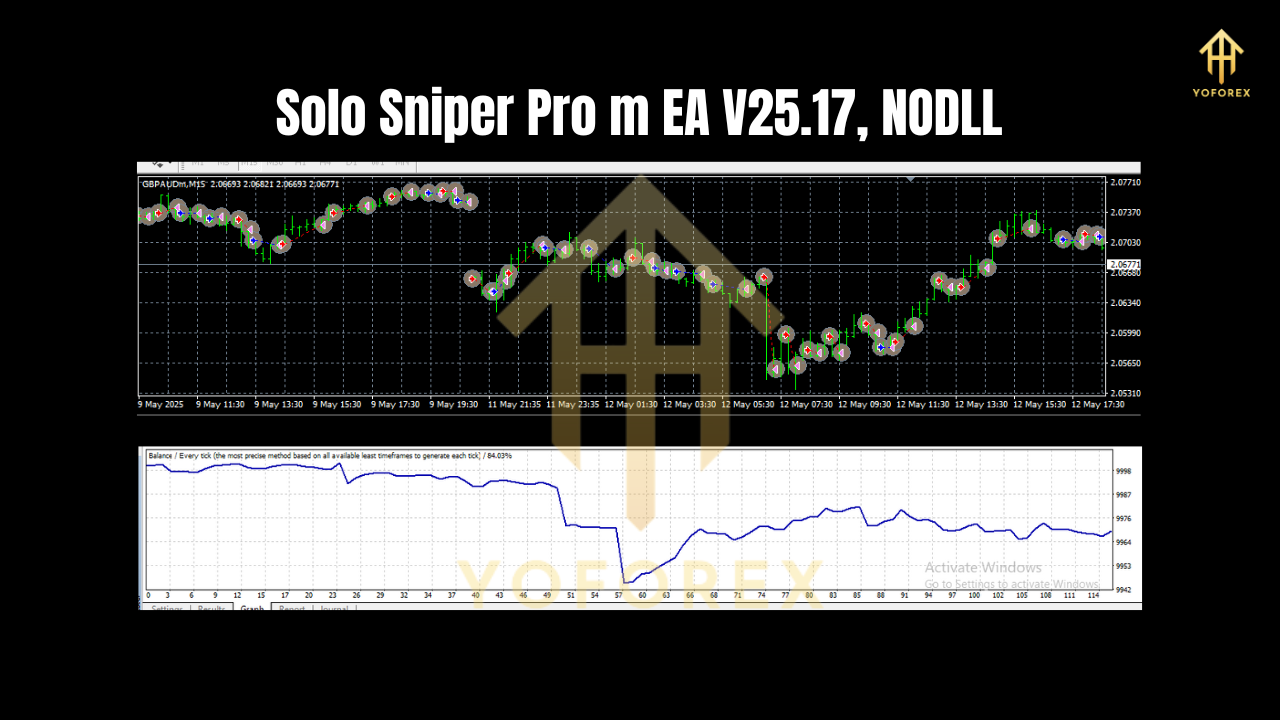
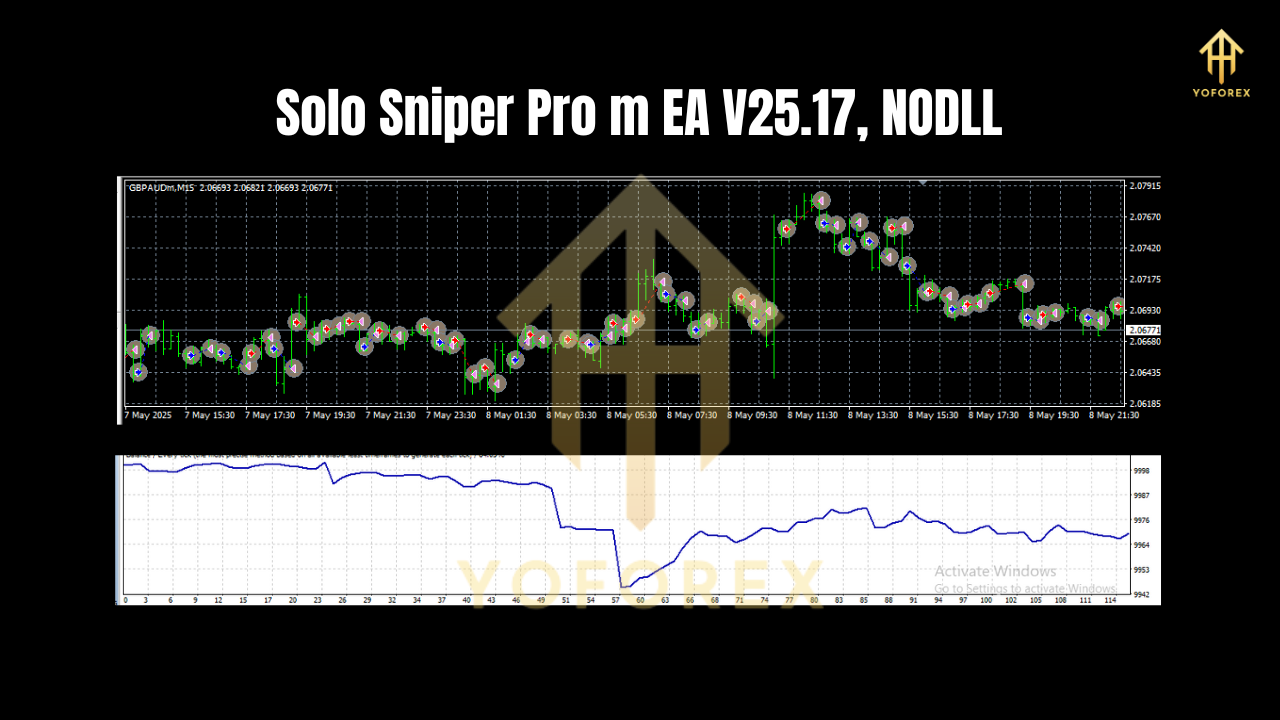
The Solo Sniper Pro EA V25.17 has demonstrated a track record of +207% profit over 21 months (January 2022–September 2023) with a maximum drawdown of 18.5% on a 1:500 leverage account. Its 90% accuracy rate is achieved through precise entry signals during low-volatility periods, minimizing exposure to erratic market movements. However, past performance does not guarantee future results, and traders should test the EA on a demo account before live trading.
User feedback highlights the importance of sticking to recommended pairs and settings. For instance, one user reported a 4.7% gain after initial success but noted losses when using non-recommended pairs like GBPNZD. Another user emphasized the need for low spreads at night to maximize profitability.
Conclusion
The Solo Sniper Pro EA V25.17 is a powerful and stable automated trading system for MT4, offering traders a low-risk, high-accuracy solution for scalping GBPCAD and GBPAUD on the M15 timeframe. Its dynamic Stop Loss, compound interest method, and precise time filter make it a standout choice for those seeking consistent returns without the dangers of martingale or grid strategies. By following the installation steps, selecting a suitable broker, and adhering to recommended settings, traders can unlock the full potential of this EA.
For optimal results, use a VPS, monitor spreads via the Info Spread Swap Display, and allow at least three months to evaluate performance. Download the Set_file v25.17 from the MQL5 Comments section and start trading with confidence. Whether you’re a beginner or a seasoned trader, the Solo Sniper Pro EA V25.17 provides a reliable, hands-off approach to navigating the forex market.