Introduction
The world of forex trading is filled with tools and indicators designed to give traders an edge in navigating the volatile markets. Among these, the SpudFibo V1.0 Indicator for MetaTrader 4 (MT4) stands out as a powerful tool for traders who rely on Fibonacci retracement levels to identify potential support and resistance zones. Whether you’re a scalper, day trader, or swing trader, this indicator can enhance your technical analysis by providing clear, visually intuitive Fibonacci levels across multiple timeframes. In this 1500-word guide, we’ll explore what the SpudFibo indicator is, how it works, how to install and use it, and strategies to integrate it into your trading system.
What is the SpudFibo V1.0 Indicator?
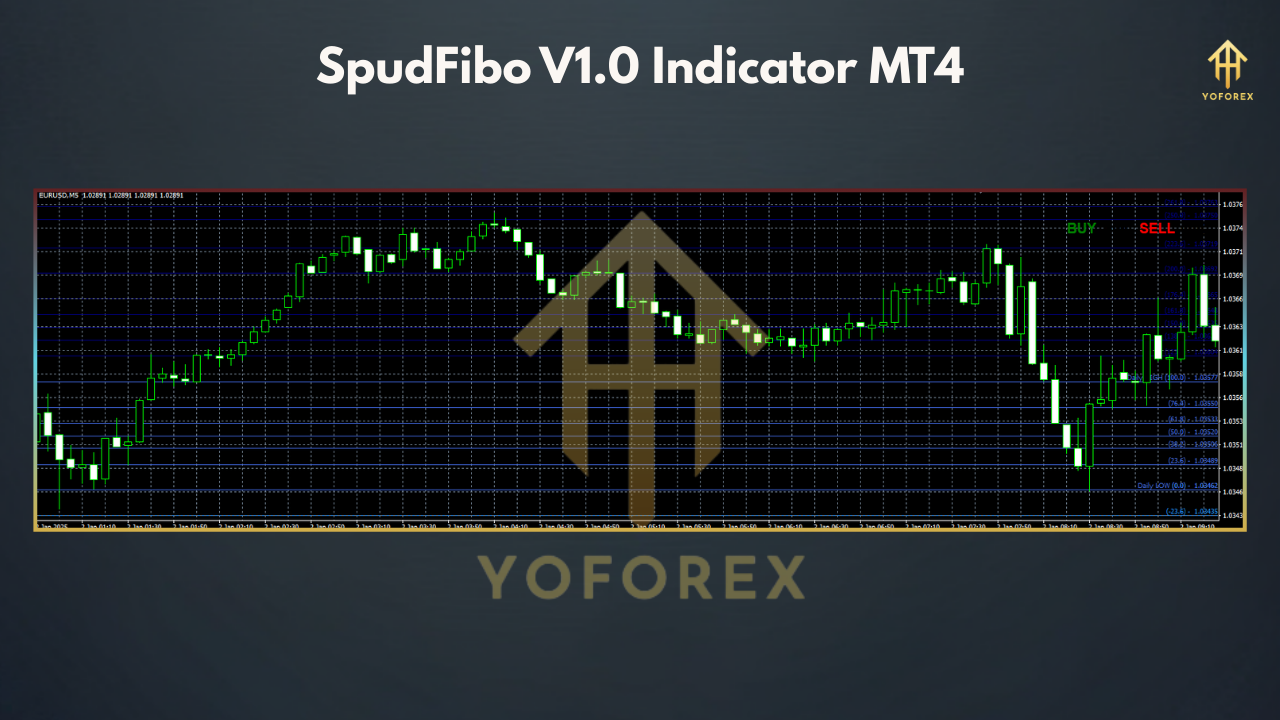
The SpudFibo V1.0 Indicator is a custom technical analysis tool designed for the MetaTrader 4 platform. It automates the process of plotting Fibonacci retracement levels based on the high and low prices of a selected timeframe, making it easier for traders to identify key price levels where reversals or continuations are likely to occur. Named after its creator (often referred to as “Spud” in trading communities), the indicator is particularly valued for its multi-timeframe (MTF) functionality, allowing traders to view Fibonacci levels from higher timeframes (e.g., daily, weekly, monthly) on a single chart.
Fibonacci retracement levels—derived from the Fibonacci sequence—are widely used in trading to predict areas where price may pause or reverse. Common levels include 23.6%, 38.2%, 50%, 61.8%, and 100%. The SpudFibo indicator simplifies this process by automatically drawing these levels on your MT4 chart, eliminating the need for manual calculations. According to sources like IndicatorsPot, it “simultaneously determines bullish and bearish price retracement levels on MTF charts,” making it a versatile tool for various trading styles.
Key Features of SpudFibo V1.0
-
Automatic Fibonacci Levels: The indicator calculates and plots Fibonacci retracement levels based on the high and low of a chosen period (e.g., daily, weekly, or monthly).
-
Multi-Timeframe Support: Traders can overlay Fibonacci levels from higher timeframes on lower timeframe charts, providing a broader market perspective.
-
Customizable Settings: Users can adjust parameters such as timeframe, Fibonacci levels displayed, and visual styles (e.g., line colors, thickness).
-
Support and Resistance Identification: It highlights key price zones where price is likely to react, aiding in entry and exit decisions.
-
User-Friendly Interface: The indicator is easy to install and integrate into existing MT4 setups.
How to Install SpudFibo V1.0 on MT4
-
Download the Indicator: Obtain the SpudFibo V1.0 files (typically SpudFibo.ex4 and SpudFibo.mq4) from a reputable source, such as Best-MetaTrader-Indicators.com or ForexMT4Indicators.com. Ensure the files are from a trusted provider to avoid malware.
-
Extract the Files: If downloaded as a .rar or .zip file, extract it to access the .ex4 and .mq4 files.
-
Copy to MT4 Directory:
-
Open your MT4 platform.
-
Go to File > Open Data Folder.
-
Navigate to the MQL4 > Indicators folder.
-
Paste the SpudFibo.ex4 and SpudFibo.mq4 files into the Indicators folder.
-
-
Restart MT4: Close and reopen MetaTrader 4 to refresh the indicator list.
-
Add to Chart:
-
Open a chart for your desired currency pair and timeframe.
-
In the Navigator panel (usually on the left), find SpudFibo under Custom Indicators.
-
Drag the indicator onto the chart or double-click to apply it.
-
A settings window will appear, allowing you to customize parameters (e.g., timeframe, levels to display).
-
-
Configure Settings: Adjust the timeframe (e.g., Daily, Weekly) and visual preferences (e.g., line colors). Click OK to apply.
How to Use SpudFibo in Trading
1. Fibonacci-Based Retracement Trading
-
Identify the Trend: Use a higher timeframe (e.g., H4 or Daily) to determine the overall trend. For example, if the price is making higher highs and higher lows, it’s an uptrend.
-
Apply SpudFibo: Set the indicator to a higher timeframe (e.g., Daily) to plot Fibonacci levels based on the previous day’s high and low.
-
Wait for a Pullback: Look for the price to retrace to key Fibonacci levels, such as 38.2%, 50%, or 61.8%. These are common areas for reversals.
-
Confirm Entry: Use additional indicators (e.g., RSI, MACD) or candlestick patterns (e.g., pin bars, engulfing patterns) to confirm a reversal at the Fibonacci level.
-
Set Targets and Stops:
-
Target: Aim for the next Fibonacci level (e.g., if entering at 50%, target 23.6% or 0%).
-
Stop Loss: Place below the next Fibonacci level or a recent swing low.
-
-
Example: On GBP/JPY (M5 chart), with SpudFibo set to Daily, enter a long trade at the 50% retracement level if RSI shows oversold conditions and a bullish candlestick forms. Exit at the 23.6% level or after a fixed risk-reward ratio (e.g., 1:2).
2. Trend-Following with Fibonacci Levels
-
Set Multiple Timeframes: Apply multiple SpudFibo indicators (e.g., Daily, H4, H1) to a single chart to monitor key levels across timeframes.
-
Monitor Breakouts: Watch for price breaking above the 100% Fibonacci level (previous high) in an uptrend or below the 0% level (previous low) in a downtrend.
-
Confirm with Momentum: Use indicators like the Moving Average or Bollinger Bands to confirm momentum in the breakout direction.
-
Enter and Manage:
-
Enter on a confirmed breakout with strong volume or momentum.
-
Set a stop loss below the breakout level (e.g., 61.8% for longs).
-
Target higher Fibonacci extension levels (e.g., 161.8%) or use a trailing stop.
-
-
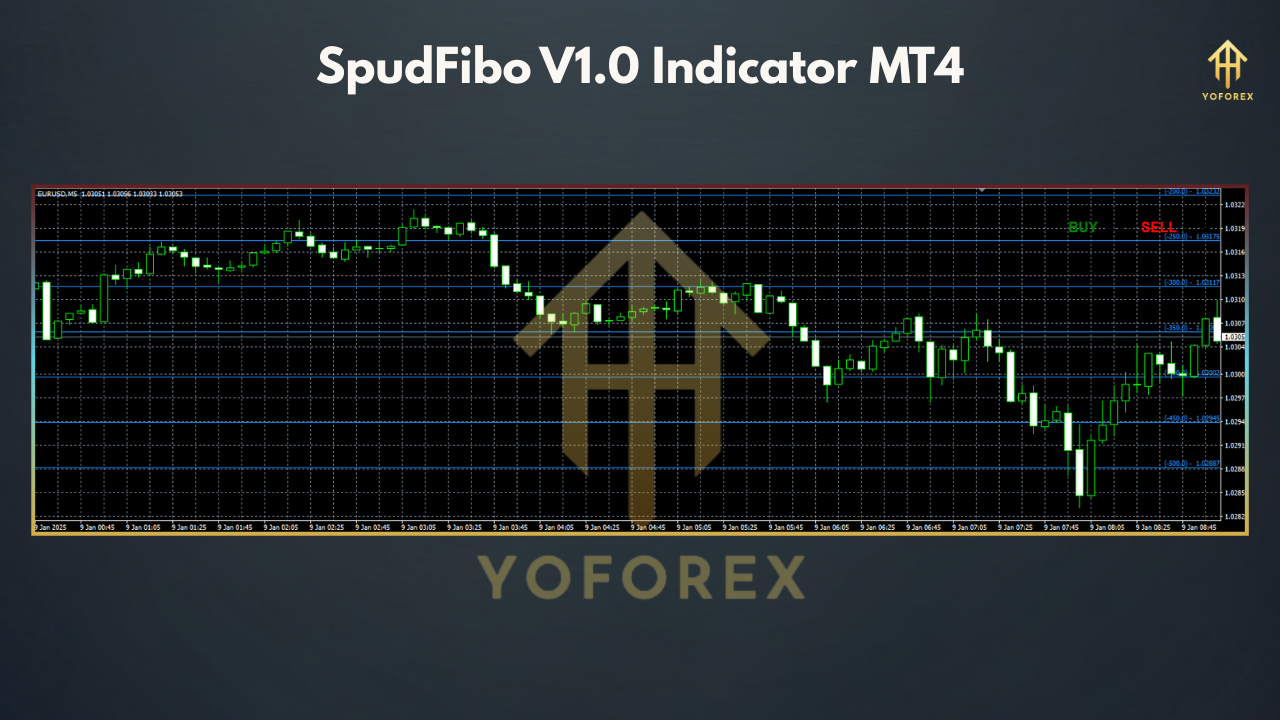
Example: On EUR/USD (H1 chart), if price breaks above the Daily SpudFibo 100% level with a strong bullish candle and MACD crossover, enter a long trade. Target the 161.8% extension or trail the stop below the 50% level.
Practical Tips
-
Combine with Other Indicators: Pair SpudFibo with trend indicators (e.g., Moving Averages) or oscillators (e.g., Stochastic) for better confirmation. Forex-Station.com suggests combining it with RSI and Bollinger Bands for robust signals.
-
Avoid Overlapping Indicators: As noted on Forex Factory, using multiple SpudFibo instances on one chart can cause display issues. Test configurations to ensure levels are visible.
-
Test on Demo: Practice on a demo account to familiarize yourself with the indicator’s behavior before trading live.
-
Optimize Settings: Experiment with different timeframes and Fibonacci levels to suit your trading style.
Advantages of SpudFibo V1.0
-
Time-Saving: Automates Fibonacci plotting, reducing manual effort.
-
Versatile: Suitable for scalping, day trading, and swing trading.
-
Clear Visualization: Makes support and resistance levels easy to interpret.
-
MTF Functionality: Provides a holistic view of price action across timeframes.
Limitations
-
No Built-In Signals: Unlike some indicators, SpudFibo doesn’t provide explicit buy/sell signals, requiring additional analysis.
-
Potential Clutter: Multiple timeframe levels on one chart can be overwhelming if not configured properly.
-
Market Dependency: Fibonacci levels are less effective in choppy or ranging markets.