Mastering the Market Trend: A Deep Dive into the StartTrend V1.0 Indicator for MT4
In the fast-paced world of Forex trading, identifying the prevailing trend is a cornerstone of profitable strategies. For traders utilizing the popular MetaTrader 4 (MT4) platform, a plethora of custom indicators are available to aid in this quest. One such tool that has garnered attention is the StartTrend V1.0 indicator. This powerful yet user-friendly indicator is designed to help traders visually identify the direction of the market trend, providing clear potential entry and exit signals. This comprehensive guide will delve into the workings of the StartTrend V1.0 indicator, explore suitable currency pairs and time frames for its application, and discuss the practical aspect of the minimum deposit required to trade with it effectively.
Understanding the StartTrend V1.0 Indicator
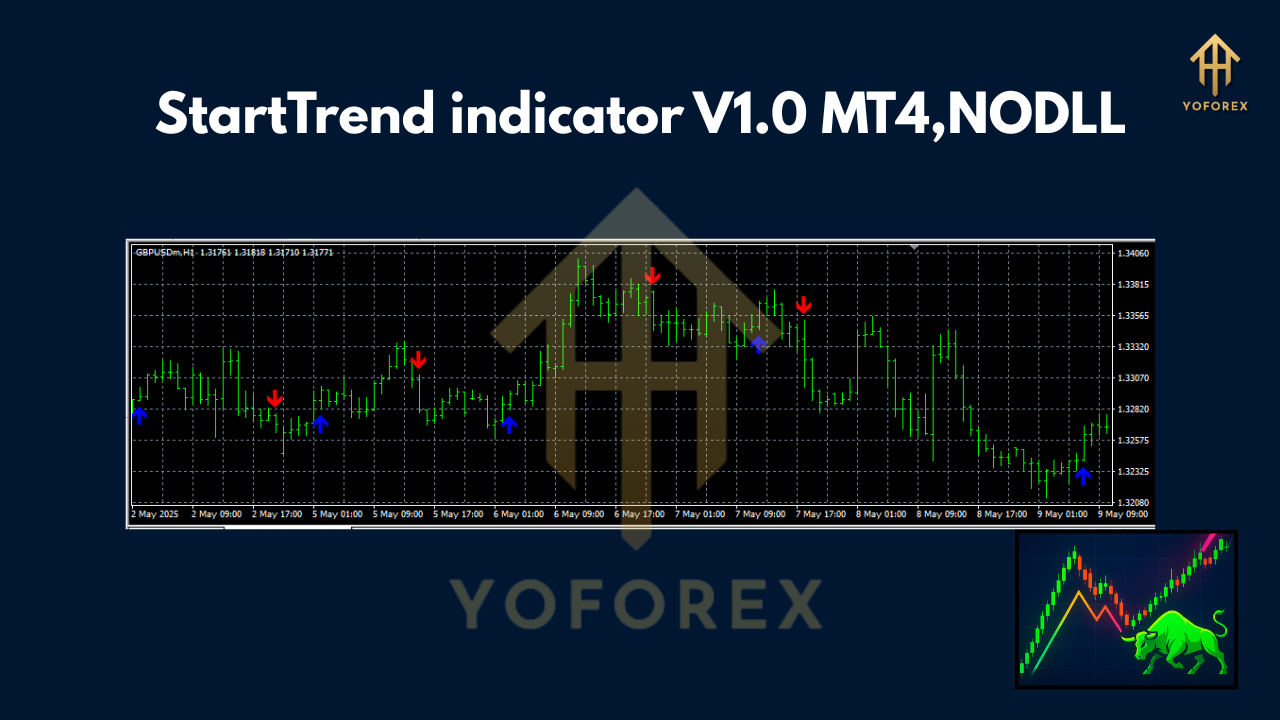
At its core, the StartTrend V1.0 indicator is a trend-following tool that overlays on your main trading chart. It is widely understood to be based on the principles of the well-known Supertrend indicator. The fundamental mechanism behind this indicator is the Average True Range (ATR), a measure of market volatility. By incorporating the ATR, the StartTrend V1.0 indicator dynamically adjusts to the market’s volatility, providing a more accurate representation of the current trend.
The indicator plots a line on the chart that changes color based on the trend’s direction. Typically:
- A green line below the price action suggests a bullish or uptrend.
- A red line above the price action indicates a bearish or downtrend.
The transition from one color to another signals a potential change in the market trend, offering traders a visual cue to consider entering or exiting a trade. The “V1.0” in its name likely signifies the initial version of this particular custom indicator, which has likely been coded and shared within the trading community.
How to Utilize the StartTrend V1.0 in Your Trading
The primary appeal of the StartTrend V1.0 indicator lies in its simplicity. The signals are straightforward to interpret:
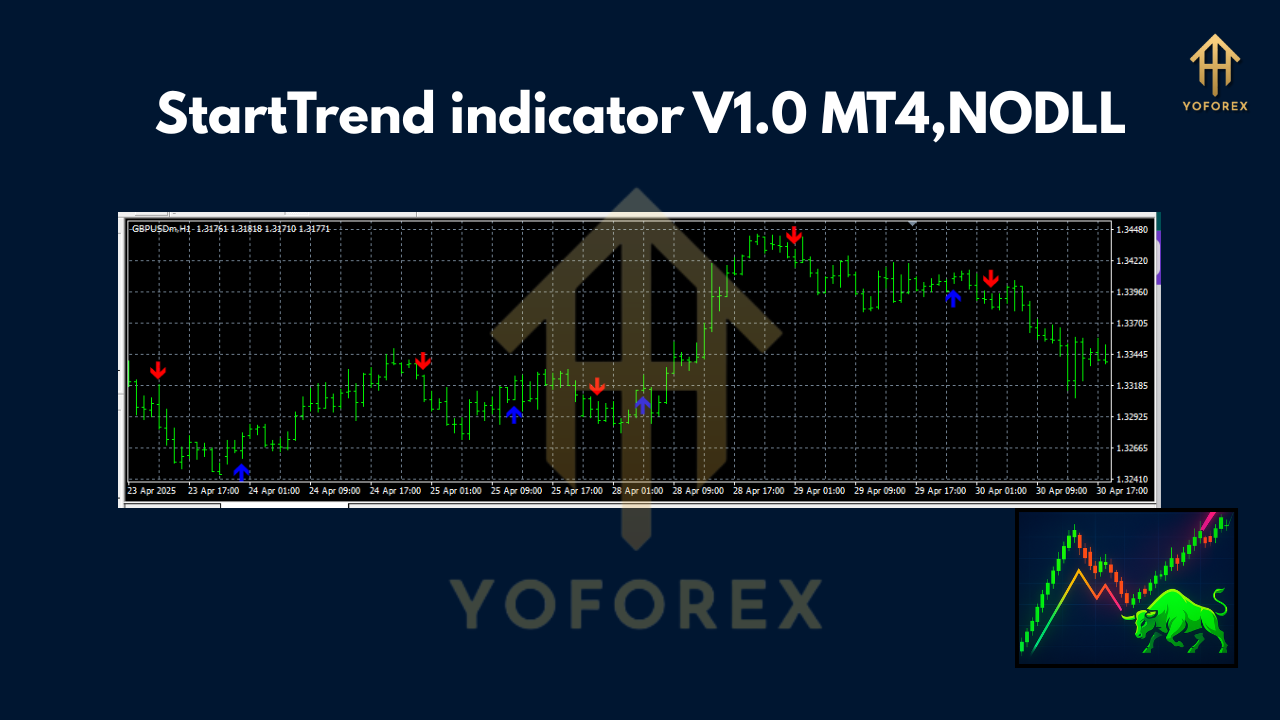
- Buy Signal: When the indicator line changes from red to green and appears below the price, it suggests that the downtrend may be over and an uptrend is beginning. This is a potential signal to enter a long (buy) position.
- Sell Signal: Conversely, when the line transitions from green to red and moves above the price, it indicates a potential shift from an uptrend to a downtrend. This can be taken as a signal to enter a short (sell) position.
It is crucial to remember that, like all indicators, the StartTrend V1.0 is not infallible. It is a lagging indicator, meaning it confirms a trend after it has already started. Therefore, it is highly recommended to use it in conjunction with other forms of analysis, such as support and resistance levels, candlestick patterns, or other momentum oscillators like the Relative Strength Index (RSI) or the Moving Average Convergence Divergence (MACD) to filter out false signals and improve the quality of your trading decisions.
Recommended Currency Pairs
The StartTrend V1.0 indicator is a versatile tool that can be applied to various currency pairs. However, it tends to perform best in markets that exhibit clear trending behavior. Therefore, it is most effective when used with major currency pairs that are known for their liquidity and tendency to form sustained trends. These include:
- EUR/USD: The most traded currency pair in the world, known for its high liquidity and responsiveness to economic news from the Eurozone and the United States.
- GBP/USD: Often referred to as “the Cable,” this pair is known for its volatility and can offer significant trading opportunities in trending markets.
- USD/JPY: This pair is another highly liquid market that often displays long and sustained trends, making it a good candidate for the StartTrend indicator.
- AUD/USD: As a commodity-linked currency, the Australian dollar can exhibit strong trends influenced by commodity prices.
- USD/CAD: Similar to the AUD/USD, the Canadian dollar is also influenced by commodity prices, particularly oil, leading to distinct trends.
While the indicator can be used on minor and exotic pairs, these markets can be more prone to erratic price movements and lower liquidity, which may result in more false signals. Therefore, beginners are advised to stick to the major pairs when first incorporating the StartTrend V1.0 into their strategy.
Optimal Time Frames for Trading
The choice of time frame is a critical component of a successful trading strategy and depends largely on your trading style. The StartTrend V1.0 indicator can be adapted to various time frames:
- Higher Time Frames (H4, D1, W1): For swing traders and position traders, using the indicator on higher time frames is ideal. Trends on these charts are more established and less susceptible to market noise. A signal on a daily or weekly chart carries more weight and can lead to more significant price movements.
- Intermediate Time Frames (H1, M30): Day traders can find value in using the StartTrend V1.0 on these time frames. They offer a balance between capturing intra-day trends without being overly sensitive to minor price fluctuations.
- Lower Time Frames (M15, M5, M1): While it is possible to use the indicator on lower time frames for scalping, it should be done with caution. The frequency of signals will increase, but so will the number of false signals due to market noise. Experienced scalpers may use it in conjunction with other tools to confirm signals quickly.
A popular and effective approach is to use a multi-timeframe analysis. For instance, a trader might use the daily chart to identify the overall trend with the StartTrend V1.0 and then look for entry signals in the same direction on a 4-hour or 1-hour chart. This method helps to ensure that you are trading with the dominant market momentum.
Minimum Deposit: A Practical Consideration
The question of the minimum deposit required to trade with the StartTrend V1.0 indicator is not about the indicator itself, but rather about sound risk management and the practicalities of trading. While many brokers allow you to open an account with as little as $100, it is essential to consider whether this amount is sufficient to trade effectively and manage risk properly.
With a small deposit, each trade will represent a significant portion of your capital, which can lead to emotional decision-making and the risk of ruin. A more realistic minimum deposit would be in the range of $500 to $1000. This allows you to:
- Properly Size Your Positions: You can risk a small percentage of your account on each trade (e.g., 1-2%), which is a cornerstone of professional risk management.
- Withstand Drawdowns: All trading strategies experience periods of losses. A larger capital base allows you to absorb these drawdowns without blowing your account.
- Trade with Less Stress: Knowing that you have sufficient capital can reduce the psychological pressure of trading, leading to better decision-making.
Ultimately, the ideal minimum deposit depends on your risk tolerance, the leverage you use, and your overall trading plan.
In conclusion, the StartTrend V1.0 indicator for MT4 is a valuable tool for traders seeking to identify and capitalize on market trends. Its simplicity and clear visual signals make it accessible to both novice and experienced traders. By selecting appropriate currency pairs and time frames, and by practicing prudent risk management with an adequate trading capital, the StartTrend V1.0 can become a cornerstone of a robust and profitable trading strategy. As with any indicator, it should be part of a comprehensive trading plan and not used in isolation.