Exploring the System Haos Indicator for MT4: A Comprehensive Guide
Introduction
The System Haos Indicator, also referred to as the Chaos Visual Averages Indicator in some contexts, is a powerful technical analysis tool designed for the MetaTrader 4 (MT4) platform. Rooted in the principles of chaos theory and inspired by the trading strategies of Bill Williams, this indicator aims to simplify the complexities of the forex market by identifying trends, momentum, and potential reversal points. For traders navigating the volatile world of forex, the System Haos Indicator offers a visual and intuitive approach to decision-making, helping both novice and experienced traders make sense of market “chaos.”
This blog will explore the System Haos Indicator in detail, covering its origins, functionality, installation process, trading strategies, advantages, limitations, and tips for effective use. By the end, you’ll have a thorough understanding of how this tool can enhance your trading toolkit and improve your market analysis.
Origins and Theoretical Foundation
The System Haos Indicator draws inspiration from chaos theory, a mathematical framework that studies complex systems with seemingly random behavior. In the context of financial markets, chaos theory suggests that price movements, while appearing erratic, follow underlying patterns that can be identified and exploited. The indicator is closely aligned with the trading philosophy of Bill Williams, whose book Trading Chaos introduced a system combining multiple indicators to interpret market dynamics.
The System Haos Indicator is an evolution of the Chaos Visual Averages Indicator, often associated with developers like Mladen and Mrtools, who have refined its algorithms for MT4. It integrates elements like the Williams Percent Range (WPR) and moving averages to provide clear visual signals. The indicator’s name, “Haos,” reflects its ability to bring order to the chaotic price movements of the forex market, making it easier for traders to identify actionable opportunities.
How the System Haos Indicator Works
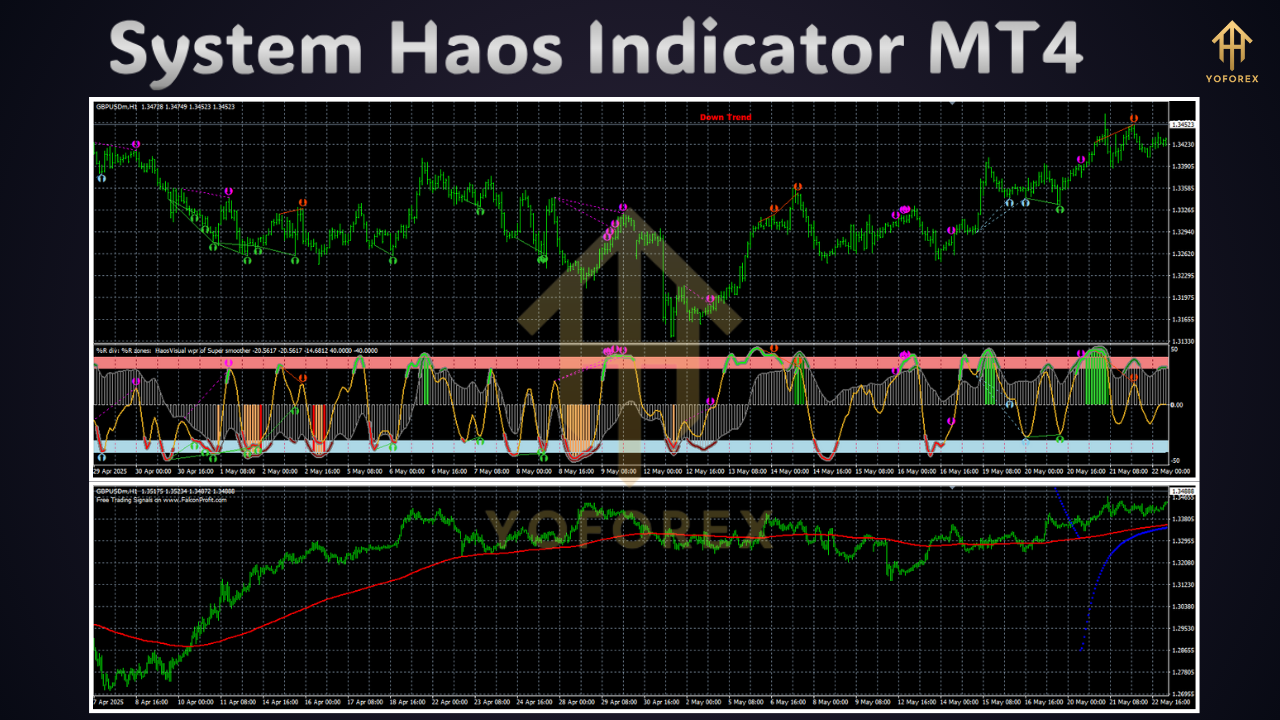
The System Haos Indicator is a multi-timeframe trend analysis tool that combines two WPRs of different periods to generate trading signals. It plots visual elements, such as lines or histograms, on the MT4 chart, typically in a separate sub-window below the price chart. These visual cues help traders identify:
-
Trend Direction: Whether the market is bullish, bearish, or ranging.
-
Market Momentum: The strength of price movements.
-
Overbought and Oversold Zones: Potential reversal points.
-
Trend Reversals: Signals for entering or exiting trades.
Key Features
-
Williams Percent Range (WPR): The indicator uses two WPR lines with different periods (fast and slow) to assess momentum. When these lines cross above or below the centerline, they signal bullish or bearish trends, respectively.
-
Visual Representation: The indicator displays a histogram or lines, often color-coded (e.g., grey for trend direction, red for momentum signals). Grey histogram columns above the zero line indicate an uptrend, while those below signify a downtrend.
-
Overbought/Oversold Signals: When the indicator’s lines approach extreme levels (e.g., +30 for overbought or -30 for oversold), it suggests potential reversals.
-
Multi-Timeframe Functionality: Traders can analyze trends across different timeframes, making it versatile for scalping, day trading, or swing trading.
-
Alerts: Many versions include customizable alerts (e.g., email, push notifications, or pop-ups) to notify traders of significant signals.
Visual Interpretation
-
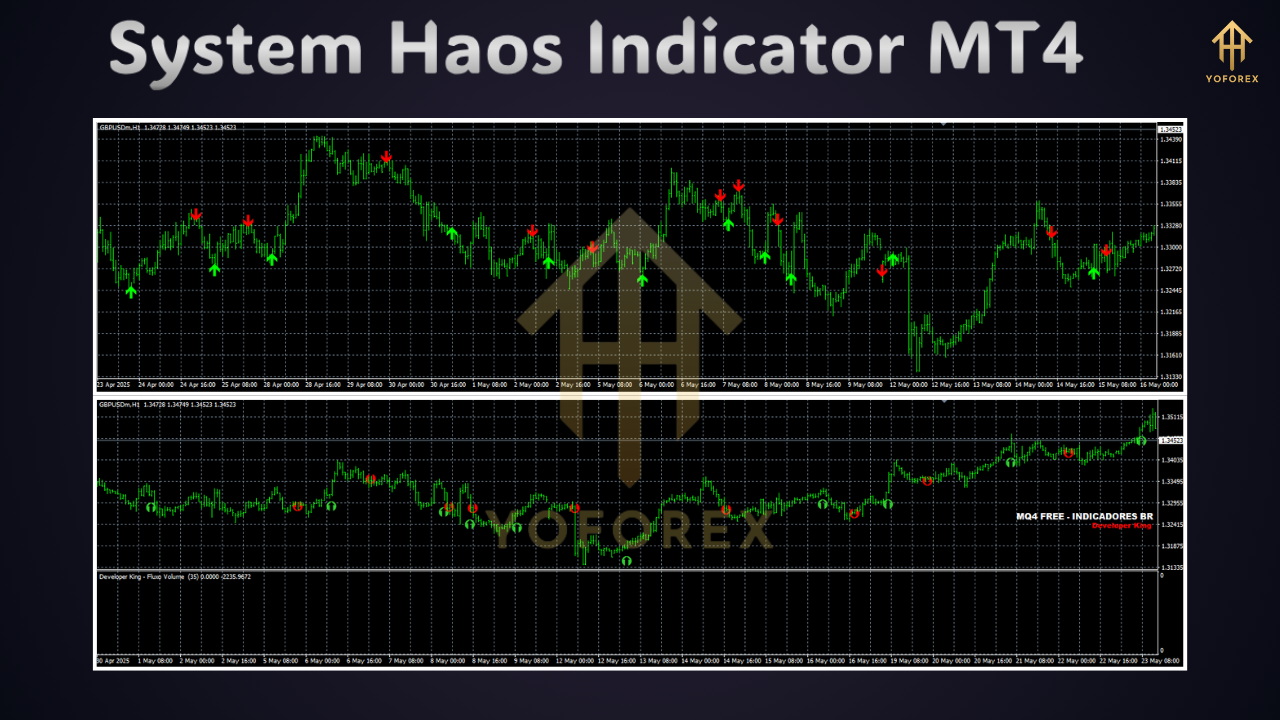
Bullish Signals: When the fast WPR crosses above the slow WPR and moves above the centerline, it indicates bullish momentum. A grey histogram above the zero line reinforces an uptrend.
-
Bearish Signals: A cross below the centerline with a grey histogram below zero suggests bearish momentum.
-
Reversal Signals: Extreme readings near overbought (+30) or oversold (-30) levels, especially when the lines reverse at these zones, indicate potential trend changes.
-
Ranging Market: Flat or neutral histogram bars suggest a lack of clear trend direction.
Installing the System Haos Indicator on MT4
To use the System Haos Indicator, you’ll need to install it on your MT4 platform. Follow these steps:
-
Download the Indicator: Obtain the indicator file (.ex4 or .mq4) from a reputable source, such as forex-station.com or mt4collection.com. Ensure the source is trustworthy to avoid malware.
-
Open MT4 Data Folder: Launch MT4, click “File” in the top left corner, and select “Open Data Folder.”
-
Navigate to Indicators Folder: In the opened window, double-click the “MQL4” folder, then the “Indicators” folder.
-
Install the Indicator: Drag and drop the downloaded indicator file into the “Indicators” folder.
-
Restart MT4: Close and reopen the MT4 terminal to load the indicator.
-
Add to Chart: In the MT4 “Navigator” window, locate the System Haos Indicator, double-click it, or drag it onto your desired chart.
-
Configure Settings: Adjust customizable settings, such as WPR periods, line width, or alert preferences. If the indicator requires Dynamic Link Libraries (DLLs), a pop-up may ask for permission—click “Yes” only if you trust the source.
Customizable Settings
-
Period1/Period2: Adjust the fast and slow WPR periods to control sensitivity.
-
Interpolate Data: Enable/disable multi-timeframe data interpolation.
-
Alert Settings: Configure notifications for trend changes or reversal signals.
-
MaxBars: Set the number of bars for calculations to optimize performance.
Trading Strategies with the System Haos Indicator
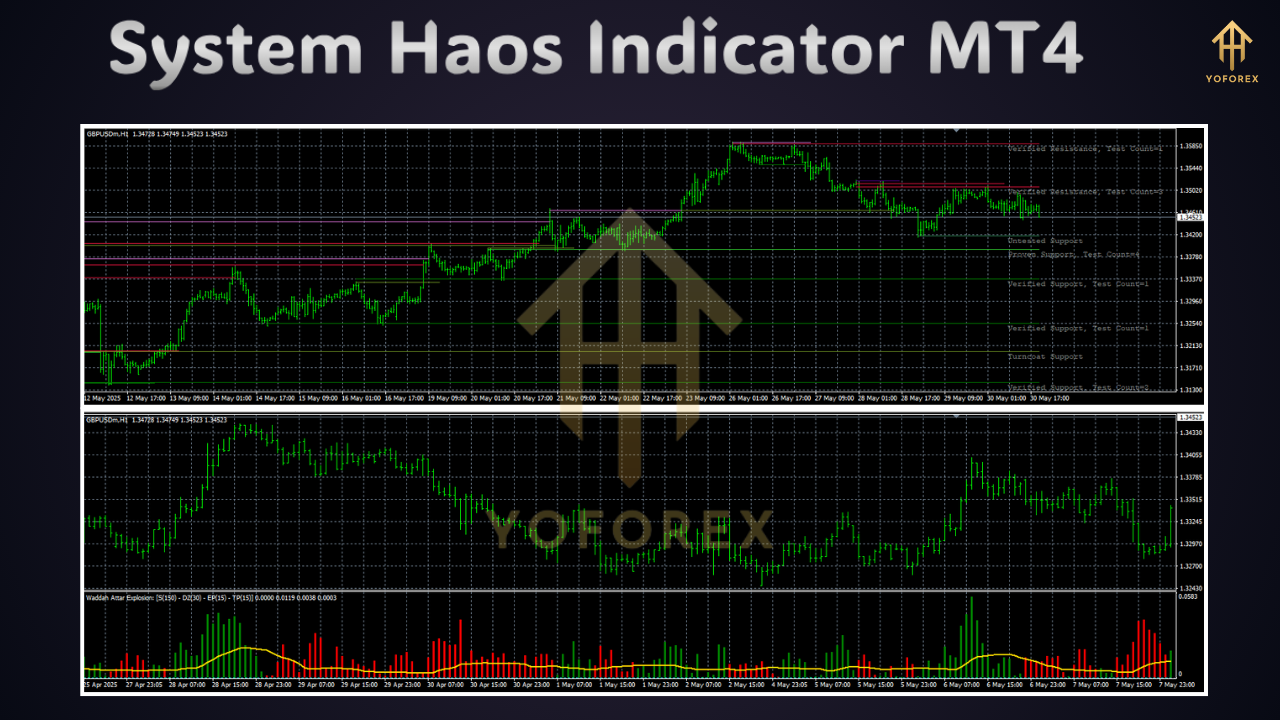
The System Haos Indicator is versatile and can be used in various trading strategies. Below are two popular approaches:
1. Trend-Following Strategy
This strategy focuses on trading in the direction of the prevailing trend.
-
Setup:
-
Apply the System Haos Indicator to a 1-hour or 4-hour chart for stronger trend confirmation.
-
Use major currency pairs (e.g., EUR/USD, GBP/USD) to avoid low liquidity.
-
Confirm the trend using the grey histogram: above zero for bullish, below zero for bearish.
-
-
Entry Rules:
-
Buy: Wait for the fast WPR to cross above the slow WPR and the histogram to turn grey above the zero line. Confirm with price action (e.g., higher highs and lows).
-
Sell: Wait for the fast WPR to cross below the slow WPR and the histogram to turn grey below the zero line. Confirm with bearish price patterns.
-
-
Exit Rules:
-
Set stop-loss below recent support (for buys) or above resistance (for sells).
-
Take profit at key resistance/support levels or when the histogram flattens, indicating a weakening trend.
-
-
Example: On a GBP/USD 1-hour chart, the histogram turns grey above zero, and the fast WPR crosses above the slow WPR. Enter a buy trade at the close of a bullish candle, setting a stop-loss below the recent low and targeting the next resistance level.
2. Counter-Trend Reversal Strategy
This strategy capitalizes on overbought or oversold conditions for counter-trend trades.
-
Setup:
-
Use a 15-minute or 1-hour chart for frequent signals.
-
Mark weekly/daily support and resistance levels on the chart.
-
Monitor the indicator for extreme readings (+30/-30).
-
-
Entry Rules:
-
Buy: When the indicator reaches the oversold zone (-30) and the fast WPR reverses upward, enter a buy trade near a support level.
-
Sell: When the indicator hits the overbought zone (+30) and the fast WPR reverses downward, enter a sell trade near a resistance level.
-
-
Exit Rules:
-
Place stop-loss beyond the support/resistance level.
-
Take profit when the indicator approaches the centerline or the opposite extreme zone.
-
-
Example: On a EUR/USD 15-minute chart, the indicator shows an oversold reading (-30) near a daily support level. Enter a buy trade when the fast WPR turns upward, setting a stop-loss below support and targeting a 1:2 risk-reward ratio.
Advantages of the System Haos Indicator
-
Simplifies Market Analysis: The indicator’s visual clarity (color-coded histograms and lines) makes it easy to interpret market conditions without cluttering the chart.
-
Versatile Across Timeframes: Suitable for scalping (15-minute charts), day trading (1-hour), or swing trading (4-hour/daily).
-
Accurate Reversal Signals: The combination of WPR and chaos theory provides reliable signals for spotting trend reversals.
-
Customizable Alerts: Notifications help traders stay informed without constant chart monitoring.
-
Standalone Capability: As a comprehensive tool, it reduces the need for additional indicators, minimizing chart clutter.
Limitations and Considerations
-
Complexity for Beginners: The indicator requires understanding WPR and chaos theory, which may be daunting for new traders.
-
Repainting Risk: Some versions may repaint, especially in zigzag or fractal-based calculations, leading to false signals. Always verify with a reputable source.
-
False Signals in Choppy Markets: During ranging markets, the indicator may produce whipsaws, requiring confirmation from price action or support/resistance.
-
DLL Dependency: Some versions require DLLs, which may pose security risks if sourced from untrusted providers.
-
Learning Curve: Mastering the indicator on a demo account is essential before live trading, as it involves multiple confirmation steps.
Tips for Effective Use
-
Practice on a Demo Account: Test the indicator extensively in a risk-free environment to understand its signals and optimize settings.
-
Combine with Price Action: Use candlestick patterns or support/resistance levels to confirm signals, reducing the risk of false entries.
-
Avoid Overloading Charts: Since the System Haos Indicator is comprehensive, avoid adding unnecessary oscillators to maintain clarity.
-
Use Major Pairs and Timeframes: Stick to liquid pairs and higher timeframes (1-hour or above) for reliable signals.
-
Regularly Update Settings: Adjust WPR periods and alert settings based on market conditions and your trading style.
-
Verify Source: Download the indicator from trusted platforms like forex-station.com or mt4collection.com to ensure authenticity and functionality.
Conclusion
The System Haos Indicator for MT4 is a robust tool that brings order to the chaotic forex market. By leveraging chaos theory and the Williams Percent Range, it provides clear, actionable signals for trend-following and counter-trend trading. Its versatility across timeframes, customizable alerts, and standalone capability make it a valuable addition to any trader’s toolkit. However, its complexity and potential for repainting require careful practice and confirmation with price action.
For traders willing to invest time in mastering the System Haos Indicator, it offers a structured approach to navigating market volatility. Start by testing it on a demo account, experimenting with settings, and combining it with basic price action techniques. With discipline and patience, the System Haos Indicator can help you trade smarter and with greater confidence, turning market chaos into opportunity.
Support & Disclaimer
Got questions or need help? Reach out anytime:
- WhatsApp: https://wa.me/+443300272265
- Telegram: https://t.me/yoforexrobot
Disclaimer: Past performance is no guarantee of future results. All trading carries risk. Always demo-test the System Haos Indicator MT4 in a risk-free environment before deploying on a live account.