In the fast-moving world of automated Forex trading, traders are constantly looking for reliable Expert Advisors (EAs) to help them capture trends while managing risk. The TDI Pro Grid Basket EA V1.0 MT4, listed on the MQL5.com Market (Product ID 149912), targets just that: combining trend-confirmation signals with grid basket money-management techniques for flexible, powerful automation.
This blog post dives deep into what this EA offers, how it works, its advantages and considerations, and how you can integrate it into your portfolio — providing actionable insights to help you decide if it suits your trading style on the MT4 platform.
What is TDI Pro Grid Basket EA V1.0 MT4?
At its core, TDI Pro Grid Basket EA uses the concept of the Traders Dynamic Index (TDI) — a popular momentum/trend indicator — to generate signals and then applies a grid-trading logic along with basket-level management. Specifically:
-
It opens trades when TDI signals align (Sharkfin pattern, MBL cross, MA cross) and optionally with an EMA 50/200 confirmation filter.
-
It uses a grid addition system: when the price moves against the initial position, additional trades can be opened at fixed spacing and (if enabled) with lot size multiplication.
-
It treats trades as a “basket” on each symbol/magic number: meaning multiple positions can be managed as a group, with cumulative take-profit and optional basket stop-loss settings.
-
It offers smart sizing—either fixed lot size or percentage-of-equity risk—and includes trade-quality filters (spread filter, slippage, cooldown bars) to manage execution risk.
In short, this EA is not just “place a trade when the indicator crosses” — it’s a trend-and-grid hybrid built for automation with risk control and grouped exits.
Why Use TDI Pro Grid Basket EA? Key Benefits
Here are some of the standout advantages that make this EA worth considering:
1. Clear Trend-Bias Entry
Because the EA uses TDI signals plus an optional EMA 50/200 trend filter, it helps avoid flat or choppy markets and aims for entries aligned with broader momentum. This can improve winning probability compared to pure grid systems that open trades regardless of trend direction.
2. Structured Grid Additions
Grid systems carry reputation risk (because unmanaged, they can explode), but TDI Pro builds the grid additions in a structured way: with fixed distance, optional lot-multiplier, and defined spacing. That gives the trader more control and planning power.
3. Basket-Level Management
By treating trades per symbol as a basket, the EA allows you to define cumulative take profit (i.e., close all positions once the basket hits X% equity or monetary target) and an optional basket stop-loss. That means you’re not just relying on each trade’s TP/SL but on the overall outcome of the group.
4. Flexible Lot Sizing & Risk Options
Whether you’re deploying this on a micro-account (cent account) or a larger prop-firm style account, the ability to choose fixed lot or % of equity risk gives you adaptability. The parameter set covers many account sizes and styles.
5. Multi-Symbol, Multi-Timeframe Friendly
The developer notes that the EA works on all symbols and all timeframes. This flexibility means you can test and optimise for your preferred pairs or timeframes rather than being locked into one setup.
How to Use TDI Pro Grid Basket EA – Setup & Best Practices
To make the most of this EA, follow these steps carefully:
Step 1: Choose the Right Pair & Timeframe
While it works across all pairs/timeframes, grid + trend logic typically perform better when matched to medium-volatility pairs (EURUSD, GBPUSD, USDJPY, etc.) or commodities (XAUUSD) depending on your broker. Also, avoid extremely volatile news-driven times unless you’re comfortable with risk.
Step 2: Backtest & Forward Test
Run the EA in demo mode first. Optimise key settings like grid distance, lot multiplier, basket TP/SL targets. Make sure results are stable over different market conditions. Note that past performance doesn’t guarantee future results — always test on live with caution.
Step 3: Define Risk Parameters
Decide whether you’ll use fixed lots or equity-risk percentage. Set maximum grid trades, lot multiplier, basket stop-loss (if any). Keep risk per basket within your account comfort zone (e.g., 2-3% of equity). The EA gives you the tools — you must define the limits.
Step 4: Use Suitable Broker & Execution Environment
For best performance, use a broker with low spread and good execution. Because grid and multiple trades may open, latency/spread slippage matter. A VPS close to the broker server may help. Also, ensure your margin/leverage supports worst-case scenario of grid drawdown.
Step 5: Monitor & Adapt
Even an automated EA benefits from periodic monitoring. Check for parameter drift (market dynamics change), ensure the basket logic is performing, and be ready to intervene or disable the EA in extreme conditions (e.g., black swan events, major central bank announcements).
What to Look Out For – Risks & Considerations
While the TDI Pro Grid Basket EA offers many advantages, there are several important caveats:
-
Grid trading inherently increases exposure when the market goes against you. Even with trend filter and basket exit, you remain at risk of large floating losses before recovery.
-
The EA’s performance will depend heavily on parameter optimisation and broker environment. A great backtest may not reflect live spreads/slippage.
-
Basket stop-loss may protect equity, but if disabled you may carry risk for extended periods. It’s vital to set realistic basket SL or exit criteria.
-
“Works on all symbols/timeframes” is flexible but also requires discipline: don’t over-deploy on too many symbols at once unless you understand correlation and capital usage.
-
The purchase price and activation limits: the product is listed at USD 1,000 and visible download/demos imply limited prior purchases.
Ideal User Profile – Who Should Use This EA?
This EA is particularly suited to:
-
Traders who already understand grid and basket logic and want a structured tool rather than building from scratch.
-
Traders with medium risk tolerance who want automation but still control sizing, risk, and exits.
-
Those who trade on MT4 and have access to good execution (broker + VPS) and the patience to monitor basket drawdown.
-
Prop-firm aspirants: the basket exit logic and trend filter make it compatible with many prop-firm evaluation styles — if configured conservatively.
It may not be ideal for:
-
Beginners who don’t yet understand grid risks or basket drawdown management.
-
Traders with very tight capital who can’t withstand varied drawdown or margin exposure.
-
Those seeking pure scalping or micro-trading; this is a trend/grid hybrid, not high-frequency scalping.
Implementation Checklist for Best Results
To help you get up and running effectively, here’s a short checklist:
-
Ensure your MT4 terminal is connected and stable; disable auto-close/trailing stop conflicts.
-
Install TDI Pro Grid Basket EA and input your customised settings (lot size, percentage risk, grid spacing, basket TP/SL, trend filter use).
-
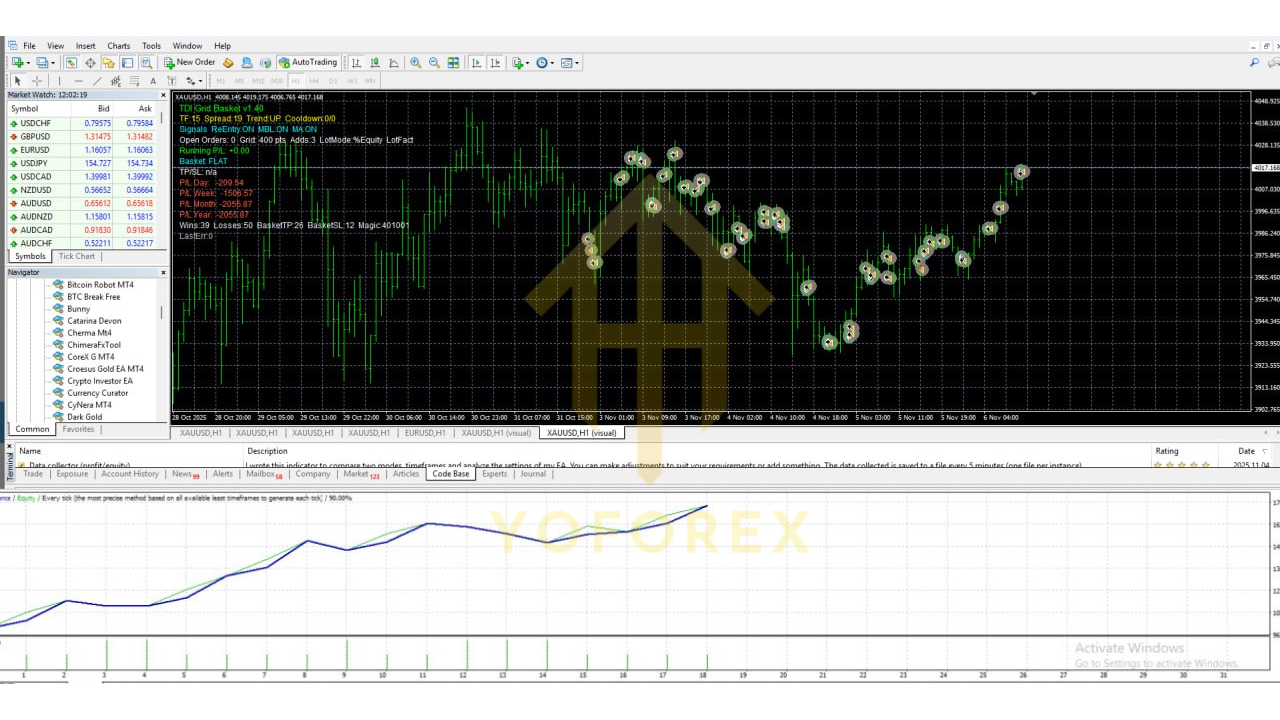
Run a demo forward test for at least 1-3 months across your chosen pair(s). Analyze key metrics: max drawdown, profit factor, number of grid trades per basket, time to recovery.
-
Once confident, deploy on a live or prop-firm account with conservative starting size (e.g., 0.1 lot or risk 0.5% equity) and monitor closely.
-
Regularly review performance. If market regime changes (e.g., high volatility, trend absence), consider pausing or adjusting grid spacing or trend filter threshold.
-
Maintain proper risk-capital management: never risk more on one symbol than your risk budget allows and keep track of open basket exposure across symbols.
Final Thoughts – Is TDI Pro Grid Basket EA V1.0 MT4 Right for You?
In conclusion, the TDI Pro Grid Basket EA V1.0 MT4 presents a compelling automated trading solution. Its combination of trend-confirmation (via TDI & EMA filters), systematic grid addition, and basket-level risk/exit management addresses many of the common pitfalls that lesser grid EAs suffer from. For the serious trader who understands the mechanics and is willing to allocate sufficient testing and risk capital, this EA offers a modern, structured approach.
However, it’s not a “set-and-forget miracle”. Successful use demands discipline: selecting the right settings, matching broker conditions, continuous monitoring, and controlling risk. If you go in with that mindset, you can extract solid value from this tool.
If you’re ready to step up your EA game and explore a next-level grid & basket system on MT4, the TDI Pro Grid Basket EA is definitely worth a closer look — especially when backed by the kind of detailed testing and optimisation we advocate at YoForex.