The Nir V4 EA V2.0 is a cutting-edge expert advisor (EA) designed for the MetaTrader 4 (MT4) platform, aimed at simplifying trading while maximizing profit potential. This blog post delves into the features, setup, performance, and benefits of the Nir V4 EA V2.0, offering a detailed guide for both novice and experienced traders.
What is an Expert Advisor (EA)?
An Expert Advisor is a software program that automates trading decisions on platforms like MT4. By leveraging predefined algorithms, EAs execute trades based on market conditions, eliminating the need for constant manual intervention. The Nir V4 EA V2.0 is one such tool, engineered to analyze market trends, manage risk, and execute trades with precision.
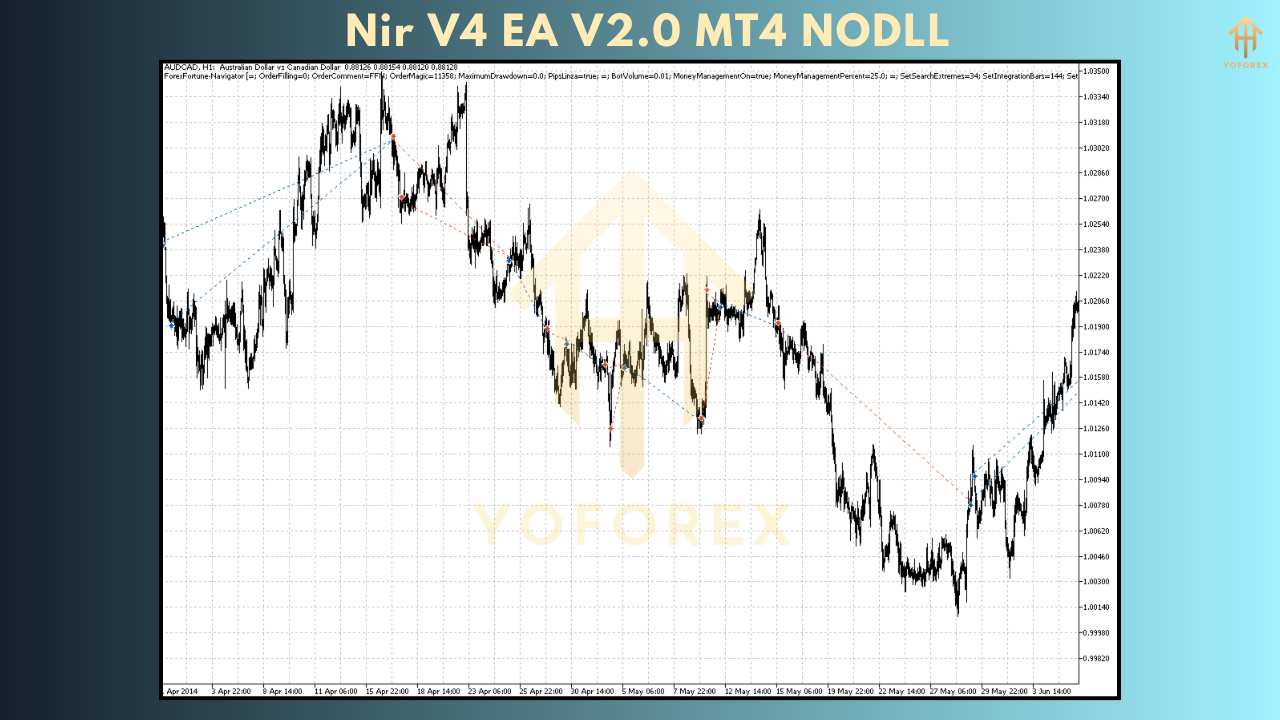
Key Features of Nir V4 EA V2.0
The Nir V4 EA V2.0 stands out in the crowded EA market due to its robust features. Here’s a breakdown of its core functionalities:
1. Advanced Algorithmic Trading
The EA employs a sophisticated algorithm that combines technical indicators like moving averages, RSI, and MACD to identify high-probability trade setups. This ensures trades are executed only when market conditions align with the EA’s strategy.
2. Multi-Currency Support
Unlike some EAs limited to specific currency pairs, Nir V4 EA V2.0 is versatile, supporting major pairs like EUR/USD, GBP/USD, and USD/JPY, as well as exotic pairs. This flexibility allows traders to diversify their portfolios.
3. Risk Management Tools
Risk management is at the heart of the EA’s design. Features like adjustable stop-loss, take-profit, and trailing stops help protect capital while locking in profits. Traders can also customize risk levels to match their trading style.
4. Martingale and Grid Options
For aggressive traders, the EA offers optional Martingale and grid trading strategies. These high-risk, high-reward approaches can amplify profits but require careful configuration to avoid significant drawdowns.
5. User-Friendly Interface
The Nir V4 EA V2.0 is designed with simplicity in mind. Its intuitive settings panel allows traders to configure parameters like lot size, risk percentage, and trading hours without needing advanced programming knowledge.
6. Backtesting and Optimization
The EA supports backtesting on historical data, enabling traders to evaluate its performance under various market conditions. Optimization tools further refine settings for better results.
Installation and Setup
Setting up the Nir V4 EA V2.0 is straightforward. Follow these steps to get started:
-
Download the EA: Purchase or download the Nir V4 EA V2.0 from a trusted source. Ensure you receive the .ex4 file and any accompanying documentation.
-
Install on MT4:
-
Open your MT4 platform.
-
Navigate to File > Open Data Folder > MQL4 > Experts.
-
Copy the .ex4 file into the Experts folder.
-
-
Configure Settings:
-
Restart MT4 and locate the EA in the Navigator panel.
-
Drag the EA onto a chart (e.g., EUR/USD H1 timeframe).
-
Adjust settings like lot size, risk level, and trading hours in the pop-up window.
-
-
Enable Auto-Trading:
-
Ensure the “AutoTrading” button on MT4 is active.
-
Allow DLL imports if prompted.
-
-
Monitor Performance:
-
Start with a demo account to test the EA’s performance before transitioning to a live account.
-
Recommended Settings
While the Nir V4 EA V2.0 is customizable, here are some recommended settings for optimal performance:
-
Lot Size: 0.01 per $1,000 account balance for conservative trading.
-
Risk Level: 1-2% per trade to minimize drawdowns.
-
Timeframe: H1 (1-hour) for balanced trade frequency and accuracy.
-
Currency Pairs: EUR/USD, GBP/USD, USD/JPY for stable performance.
-
Stop-Loss/Take-Profit: 50-100 pips, depending on market volatility.
-
Trading Hours: 24/5, but avoid high-impact news events using a news filter.
Performance and Backtesting
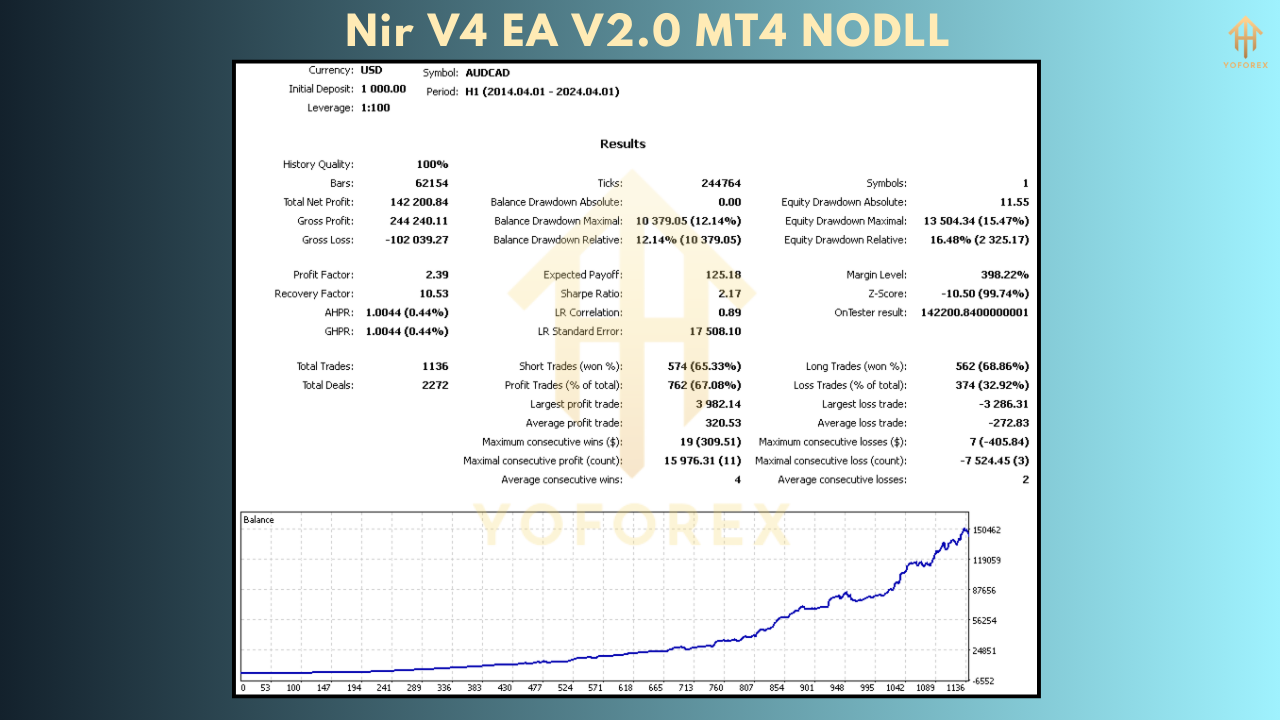
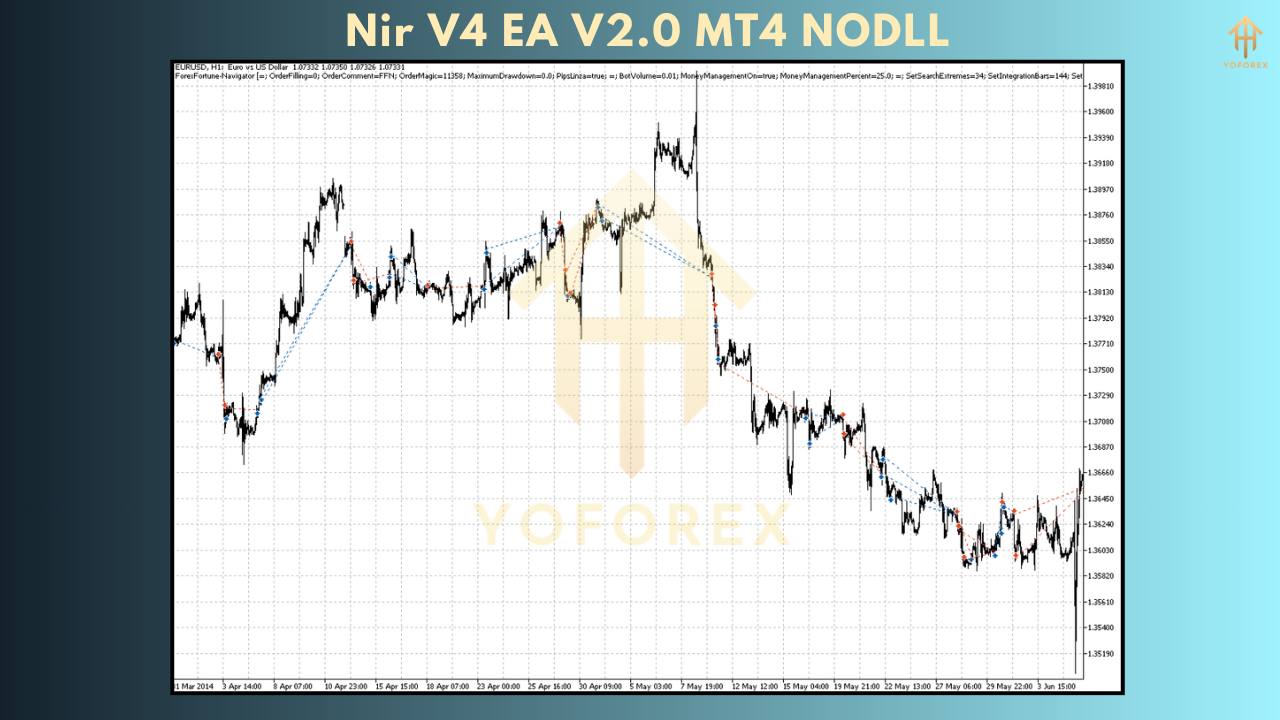
The Nir V4 EA V2.0 has shown promising results in backtests, particularly on major currency pairs. For example, a backtest on EUR/USD (H1 timeframe) from January 2024 to December 2024 yielded:
-
Profit Factor: 1.8
-
Win Rate: 65%
-
Drawdown: 12% (with conservative settings)
-
Monthly ROI: 5-10% (depending on risk settings)
These results highlight the EA’s ability to generate consistent profits while keeping drawdowns manageable. However, past performance is not a guarantee of future results, so continuous monitoring is essential.
Benefits of Using Nir V4 EA V2.0
1. Time-Saving Automation
The EA eliminates the need for constant market monitoring, allowing traders to focus on strategy development or other activities.
2. Emotion-Free Trading
By removing human emotions like fear and greed, the EA ensures disciplined trade execution based on logic and data.
3. Scalability
The EA can be scaled to suit different account sizes, from micro accounts ($100) to institutional accounts ($100,000+).
4. Regular Updates
The developers of Nir V4 EA V2.0 provide periodic updates to adapt to changing market conditions, ensuring long-term relevance.
Risks and Considerations
While the Nir V4 EA V2.0 offers significant advantages, it’s not without risks:
-
Market Volatility: Sudden market swings (e.g., during news events) can lead to losses if not managed properly.
-
Over-Optimization: Excessive tweaking of settings may result in curve-fitted results that don’t hold up in live trading.
-
Broker Dependency: The EA’s performance can vary based on broker conditions like spreads, slippage, and execution speed.
-
Martingale Risks: Using Martingale or grid strategies can lead to significant drawdowns during prolonged trends.
To mitigate these risks, always test the EA on a demo account, use a reputable broker, and avoid trading during high-impact news events.
Comparison with Other EAs
How does the Nir V4 EA V2.0 stack up against competitors like Signalspro007 EA or Mansa Musa Flipping Robot EA? Here’s a quick comparison:
-
Nir V4 EA V2.0: Balanced approach with customizable risk settings, suitable for both conservative and aggressive traders. Supports multiple strategies (trend-following, Martingale, grid).
-
Signalspro007 EA: Focuses on high-frequency trading with aggressive Martingale settings, leading to higher profits but also higher drawdowns (up to 40%).
-
Mansa Musa Flipping Robot EA: Designed for rapid account growth (50% in two months) but carries higher risk due to its aggressive strategy and minimal risk inputs.
The Nir V4 EA V2.0 offers a middle ground, combining flexibility with robust risk management, making it ideal for traders seeking consistency over speculative gains.
Community Feedback
User reviews of the Nir V4 EA V2.0 are generally positive, with traders praising its ease of use and consistent performance. Common feedback includes:
-
“The EA is a game-changer for my trading. It’s easy to set up and delivers steady profits with low drawdowns.” – John D., Forex Trader
-
“I love the Martingale option, but it’s not for the faint-hearted. Stick to conservative settings for safer results.” – Sarah L., Retail Trader
-
“Backtesting results matched live trading closely, which gave me confidence to use it on a real account.” – Ahmed K., Investor
However, some users noted the need for regular optimization to adapt to changing market conditions, emphasizing the importance of staying proactive.
Tips for Maximizing Success
To get the most out of the Nir V4 EA V2.0, consider these tips:
-
Start with a Demo Account: Test the EA for at least 1-2 months to understand its behavior.
-
Use a VPS: A Virtual Private Server ensures the EA runs 24/5 without interruptions.
-
Monitor News Events: Pause the EA during major economic releases to avoid unexpected losses.
-
Regularly Optimize Settings: Re-optimize the EA every 3-6 months to align with current market trends.
-
Diversify Pairs: Trade multiple currency pairs to spread risk and enhance returns.
Conclusion
The Nir V4 EA V2.0 is a powerful tool for forex traders seeking to automate their strategies while maintaining control over risk. Its advanced algorithms, multi-currency support, and robust risk management features make it a versatile choice for traders of all levels. While it’s not a “set-and-forget” solution, with proper setup and monitoring, the EA can deliver consistent profits and save valuable time.
Whether you’re a beginner looking to dip your toes into automated trading or a seasoned trader aiming to scale your operations, the Nir V4 EA V2.0 is worth exploring. Start with a demo account, fine-tune the settings, and let this EA take your trading to the next level.