Introduction to the Trend Line DRS Indicator
In the fast-paced world of forex trading, identifying market trends accurately is crucial for making informed trading decisions. The Trend Line DRS (Dynamic Resistance and Support) Indicator for MetaTrader 4 (MT4) is a powerful tool designed to simplify trend analysis by automatically plotting dynamic support and resistance trend lines on your charts. This indicator is particularly valuable for traders who rely on technical analysis to spot potential entry and exit points. In this blog, we’ll explore the features, benefits, installation process, and trading strategies associated with the Trend Line DRS Indicator, providing a comprehensive guide for both novice and experienced traders.
What is the Trend Line DRS Indicator?
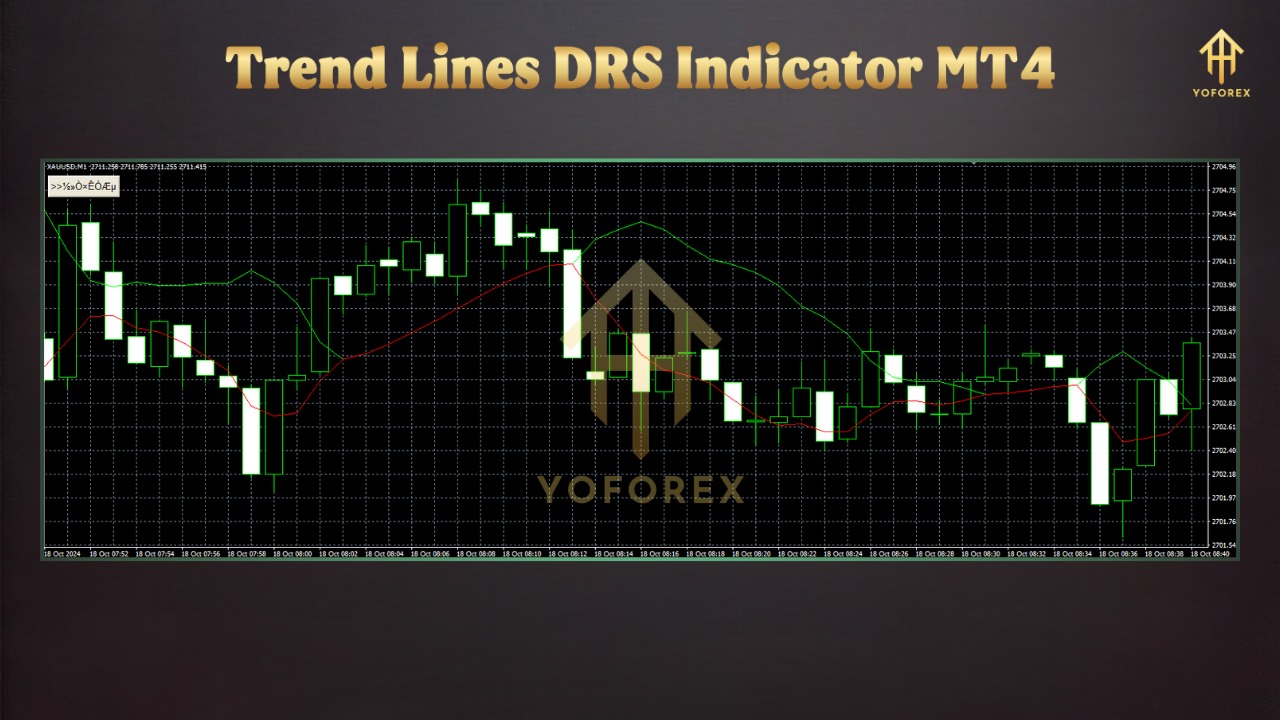
The Trend Line DRS Indicator is an advanced technical analysis tool tailored for the MT4 platform. Unlike manual trend line drawing, which can be time-consuming and subjective, this indicator automates the process by identifying and plotting the most relevant support and resistance levels based on price action. It dynamically adjusts to market conditions, ensuring that only the most significant trend lines are displayed. The indicator uses sophisticated algorithms to filter out noise, reducing false signals and enhancing the accuracy of trend detection.
The “DRS” in its name stands for Dynamic Resistance and Support, highlighting its ability to adapt to changing market dynamics. It plots two types of lines: solid lines, which represent confirmed trend lines, and dotted lines, which project potential trend continuations or areas where price interactions are likely. These lines are color-coded—typically blue for uptrends and red or orange for downtrends—making it easy to interpret market direction at a glance.
Key Features of the Trend Line DRS Indicator
- Automated Trend Line Plotting: The indicator scans price data to identify significant swing highs and lows, automatically drawing trend lines without manual intervention. This saves time and reduces human error.
- Dynamic Adjustments: As new price extremes form, the indicator updates the slope of trend lines or removes outdated ones, ensuring relevance to current market conditions.
- Support and Resistance Identification: It highlights key support (uptrend) and resistance (downtrend) levels, which are critical for setting entry, exit, and stop-loss points.
- Customizable Settings: Traders can adjust parameters such as trend period, projection length, and color schemes to suit their trading style and preferences.
- Multi-Timeframe Compatibility: The indicator performs well across various timeframes, particularly M15 to H1, making it suitable for intraday and mid-term trading.
- Non-Repainting: Unlike some indicators, the Trend Line DRS does not redraw past lines, providing reliable historical data for backtesting and analysis.
Benefits for Traders
The Trend Line DRS Indicator offers several advantages that enhance trading efficiency and decision-making:
- Time-Saving: By automating trend line plotting, it eliminates the need for manual chart analysis, allowing traders to focus on strategy development.
- Improved Accuracy: Advanced filtering mechanisms reduce false breakouts, helping traders identify genuine trend shifts.
- Beginner-Friendly: Novice traders can learn trend line analysis by observing how the indicator plots lines, effectively serving as a learning tool.
- Versatility: Compatible with any forex pair and trading system, it’s a versatile addition to any trader’s toolkit.
- Real-Time Updates: The indicator adapts to market volatility, ensuring traders always have the most current trend lines.
How to Install the Trend Line DRS Indicator on MT4
Installing the Trend Line DRS Indicator on your MT4 platform is straightforward. Follow these steps:
- Download the Indicator: Obtain the indicator file (.ex4 or .mq4) from a reputable source, such as a trusted forex indicator website or trading community. Ensure the file is compatible with MT4.
- Locate the MT4 Data Folder: Open your MT4 platform, go to “File” > “Open Data Folder,” and navigate to the “MQL4” > “Indicators” folder.
- Install the File: Copy and paste the downloaded indicator file into the “Indicators” folder.
- Restart MT4: Close and reopen the MT4 platform to load the indicator into the software’s library.
- Apply to Chart: Open a chart, go to “Insert” > “Indicators” > “Custom,” and select the Trend Line DRS Indicator. Adjust settings as needed via the “Inputs” tab.
If you encounter issues, such as the indicator displaying a “Calculating Trend Line” message, ensure the file is correctly placed and that your MT4 platform is updated.
Trading Strategies Using the Trend Line DRS Indicator
The Trend Line DRS Indicator can be used in various trading strategies, primarily focusing on trend continuation and breakout scenarios. Here are two popular approaches:
1. Trend Continuation Strategy
This strategy involves trading in the direction of the established trend when the price bounces off a trend line:
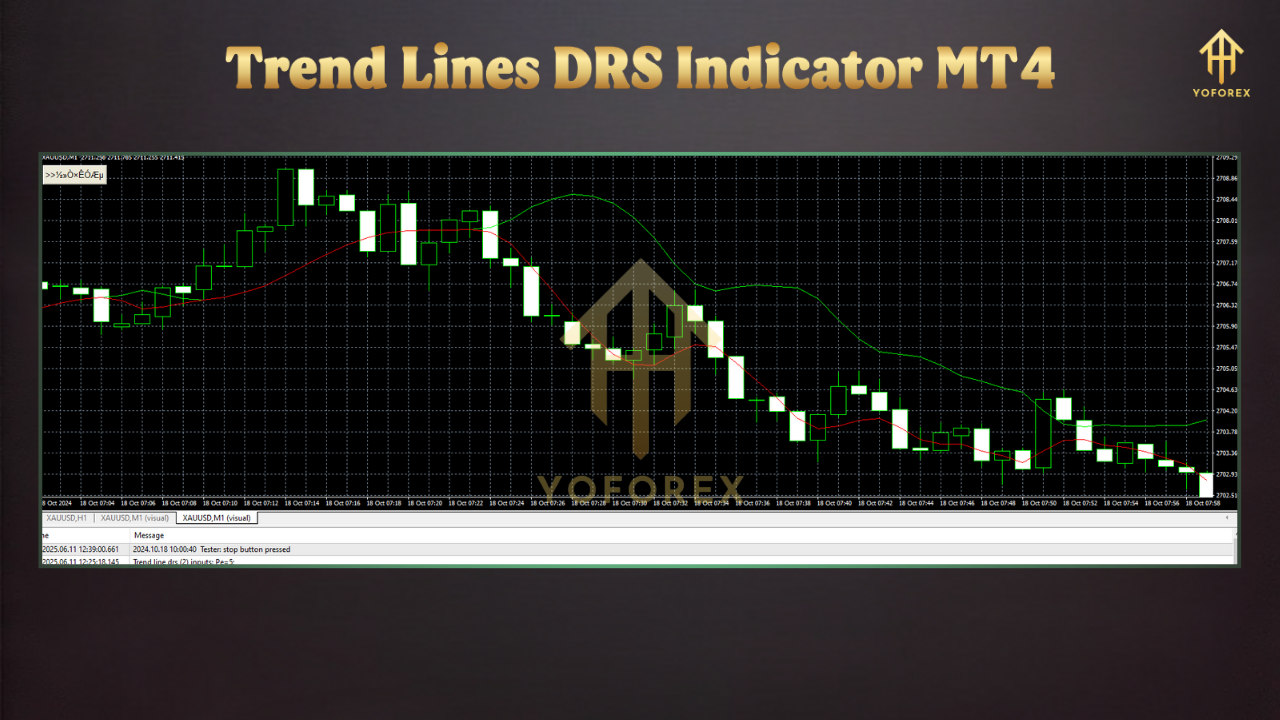
- Uptrend (Support Bounce): When the price touches a solid blue uptrend line and shows signs of rejection (e.g., a bullish candlestick pattern like a hammer), consider entering a buy position. Place a stop-loss below the trend line and target the next resistance level.
- Downtrend (Resistance Bounce): When the price hits a solid red/orange downtrend line and rejects (e.g., a bearish engulfing pattern), enter a sell position. Set a stop-loss above the trend line and aim for the next support level.
2. Breakout Strategy
This strategy capitalizes on price breaking through a trend line, signaling a potential trend reversal:
- Bullish Breakout: If the price breaks above a red/orange downtrend line with strong momentum (e.g., a large bullish candle), enter a buy position. Confirm the breakout with increased volume or other indicators like the RSI.
- Bearish Breakout: If the price breaks below a blue uptrend line, consider a sell position after confirmation (e.g., a close below the line with high volume).
Combining with Other Indicators
To enhance accuracy, pair the Trend Line DRS Indicator with complementary tools:
- Moving Averages: Use a 50-period or 200-period moving average to confirm the trend direction.
- RSI or MACD: These momentum indicators can validate entry points by showing overbought/oversold conditions or trend strength.
- Fibonacci Retracement: Combine with Fibonacci levels to identify potential reversal zones near trend lines.
Tips for Effective Use
- Choose the Right Timeframe: The indicator performs best on M15 to H1 timeframes for intraday trading. Higher timeframes like H4 or D1 are ideal for longer-term strategies.
- Avoid Overtrading: Wait for clear signals, such as strong bounces or confirmed breakouts, to avoid false entries.
- Backtest Thoroughly: Test the indicator on a demo account to understand its behavior with your chosen forex pairs and timeframes.
- Manage Risk: Always use proper risk management, setting stop-loss orders and maintaining a favorable risk-reward ratio (e.g., 1:2 or higher).
Limitations and Considerations
While the Trend Line DRS Indicator is highly effective, it’s not infallible. Trend lines may occasionally be penetrated briefly before resuming the trend, especially on lower timeframes. Additionally, during highly volatile market conditions, such as major news releases, the indicator may produce less reliable signals. Traders should always confirm signals with other technical tools and stay aware of fundamental factors impacting the market.
Conclusion
The Trend Line DRS Indicator for MT4 is a game-changer for traders seeking to streamline their technical analysis. By automating the process of drawing dynamic support and resistance trend lines, it saves time, reduces errors, and enhances decision-making. Whether you’re a beginner learning the ropes of trend analysis or an experienced trader looking to optimize your strategy, this indicator offers a robust solution. Its compatibility with various timeframes, non-repainting nature, and customizable settings make it a versatile tool for forex trading. Download it today, test it on a demo account, and unlock its potential to elevate your trading performance.