In the dynamic world of forex trading, automation has become a game-changer for traders seeking efficiency and consistency. One popular tool among automated trading enthusiasts is the Hedging Martingale Expert Advisor (EA) for MetaTrader 4 (MT4), coded in MQL4. This blog post explores the Hedging Martingale EA, its source code in MQ4 format, its strategies, benefits, risks, and how traders can leverage it effectively. Spanning 900 words, this guide aims to provide a comprehensive overview for both novice and seasoned traders.
What is a Hedging Martingale EA?
A Hedging Martingale EA is an automated trading system designed for the MT4 platform. It combines two well-known trading strategies: hedging and Martingale. Hedging involves opening opposing positions (buy and sell) on the same currency pair to mitigate potential losses, while the Martingale strategy doubles the trade size after a loss to recover previous losses with a single winning trade. This EA executes these strategies programmatically, eliminating emotional decision-making and enabling 24/7 trading.
The source code, written in MQL4 (MetaQuotes Language 4), is the blueprint that powers the EA. It defines the logic for trade entries, exits, lot sizing, and risk management. Access to the MQ4 source code allows traders to customize the EA, backtest it, and optimize its parameters to align with their trading goals.
How the Hedging Martingale EA Works
The Hedging Martingale EA typically operates as follows:
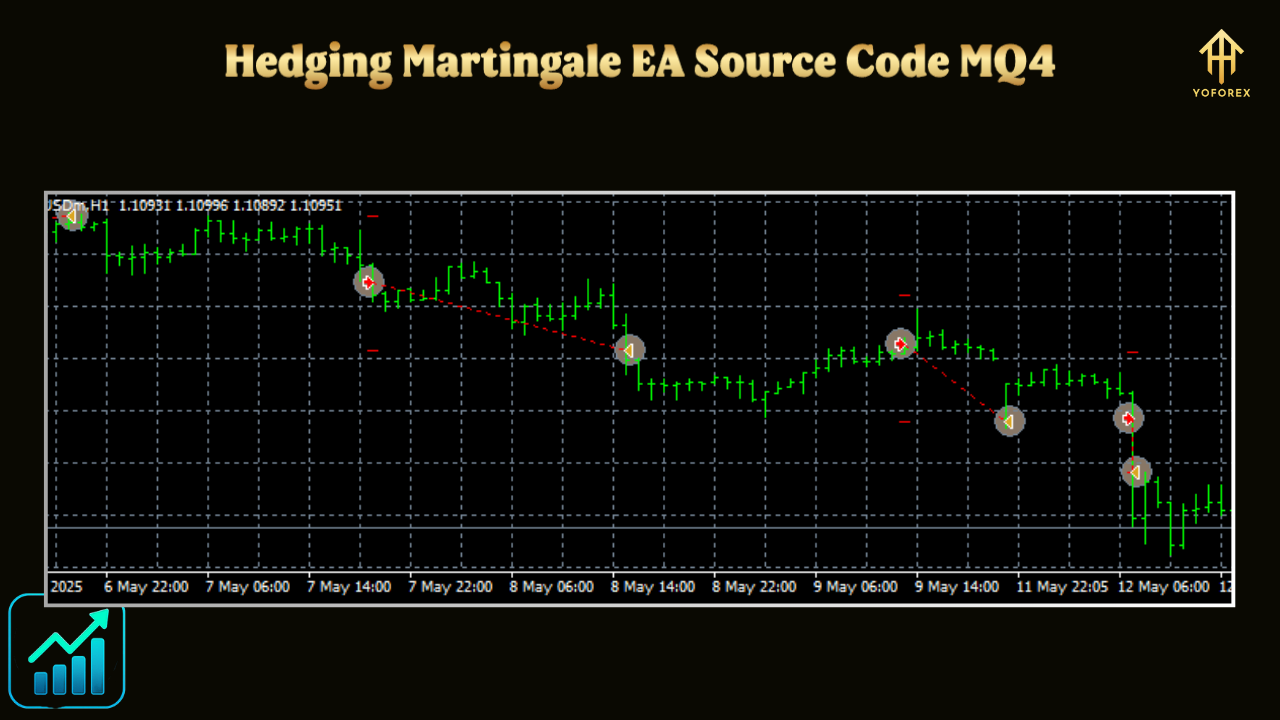
- Initial Trade Placement: The EA opens simultaneous buy and sell orders on a currency pair, creating a hedge. This ensures that if the market moves against one position, the other may offset the loss.
- Martingale Progression: If a trade moves against the initial position by a predefined number of pips, the EA opens additional trades in the same direction with increased lot sizes (e.g., doubling the previous lot size). This continues until a profit is achieved or a maximum trade limit is reached.
- Profit Taking: The EA sets a take-profit (TP) level for each trade. When the cumulative profit reaches the TP, all orders are closed, and the cycle restarts.
- Risk Management: Parameters like maximum trades, pip step (distance between trades), and lot multiplier are configurable to control risk.
For example, a basic setup might start with a 0.01 lot buy and sell order. If the price moves 20 pips against the buy order, the EA opens another buy order with a 0.02 lot. This process repeats, with the EA aiming to close all trades when the total profit hits the target.
Key Features of the Hedging Martingale EA Source Code
The MQ4 source code for a Hedging Martingale EA typically includes:
- Input Parameters: Traders can adjust settings like initial lot size, pip step, take-profit, stop-loss, maximum trades, and lot multiplier. For instance:
extern double Lots = 0.01; // Initial lot size extern int PipStep = 20; // Distance between trades extern int TakeProfit = 50; // Profit target in pips extern double Multiply = 2.0; // Lot size multiplier extern int MaxTrades = 10; // Maximum open trades - Hedging Logic: Code to open simultaneous buy and sell orders and manage their lifecycle.
- Martingale Logic: Algorithms to increase lot sizes after losses and calculate cumulative profit.
- Risk Management: Features like trailing stops, stop-loss, and maximum trade limits to prevent account blowouts.
- Error Handling: Mechanisms to handle broker-specific issues, such as requotes or connection failures.
A sample snippet for opening trades might look like:
void OpenHedgeTrades() {
   if (OrdersTotal() == 0) {
      OrderSend(Symbol(), OP_BUY, Lots, Ask, 3, 0, Ask + TakeProfit * Point, "Buy Hedge", MagicNumber, 0, Blue);
      OrderSend(Symbol(), OP_SELL, Lots, Bid, 3, 0, Bid - TakeProfit * Point, "Sell Hedge", MagicNumber, 0, Red);
   }
}
Benefits of Using a Hedging Martingale EA
- Automation: The EA trades autonomously, saving time and reducing emotional bias.
- Profit Potential: The Martingale strategy can recover losses quickly in ranging markets, while hedging minimizes drawdowns.
- Customization: The MQ4 source code allows traders to tailor the EA to specific currency pairs, timeframes, or risk tolerances.
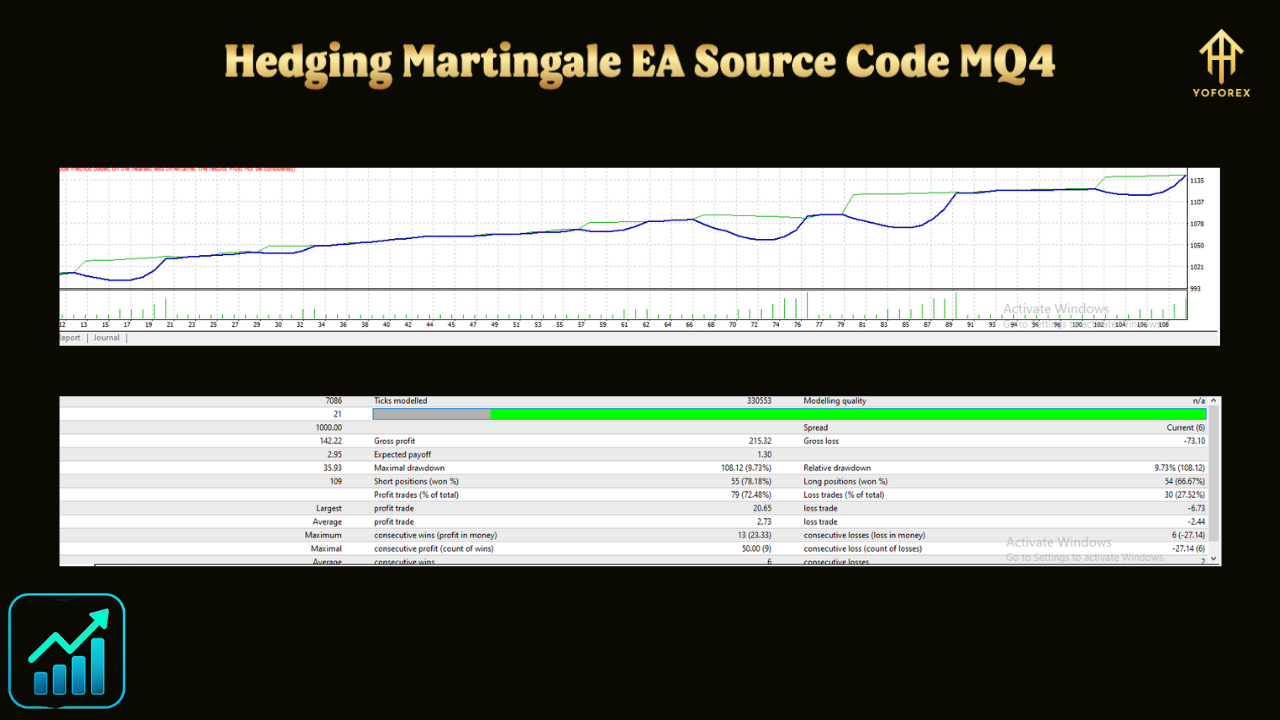
- Backtesting: Traders can use MT4’s Strategy Tester to evaluate performance on historical data.
- Diversification: The EA supports multiple currency pairs, spreading risk across markets.
Risks and Challenges
Despite its appeal, the Hedging Martingale EA carries significant risks:
- High Risk of Loss: The Martingale strategy can lead to exponential losses during prolonged trends, potentially wiping out accounts.
- Broker Restrictions: Some brokers prohibit hedging or impose high spreads, affecting performance.
- Capital Requirements: A substantial account balance is needed to withstand drawdowns, especially with aggressive lot multipliers.
- Market Volatility: Sudden price spikes or gaps can disrupt the strategy, leading to unexpected losses.
- Coding Errors: Bugs in the source code can cause unintended behavior, emphasizing the need for thorough testing.
To mitigate these risks, traders should:
- Use a demo account for at least one month before live trading.
- Set conservative parameters (e.g., low multipliers, limited max trades).
- Choose a broker with low spreads and hedging support.
- Regularly monitor the EA’s performance and market conditions.
Customizing the MQ4 Source Code
The open-source nature of the MQ4 file allows traders to enhance the EA. Potential modifications include:
- Adding a News Filter: Pause trading during high-impact news to avoid volatility.
- Dynamic TP Calculation: Adjust take-profit based on average price and lot sizes for more efficient trade closure.
- Indicator Integration: Incorporate indicators like RSI or Bollinger Bands to filter entries.
- Time-Based Trading: Restrict trading to specific sessions (e.g., London or New York) for better market alignment.
To modify the code, traders need basic MQL4 knowledge or can hire a developer from platforms like MQL5.com.
Where to Find Hedging Martingale EA Source Code
Several sources offer Hedging Martingale EA MQ4 files:
- MQL5 Code Base: Free EAs like “Hedging Martingale” by aharontzadik1 are available for download.web:1
-**GitHubRepositorieslike4xPiporFX-GitmayhostMT4EAsweb:2 - Commercial Sites: Platforms like Payhip offer premium versions with source code.
- Forex Forums: Communities like Forex Factory share user-contributed EAs.
Always verify the code’s authenticity and test it thoroughly to ensure it’s free of malicious content or errors.
Best Practices for Using the EA
- Start with a Demo Account: Test the EA on a demo account for at least one month to understand its behavior.
- Optimize Settings: Use MT4’s Strategy Tester tool to find optimal parameters for your chosen currency pair and timeframe.
- Monitor Performance: Regularly check the EA’s performance and adjust settings as market conditions change.
- Use a VPS: Run the EA on a Virtual Private Server for uninterrupted trading.
- Understand the Code: Familiarize yourself with the MQ4 code to troubleshoot issues or make informed tweaks.
Conclusion
The Hedging Martingale EA, powered by its MQ4 source code, offers a powerful tool for automating forex trading. By combining hedging and Martingale strategies, it provides a unique approach to managing risk and capturing profits. However, its high-risk nature demands careful configuration, rigorous testing, and disciplined risk management. Traders who invest time in understanding and customizing the EA can harness its potential while minimizing pitfalls. Whether sourced from MQL5, GitHub, or commercial platforms, the MQ4 code empowers traders to take control of their automated trading journey. Always trade responsibly, and let the Hedging Martingale EA be a tool for informed, strategic success.