Volatility Currency Indicator V1.0 MT4: A Trader’s Guide
Introduction to Forex Volatility
The foreign exchange (Forex) market is the largest financial market in the world, with more than $7.5 trillion in daily trading volume. Price movements in Forex are driven by economic data releases, geopolitical events, central bank decisions, and trader sentiment. These factors create fluctuations—known as volatility—that offer both opportunities and risks for market participants. Understanding volatility helps traders determine optimal entry and exit points, set appropriate stop-loss levels, and manage risk.
Technical indicators designed to measure volatility can reveal when the market is primed for breakouts, consolidations, or trend reversals. The Volatility Currency Indicator V1.0 for MetaTrader 4 (MT4) is one such tool, offering a real-time gauge of market volatility. In this guide, we’ll explore how this indicator works, how to install and configure it, practical trading strategies that leverage its signals, its advantages and drawbacks, and how it compares to other popular volatility tools. Whether you’re a novice or a seasoned trader, you’ll gain actionable insights on integrating this indicator into your trading plan.
What Is the Volatility Currency Indicator V1.0?
The Volatility Currency Indicator V1.0 is a custom MT4 indicator designed to quantify and visualize the volatility of currency pairs. Unlike simple price-based tools, it focuses on the speed and magnitude of price changes over a specified period. Key characteristics include:
- Real-Time Volatility Measurement: Calculates volatility dynamically, often using price range (high minus low) or Average True Range (ATR) as a base.
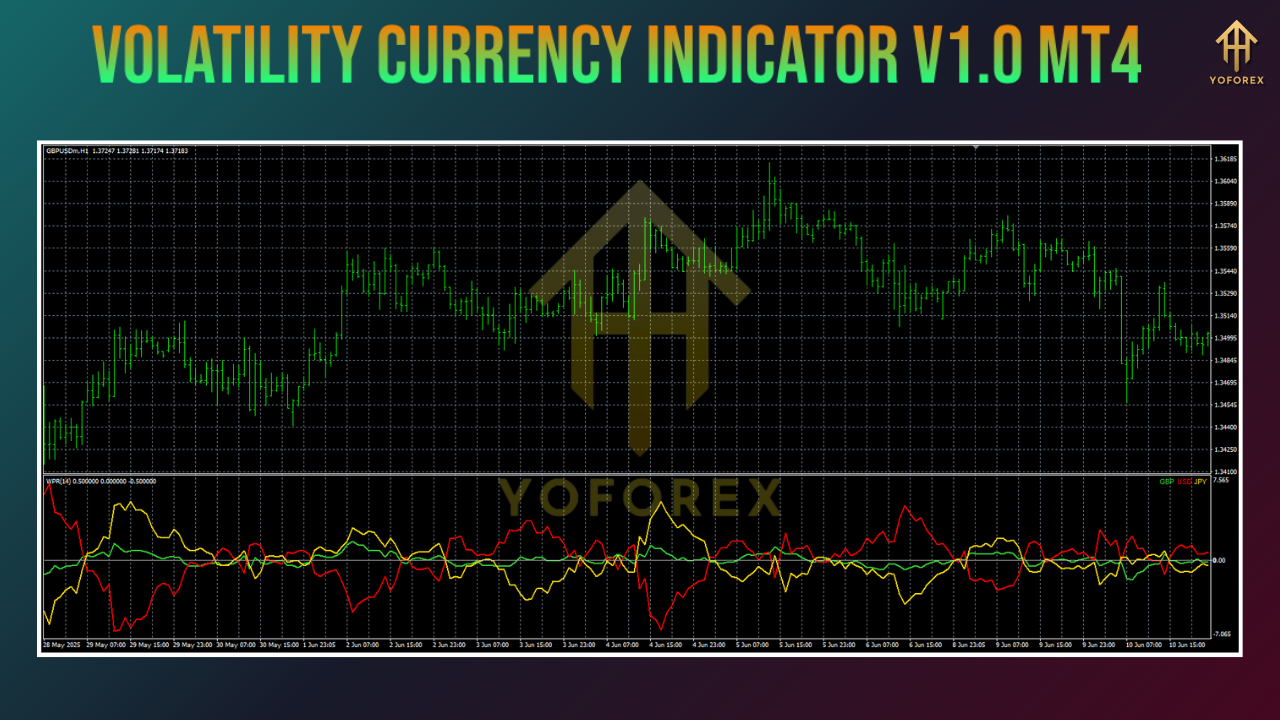
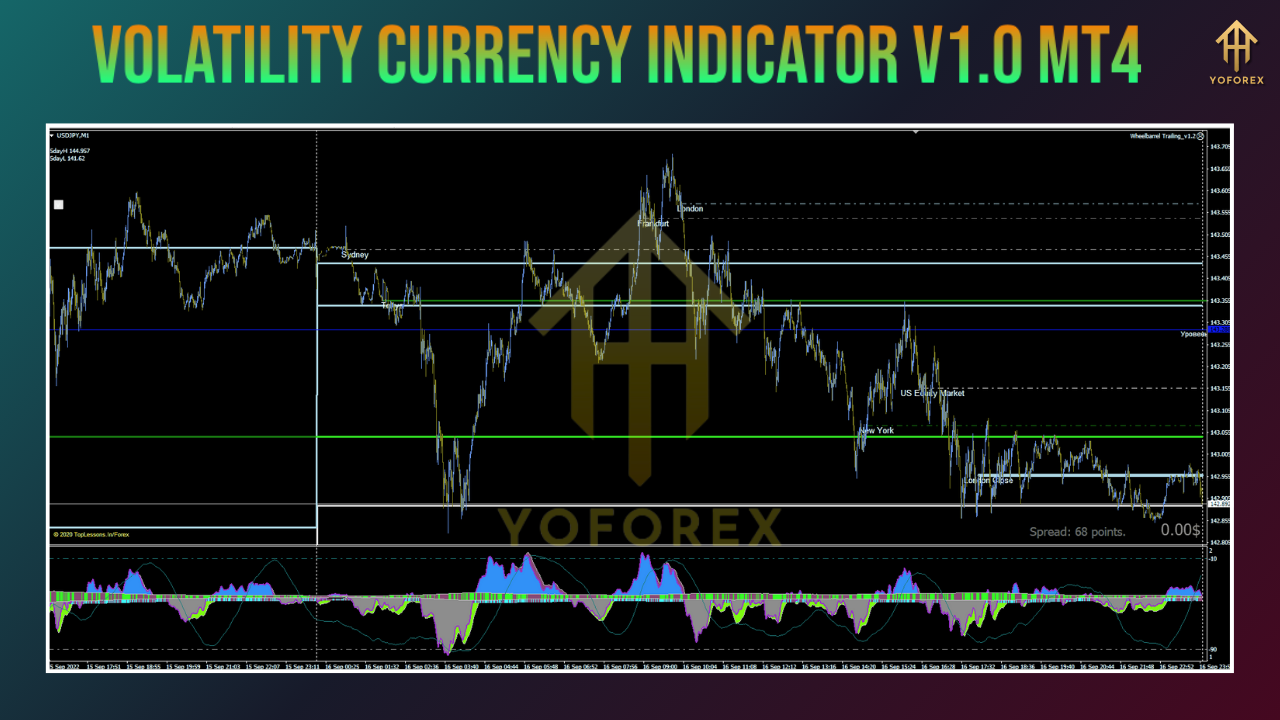
- Visual Display: Presents volatility data as a histogram or oscillator beneath the main price chart, with color coding to highlight varying volatility levels.
- Customizable Inputs: Allows traders to adjust parameters such as period length and volatility thresholds, tailoring the indicator to their preferred timeframes and styles.
- Multi-Timeframe Support: Functions across lower (M5, M15) to higher (H1, H4, D1) timeframes, making it suitable for scalping, day trading, and swing trading.
- Free and Accessible: Often available for free download from reputable sources like the MQL5 market or Forex community forums.
By interpreting these visual cues, traders can anticipate potential price breakouts, gauge trend strength, and avoid false signals during low-volatility periods.
Key Features and Customization Options
The Volatility Currency Indicator V1.0 stands out for its blend of simplicity and configurability. Below are its principal features along with common customization choices:
-
Volatility Histogram or Line
-
Histogram bars (e.g., taller bars signify higher volatility as price moves widen)
-
Oscillating line (e.g., above/below baseline to indicate high vs. low volatility)
-
-
Color Coding
-
High volatility: bright colors (green or blue)
-
Moderate volatility: neutral colors (yellow or orange)
-
Low volatility: muted colors (gray)
-
-
Adjustable Period Setting
-
Short periods (e.g., 5–10) yield rapid, sensitive readings ideal for scalpers
-
Longer periods (e.g., 14–20) provide smoother data for swing traders
-
-
Threshold Levels
-
User-defined volatility bands (e.g., 50, 100, 200 pips) that trigger visual alerts
-
-
Alert Functionality (if supported)
-
Pop-up or sound notifications when volatility crosses critical thresholds
-
-
Multi-Pair and Multi-Chart Deployment
-
Apply the indicator simultaneously on multiple pairs to compare relative volatility
-
-
Platform Compatibility
-
MT4 build 600+ for best performance and stability
-
Traders can mix and match these settings, experimenting on demo accounts to find the parameters that best align with their risk tolerance and preferred market sessions.
Installing and Configuring the Indicator
Follow these steps to set up the Volatility Currency Indicator V1.0 on your MT4 platform:
-
Download the Indicator File
-
Obtain the
.ex4or.mq4file from a trusted provider (e.g., the MQL5 Market or a reputable Forex forum).
-
-
Copy to MT4 Data Folder
-
In MT4, click File → Open Data Folder.
-
Navigate to MQL4 → Indicators.
-
Paste the downloaded file into this folder.
-
-
Restart MT4
-
Close and reopen the MT4 terminal to load the new indicator.
-
-
Add to Chart
-
Open your target chart (e.g., EUR/USD, H1).
-
Right-click the chart and select Indicators List → Custom.
-
Choose Volatility Currency Indicator V1.0 and click Edit.
-
-
Adjust Input Parameters
-
Period: Set the look-back period (e.g.,
14for moderate sensitivity). -
Thresholds: Define upper and lower bands if desired (e.g.,
50and150). -
Display Style: Select histogram or line mode.
-
Colors: Customize color scheme for high, medium, and low volatility levels.
-
-
Save as Template
-
After configuration, right-click the chart and select Template → Save Template.
-
Name it (e.g., “VolatilityV1_Default”) for one-click setup on other charts.
-
With the indicator active, you’ll see volatility bars or lines beneath price candles. Monitor these visuals to gauge market intensity and time your trades.
Practical Trading Strategies
1. Breakout Spotting
-
Rationale: A sudden rise in volatility often precedes strong moves out of consolidation zones.
-
Signals:
-
Bullish Breakout: Price breaks above resistance while volatility bars climb above the high-volatility threshold.
-
Bearish Breakout: Price falls below support with matching volatility spike.
-
-
Entry & Exit:
-
Entry: Place a market order on breakout confirmation.
-
Stop-Loss: Just below (for longs) or above (for shorts) the consolidation region.
-
Take-Profit: Use a target based on recent swing magnitude or a multiple of the stop-loss distance (e.g., 1.5×).
-
2. Trend Confirmation
-
Rationale: Sustained trends often coincide with elevated volatility, while waning volatility may signal trend exhaustion.
-
Signals:
-
Trend Strengthening: An uptrend with rising volatility—consider adding to positions on pullbacks.
-
Trend Weakness: Decreasing volatility in a trending market—prepare to scale out or tighten stops.
-
-
Additional Filter: Combine with a 50-period moving average to confirm direction.
3. Scalping High-Volatility Sessions
-
Rationale: London and New York sessions yield frequent volatility spikes.
-
Setup: Deploy the indicator on M5 or M15 charts.
-
Entry Criteria:
-
Volatility bar exceeds the short-term threshold (e.g., 75 pips).
-
Price touches a known support/resistance level.
-
-
Risk Parameters:
-
Tight stop-loss (5–10 pips).
-
Small position size to withstand rapid market swings.
-
Quick profit targets (1:1 or 1:1.5 risk-reward ratio).
-
4. Avoiding Choppy Markets
- Rationale: Low-volatility periods often produce range-bound noise, leading to false signals.
- Signal: Volatility bars shrink below a low-volatility threshold.
- Action: Stand aside until volatility builds again, conserving capital for higher-probability setups.
5. Indicator Confluence
- Bollinger Bands: Confirm volatility expansion with band widening.
- Relative Strength Index (RSI): Avoid entering when volatility spikes coincide with overbought/oversold RSI extremes.
- Volume or Tick Data: Validate volatility signals with volume surges or high tick counts for added conviction.
Benefits of Using the Volatility Currency Indicator V1.0
- Improved Trade Timing: Visual cues highlight when markets are quiet (avoid trades) or active (seek trades).
- Adaptable to Any Style: From scalping to swing trading, adjustable settings cover all timeframes.
- Enhanced Risk Management: Identify low-volatility traps early, reducing whipsaw losses.
- Clear, Intuitive Display: Color-coded bars or lines simplify quick decision-making.
- Cost-Effective: Often available free or at minimal cost, making it accessible for traders on any budget.
Limitations and Considerations
- Lagging Nature: Relies on historical price data; cannot predict future volatility with certainty.
- False Signals: Sudden volatility spikes during news releases may trigger misleading breakouts.
- Broker Data Dependency: Accuracy can vary according to your broker’s price feed and spread quality.
- Learning Curve: Requires time to fine-tune parameters and interpret signals in context.
- No Standalone Solution: Best used in conjunction with other indicators and price-action analysis.
Comparing to Other Volatility Tools
| Indicator | Strengths | Weaknesses | Comparison |
|---|---|---|---|
| Average True Range (ATR) | Simple calculation, ideal for stop-loss placement | Purely numeric, lacks intuitive visual cues | ATR excels at defining stops; Volatility Currency Indicator provides clearer visual guidance. |
| Bollinger Bands | Dynamic price channels, highlights overbought/oversold zones | Can lag during sudden spikes, complex for novices | Bollinger focuses on price vs. bands; Volatility Currency Indicator isolates volatility measurement. |
| Keltner Channels | Based on ATR, filters out noise better than Bollinger | Less commonly used, fewer visual options | Keltner offers smoother channels; Volatility Currency Indicator offers more customizable visuals. |
| Standard Deviation | Statistical measure of dispersion | Requires manual plotting or coding in MT4 | Volatility Currency Indicator bundles dispersion stats into a ready-to-use format. |
Best Practices for Integration
- Demo Testing: Always backtest and demo-trade with your chosen settings before going live.
- Session Selection: Highlight London/New York overlaps for the most pronounced volatility patterns.
- Risk Controls: Use appropriate position sizing and stop-loss levels based on measured volatility.
- Journal Tracking: Record indicator signals alongside trade outcomes to refine parameter choices over time.
- News Awareness: Avoid trading purely on volatility spikes during high-impact news without confirmation.
Conclusion
The Volatility Currency Indicator V1.0 for MT4 is a versatile, user-friendly tool that shines a spotlight on market volatility—one of the most critical factors in Forex trading success. By transforming raw price movements into clear visual signals, it empowers traders to:
- Identify breakout opportunities and trend strength
- Avoid dangerous low-volatility market phases
- Execute scalping strategies in active sessions
- Enhance risk management through informed stop-loss placement
Like all technical tools, it performs best when combined with complementary indicators, sound money management, and disciplined execution. Whether you’re aiming to scalp the London session, ride swing trades, or simply steer clear of choppy markets, mastering this indicator can give you a sharper edge in today’s fast-paced Forex arena.
Support & Disclaimer
We’re here to help you make the most of your indicator:
- WhatsApp Support: Chat directly with our team at wa.me/+443300272265.
- Telegram Group: Join fellow YoForex users at t.me/yoforexrobot.
Disclaimer: Past performance does not guarantee future results. The Volatility Currency Indicator V1.0 MT4 is provided “as is,” without warranty. Always demo-test before deploying on a live account, and apply sound risk management principles.
DOWNLOAD NOW