The Volatility Quality NRP Arrows Indicator for MetaTrader 4 (MT4) is a powerful tool designed to help traders navigate volatile markets with precision. Developed by Thomas Stridsman, this non-repainting (NRP) indicator leverages the Average True Range (ATR) to filter trade signals, providing clear buy and sell arrows based on market trends. This blog explores the features, benefits, and practical applications of the Volatility Quality NRP Arrows Indicator, offering insights into how it can enhance your trading strategy.
Understanding the Volatility Quality NRP Arrows Indicator
The Volatility Quality NRP Arrows Indicator is a trend-following tool tailored for the MT4 platform, renowned for its accuracy and reliability. Unlike many indicators that repaint past signals, the NRP (Non-Repainting) feature ensures that once an arrow appears on the chart, it remains fixed, providing traders with consistent and trustworthy signals. The indicator uses a combination of Weighted Moving Averages, Smooth Moving Averages, and ATR to measure market volatility and detect trend changes. It displays clear buy (green) and sell (red) arrows, making it easy for traders to identify potential entry and exit points.
This indicator is versatile, suitable for various trading styles, including scalping, day trading, and swing trading. It performs well across multiple timeframes, from M1 to D1, and is effective for major currency pairs like EUR/USD, GBP/USD, and USD/JPY, as well as other financial instruments like commodities and indices.
Key Features of the Volatility Quality NRP Arrows Indicator
1. Non-Repainting Signals
The standout feature of the Volatility Quality NRP Arrows Indicator is its non-repainting nature. Once a buy or sell arrow is plotted on the chart, it does not change, ensuring traders can rely on historical signals for backtesting and strategy development. This reliability reduces confusion and enhances decision-making.
2. ATR-Based Volatility Measurement
The indicator uses the percentage of Average True Range (%ATR) to filter signals, distinguishing between “good” and “bad” volatility. This helps traders avoid false signals during choppy market conditions and focus on high-probability trades during trending or volatile periods.
3. Multi-Timeframe Compatibility
The indicator supports multi-timeframe (MTF) analysis, allowing traders to view signals across different timeframes simultaneously. This feature is particularly useful for confirming trends across higher timeframes, such as H4 or D1, while trading on lower timeframes like M15 or M30.
4. Clear Visual Cues
The indicator plots green arrows for bullish signals and red arrows for bearish signals, displayed directly on the price chart. These arrows are accompanied by optional alerts (sound or pop-up), making it easy for traders to stay informed of new trading opportunities, especially when monitoring multiple currency pairs.
5. Customizable Settings
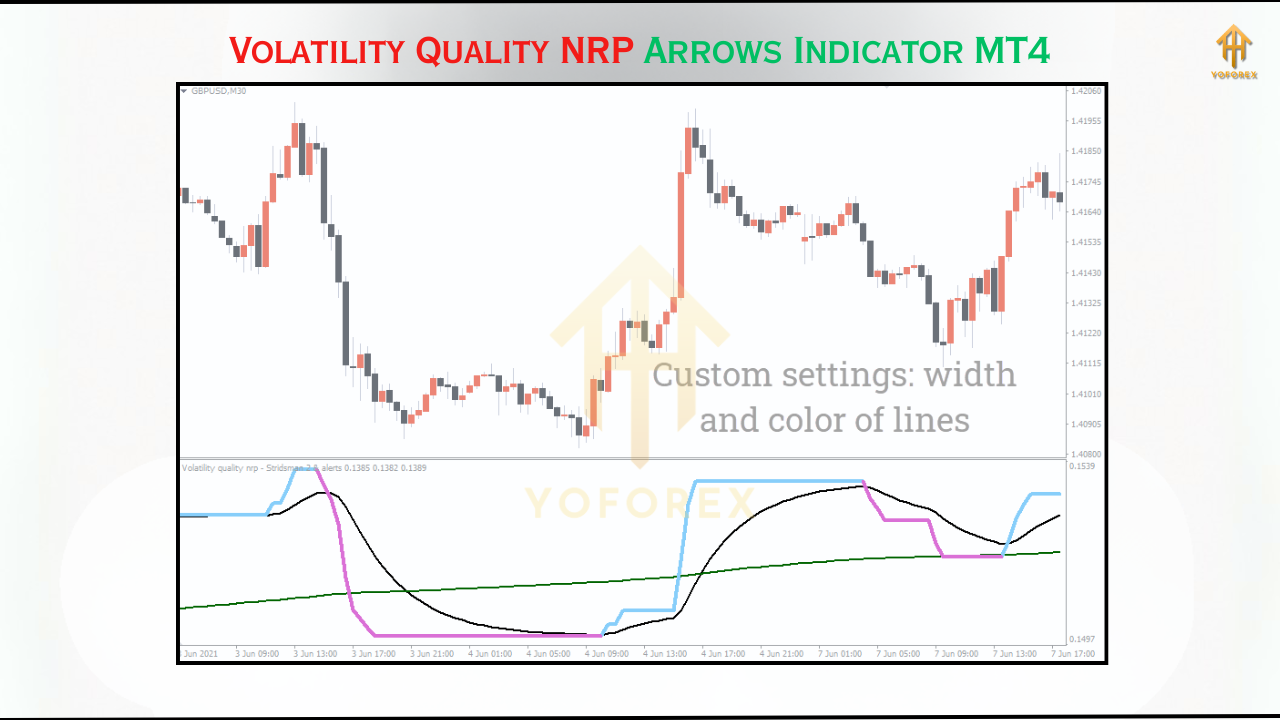
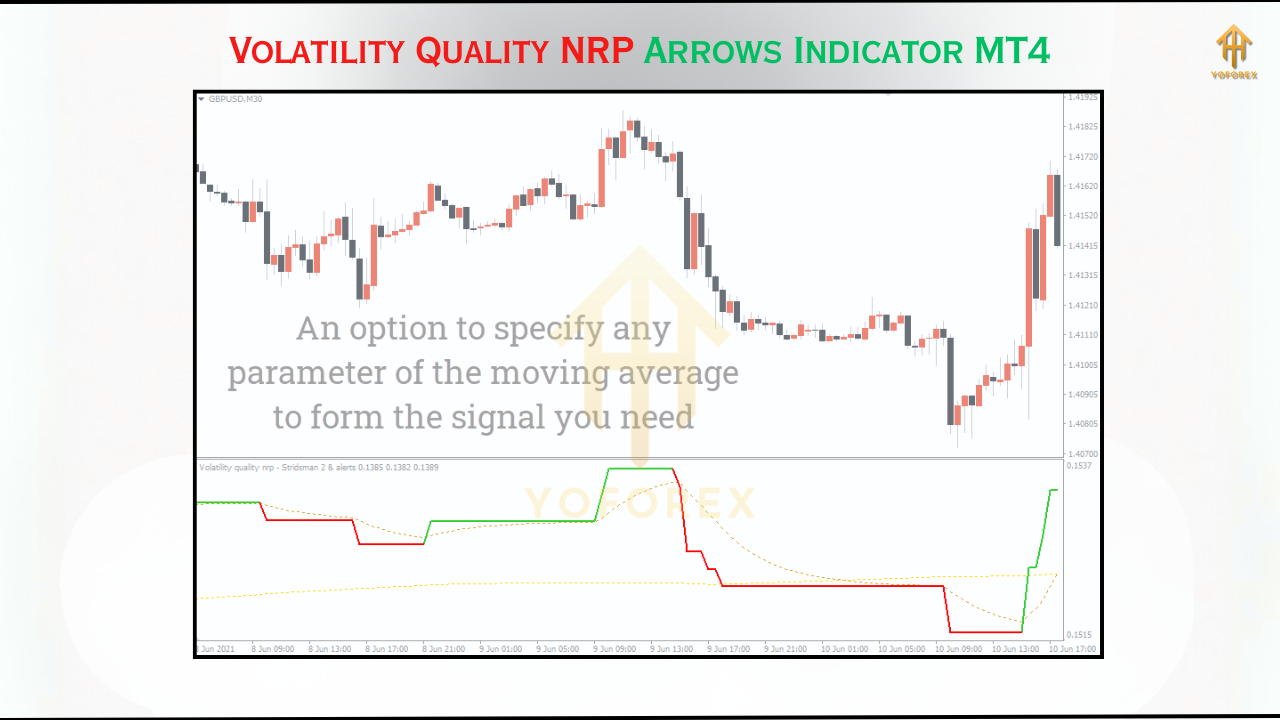
Traders can adjust parameters like Price Smoothing, Moving Average Periods, and Filter settings to tailor the indicator to their trading style. This flexibility ensures compatibility with various market conditions and trading strategies.
Benefits of Using the Volatility Quality NRP Arrows Indicator
1. Enhanced Trend Identification
By combining moving averages and ATR, the indicator excels at identifying strong trends, making it ideal for trend-following strategies. It helps traders enter trades at the start of bullish or bearish momentum, maximizing profit potential.
2. Improved Entry and Exit Points
The clear buy and sell arrows simplify trade execution, reducing the need for complex analysis. Traders can use these signals to enter trades at optimal points and exit when trends weaken, improving risk-reward ratios.
3. Versatility Across Market Conditions
The indicator performs well in both trending and volatile markets, such as during news events. Its ability to filter out low-quality volatility ensures traders focus on high-probability setups, even in fast-moving markets.
4. Time Efficiency
With automated alerts and visual signals, the indicator saves traders time by eliminating the need for constant chart monitoring. This is especially beneficial for traders managing multiple charts or trading part-time.
How to Install and Use the Indicator
- Download the Indicator: Obtain the .mq4 or .ex4 file from a trusted source, such as MT4Collection or Best-MetaTrader-Indicators.com.
- Install in MT4: Open MT4, go to “File” > “Open Data Folder” > “MQL4” > “Indicators,” and copy the indicator file into the Indicators folder.
- Restart MT4: Close and reopen MT4, then locate the indicator in the Navigator window under “Indicators.”
- Apply to Chart: Drag the indicator onto your desired chart, adjust settings (e.g., timeframe, smoothing, alerts), and enable “Allow DLL imports” if prompted.
- Test on a Demo Account: Before trading live, test the indicator on a demo account to optimize settings for your preferred currency pairs and timeframes.
Recommended Settings:
- Minimum Deposit: $200–$500, depending on leverage and lot size.
- Timeframes: M15, M30, H1, or H4 for optimal signal clarity.
- Currency Pairs: Major pairs (EUR/USD, GBP/USD, USD/JPY) for high liquidity and tight spreads.
Practical Trading Tips
- Combine with Other Indicators: Pair the Volatility Quality NRP Arrows with tools like RSI or MACD to confirm signals and reduce false entries. For example, combining it with tick volume can enhance accuracy.
- Use on Demo First: Test the indicator on a demo account to fine-tune settings and understand its behavior in different market conditions.
- Focus on High-Volatility Periods: The indicator performs best during volatile sessions, such as London or New York, or during news releases.
- Set Proper Risk Management: Use stop-loss orders based on ATR or recent swing highs/lows, and aim for a risk-reward ratio of at least 1:1.2.
Performance and Limitations
Backtesting on major currency pairs like EUR/USD and GBP/USD across H1 and H4 timeframes shows the indicator’s ability to capture significant trends, especially in volatile markets. However, it may generate fewer signals in range-bound markets, so traders should complement it with other tools for confirmation. Additionally, while the indicator is non-repainting, signal accuracy depends on proper settings and market conditions.
Conclusion
The Volatility Quality NRP Arrows Indicator for MT4 is a versatile and user-friendly tool that empowers traders to capitalize on market trends with confidence. Its non-repainting signals, ATR-based volatility filtering, and multi-timeframe compatibility make it a valuable addition to any trader’s toolkit. Whether you’re a beginner or an experienced trader, this free indicator can enhance your trading strategy by providing clear, actionable signals. Download it from a trusted source, test it thoroughly, and combine it with sound risk management to unlock its full potential in the forex market.