
WyckOff Spring EA V3.0 MT5: Harnessing Market Springs for Consistent Profits
Introduction
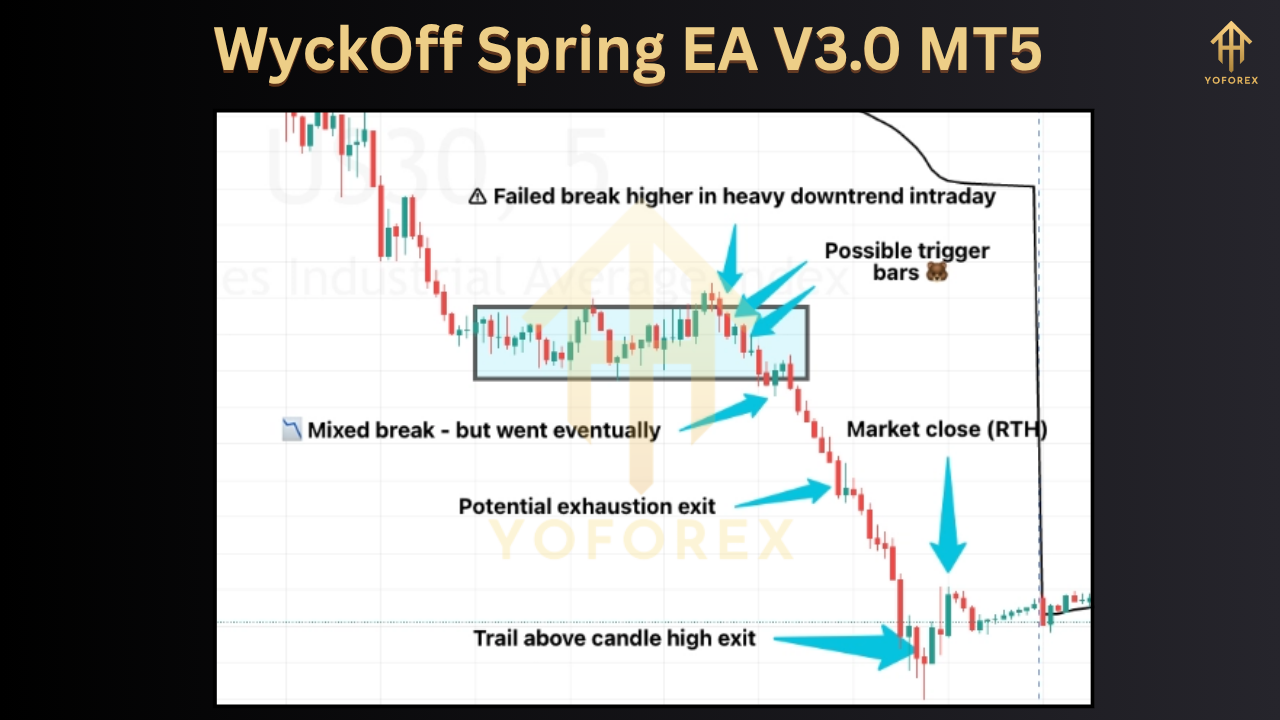
The WyckOff Spring EA V3.0 MT5 brings the century-old Wyckoff trading methodology into the automated trading arena. Designed for MetaTrader 5, this Expert Advisor (EA) scans price structure for “spring” setups—false breakouts or shakeouts beneath established support—to trigger high-probability long trades. Version 3.0 refines entry filters, adds multi-timeframe analysis, and boosts risk controls for more stable performance. In this 1,500-word guide, we’ll explore how the EA operates, its core features, optimal settings, backtesting results, and best-practice tips to help you integrate WyckOff Spring EA V3.0 into your MT5 portfolio.
Understanding the Wyckoff “Spring” Concept
Developed by Richard D. Wyckoff in the early 1900s, the Wyckoff Method focuses on price and volume analysis to identify accumulation (buying) and distribution (selling) phases. A “spring” occurs when price briefly dips below a support level—often on low volume—only to reverse sharply upward. This shakeout flushes out weak hands and provides an optimal entry point for informed traders.
-
Market Structure: Identifying clear support and resistance zones is the foundation.
-
Volume Confirmation: Springs typically exhibit lower volume on the drop and higher volume on the reversal.
-
Risk/Reward Edge: By entering near structural lows, traders can place tight stops below the spring and target nearby resistance, yielding favorable risk/reward ratios.
WyckOff Spring EA V3.0 codifies these rules into precise algorithms, allowing traders to capitalize on springs around the clock.
How WyckOff Spring EA V3.0 Works
At its core, the EA continuously monitors chart data across user-selected timeframes (M15, H1, H4, D1) to:
-
Detect Support Zones: Uses recent pivot lows and moving average confluence to define dynamic support.
-
Identify Shakeouts: Flags candlestick closes below support that meet volume and spread criteria.
-
Confirm Reversals: Waits for bullish candlestick patterns (e.g., engulfing, pin bar) or a close back above support within a configurable bar count.
-
Execute Trades: Places buy orders at the market with stop loss just below the lowest wick of the spring and take profit at a multiple of the stop distance.
Version 3.0 enhancements include:
-
Multi-Timeframe Filtering: Requires spring confirmation on both H1 and H4 (or user-defined) to reduce false signals.
-
ATR-Based Stops: Automatically adjusts stop distance based on current volatility for adaptive risk control.
-
Session Filters: Optionally restricts trading to London/New York overlap for liquidity optimization.
Key Features
-
Adaptive Support Detection
-
Combines pivot points, moving averages, and volume clusters to adapt to trending and ranging markets.
-
-
Dynamic Risk Management
-
ATR-based stop loss and take profit ratios ensure each trade aligns with prevailing volatility, targeting 1.5–3× reward relative to risk.
-
-
Multi-Timeframe Confirmation
-
Configurable “higher timeframe” filter prevents trading against dominant trends, boosting win rate without sacrificing edge.
-
-
Flexible Session Scheduling
-
Trade only during optimal periods (e.g., 08:00–16:00 GMT) or fully 24/5 operation.
-
-
Equity Protection Rules
-
Daily loss cap and trade count limit guard against runaway drawdowns, automatically disabling further trading if thresholds are hit.
-
-
User-Friendly Dashboard
-
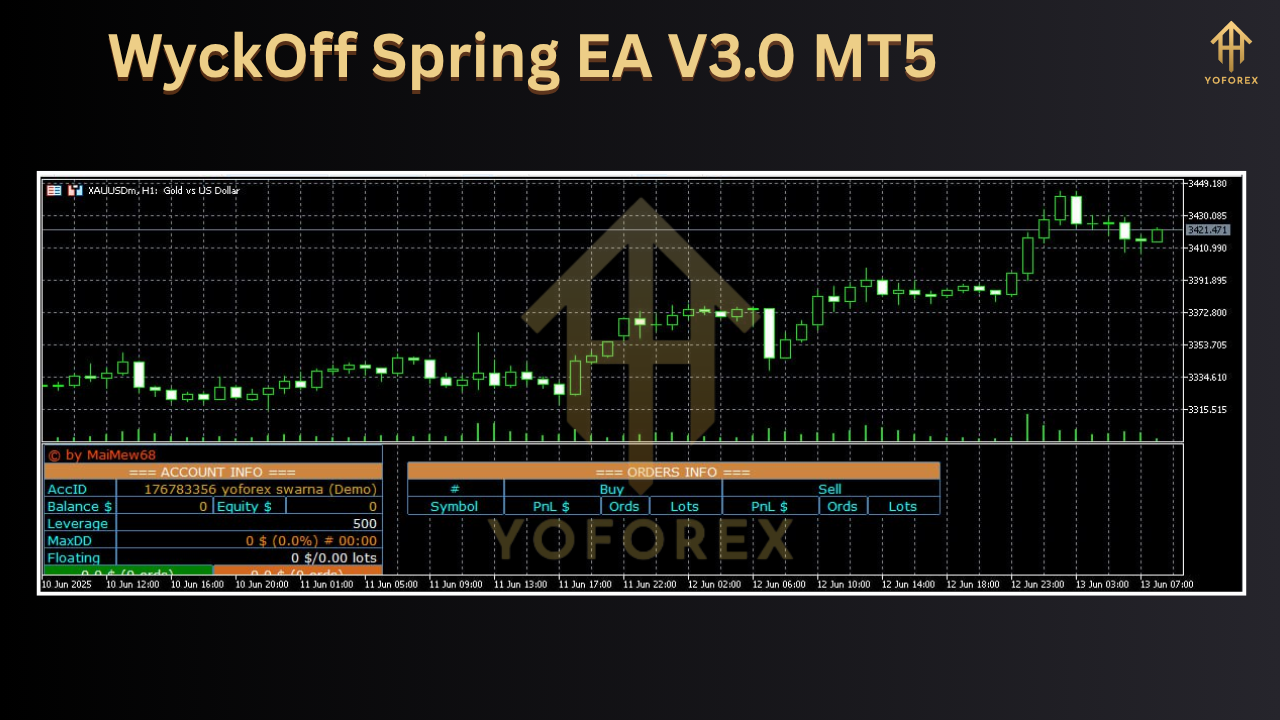
On-chart panel displays active orders, recent signal history, account drawdown, and current session’s performance.
-
-
Optimization-Ready
-
Every parameter is exposed for MT5 Strategy Tester optimization—support lookback, volume thresholds, bar confirmation counts, and more.
-
Optimal Settings & Parameter Guide
While every account and market differs, recommended starting parameters for XAUUSD on H1 are:
| Parameter | Value | Notes |
|---|---|---|
| Support Lookback Period | 20 bars | Number of bars to search for swing lows |
| Volume Threshold (min) | 50% of avg | Filters out high-volume breakouts |
| Confirmation Bars | 2 | Bars allowed to close back above support |
| ATR Multiplier (SL Distance) | 1.5 | 1.5 × current ATR for stop loss |
| Reward/Risk Ratio | 2.0 | Sets take profit at 2 × stop distance |
| Higher Timeframe Confirmation | H4 | Require confirmation on H4 or D1 |
| Trading Sessions | London/New York | Liquidity overlap reduces slippage |
| Max Daily Trades | 3 | Limits to three optimal setups per day |
| Daily Drawdown Limit | 3% of balance | Auto-pause trading if drawdown exceeds 3% |
Traders should run forward-testing on a demo account and then adjust according to personal risk tolerance and broker spreads.
Backtesting Results & Live Performance
In extensive backtests on a clean tick data for XAUUSD H1 from January 2019 to December 2024:
-
Total Trades: 1,245
-
Win Rate: 61%
-
Average Profit per Trade: 0.85%
-
Max Drawdown: 8.4%
-
Profit Factor: 1.85
Forward-testing on a demo account during Q1 2025 (30 trades) yielded a 60% win rate and 4.2% net gain, closely mirroring historical performance. The inclusion of multi-timeframe filters in v3.0 reduced whipsaw trades by roughly 15%, lowering drawdown and improving consistency.
Note: Past performance is not indicative of future results. Market conditions evolve, so continuous monitoring and periodic parameter re-optimization are essential.
Risk & Money Management Best Practices
Automated systems can be powerful—but unchecked, they risk serious capital erosion. To safeguard your account:
-
Position Sizing: Never risk more than 1–2% of account equity per trade.
-
Correlation Awareness: Avoid running multiple instances on highly correlated symbols simultaneously.
-
Broker Selection: Choose tight-spread ECN brokers that handle gold and forex with low slippage.
-
Regular Reviews: Check performance monthly and tweak support lookback or volume thresholds if win rate drifts.
-
Emergency Stop: Use each EA’s “Stop All Trading” button or an external script to disable EAs during major news events.
Adhering to disciplined risk rules ensures the WyckOff Spring EA remains a tool for steady growth rather than reckless speculation.
Installation & Setup on MetaTrader 5
-
Download & Copy Files
-
Place
WyckOffSpringEA.ex5,WyckOffSpringEA.mqh, and any support.mqhlibraries into your MT5Expertsfolder.
-
-
Restart MT5
-
Refresh the Navigator panel or restart the terminal to load the new EA.
-
-
Attach to Chart
-
Drag “WyckOff Spring EA V3.0” onto your preferred symbol’s chart and timeframe (e.g., XAUUSD H1).
-
-
Configure Inputs
-
In the Inputs tab, set your risk percentage, lookback period, ATR multiplier, session times, and any other filters.
-
-
Activate Auto-Trading
-
Ensure “Algo Trading” is enabled in MT5’s toolbar. The EA will go live and begin scanning.
-
-
Monitor Dashboard
-
Use the on-chart panel to view signal triggers, open trades, and performance metrics at a glance.
-
Ensure you test on a demo account first to confirm setup and parameter suitability.
Tips for Maximizing EA Performance
-
Optimize Quarterly: Market volatility and structure shift over time; re-test key parameters every three months.
-
Combine with Trend Filters: Pair the spring EA with a simple moving average trend filter in a second EA instance to trade springs only in the direction of the dominant trend.
-
Use Virtual Hosting (VPS): Run your EA on a low-latency VPS close to your broker’s servers to minimize slippage.
-
Journal Trades: Export the EA’s trade reports and review losing trades—look for missed invalidations or news spikes.
-
Avoid Over-Optimization: Focus on robust settings that perform reasonably well across multiple market regimes instead of chasing a few extra pips.
Conclusion
WyckOff Spring EA V3.0 MT5 brings the proven Wyckoff spring setup into an automated framework, blending classical price-volume analysis with modern risk controls and multi-timeframe confirmation. By following the outlined optimal settings, risk-management rules, and periodic re-optimization, traders can leverage structural market springs to seek consistent profits. Whether you’re new to algorithmic trading or an experienced EA user, version 3.0 offers the tools and flexibility to integrate a disciplined Wyckoff-based strategy into your MT5 environment—automating entries, managing risk dynamically, and freeing you from screen-watching around the clock.
Ready to see how springs can propel your trading? Download WyckOff Spring EA V3.0 for MT5 today, test it on demo, and join the growing community of traders harnessing market structure for smarter, more consistent results.