X BREAKOUTBOX Indicator for MT4: Mastering Breakout Trading with Simplicity
Introduction: Why Breakout Trading Matters
In the ever-evolving world of forex trading, one of the most reliable methods for identifying potential trading opportunities is through breakout strategies. These occur when the price moves beyond established support or resistance levels, often signaling the beginning of a strong trend.
To capitalize on such opportunities, traders often rely on technical indicators that help simplify the analysis. The X BREAKOUTBOX Indicator for MetaTrader 4 (MT4) is one such tool. It provides a visual and customizable approach to identifying breakout zones and timing entries with greater precision.
This blog will walk you through the full capabilities of the X BREAKOUTBOX Indicator — how it works, how to install and configure it, trading strategies, benefits, limitations, and actionable tips to improve your trading success.
What is the X BREAKOUTBOX Indicator?
The X BREAKOUTBOX Indicator is a technical tool specifically designed for the MT4 platform. Its main goal is to help traders identify price consolidation zones and prepare for breakout movements by automatically drawing horizontal boxes around key price levels.
Core Functionality
-
Plots Price Range Boxes: It marks high and low boundaries within a custom time window.
-
Identifies Potential Breakouts: When the price breaks through these levels, it can suggest bullish or bearish opportunities.
-
Customizable Parameters: Traders can define box times, colors, and candle range settings.
How the Indicator Works
The X BREAKOUTBOX Indicator scans historical price data within a user-defined time period to establish a price range. This range forms the box, with the top representing resistance and the bottom indicating support.
The Basic Logic
-
When the price breaks above the upper line → it may signal a buy opportunity.
-
When the price drops below the lower line → it may signal a sell opportunity.
These boxes are especially useful during high-volatility sessions like the London Open or New York Open, where breakouts are more frequent.
Key Features
-
Custom Time Range: Set your own start and end time (e.g., 08:00 AM to 09:00 AM GMT).
-
High/Low Box Creation: Automatically draws support/resistance levels within your specified session.
-
Clear Breakout Signals: Easy-to-understand indications for buy/sell trades.
-
Fully Customizable Colors & Styles: Adjust color schemes for better chart visibility.
-
Broad Compatibility: Works with various asset classes—forex, commodities, cryptocurrencies.
-
Supports Multiple Timeframes: Optimized for charts below 4 hours, especially 1-hour or 30-minute timeframes.
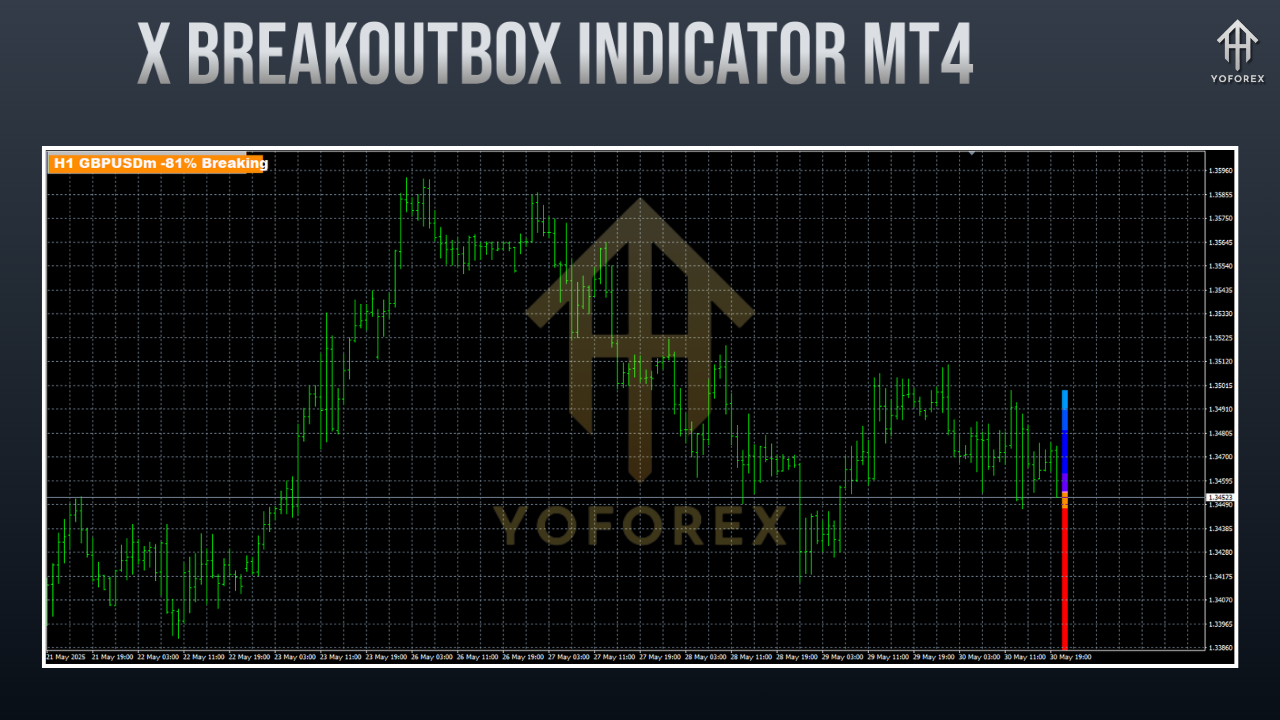
Installing the X BREAKOUTBOX Indicator on MT4
To use this indicator, follow these simple installation steps:
-
Download the Indicator File
-
Obtain the
.ex4or.mq4file from a trusted forex indicator website.
-
-
Open MetaTrader 4
-
Launch your MT4 platform.
-
-
Navigate to the Data Folder
-
Go to
File > Open Data Folder.
-
-
Access Indicator Directory
-
Open
MQL4 > Indicatorsand paste the indicator file there.
-
-
Restart or Refresh MT4
-
Either restart MT4 or right-click the
Navigatorpanel and chooseRefresh.
-
-
Apply the Indicator
-
Drag and drop the X BREAKOUTBOX Indicator from the Navigator panel onto your chart.
-
Configuring the Indicator Settings
After installation, fine-tuning the settings is essential for aligning the indicator with your trading strategy.
Customizable Inputs
-
Period Begin/End: Define your trading session window (e.g., 08:00–09:00 GMT).
-
Box End: Determines when the box stops displaying.
-
Box HL Color: Choose the color for the high and low lines.
-
Box Period Color: Sets the fill color of the box.
-
Previous Candle Count: Select how many candles to evaluate for price range.
-
Box Height (in pipets): Manually adjust the box’s height.
-
Box Size (candles): Define the candle range size.
-
Shift: Set how many candles back the box should begin from.
These options give traders full control over how the breakout box behaves and looks, helping them tailor it to their session-based strategy.
Top Trading Strategies Using the X BREAKOUTBOX
The X BREAKOUTBOX Indicator supports a wide range of trading strategies, suitable for both novice and seasoned traders.
1. London Session Breakout
-
Ideal Timeframe: 30-minute or 1-hour chart.
-
Setup: Set the box from 08:00 to 09:00 GMT.
-
Entry Signal: Buy when price breaks above the box; sell when it breaks below.
-
Stop-Loss: Place at the opposite side of the box.
-
Take-Profit: Target 1–1.4 times the box height.
2. Trend-Following Breakout
-
Setup: Use a higher timeframe to identify the primary trend using moving averages or MACD.
-
Entry: Only take trades in the direction of the overall trend.
-
Filter: Avoid counter-trend breakouts.
3. Scalping Strategy
-
Ideal Timeframe: 15-minute chart.
-
Indicators to Combine: RSI, Stochastic, or MACD to confirm strength of breakout.
-
Entry: Quick entries after breakout, with tight stop-loss.
-
Exit: Use fixed small pip targets or trailing stops.
4. Multi-Timeframe Confirmation
-
Setup: Use 1H chart for signals, but confirm breakout levels align with 4H or Daily charts.
-
Goal: Avoid false breakouts and improve win-rate by validating higher timeframe structure.
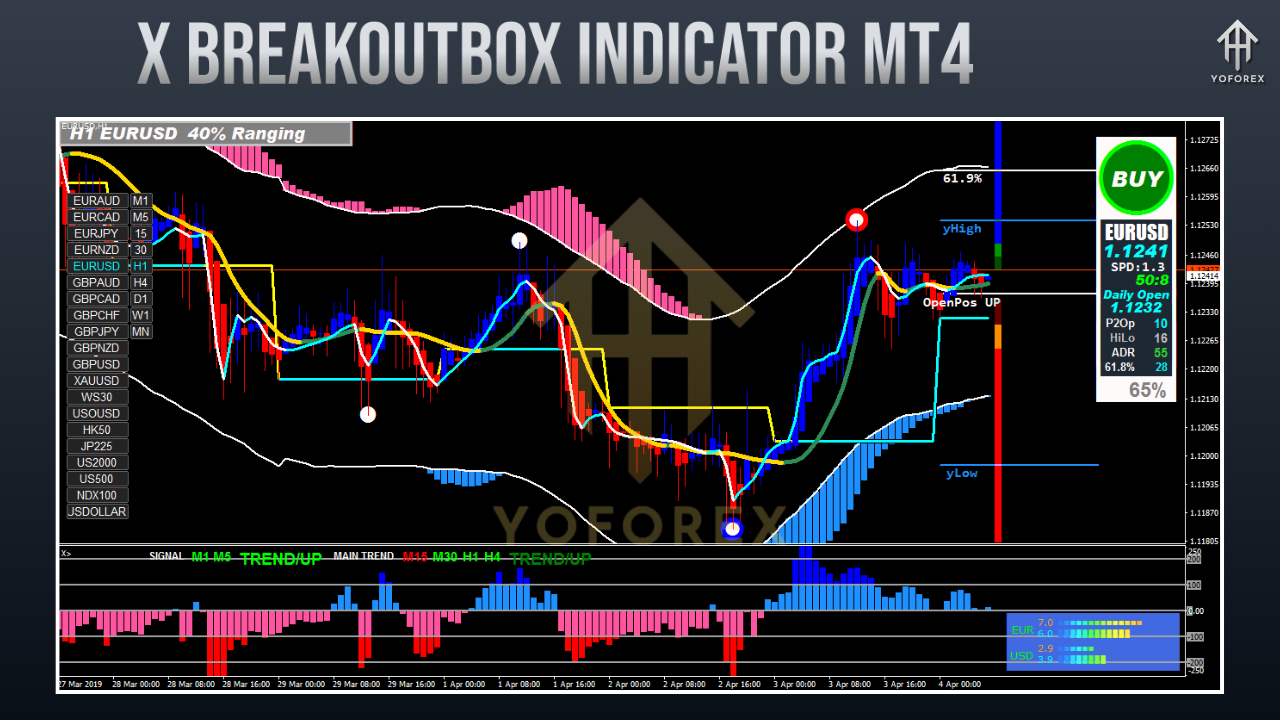
Benefits of Using X BREAKOUTBOX Indicator
-
Saves Time: Automates plotting of key levels without manual drawing.
-
Improves Accuracy: Identifies defined trading zones and removes guesswork.
-
Session-Focused: Perfect for time-based strategies like London/NY open.
-
Scalable: Usable across forex pairs, indices, and crypto markets.
-
Free to Use: Often available at no cost from trusted forex forums.
Drawbacks and Limitations
-
False Breakouts Possible: Particularly in low-volume or ranging markets.
-
Lagging Nature: Reacts after price formation; doesn’t predict breakouts.
-
Short-Term Bias: More effective on intraday charts, less useful for swing or position trading.
-
Over-Reliance Risk: Should not be used in isolation; needs confirmation indicators.
Tips for Optimal Use of X BREAKOUTBOX
-
Use in Active Sessions: Focus on London or New York trading hours for stronger moves.
-
Confirm Breakouts: Don’t enter trades blindly; confirm with momentum indicators or volume.
-
Always Use Stop-Losses: Protect capital in case of failed breakouts.
-
Avoid Overtrading: Wait for clear price action and confirmation before entering.
-
Backtest First: Practice on a demo account before applying to live trades.
Practical Example
Let’s say you’re trading EUR/USD during the London open on a 30-minute chart:
-
Set the indicator to draw a box from 08:00 to 09:00 GMT.
-
The indicator identifies a range from 1.0850 (support) to 1.0870 (resistance).
-
At 09:15 GMT, the price breaks above 1.0870.
-
You enter a buy trade, place the stop-loss at 1.0850, and target 1.0890.
-
The trade aligns with the session momentum and delivers a clean, low-risk setup.
Conclusion: Is the X BREAKOUTBOX Worth Using?
The X BREAKOUTBOX Indicator for MetaTrader 4 is an effective, visually intuitive tool designed to help forex traders spot breakout opportunities with precision. It simplifies session-based analysis, automates support/resistance plotting, and supports various trading strategies — from scalping to trend following.
However, like all indicators, it’s not a magic bullet. Its best use comes when paired with additional technical confirmations and sound risk management. It is especially valuable for traders who thrive in fast-moving markets and rely on structured breakout systems.
Whether you’re an intraday trader hunting early London moves or a scalper looking for quick pips during volatility spikes, the X BREAKOUTBOX Indicator can serve as a powerful addition to your trading arsenal.
Ready to Try It?
Download the X BREAKOUTBOX Indicator from a reliable source, test it in your preferred session, and refine your settings over time. By aligning breakout logic with disciplined strategy, this tool can become a game-changer in your daily trading routine.
Need Help or Have Questions?
YoForex provides responsive support channels for any assistance:
- WhatsApp: Click to chat
- Telegram: Join our community
Whether you’re having trouble with session setup or just want strategic suggestions, the team is always available during trading days.