Unlocking Intraday Profits: A Deep Dive into the XO Expert Advisor V1.0 for AUDCAD & NZDUSD
In the dynamic world of Forex trading, the quest for a consistent edge is relentless. Traders constantly seek tools and strategies that can cut through market noise, enforce discipline, and capitalize on opportunities around the clock. This is where the power of automated trading comes into play, and one tool that has been gaining attention for its specialized approach is the XO Expert Advisor V1.0 for MetaTrader 4.
This isn’t a “one-size-fits-all” robot. The XO EA is a precision instrument designed for a specific purpose: to navigate the intraday trends of particular currency pairs. In this comprehensive guide, we will dissect the XO Expert Advisor, focusing on its application to the AUDCAD and NZDUSD pairs on the M15 timeframe. We’ll explore its core logic, why these specific pairs are chosen, and how you can integrate this tool into a disciplined trading plan.
A Quick Refresher: What is an Expert Advisor (EA)?
For those new to the concept, an Expert Advisor (EA) is a program that runs on the MetaTrader 4 (MT4) platform. It’s designed to automate trading activities without any manual intervention from the trader. Written in the MQL4 programming language, an EA can:
-
Analyze market data based on pre-defined rules.
-
Identify trading opportunities (buy or sell signals).
-
Execute and manage trades, including setting Stop Loss (SL) and Take Profit (TP) levels.
-
Operate 24 hours a day, 5 days a week, ensuring no opportunity is missed due to time zones or sleep.
The primary benefit of an EA is its ability to trade with pure, cold logic, completely free from the emotional biases—fear, greed, and hesitation—that so often plague human traders.
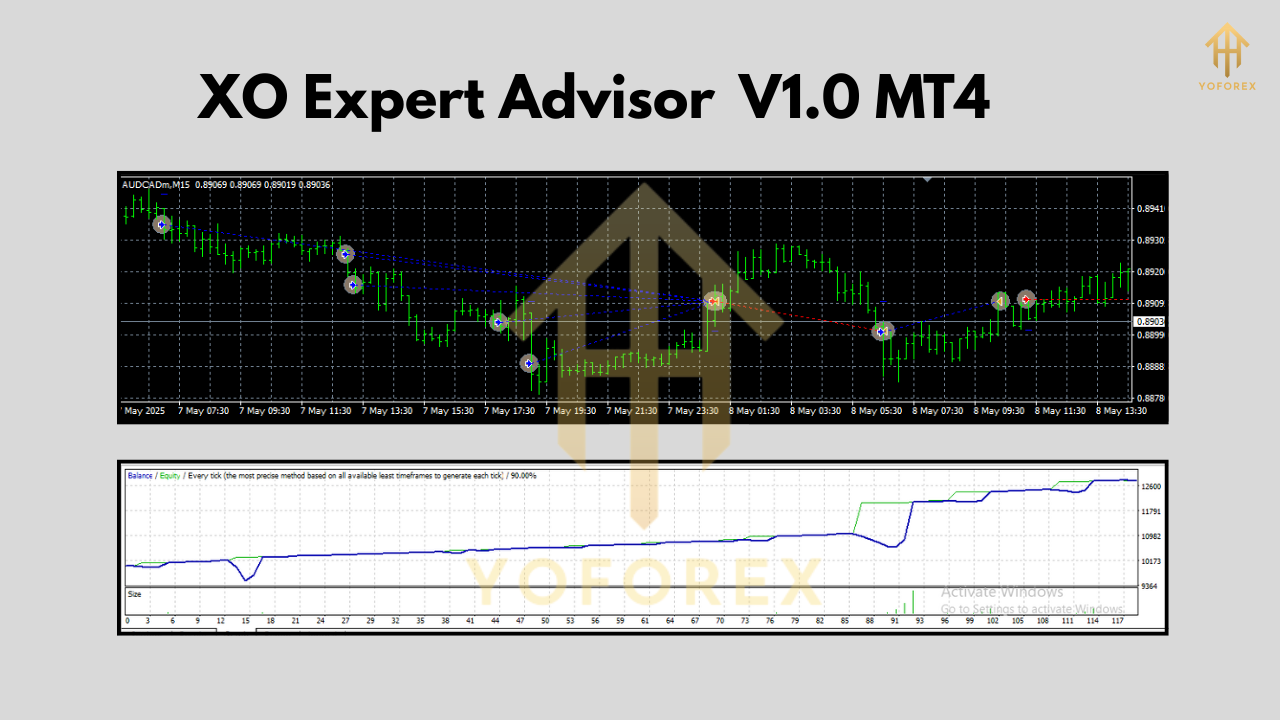
The Core Strategy: Deconstructing the “XO” Logic
The name “XO” is not just a label; it hints at the EA’s fundamental strategy, which we can conceptualize as a “Crossover-Oscillator” confirmation system. This is a classic and robust approach to trend-following on lower timeframes, designed to filter out false signals and enter on high-probability setups.
Let’s break down the components of the XO EA V1.0’s decision-making process on the M15 chart:
1. The “X” – The Trend-Defining Crossover:
The foundation of the EA’s strategy is a moving average crossover. This is one of the most reliable ways to define the short-term trend direction. The XO EA likely employs two Exponential Moving Averages (EMAs), which give more weight to recent price action:
-
A Fast EMA (e.g., 12-period EMA): Reacts quickly to price changes.
-
A Slow EMA (e.g., 26-period EMA): Represents the underlying short-term trend.
The “crossover” event is the primary signal generator:
-
Bullish Crossover (Buy Signal): The fast EMA crosses above the slow EMA. This indicates that momentum is shifting to the upside and a new uptrend may be forming.
-
Bearish Crossover (Sell Signal): The fast EMA crosses below the slow EMA. This suggests momentum is shifting downwards, potentially starting a new downtrend.
2. The “O” – The Oscillator Confirmation:
A crossover alone can lead to “whipsaws” in ranging markets, where the MAs cross back and forth, generating false signals. To combat this, the XO EA incorporates an oscillator for confirmation. An oscillator is an indicator that moves between two extremes, helping to identify momentum and overbought/oversold conditions. A common choice for this is the Relative Strength Index (RSI).
The EA uses the RSI not for overbought/oversold signals, but as a momentum filter:
-
For a Buy Signal: After a bullish crossover, the EA checks if the RSI is above 50. An RSI reading above 50 indicates that bulls have more strength than bears, confirming the upward momentum.
-
For a Sell Signal: After a bearish crossover, the EA checks if the RSI is below 50. An RSI below 50 signifies that bears are in control, validating the downward momentum.
Entry Logic Summary:
-
BUY Trade: A trade is initiated only when the Fast EMA crosses above the Slow EMA AND the RSI is above 50.
-
SELL Trade: A trade is initiated only when the Fast EMA crosses below the Slow EMA AND the RSI is below 50.
This dual-confirmation system ensures the EA only enters when both trend and momentum are aligned, significantly improving the quality of its trade entries.
Why AUDCAD and NZDUSD? The Perfect Playground for the XO EA
The choice of currency pairs is just as important as the strategy itself. The XO EA V1.0 is specifically optimized for AUDCAD and NZDUSD for several compelling reasons:
1. Unique Economic Correlation:
Both the Australian Dollar (AUD) and the New Zealand Dollar (NZD) are “commodity currencies,” heavily influenced by the prices of raw materials. The Canadian Dollar (CAD) is also a commodity currency, strongly linked to the price of oil. This creates interesting and often predictable dynamics. While AUD and NZD are often correlated, their relationship with CAD can produce smoother, more defined trends compared to pairs influenced by the volatile news cycles of the USD, EUR, or GBP.
2. Ideal Volatility on the M15 Timeframe:
These pairs offer a “sweet spot” of volatility. They are active enough to provide multiple trading opportunities throughout the day but are generally less prone to the extreme, erratic spikes that can stop out an M15 strategy on major pairs. Their primary movements often occur during the Asian, London, and New York session overlaps, providing the EA with fertile ground to capture 20-50 pip moves.
3. Reduced “Noise”:
Compared to a pair like GBPJPY, AUDCAD and NZDUSD tend to trend more cleanly on intraday charts. This is crucial for a crossover-based system, as it reduces the frequency of false signals and allows the EA to ride a trend for a longer duration before a counter-signal appears.
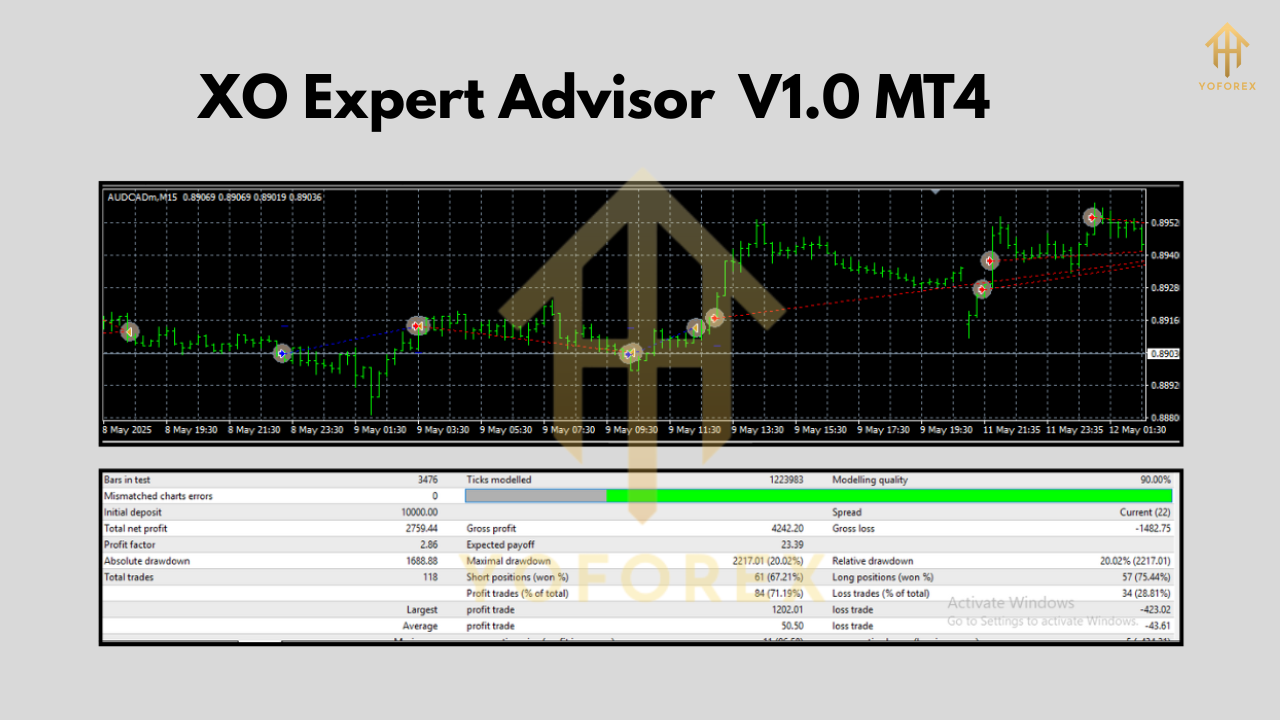
Risk Management and Trade Exits: The Key to Longevity
A profitable strategy is useless without robust risk management. The XO EA V1.0 incorporates a sophisticated approach to managing trades from entry to exit.
-
Dynamic Stop Loss (SL): Instead of a fixed pip value, the EA likely uses the Average True Range (ATR) indicator to set its Stop Loss. The ATR measures market volatility. Placing the SL at a multiple of the ATR (e.g., 1.5 x ATR) ensures the stop is wider during volatile periods (preventing premature stop-outs) and tighter in calm markets (protecting capital).
-
Calculated Take Profit (TP): The Take Profit level is also often based on a risk/reward ratio relative to the Stop Loss. For example, the EA might target a 1:1.5 or 1:2 risk/reward, meaning the potential profit is 1.5 or 2 times the initial risk.
-
Intelligent Trailing Stop: To maximize winning trades, the XO EA may include a trailing stop feature. Once a trade is in profit by a certain amount, the EA will automatically move the Stop Loss to lock in gains, ensuring that even if the market reverses, the trade closes with a profit.
Setting Up and Optimizing the XO Expert Advisor
Getting started with the XO EA requires a methodical approach.
-
Installation: Installation is standard. Simply copy the XO Expert Advisor V1.0.ex4 file into the MQL4/Experts folder of your MT4 data directory.
-
Backtesting is Non-Negotiable: Before ever running the EA on a live account, you must backtest it extensively using MT4’s Strategy Tester. Test it on AUDCAD and NZDUSD over at least 1-3 years of historical data. Pay close attention to the Profit Factor (should be >1.5), Maximal Drawdown (should be acceptable to your risk tolerance), and the overall equity curve.
-
Optimization: The default settings are a starting point. Each pair has its own personality. You should run an optimization process to find the best EMA periods, RSI settings, and ATR multiples for AUDCAD and NZDUSD individually. What works for one may not be optimal for the other.
-
Forward Testing on a Demo Account: After successful backtesting, run the EA on a demo account for at least 2-4 weeks. This is a crucial step to see how it performs in current, live market conditions, which can differ from historical data.
-
Use a VPS (Virtual Private Server): To ensure the EA runs 24/5 without interruption from power outages or internet disconnects at your home, running it on a VPS is essential.
Conclusion: A Tool for the Disciplined Trader
The XO Expert Advisor V1.0 is not a “set-and-forget” holy grail. It is a highly specialized, sophisticated tool designed for traders who understand the value of a focused strategy. By combining a classic Crossover-Oscillator logic with intelligent risk management, it offers a robust method for tackling the intraday movements of the AUDCAD and NZDUSD pairs on the M15 timeframe.