Unlocking the Power of the ZAIN Indicator V4.0 for MT4: A Comprehensive Guide
Introduction to the ZAIN Indicator V4.0
The ZAIN Indicator V4.0 for MetaTrader 4 (MT4) has emerged as a powerful tool for traders in the forex and binary options markets. Known for its high accuracy and no-repaint signals, this indicator is designed to simplify trading decisions by providing clear buy and sell signals based on support and resistance levels. Unlike many other indicators, the ZAIN V4.0 is a complete trading system, combining signals, support and resistance zones, and a histogram filter, making it a versatile choice for traders of all experience levels. In this blog, we’ll explore the features, installation process, trading strategies, and best practices for using the ZAIN Indicator V4.0 to enhance your trading performance.
What is the ZAIN Indicator V4.0?
The ZAIN Indicator V4.0 is a technical analysis tool specifically designed for the MetaTrader 4 platform, one of the most popular trading platforms globally due to its robust features and user-friendly interface. This indicator is tailored for both forex and binary options trading, offering a comprehensive approach that eliminates the need for multiple tools. It consists of three core components:
-
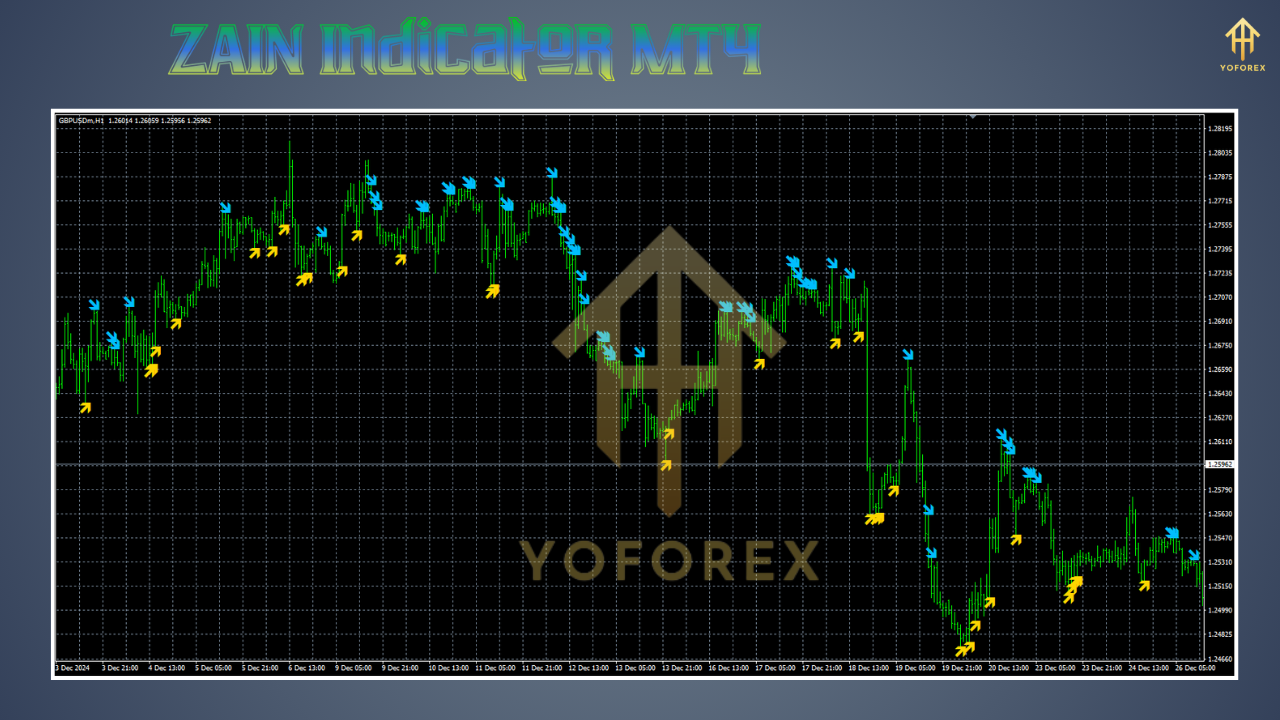
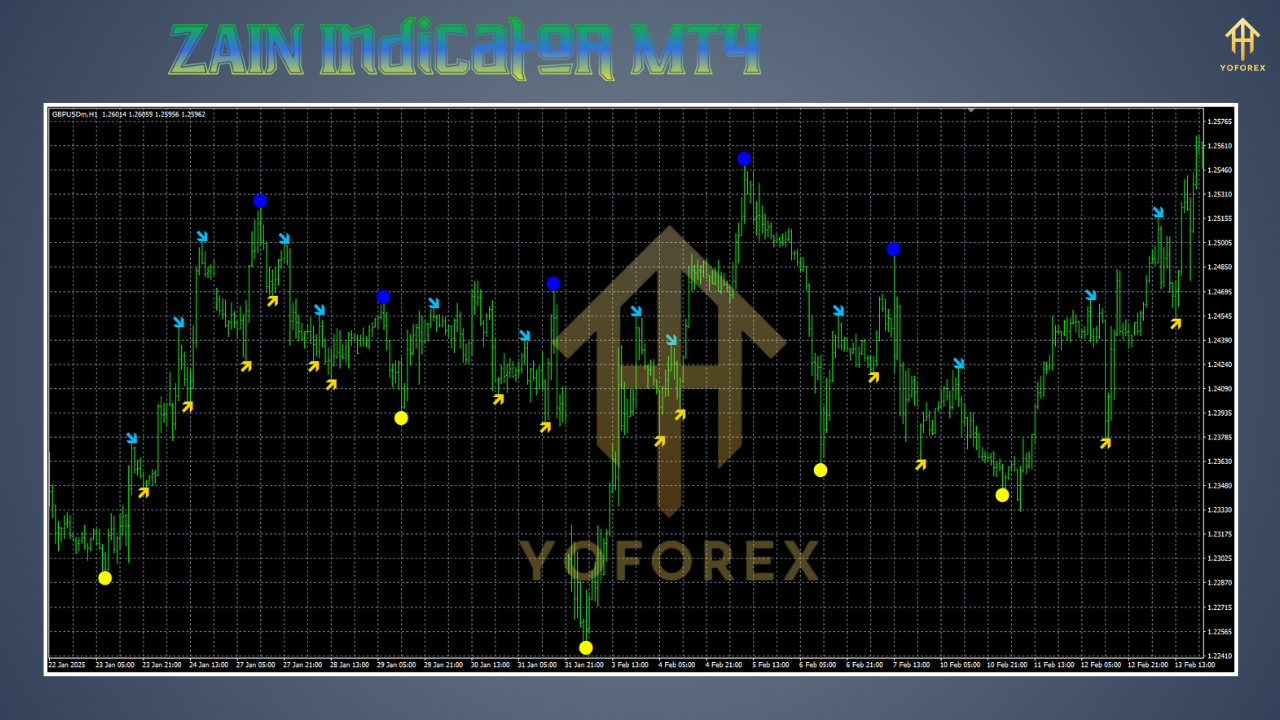
Signals: The indicator generates real-time buy and sell signals, represented by arrows on the chart. These signals appear only on live candles, ensuring no repainting occurs, which enhances their reliability.
-
Support and Resistance Levels: Automatically plotted based on price extremes, these levels (also referred to as supply and demand zones) help traders identify key price points for potential reversals or breakouts.
-
Histogram Filter: This component acts as a confirmation tool, filtering out false signals and improving the accuracy of trade entries.
The ZAIN V4.0 is particularly valued for its ability to trade against the trend, making it suitable for various market conditions, whether trending or ranging. Its signals are based on price action at critical levels, which reduces the need for traders to manually determine market trends.
Why Choose the ZAIN Indicator V4.0?
The ZAIN Indicator stands out for several reasons:
-
High Accuracy: The indicator is marketed as a “100% no-repaint system,” meaning the signals remain fixed once they appear, providing traders with confidence in their decision-making.
-
Versatility: It works across all currency pairs and timeframes, with a particular emphasis on M1 (1-minute) charts for binary options with 3-5 minute expirations.
-
All-in-One System: By combining signals, levels, and a histogram, the ZAIN V4.0 eliminates the need for additional indicators, streamlining the trading process.
-
Ease of Use: The indicator is user-friendly, with clear visual cues that make it accessible to both novice and experienced traders.
However, as with any trading tool, its effectiveness depends on proper usage, risk management, and testing on a demo account before live trading.
Installing the ZAIN Indicator V4.0 on MT4
To use the ZAIN Indicator V4.0, you need to install it on your MT4 platform. Here’s a step-by-step guide based on standard MT4 indicator installation procedures:
-
Download the Indicator Files: Obtain the ZAIN V4.0 files, typically in .ex4 or .mq4 format, from a trusted source. Some versions may also include a template (.tpl) file for easy setup.
-
Access the MT4 Data Folder:
-
Open MT4 and click on “File” in the top left corner.
-
Select “Open Data Folder” from the dropdown menu.
-
-
Navigate to the Indicators Folder:
-
In the data folder, locate the “MQL4” folder.
-
Open the “Indicators” subfolder and copy the .ex4 or .mq4 files here.
-
-
Install the Template (if applicable):
-
If a template file (.tpl) is included, copy it to the “Templates” folder within the “MQL4” directory.
-
-
Restart MT4: Close and reopen the MT4 platform to ensure the indicator is loaded.
-
Apply the Indicator:
-
In MT4, open the “Navigator” window (Ctrl+N if hidden).
-
Locate the ZAIN Indicator under the “Indicators” section.
-
Drag and drop the indicator onto your desired chart, or right-click and select “Attach to Chart.”
-
If using a template, right-click on the chart, select “Template,” and choose the ZAIN V4.0 template.
-
-
Customize Settings: Adjust the indicator’s parameters, such as the color and width of support and resistance levels, to suit your trading style. However, default settings are often optimized for general use.
If the indicator does not appear or function correctly, check the “Experts” and “Journal” tabs in MT4 for error messages and ensure the files are in the correct folders.
How the ZAIN Indicator V4.0 Works
The ZAIN Indicator V4.0 operates by analyzing price action and plotting key levels and signals on the chart. Here’s a breakdown of its functionality:
-
Real-Time Signals: The indicator generates arrows for buy (upward arrow) and sell (downward arrow) opportunities. These signals are based on price interactions with support and resistance levels and are confirmed by the histogram filter. The no-repaint feature ensures that signals do not change once the candle closes, providing reliable entry points.
-
Support and Resistance Zones: These are automatically calculated based on price extremes, such as highs and lows. Traders can adjust the width and number of levels, but excessive customization may reduce clarity and effectiveness.
-
Histogram Filter: The histogram acts as a confirmation tool, displaying the strength of the signal. It helps filter out weaker signals, reducing the likelihood of false entries.
The indicator’s ability to trade against the trend is a key feature, as it allows traders to capitalize on reversals at key levels without needing to identify the overall market trend.
Trading Strategies with the ZAIN Indicator V4.0
The ZAIN Indicator V4.0 can be used in various trading strategies, particularly for binary options and forex. Below are two primary approaches:
1. Binary Options Strategy (M1 Timeframe)
For binary options, the ZAIN Indicator is often used on the M1 timeframe with 3-5 minute expirations. Here’s how to trade:
-
Identify a Signal: Wait for a buy or sell arrow to appear on a live candle.
-
Confirm with Levels: Ensure the signal aligns with a support (for buy) or resistance (for sell) level.
-
Check the Histogram: Verify that the histogram confirms the signal’s strength.
-
Enter the Trade: Place a binary option trade with a 3-5 minute expiration in the direction of the signal.
-
Risk Management: Limit your risk to 1-2% of your account per trade to protect your capital.
2. Forex Scalping Strategy
For forex traders, the ZAIN Indicator can be used for scalping on higher timeframes (e.g., M5 or M15):
-
Wait for a Signal: Look for a buy or sell arrow near a support or resistance level.
-
Confirm Trend Direction: While the indicator supports trading against the trend, checking the overall trend using a moving average (e.g., 50-period MA) can enhance accuracy.
-
Set Stop Loss and Take Profit: Place a stop loss below the nearest support (for buys) or above the nearest resistance (for sells). Aim for a risk-to-reward ratio of at least 1:2.
-
Exit the Trade: Close the position when the price reaches the next significant level or a new opposite signal appears.
Tips for Success
-
Test on a Demo Account: Always test the indicator on a demo account to understand its behavior and optimize settings.
-
Combine with Risk Management: Use proper position sizing and never risk more than you can afford to lose.
-
Avoid Overtrading: Focus on high-probability signals confirmed by both the histogramRobinhood and the histogram to avoid losses from weak signals.
-
Monitor Market Conditions: Be cautious during volatile news events, as they can lead to unpredictable price movements.
Advantages and Limitations
Advantages
-
Simplicity: The all-in-one nature of the ZAIN Indicator reduces the need for multiple tools.
-
Accuracy: The no-repaint signals provide reliable entry points.
-
Flexibility: Suitable for various markets and timeframes.
-
Customization: Adjustable settings allow traders to tailor the indicator to their preferences.
Limitations
-
Cost: The indicator is often sold at a premium, which may deter some traders.
-
Learning Curve: New traders may need time to interpret signals effectively.
-
Market Dependency: While versatile, the indicator’s performance can vary in highly volatile or choppy markets.
Best Practices for Using the ZAIN Indicator V4.0
To maximize the effectiveness of the ZAIN Indicator V4.0, consider the following best practices:
-
Backtest Extensively: Use MT4’s Strategy Tester to backtest the indicator on historical data to evaluate its performance across different market conditions.web:17HRHweb:17
-
Combine with Other Tools: While the ZAIN Indicator is comprehensive, combining it with tools like the Stochastic Oscillator or Moving Averages can enhance signal confirmation.
-
Stay Disciplined: Stick to your trading plan and avoid chasing every signal.
-
Keep Learning: Continuously educate yourself on market dynamics and technical analysis to complement the indicator’s signals.
-
Choose a Reliable Broker: Use a trusted broker to ensure fair pricing and execution, as broker conditions can impact trading outcomes.
Common Issues and Troubleshooting
Some traders may encounter issues when using the ZAIN Indicator V4.0. Here are common problems and solutions:
-
Indicator Not Appearing: Ensure the .ex4 or .mq4 files are correctly placed in the “Indicators” folder and restart MT4.
-
Inaccurate Signals: Check the indicator’s settings and ensure they are optimized for your trading style. Default settings are often a good starting point.
-
Compatibility Issues: Verify that the indicator is compatible with your MT4 build. Contact the vendor for updates if needed.
-
Error Messages: Review the “Experts” and “Journal” tabs in MT4 for specific error details and consult the indicator’s documentation.
Where to Get the ZAIN Indicator V4.0
The ZAIN Indicator V4.0 is available from various online vendors, often as part of trading software marketplaces. Prices can vary, with some sources offering discounts (e.g., $15 at WMCentre.net). Be cautious when purchasing, as some websites may offer pirated or outdated versions. Reputable sources include:
-
WMCentre.net: Offers the ZAIN V4.0 trading system with a money-back guarantee.
-
ForexEADownload.com: Provides unlocked versions with guides.
-
Traders-Shop.Net: Sells the indicator with discounts and support.
Always verify the vendor’s credibility and ensure the files are free of malware.
Community Feedback and Reviews
The ZAIN Indicator V4.0 has received positive feedback from the trading community, particularly for its simplicity and accuracy. Traders appreciate that it functions as a complete trading strategy, reducing the need for additional tools. However, some users note the high cost as a drawback, though they argue it’s justified by the indicator’s performance. Joining trading forums like MQL5 or subscribing to YouTube channels like WinOptionCrypto can provide further insights and user reviews.
Conclusion
The ZAIN Indicator V4.0 for MT4 is a robust and versatile tool that simplifies trading by providing accurate, no-repaint signals, support and resistance levels, and a histogram filter. Its ability to trade against the trend and work across various timeframes and assets makes it a valuable addition to any trader’s toolkit. By following proper installation steps, testing strategies on a demo account, and adhering to sound risk management practices, traders can unlock the full potential of this indicator.
Whether you’re a beginner looking for a straightforward trading system or an experienced trader seeking to enhance your strategy, the ZAIN Indicator V4.0 offers a reliable solution. However, success in trading requires discipline, continuous learning, and a thorough understanding of market dynamics. Start by testing the ZAIN Indicator on a demo account, explore its settings, and combine it with other tools to develop a profitable trading approach.
For more information or to purchase the ZAIN Indicator V4.0, visit trusted vendors like WMCentre.net or ForexEADownload.com, and join online trading communities to stay updated on best practices and tips.