Introduction
The forex market has no shortage of expert advisors (EAs). Walk into any forex forum or scroll through the MQL5 marketplace, and you will find hundreds of robots promising instant wealth. Most of them, however, share a fatal flaw: they are hard-coded, static, and eventually fail when market conditions shift. Today, I want to introduce you to a different kind of trading robot—one that has been trained using machine learning and reinforcement learning over two decades of data. That robot is Zenox EA V4.1 MT5.
Zenox EA V4.1 MT5 is not your typical grid or martingale system. It is not an over-optimized indicator bundle that looks perfect in backtests but crumbles in live markets. Instead, Zenox EA V4.1 MT5 is a state-of-the-art AI multi-pair swing trading robot that follows trends and diversifies risk across sixteen currency pairs. After years of dedicated development and weeks of server-based training using high-quality tick data from the year 2000 onward, the algorithm behind Zenox EA V4.1 MT5 delivers what few EAs can claim: multiple years of out-of-sample performance that proves its adaptability without any retraining.
In this detailed review, I will walk you through exactly how Zenox EA V4.1 MT5 works, its trading logic, recommended settings, backtesting nuances, installation steps, advantages and disadvantages, and why this EA stands head and shoulders above the typical “optimized time bomb” that litters the market. I will also explain who should use Zenox EA V4.1 MT5, why you should choose it over other forex robots, and answer the most frequently asked questions. Whether you are a prop firm trader, a retail swing trader, or someone tired of watching your account blow up due to martingale strategies, this guide is for you.
Overview of Zenox EA V4.1 MT5
Zenox EA V4.1 MT5 is built exclusively for the MetaTrader 5 platform. It cannot and will not work on MT4. The developer made this choice deliberately because MT5 offers superior backtesting, multi-currency capabilities, and order management features that the AI requires. The robot uses a sophisticated AI layer that was trained on high-quality tick data from the year 2000 up to 2020. The subsequent period—2020 until today—serves as out-of-sample data. This is critical. Most EAs are over-optimized to look perfect in backtests but fail immediately in forward testing. Zenox EA V4.1 MT5 has already proven itself across several years of live market conditions without any retraining or code changes.
The robot trades sixteen major and cross-currency pairs, including XAUUSD (Gold), GBPUSD, GBPAUD, GBPJPY, EURUSD, EURGBP, EURJPY, AUDUSD, AUDCHF, AUDNZD, NZDUSD, NZDCAD, NZDJPY, USDCAD, USDCHF, and USDJPY. You can enable or disable any of these pairs individually. Zenox EA V4.1 MT5 employs a strict risk management framework: predefined stop loss and take profit levels for every single trade, buy/sell stop orders for entries, and a maximum of one buy and one sell position per currency pair. There is no trailing stop (which reduces slippage and broker interference) and absolutely no dangerous grid or martingale logic.
The EA is available only on the MQL5 platform. This is extremely important. If you see Zenox EA V4.1 MT5 being sold on any other website, including random Telegram channels, unknown forex stores, or third-party marketplaces, it is a scam. The only legitimate source is the official MQL5 marketplace.
How Zenox EA V4.1 MT5 Works
Unlike conventional EAs that rely on fixed indicator parameters like RSI overbought levels or moving average crossovers with hard-coded values, Zenox EA V4.1 MT5 uses an AI model trained via supervised machine learning followed by reinforcement learning. The training process took multiple weeks on a dedicated server, using data from 2000 to 2020. The developer did not sit down and manually tweak inputs. Instead, the AI learned to recognize patterns and execute trades by processing vast amounts of historical price action.
Here is the core workflow of Zenox EA V4.1 MT5 in six steps:
- Market Analysis – The AI continuously evaluates trend strength, momentum, and volatility across all 16 enabled pairs simultaneously. Because the model was trained on two decades of data, it understands how trends behave in different market regimes.
- Entry Signal Generation – When the AI detects a sufficiently strong trend with a favorable risk-to-reward ratio, it prepares to enter. Zenox EA V4.1 MT5 uses buy stop and sell stop orders only. It never uses market orders. This ensures that trades are entered in the direction of the prevailing trend rather than chasing price.
- Stop Loss and Take Profit Placement – Every trade has a predefined stop loss and take profit. These levels are not random. The AI learned optimal placement during its reinforcement learning phase. The result is a high reward-to-risk ratio on each position.
- Position Management – Only one buy and one sell position per currency pair is allowed. This prevents overexposure and keeps risk disciplined. Zenox EA V4.1 MT5 does not use trailing stops. Positions either hit take profit or stop loss. There is no manual intervention.
- Risk Allocation – The auto risk setting calculates lot sizes based on your account balance (or equity or fixed balance, depending on your choice). Each trade risks the same percentage of your account, typically 2.5% to 5%.
- Adaptation – Because the underlying model was trained on diverse market conditions, Zenox EA V4.1 MT5 can adjust to new market conditions without requiring code changes or re-optimization. This is the single biggest difference between this EA and hard-coded competitors.
The EA is not dependent on chart timeframes. You can attach Zenox EA V4.1 MT5 to EURUSD H1, but it will manage all 16 pairs from that single chart instance. This is a clean, efficient design that saves CPU resources and keeps your MT5 platform organized.
Key Features of Zenox EA V4.1 MT5
Let’s break down the specific features that make Zenox EA V4.1 MT5 stand out from the crowded EA market:
- 16 Currency Pairs + Gold – Including XAUUSD, GBPUSD, EURGBP, AUDNZD, NZDJPY, USDCAD, and more. You can enable or disable each pair individually with a simple true/false toggle.
- AI + Reinforcement Learning – Not a hard-coded EA. Zenox EA V4.1 MT5 adapts. This is its superpower.
- Predefined Stop Loss & Take Profit – Every trade has a fixed exit strategy. No open-ended risk.
- No Trailing Stop – Reduces slippage, reduces broker interference, and keeps the trading logic clean.
- No Grid / No Martingale – Absolutely zero dangerous recovery strategies. If a trade loses, it loses once. There is no doubling down.
- Buy/Sell Stop Orders Only – Ensures trend-following entries. No chasing price.
- Auto Risk Management – Risk per trade as a percentage of balance (default 5%, recommended 2.5% for most people).
- Fixed Balance Mode – Useful for regular withdrawals or consistent backtesting across long periods.
- Fixed Lot Size Option – Disables auto risk when set above zero. Useful for very small accounts or specific prop firm rules.
- Max Open Positions – Set a global limit on how many positions Zenox EA V4.1 MT5 can hold. Ideal for prop firm traders who have strict drawdown or maximum position limits.
- Equity-Based Risk – Useful if you are running multiple EAs or manual trades alongside Zenox EA V4.1 MT5. It uses equity instead of balance for lot calculation.
- Randomizer Mode – Designed specifically for prop firm accounts that prohibit identical trade copies. Randomizes entry price, stop loss, and take profit within a defined range. Not recommended for most users as it can slightly worsen performance, but essential for passing certain prop firm challenges.
- Prefix/Suffix Support – Works with any broker’s symbol naming convention. If your broker uses “mEURUSD” or “EURUSDm”, just enter the prefix or suffix in the settings.
- Chart Panel – Optional visual dashboard that shows open trades, risk levels, and performance metrics directly on your chart.
Trading Strategy Logic Used by Zenox EA V4.1 MT5
The underlying strategy of Zenox EA V4.1 MT5 is trend following with multi-pair diversification. It does not predict reversals. It does not try to catch tops or bottoms. Instead, it waits for trend confirmation and enters using stop orders above resistance (for buys) or below support (for sells).
Because the AI was trained using reinforcement learning, it learned to optimize entry timing, stop loss placement, and take profit levels without human bias. The training period (2000–2020) covered multiple market regimes: the dot-com crash aftermath, the 2008 financial crisis, the 2015 Swiss franc shock, the 2018 volatility spike, and the early Covid volatility of early 2020. That is an incredibly diverse training set.
The out-of-sample period (2020–today) includes the post-Covid bull runs, the 2022 inflation spikes driven by the Ukraine war and supply chain shocks, the aggressive interest rate hiking cycle of 2022–2023, and the high-interest-rate environment of 2024–2026. Zenox EA V4.1 MT5 handled all of these without any retraining. That is not luck. That is robust AI design.
The algorithm also avoids over-optimization. According to the developer, many different parameter settings produced strong results during development. This is a hallmark of a robust system rather than a curve-fitted time bomb. When an EA only works with one specific combination of inputs (e.g., RSI period 14, moving average period 50, stop loss exactly 47 pips), it is fragile. Zenox EA V4.1 MT5 does not suffer from that weakness.
Recommended Settings for Zenox EA V4.1 MT5
To get the most out of Zenox EA V4.1 MT5, follow these recommended configurations based on the developer’s extensive testing and live signal performance:
| Parameter | Recommended Value | Notes |
|---|---|---|
| Risk Setting | 2.5% for most traders; 5% is default | Start with 2.5% until you are comfortable |
| Max Open Positions | 5 to 8 | Lower if risk is above 5% |
| Minimum Account Balance | $1500 at 5% risk | Adjust proportionally for lower risk |
| Timeframe | Any | H1 recommended for chart display only |
| Chart Symbol | EURUSD | EA manages all pairs from one chart |
| VPS | MQL5 VPS or equivalent | Highly recommended for 24/5 operation |
| Randomizer | False | Only enable for prop firms that ban identical trades |
| Magic Number | Any unique number | Important if running multiple EAs |
| Use Equity for Risk | False by default | Set to True if running manual trades |
| Fixed Balance | 0 (disabled) | Set to a number if you withdraw regularly |
Important Risk Note: Above 10% risk per trade is never recommended unless you reduce max open positions to 5 or lower. Even then, only experienced traders should consider higher risk.
Broker Compatibility: Zenox EA V4.1 MT5 works with any broker and any account currency. For best performance, using a VPS is recommended (the live signal uses MQL5 VPS). The EA is not sensitive to high spread or slippage.
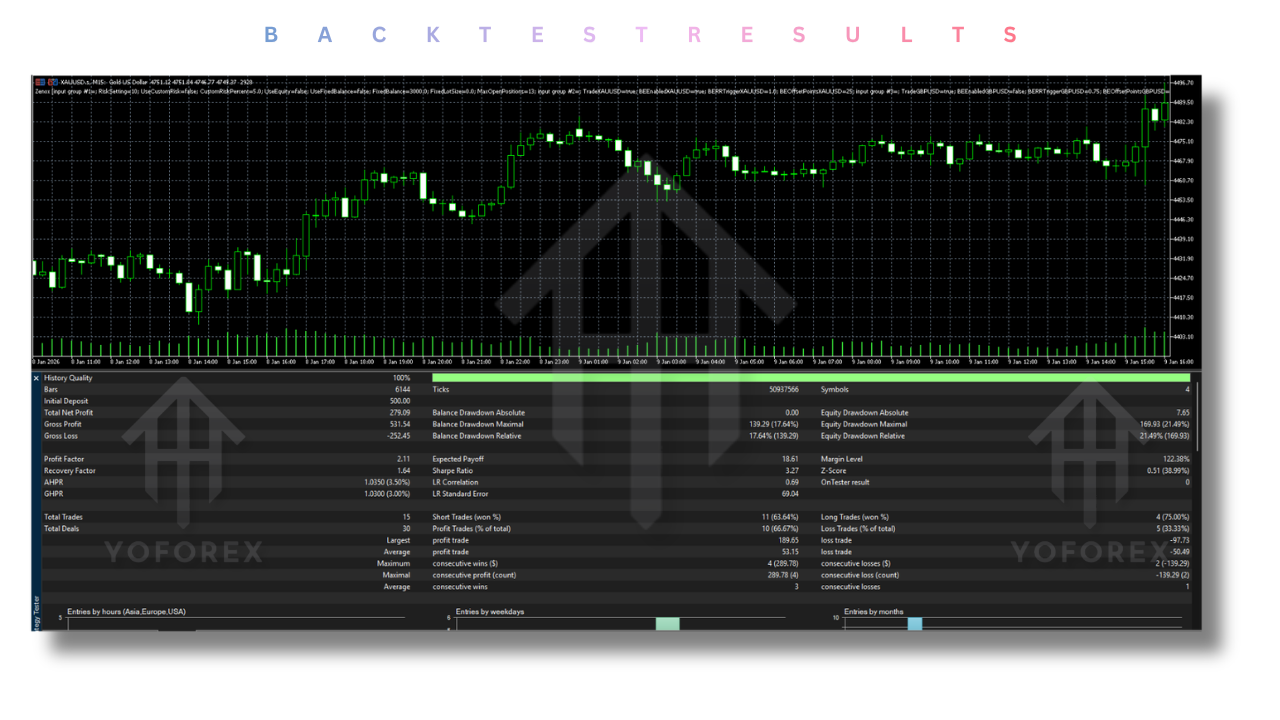
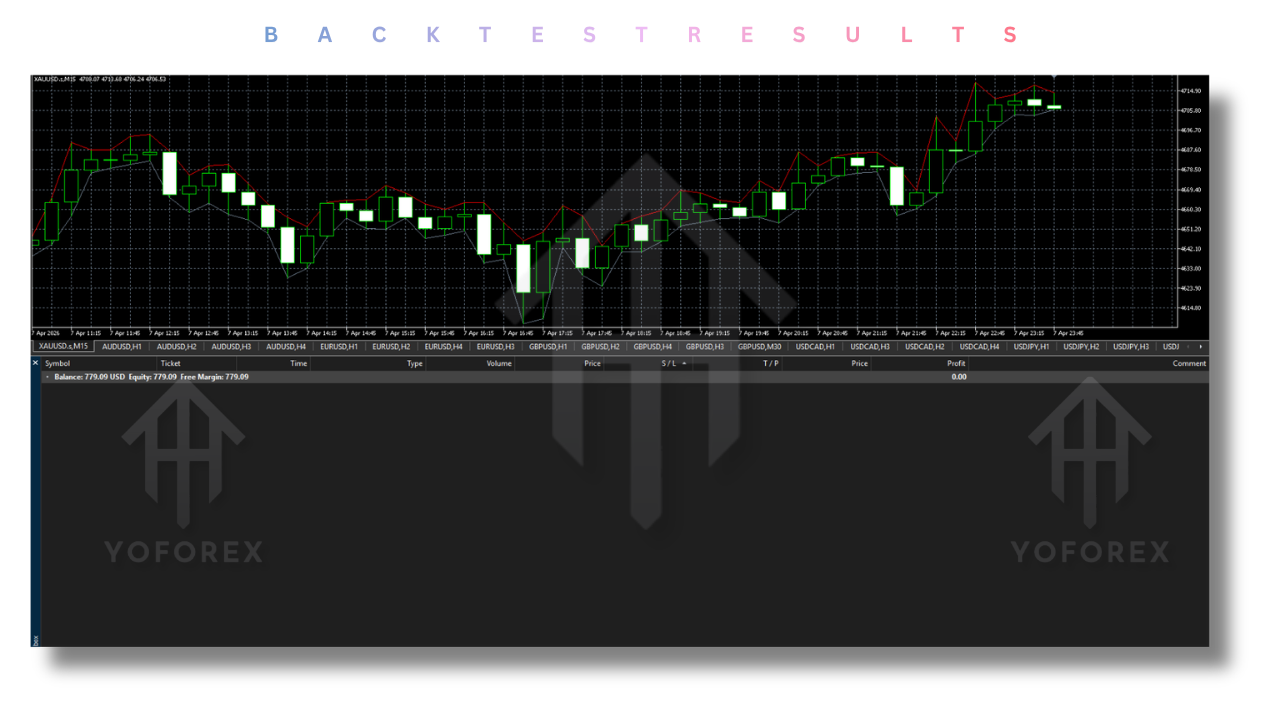
Backtesting Results and Important Caveats
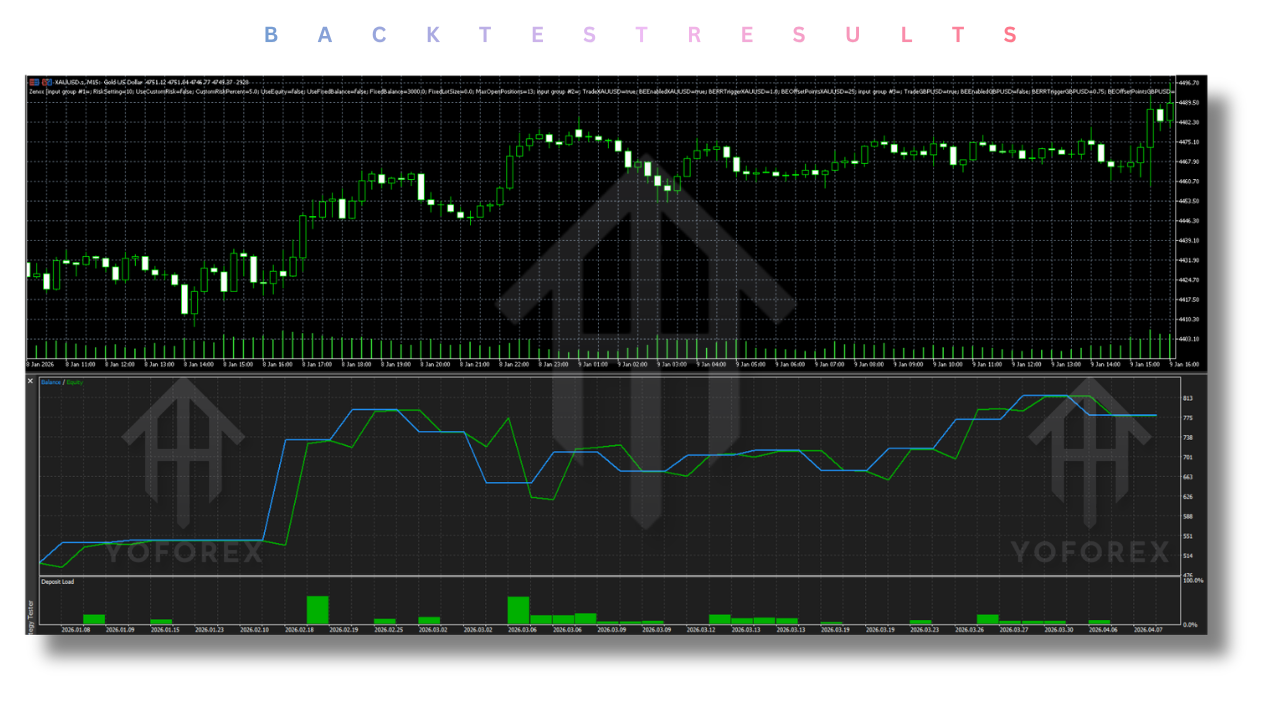
Backtesting Zenox EA V4.1 MT5 requires care and understanding. Because the EA is a swing trader, it often holds positions for days or even weeks. When a backtest in MetaTrader 5 reaches its end date, the platform forcibly closes all open positions—often at a loss. In live trading, those positions would remain open until their take profit or stop loss is hit. This means that a standard backtest in MT5 will always show a forced loss at the end, which is completely unrealistic.
Therefore, do not judge Zenox EA V4.1 MT5 based solely on the final equity curve of a backtest that ends mid-swing. Instead, evaluate:
- Win rate and average risk-to-reward ratio over complete trades.
- Maximum drawdown during the backtest period (excluding the forced end-of-test closure).
- Out-of-sample performance (2020–today) which the developer reports as exceptional.
For accurate backtesting, use the default MT5 terminal downloaded directly from MQL5 with high-quality tick data. Avoid using random broker backtesting files that may have data gaps.
The developer has made it clear: the training period covers 2000 to 2020. The data from 2020 until today is Out Of Sample. Having multiple years of Out Of Sample performance at this level is exceptional. It proves that the AI layer can adjust to new market conditions without any issues.
Installation Guide for Zenox EA V4.1 MT5
Installing Zenox EA V4.1 MT5 is straightforward if you follow these steps carefully:
- Purchase/download Zenox EA V4.1 MT5 only from the official MQL5 marketplace. Do not trust any other source.
- Open your MetaTrader 5 platform. Make sure you are using a legitimate MT5 build from your broker or directly from MetaQuotes.
- Go to File → Open Data Folder.
- Navigate to MQL5 → Experts.
- Copy the
Zenox EA V4.1 MT5.ex5file into the Experts folder. - Restart MT5 or right-click on the Navigator panel and select Refresh.
- Drag Zenox EA V4.1 MT5 onto any chart (EURUSD H1 is the typical choice).
- In the settings tab, adjust risk percentage, enable or disable specific pairs, set your magic number, and configure any prefix/suffix if needed.
- Ensure Allow Automated Trading is enabled (the green play button in the toolbar).
- For 24/5 operation, deploy on a VPS. The MQL5 VPS service is tested and works well with Zenox EA V4.1 MT5.
If your broker uses prefixes (e.g., “mEURUSD”) or suffixes (“EURUSDm”), enter them in the corresponding fields. Otherwise, leave them empty.
Advantages of Zenox EA V4.1 MT5
- No curve-fitting – Many settings work well, not just one fragile combination.
- Out-of-sample verified – Years of live market data after training, not weeks.
- Adaptive AI – Not a static time bomb that will fail when volatility changes.
- Disciplined risk management – Predefined SL/TP, no grid, no martingale.
- Low slippage – No trailing stop means fewer broker interventions and less slippage.
- Single chart management – No need to attach to 16 different charts.
- Prop firm ready – Randomizer mode and max position limits make it suitable for challenges.
- Spread tolerant – Not sensitive to high spreads or slippage according to the developer.
- No dangerous recovery – Each trade stands alone.
Disadvantages of Zenox EA V4.1 MT5
- Requires patience – Swing trading means positions may stay open for days. Not for adrenaline junkies.
- Backtesting limitations – MT5 forces end-of-test closures that distort results significantly.
- Not a scalper – If you want 50 trades a day, this is not for you.
- Minimum balance matters – $1500 is recommended for 5% risk. Smaller accounts can use fixed lots but with less diversification.
- Only on MQL5 – Not available on MT4 or any other platform. Any other listing is a scam.
Who Should Use Zenox EA V4.1 MT5?
Zenox EA V4.1 MT5 is ideal for:
- Swing traders who prefer holding positions from hours to days without watching every tick.
- Prop firm traders who need strict drawdown control and anti-copy-trade randomization.
- Traders tired of martingale EAs that eventually blow accounts after a long losing streak.
- Investors seeking diversification across 16 currency pairs and gold in a single EA.
- People who believe in AI adaptation rather than hard-coded indicators that worked in 2010 but fail today.
- Traders with $1500+ accounts who can tolerate normal swing drawdowns of 10–20%.
Zenox EA V4.1 MT5 is not for:
-
Scalpers or news traders who need instant execution.
-
Traders with less than $500 accounts (unless using fixed lots with very low risk).
-
Those who want guaranteed daily profits (no such EA exists).
Why Choose Zenox EA V4.1 MT5 Over Other Forex Robots?
Let’s be direct. Most commercial EAs fall into three sad categories:
- Grid/martingale systems – They win 90% of the time but the 10% loss wipes out months of gains. They are mathematically designed to fail eventually.
- Over-optimized indicators – Look amazing in backtests on specific date ranges, fail live within weeks.
- Black-box hype – No transparency, no out-of-sample proof, just marketing claims and fake Myfxbook links.
Zenox EA V4.1 MT5 destroys this mold completely.
- Training vs. Optimization – It was machine-trained on 20 years of data, not manually optimized for three months on a single pair.
- Out-of-sample length – Years, not weeks. That is the gold standard.
- No grid, no martingale – Your account stays safe. Period.
- Multi-pair diversification – 16 pairs plus gold reduce single-currency and single-region risk.
- Prop firm friendly – The randomizer is a rare and honest feature for passing challenges without being banned for copy-trading.
- Live signal available – You can verify performance on MQL5 VPS before purchasing.
Most EAs are time bombs. Zenox EA V4.1 MT5 adapts. That alone makes it superior.
Conclusion
After reviewing hundreds of expert advisors over the past several years, I can say with confidence that Zenox EA V4.1 MT5 represents a genuine evolution in automated trading. It is not a rehashed martingale disguised with fancy graphics. It is not a pretty interface on top of a simple RSI crossover. It is a properly trained AI system with years of out-of-sample validation, strict risk management, and true multi-pair diversification.
The lack of trailing stop, the exclusive use of buy/sell stop orders, and the absolute avoidance of grid or martingale strategies show a developer who prioritizes long-term survivability over short-term marketing numbers. The fact that Zenox EA V4.1 MT5 was trained from 2000 to 2020 and has performed well out-of-sample from 2020 until today without retraining is remarkable.
If you are looking for a forex robot that can adapt to changing markets, respect your risk limits, and trade 16 pairs without cluttering your charts, Zenox EA V4.1 MT5 deserves your serious attention. Remember: only purchase it on the MQL5 platform. Anywhere else is a scam. Use a VPS, start with 2.5% risk, and let the AI do what it was trained to do—adapt and follow trends.
FAQ
Q1: Is Zenox EA V4.1 MT5 a martingale or grid system?
A: Absolutely not. Zenox EA V4.1 MT5 uses predefined stop loss and take profit with no position averaging, no grid recovery, and no martingale doubling.
Q2: Can I run Zenox EA V4.1 MT5 on a prop firm account?
A: Yes. Use the randomizer feature (set to true) and adjust max open positions to meet your prop firm’s drawdown limits. This prevents the prop firm from flagging your trades as identical copies.
Q3: What is the minimum deposit for Zenox EA V4.1 MT5?
A: $1500 is recommended when using 5% auto risk. You can use less with lower risk settings or fixed lot sizes, but diversification across 16 pairs works better with adequate capital.
Q4: Does Zenox EA V4.1 MT5 work with any broker?
A: Yes. It supports prefix/suffix adjustments and is not sensitive to high spreads or slippage according to the developer.
Q5: Why does my backtest show a loss at the end?
A: Because MetaTrader 5 closes all open positions when the backtest ends. In live trading, those positions would remain open until SL or TP. Ignore the forced close and look at individual trade statistics instead.
Q6: How many currency pairs does Zenox EA V4.1 MT5 trade?
A: Sixteen, including XAUUSD (Gold). You can disable any pair you do not want to trade.
Support & Disclaimer
Support
If you need help installing or configuring your EA, or face any kind of bug, feel free to reach out on:
WhatsApp: Click here
Telegram Group: Join our community
Disclaimer:
Forex and gold trading involve risk. Past performance doesn’t guarantee future results. Always test robots on demo before live trading and use proper risk management.
REFERRAL
Join the VIP Signals Telegram Channel for real-time expert trading signals and stay ahead in the forex market. Get personalized strategies by becoming a part of our Real Account Management Telegram Channel and optimize your trading experience. If you’re aiming to Pass PropFirm Challenges , join our dedicated channel for tips and proven methods. Start managing your capital effectively with expert advice from our Funded Account Management Telegram Channel. For advanced traders, our HFT EA / Passing Telegram Channel offers high-frequency trading insights and strategies to boost your performance.