Zone Scalper 2020 Indicator for MT4: A Comprehensive Guide to Scalping Success
Introduction
Scalping is a fast-paced trading strategy that focuses on capturing small price movements in highly liquid markets, such as forex, to generate quick profits. Scalpers often execute multiple trades within short timeframes, sometimes holding positions for mere seconds or minutes. To succeed in this high-intensity environment, traders rely on precise technical indicators to identify trends, entry points, and exit signals. One such tool is the Zone Scalper 2020 Indicator for MetaTrader 4 (MT4), a powerful candlestick-based scalping tool designed to deliver accurate buy and sell signals for short-term trading.
In this blog, we’ll dive deep into the Zone Scalper 2020 Indicator, exploring its features, installation process, trading strategies, and tips for optimizing its use. Whether you’re a novice trader or an experienced scalper, this guide will provide valuable insights to enhance your trading efficiency using this MT4 indicator.
What is the Zone Scalper 2020 Indicator?
The Zone Scalper 2020 Indicator is a technical analysis tool designed specifically for the MetaTrader 4 platform, one of the most popular trading platforms for forex traders. This indicator is tailored for scalping, offering clear and actionable buy and sell signals based on candlestick patterns. It identifies key price zones, such as support and resistance levels, to help traders make informed decisions in fast-moving markets.
Unlike traditional indicators that rely solely on moving averages or oscillators, the Zone Scalper 2020 combines candlestick analysis with trend confirmation to provide reliable signals. It is particularly effective for short-term trading on lower timeframes, such as the M1 (1-minute), M5 (5-minute), or M15 (15-minute) charts, making it ideal for scalpers aiming to capitalize on small price fluctuations.
Key Features
-
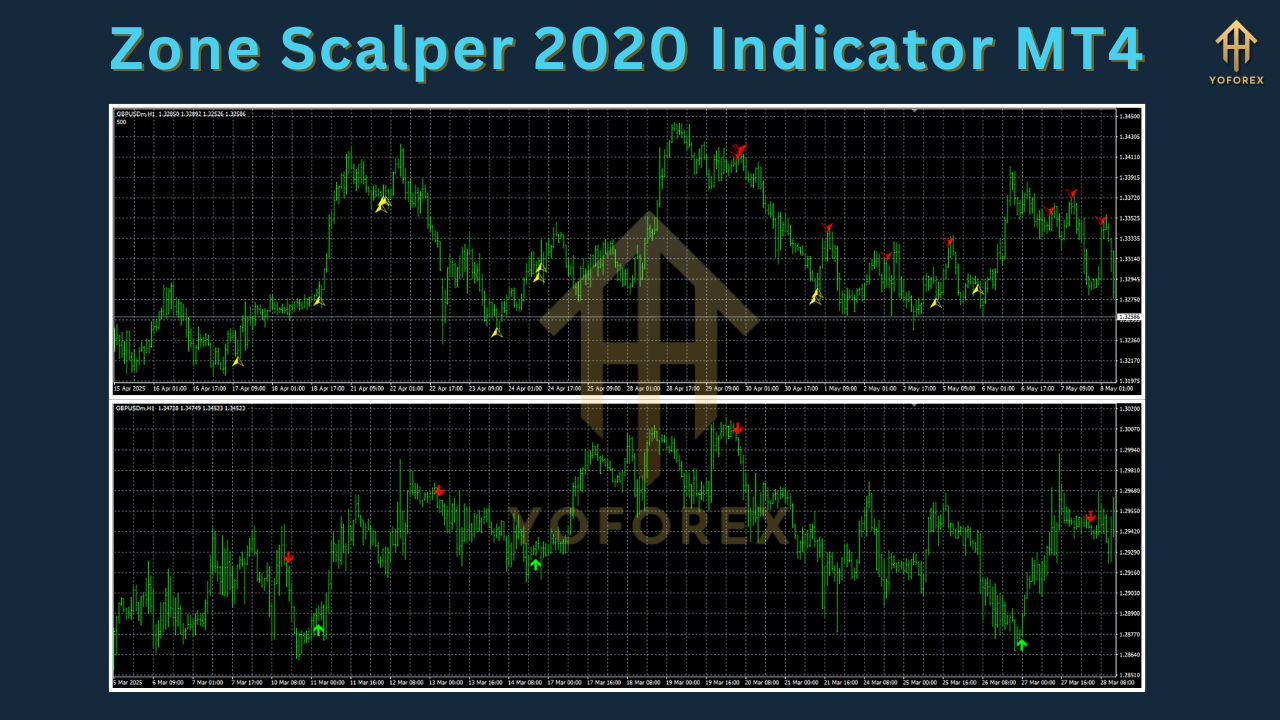
Candlestick-Based Signals: The indicator generates buy and sell signals based on the appearance of specific candlestick patterns, such as green candles for buy signals and red candles for sell signals.
-
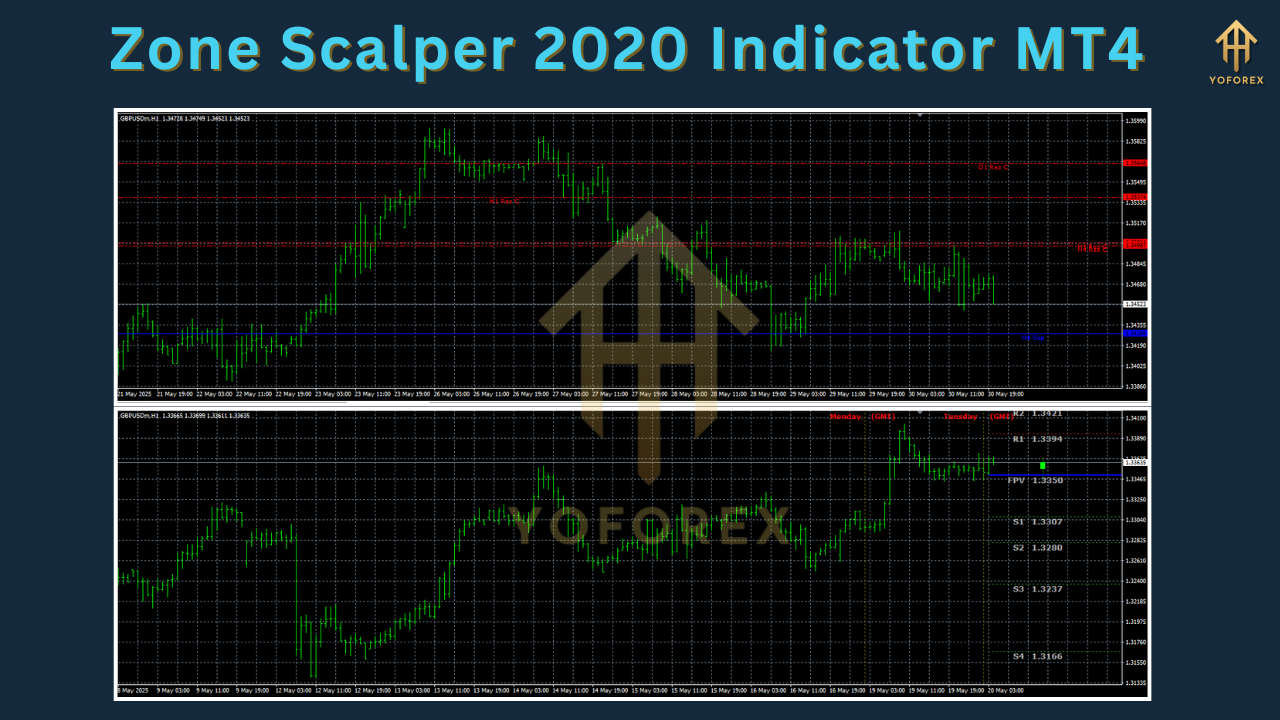
Support and Resistance Zones: It highlights critical price levels where reversals or breakouts are likely to occur, aiding in precise trade entries and exits.
-
Customizable Settings: Traders can adjust the indicator’s parameters to suit their trading style or market conditions.
-
Compatibility: Works seamlessly with any forex currency pair and integrates with existing trading strategies as a trend confirmation tool.
-
Visual Clarity: Displays signals directly on the chart, making it easy to interpret even in high-pressure trading environments.
How to Install the Zone Scalper 2020 Indicator on MT4
Before using the Zone Scalper 2020 Indicator, you need to install it on your MetaTrader 4 platform. Follow these steps to get started:
-
Download the Indicator: Obtain the Zone Scalper 2020 Indicator file (typically in .mq4 or .ex4 format) from a trusted source. Ensure the file is from a reputable provider to avoid malware or corrupted files.
-
Open MT4 Data Folder:
-
Launch your MT4 platform.
-
Click on File in the top left corner and select Open Data Folder.
-
Navigate to the MQL4 folder, then open the Indicators folder.
-
-
Install the Indicator:
-
Copy and paste the downloaded .mq4 or .ex4 file into the Indicators folder.
-
Close the data folder window.
-
-
Restart MT4: Close and reopen your MetaTrader 4 platform to load the indicator.
-
Add the Indicator to a Chart:
-
Open a chart for your desired currency pair (e.g., EUR/USD or GBP/USD).
-
In the Navigator window (usually on the left side of MT4), locate the Zone Scalper 2020 Indicator under the Indicators section.
-
Drag and drop the indicator onto the chart or double-click to apply it.
-
-
Configure Settings: A settings window will appear, allowing you to customize parameters such as signal sensitivity, alert options, or visual display preferences. Adjust these based on your trading strategy or leave them at default settings for initial testing.
-
Verify Installation: Once applied, the indicator should display candlestick-based signals and support/resistance zones on your chart.
How the Zone Scalper 2020 Indicator Works
The Zone Scalper 2020 Indicator operates by analyzing candlestick patterns and price action to generate trading signals. Here’s a breakdown of how it functions:
Buy Signal
-
Condition: A buy signal is triggered when the first green candlestick appears on the chart, indicating bullish momentum.
-
Action: Enter a long position (buy trade).
-
Stop Loss: Place a stop loss below the nearest short-term support level to protect against unexpected reversals.
-
Take Profit: Exit the trade at a predetermined profit target or use a risk-to-reward ratio of 1.5 or higher for optimal returns.
Sell Signal
-
Condition: A sell signal is generated when the first red candlestick appears, signaling bearish momentum.
-
Action: Enter a short position (sell trade).
-
Stop Loss: Set a stop loss above the nearest short-term resistance level.
-
Take Profit: Close the trade at a fixed profit target or based on a risk-to-reward ratio of 1.5 or better.
Support and Resistance Zones
The indicator marks key support (green zones) and resistance (red zones) levels based on historical price action. These zones help traders identify potential reversal points or breakout opportunities. For example:
-
Support Zone: A price level where buying interest is strong, often leading to a bounce (buy opportunity).
-
Resistance Zone: A price level where selling pressure is high, potentially causing a price reversal (sell opportunity).
By combining candlestick signals with these zones, the Zone Scalper 2020 Indicator provides a clear framework for entering and exiting trades with precision.
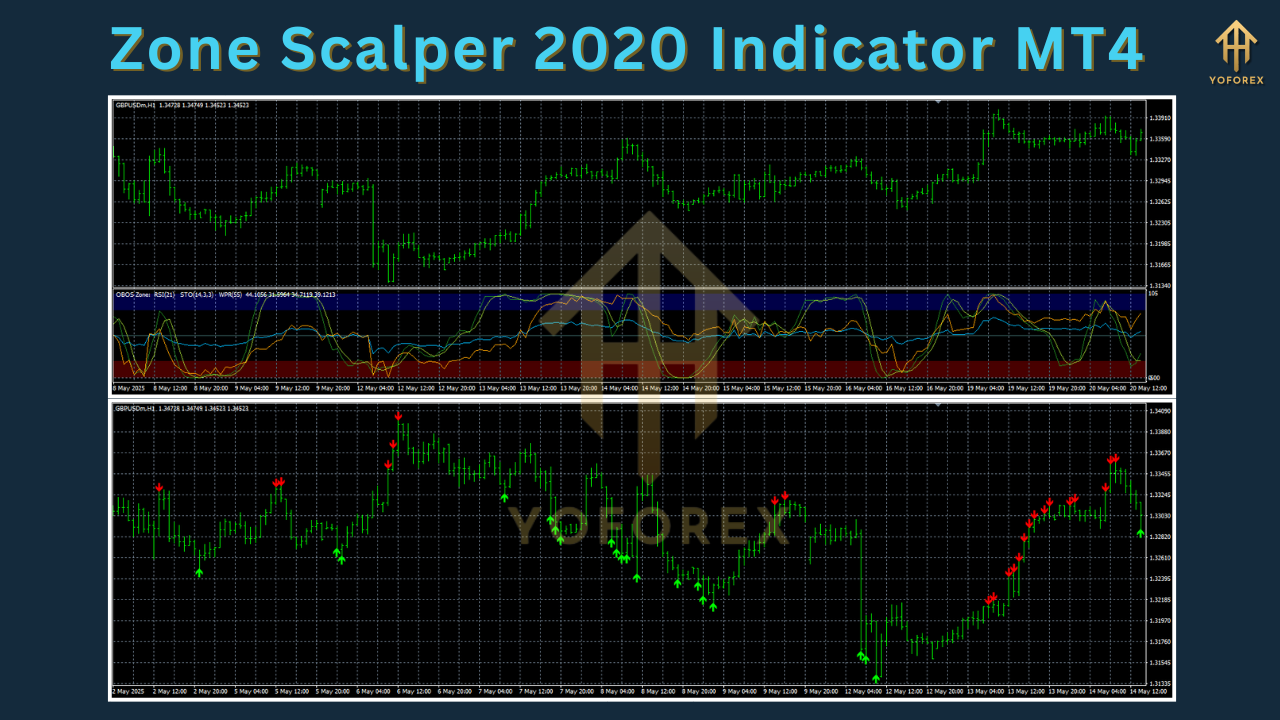
Trading Strategies with the Zone Scalper 2020 Indicator
To maximize the effectiveness of the Zone Scalper 2020 Indicator, traders can incorporate it into various scalping strategies. Below are two popular approaches:
1. Trend-Following Scalping Strategy
This strategy uses the Zone Scalper 2020 Indicator to confirm short-term trends and enter trades in the direction of the prevailing momentum.
-
Timeframe: M5 or M15.
-
Setup:
-
Add a short-term moving average (e.g., 10-period EMA) to the chart to identify the trend direction.
-
Wait for the Zone Scalper 2020 Indicator to generate a buy signal (green candlestick) when the price is above the EMA, confirming an uptrend.
-
For a sell signal (red candlestick), ensure the price is below the EMA, indicating a downtrend.
-
-
Entry:
-
Enter a buy trade when a green candlestick appears above the EMA and near a support zone.
-
Enter a sell trade when a red candlestick forms below the EMA and near a resistance zone.
-
-
Exit:
-
Set a tight stop loss (5-10 pips) below/above the support/resistance zone.
-
Aim for a profit target of 5-15 pips or use a 1.5:1 risk-to-reward ratio.
-
-
Example: On a GBP/USD M5 chart, a green candlestick appears above the 10-period EMA near a support zone at 1.3000. Enter a buy trade with a stop loss at 1.2990 and a take profit at 1.3020.
2. Reversal Scalping Strategy
This strategy focuses on trading reversals at key support and resistance zones identified by the indicator.
-
Timeframe: M1 or M5.
-
Setup:
-
Identify a strong support or resistance zone marked by the indicator.
-
Wait for a candlestick pattern (e.g., pin bar or engulfing candle) to confirm a potential reversal.
-
Use the Relative Strength Index (RSI) to check for overbought (>70) or oversold (<30) conditions to validate the reversal signal.
-
-
Entry:
-
Enter a buy trade when a green candlestick forms at a support zone with RSI rising above 30.
-
Enter a sell trade when a red candlestick appears at a resistance zone with RSI falling below 70.
-
-
Exit:
-
Place a stop loss just beyond the support/resistance zone (e.g., 5-8 pips).
-
Target a profit of 5-10 pips or a 1:1 risk-to-reward ratio.
-
-
Example: On an EUR/USD M1 chart, a red candlestick forms at a resistance zone at 1.1800 with RSI above 70. Enter a sell trade with a stop loss at 1.1808 and a take profit at 1.1790.
Tips for Optimizing the Zone Scalper 2020 Indicator
To achieve consistent results with the Zone Scalper 2020 Indicator, consider the following tips:
-
Test on a Demo Account: Before using the indicator in a live trading environment, practice on a demo account to familiarize yourself with its signals and optimize settings.
-
Combine with Other Indicators: Enhance signal accuracy by pairing the Zone Scalper 2020 with complementary indicators like RSI, MACD, or Bollinger Bands. For example, use RSI to confirm overbought/oversold conditions or Bollinger Bands to identify volatility.
-
Trade High-Liquidity Pairs: Focus on major currency pairs like EUR/USD, GBP/USD, or USD/JPY, which have tight spreads and high liquidity, ideal for scalping.
-
Avoid High-Volatility Periods: Scalping during major news events (e.g., Non-Farm Payrolls or central bank announcements) can lead to false signals due to erratic price movements. Check an economic calendar to avoid such times.
-
Use Multi-Timeframe Analysis: Confirm signals on a higher timeframe (e.g., H1 or H4) to ensure alignment with the broader trend. For instance, a buy signal on M5 is stronger if the H1 chart shows bullish momentum.
-
Manage Risk: Scalping involves frequent trades, so use proper risk management. Limit risk to 1-2% of your account per trade and maintain a favorable risk-to-reward ratio.
-
Customize Parameters: Experiment with the indicator’s settings (e.g., signal sensitivity or zone strength) to adapt it to specific market conditions or your trading style.
Advantages and Limitations of the Zone Scalper 2020 Indicator
Advantages
-
User-Friendly: The indicator’s visual signals (green/red candlesticks and zones) are easy to interpret, even for beginners.
-
Versatile: Suitable for all forex pairs and timeframes, making it adaptable to various trading styles.
-
Trend Confirmation: Enhances existing strategies by confirming short-term trends and key price levels.
-
Free Availability: Many versions of the Zone Scalper 2020 Indicator are available for free download from reputable sources, reducing the cost barrier for traders.
Limitations
-
False Signals in Choppy Markets: Like most scalping indicators, it may produce false signals during periods of low volatility or consolidation.
-
Lagging Nature: As a candlestick-based indicator, it may lag slightly behind real-time price action, requiring confirmation from other tools.
-
Broker Dependency: Scalping success depends on low spreads and fast execution, so the indicator’s performance may vary based on your mot broker you use.
Conclusion
The Zone Scalper 2020 Indicator for MT4 is a valuable tool for scalpers seeking to capitalize on short-term price movements in the forex market. Its candlestick-based signals, combined with support and resistance zones, provide a clear and effective framework for identifying high-probability trading opportunities. By integrating this indicator into a well-defined trading strategy, practicing proper risk management, and optimizing its settings, traders can enhance their scalping performance and achieve consistent results.
While the indicator is not a standalone solution and requires complementary analysis to filter out false signals, its simplicity and versatility make it a worthy addition to any scalper’s toolkit. Whether you’re trading major currency pairs on the M5 chart or exploring reversal setups on the M1 chart, the Zone Scalper 2020 Indicator can help you navigate the fast-paced world of forex trading with greater confidence.
For traders looking to download the Zone Scalper 2020 Indicator, ensure you source it from a trusted provider and test it thoroughly on a demo account before deploying it in live trading. With discipline and practice, this indicator can become a cornerstone of your scalping strategy in 2025 and beyond.
Support & Disclaimer
Got questions or need help? Reach out anytime:
- WhatsApp: https://wa.me/+443300272265
- Telegram: https://t.me/yoforexrobot
Disclaimer: Past performance is no guarantee of future results. All trading carries risk. Always demo-test the Zone Scalper 2020 Indicator MT4 in a risk-free environment before deploying on a live account.