Understanding the Alert of Drawdown Indicator V1.01 for MT4: A Comprehensive Guide
In the fast-paced world of forex trading, managing risk is paramount to achieving long-term success. One critical aspect of risk management is monitoring drawdowns—the decline in your account’s equity from its peak. Excessive drawdowns can lead to margin calls, account depletion, or even complete loss of capital. To help traders stay on top of this, tools like the Alert of Drawdown Indicator V1.01 for MetaTrader 4 (MT4) have become invaluable. This blog dives deep into the functionality, setup, benefits, and practical applications of this indicator, offering a 1500-word guide for traders of all levels.
What is a Drawdown in Forex Trading?
Before exploring the indicator, let’s clarify what a drawdown is. In forex trading, drawdown represents the reduction in your account’s equity from its highest point, typically expressed as a percentage or in the account’s currency. There are three main types of drawdowns:
-
Absolute Drawdown: The difference between the initial deposit and the lowest equity point, divided by the initial deposit.
-
Maximum Drawdown: The largest peak-to-trough decline during a specific period, calculated as a percentage of the peak equity.
-
Relative Drawdown: The difference between the highest and lowest equity points, divided by the highest equity, expressed as a percentage.
Drawdowns are inevitable, but excessive or uncontrolled drawdowns can jeopardize your trading account. This is where the Alert of Drawdown Indicator V1.01 for MT4 comes into play, helping traders monitor and manage these declines effectively.
Introducing the Alert of Drawdown Indicator V1.01 for MT4
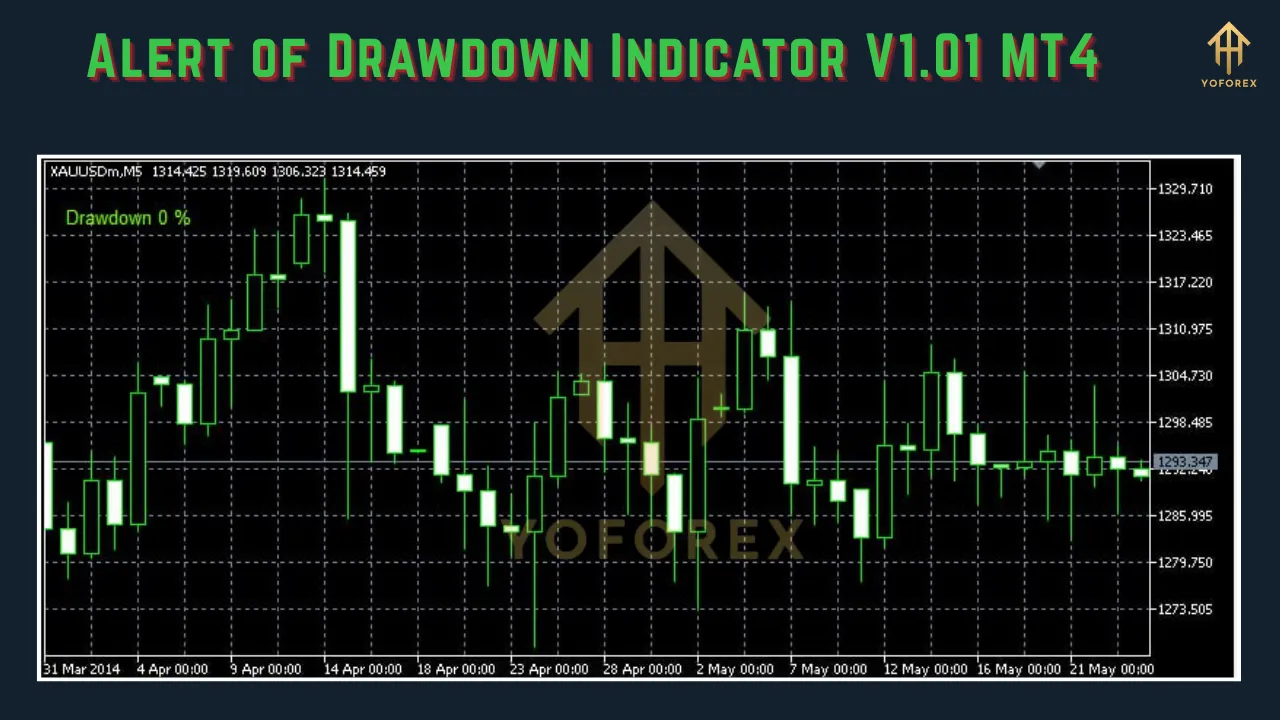
The Alert of Drawdown Indicator V1.01 is a free technical indicator designed for the MetaTrader 4 platform, one of the most popular trading platforms for forex traders. Available on platforms like the MetaTrader Market (MQL5), this indicator is specifically built to monitor your account’s drawdown in real-time and alert you when it exceeds a user-defined threshold. It’s particularly useful for traders who manage multiple currency pairs, use grid trading systems, or employ strategies like averaging or Martingale, where drawdowns can escalate quickly.
The indicator provides notifications through multiple channels, including:
-
Pop-up alerts on the MT4 desktop platform.
-
Email notifications for remote monitoring.
-
Push notifications to your MT4 mobile app, ensuring you stay informed even when away from your trading desk.
By offering customizable settings and real-time monitoring, the Alert of Drawdown Indicator V1.01 empowers traders to take proactive steps to protect their accounts.
Key Features of the Indicator
The Alert of Drawdown Indicator V1.01 stands out due to its robust feature set, tailored to meet the needs of modern forex traders. Here are its core functionalities:
-
Real-Time Drawdown Monitoring: The indicator continuously tracks your account’s equity and calculates drawdown (Balance – Equity) in real-time, ensuring you have up-to-date information.
-
Customizable Thresholds: Traders can set a maximum drawdown limit (in currency units or percentage) that triggers alerts when breached.
-
Multiple Alert Options: Choose from pop-up alerts, email notifications, or push notifications to your mobile device, depending on your preference.
-
Prevention of Repeated Alerts: Once an alert is triggered, the indicator sets a flag to avoid spamming you with repeated notifications unless the drawdown falls below the threshold and rises again.
-
Margin Call Information: Some versions of the indicator also display the distance to a margin call, helping traders gauge how close they are to a forced liquidation.
-
User-Friendly Interface: The indicator is easy to install and configure, even for traders with limited technical expertise.
These features make the indicator a versatile tool for both manual traders and those using automated Expert Advisors (EAs).
How to Install and Set Up the Indicator
Installing the Alert of Drawdown Indicator V1.01 on MT4 is straightforward. Follow these steps to get started:
-
Download the Indicator:
-
Visit a trusted source like the MetaTrader Market (MQL5) or a reputable forex website offering the indicator for free.
-
Download the .mq4 or .ex4 file (e.g., DrawdownAlert.mq4).
-
-
Install the Indicator:
-
Open your MT4 platform and go to File > Open Data Folder.
-
Navigate to MQL4 > Indicators and paste the downloaded file into this folder.
-
Restart MT4 or refresh the Navigator window to make the indicator appear in the Indicators list.
-
-
Attach the Indicator to a Chart:
-
Open any chart in MT4.
-
In the Navigator window, locate the Alert of Drawdown Indicator V1.01 under Indicators.
-
Drag and drop it onto the chart.
-
A settings window will appear, allowing you to configure the indicator.
-
-
Configure Settings:
-
MaxDrawdownAllowed: Set the drawdown threshold (e.g., 2500 for a 2,500-unit drawdown in your account’s currency or a percentage like 10%).
-
Alert Types: Enable or disable pop-up, email, or push notifications.
-
Email Setup: If using email alerts, configure your MT4 email settings under Tools > Options > Email.
-
Push Notifications: Ensure push notifications are enabled in Tools > Options > Notifications and enter your MetaQuotes ID from the MT4 mobile app.
-
Click OK to apply the settings.
-
-
Verify Installation:
-
A smiley face 🙂 or the indicator’s name should appear on the chart, confirming it’s active.
-
Ensure the Auto Trading button is enabled if the indicator requires EA functionality.
-
Once set up, the indicator will begin monitoring your account’s drawdown and send alerts as configured.
Practical Applications in Trading
The Alert of Drawdown Indicator V1.01 is a versatile tool with several practical applications:
-
Risk Management:
-
By setting a drawdown threshold, traders can avoid excessive losses. For example, if you set a 5% drawdown limit, the indicator will alert you when your equity drops 5% below your balance, prompting you to reassess your open positions.
-
This is especially useful for traders using high-risk strategies like Martingale or grid trading, where drawdowns can accumulate rapidly.
-
-
Prop Firm Compliance:
-
Many proprietary trading firms impose strict drawdown limits (e.g., 10% maximum drawdown). The indicator helps you stay within these boundaries, increasing your chances of passing funding challenges.
-
-
Psychological Discipline:
-
Receiving timely alerts prevents emotional decision-making during drawdowns. Instead of panicking, you can follow a predefined risk management plan.
-
Knowing your drawdown status in real-time builds confidence and reduces stress.
-
-
Multi-Pair Trading:
-
For traders managing multiple currency pairs, the indicator provides a centralized way to monitor total account drawdown, saving time and effort.
-
Some versions display drawdown for individual pairs, offering granular insights.
-
-
Integration with EAs:
-
The indicator can complement drawdown-limiting EAs, such as the MT4 Drawdown Limiter EA, which automatically closes trades when a threshold is reached.
-
Benefits of Using the Indicator
The Alert of Drawdown Indicator V1.01 offers several advantages:
-
Proactive Risk Control: Alerts allow you to act before drawdowns become unmanageable, protecting your capital.
-
Flexibility: Customizable settings cater to different trading styles and risk tolerances.
-
Accessibility: As a free tool, it’s accessible to traders with limited budgets.
-
Time-Saving: Real-time monitoring eliminates the need to manually calculate drawdowns or rely on lagging third-party services.
-
Mobile Connectivity: Push notifications keep you informed on the go, ideal for traders with busy schedules.
Limitations and Considerations
While powerful, the indicator has some limitations to keep in mind:
-
Dependency on MT4: The indicator only works on the MT4 platform, so traders using MT5 or other platforms will need alternatives.
-
Notification Setup: Email and push notifications require proper configuration, which may be challenging for beginners.
-
No Built-in Trade Management: The indicator alerts you but doesn’t automatically close trades. For automated drawdown control, pair it with an EA.
-
Potential for False Alerts: In highly volatile markets, rapid equity fluctuations may trigger alerts prematurely.
-
Version-Specific Features: Some features, like margin call distance, may not be available in all versions of the indicator.
To maximize its effectiveness, test the indicator on a demo account first to understand its behavior and fine-tune settings.
Comparing with Other Drawdown Tools
The Alert of Drawdown Indicator V1.01 is one of many drawdown management tools available for MT4. Here’s how it compares:
-
Equity Monitor Indicator: Offers visual tracking of equity, balance, and drawdown on the chart but may lack customizable alerts.
-
MT4 Drawdown Limiter EA: Actively closes trades when drawdown limits are reached, unlike the indicator’s alert-only approach.
-
Email Drawdown Alert: An older indicator with similar functionality but fewer customization options.
-
Custom Indicators: Some traders create bespoke indicators for relative drawdown tracking, but these require coding expertise.
The Alert of Drawdown Indicator V1.01 strikes a balance between simplicity, functionality, and cost, making it a go-to choice for many traders.
Best Practices for Using the Indicator
To get the most out of the Alert of Drawdown Indicator V1.01, follow these best practices:
-
Set Realistic Thresholds: Base your drawdown limit on your risk tolerance and trading strategy. For example, conservative traders might set a 2% threshold, while aggressive traders might allow 10%.
-
Combine with Other Tools: Use the indicator alongside stop-loss orders, position sizing calculators, and EAs for comprehensive risk management.
-
Test on Demo Accounts: Experiment with different settings in a risk-free environment to avoid costly mistakes.
-
Monitor Notifications: Regularly check your email or mobile app to ensure notifications are working correctly.
-
Review Performance: Periodically analyze your drawdown history to refine your trading strategy and reduce risk exposure.
Conclusion
The Alert of Drawdown Indicator V1.01 for MT4 is a must-have tool for forex traders serious about risk management. By providing real-time drawdown monitoring and customizable alerts, it helps you stay ahead of potential losses, maintain discipline, and comply with trading rules. Whether you’re a beginner navigating your first trades or an experienced trader managing a complex portfolio, this indicator offers the insights and flexibility needed to protect your capital.
With its free availability, ease of use, and robust features, the Alert of Drawdown Indicator V1.01 is a valuable addition to any MT4 trading setup. Install it today, configure it to your needs, and take control of your trading journey. By keeping drawdowns in check, you’ll be better positioned to achieve consistent, sustainable success in the forex market.
Disclaimer: Forex trading carries significant risks, and tools like the Alert of Drawdown Indicator do not guarantee profits. Always trade responsibly and seek professional advice if needed.