
Introduction
The Master Entry Indicator V1 for MetaTrader 4 (MT4) is a cutting-edge tool designed for forex traders seeking to enhance their market entry strategies. This powerful technical indicator simplifies decision-making by providing real-time, actionable signals based on proven market patterns and price action analysis. With Master Entry Indicator V1, traders can confidently enter trades with high accuracy, allowing them to maximize their profit potential while minimizing risk exposure.
This indicator is ideal for both novice traders looking for a solid entry strategy and experienced traders seeking to automate their analysis with a reliable tool that adapts to various market conditions.
What is the Master Entry Indicator V1 MT4?
The Master Entry Indicator V1 is a sophisticated MT4 tool that uses a combination of technical indicators, trend-following algorithms, and price action techniques to identify optimal entry points in the market. With its clean and user-friendly interface, traders can easily apply this indicator to their trading strategies, ensuring they are always in tune with the market’s fluctuations.
Key features include:
-
Non-repainting signals
-
Supports major forex pairs
-
Timeframe flexibility (scalping to swing trading)
-
Customizable settings for individual preferences
How Does the Master Entry Indicator Work?
The Master Entry Indicator V1 combines multiple market analysis methods to produce the best possible trade entries. Here’s a breakdown of how it works:
-
Trend Detection
The indicator analyzes market trends using a combination of moving averages, relative strength index (RSI), and other oscillators to determine if the market is in an uptrend, downtrend, or range-bound. -
Signal Generation
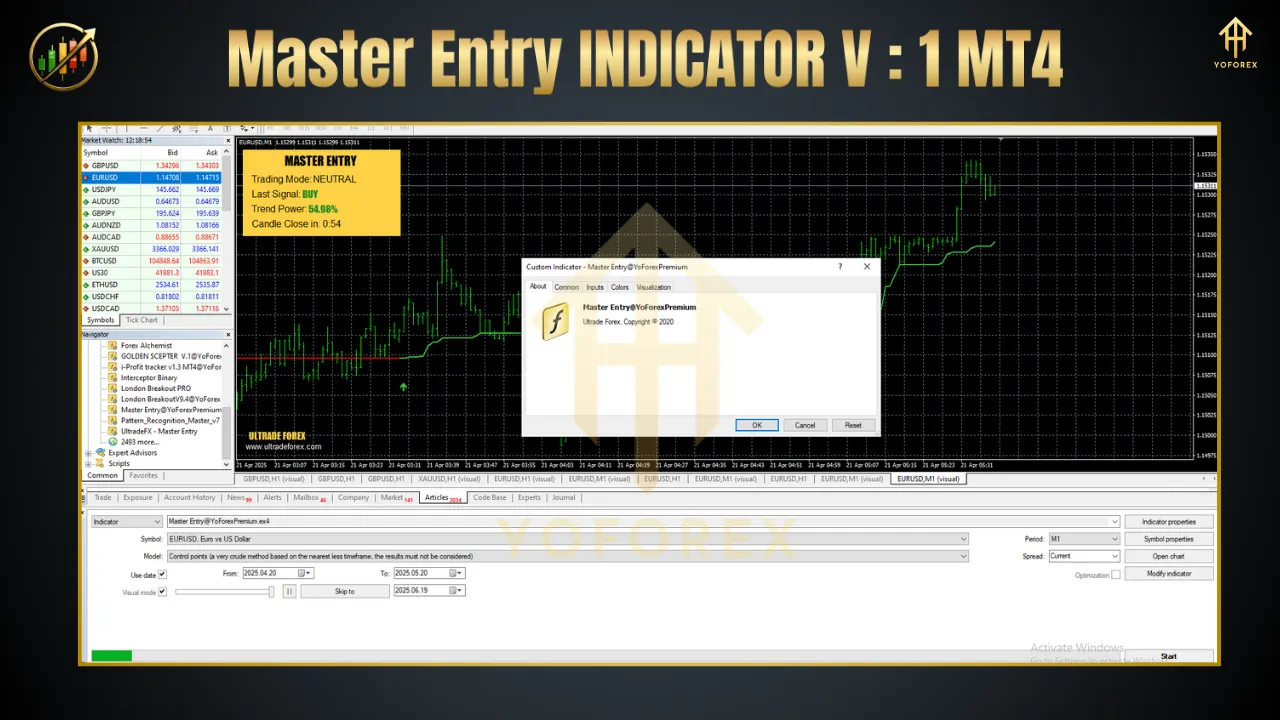
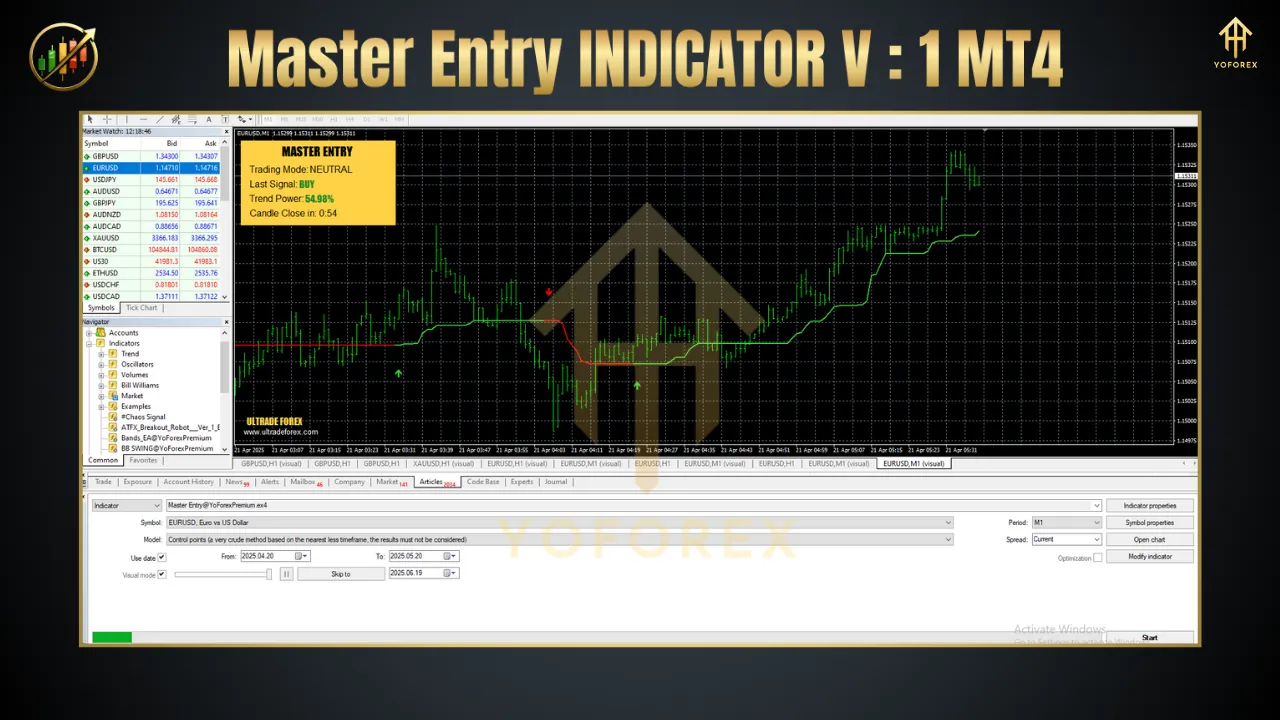
Once the trend is identified, the indicator generates buy or sell signals based on the current market direction. Green arrows indicate buy signals, and red arrows signal sell opportunities. These signals are displayed directly on the chart for easy visibility. -
Support and Resistance Levels
The indicator automatically draws support and resistance lines on the chart, helping traders visualize potential price reversal points or breakout levels. -
Stop Loss and Take Profit Levels
The Master Entry Indicator V1 also recommends optimal stop loss and take profit levels based on the market volatility and trade setup.
Key Features of Master Entry Indicator V1 MT4
-
Accurate Entry Points
Master Entry Indicator V1 uses advanced algorithms to provide precise buy/sell signals with high accuracy, increasing your chances of entering profitable trades. -
Non-Repainting Signals
The indicator ensures that the signals it generates do not repaint or change after they have been generated, allowing you to trust the signals at all times. -
Multi-Timeframe Compatibility
Whether you are scalping on the M1 or swing trading on the H4 timeframe, this indicator works seamlessly on all timeframes, offering flexibility in your trading approach. -
Comprehensive Risk Management
Automatically sets stop loss and take profit levels based on market conditions, helping you manage risk efficiently and reduce drawdowns. -
User-Friendly Interface
The easy-to-read signals and clean chart overlays allow traders to quickly grasp the trading situation and execute strategies confidently.
Why Use the Master Entry Indicator V1 MT4?
The Master Entry Indicator V1 stands out in the forex market for its simplicity and effectiveness. It’s perfect for traders looking to enhance their entry strategies with reliable and actionable signals, giving them the edge they need to succeed in the highly competitive forex market.
-
No more guesswork: Get clear, actionable buy and sell signals with minimal analysis required.
-
Adaptable to different strategies: Works well with scalping, day trading, and swing trading strategies.
-
Maximized profit potential: By using precise entry and exit points, traders can capitalize on profitable trends while minimizing risk.
How to Set Up Master Entry Indicator V1 MT4?
Setting up the Master Entry Indicator V1 on your MT4 platform is straightforward:
-
Download the Indicator
Download the Master Entry Indicator V1 from a trusted source. -
Install the Indicator
Open MT4, go to “File,” then “Open Data Folder.” Copy the downloaded indicator files into the “Indicators” folder. -
Apply the Indicator
In MT4, open the “Navigator” window, find the indicator under “Custom Indicators,” and drag it onto your chart. -
Customize Settings
You can customize the indicator’s settings based on your preferred risk level and trading style. Adjust the sensitivity of signals, stop loss, and take profit parameters. -
Start Trading
Once applied, the Master Entry Indicator V1 will begin generating signals for your trades. Simply follow the buy and sell signals, and adjust your position according to the indicator’s suggestions.
Best Pairs and Timeframes for the Master Entry Indicator V1
-
Currency Pairs:
EUR/USD, GBP/USD, USD/JPY, XAU/USD, and other major forex pairs. -
Timeframes:
Works best on M15, H1, H4, and D1, but can also be applied to other timeframes depending on the trader’s strategy.
Thanks for the visit …
For any query please feel free to contact us on our official telegram channel – Yoforex Premium –