In the fast-paced world of forex trading, identifying strong trends and optimal entry points is crucial for success. The ADX RSI Filter Indicator for MetaTrader 5 (MT5) is a powerful tool that combines the trend-strength insights of the Average Directional Index (ADX) with the momentum signals of the Relative Strength Index (RSI). This blog explores how this indicator works, its benefits, and how traders can use it effectively to enhance their strategies.
Understanding the ADX RSI Filter Indicator
- Average Directional Index (ADX): Developed by J. Welles Wilder, the ADX measures the strength of a trend, regardless of its direction. It ranges from 0 to 100, with values above 25 indicating a strong trend and values below 20 suggesting a weak or ranging market. The ADX is often accompanied by the Positive Directional Indicator (+DI) and Negative Directional Indicator (-DI), which help identify trend direction.
- Relative Strength Index (RSI): The RSI is a momentum oscillator that measures the speed and change of price movements, oscillating between 0 and 100. Typically, an RSI above 70 indicates overbought conditions, while below 30 suggests oversold conditions. It’s widely used to identify potential reversal points or confirm momentum within a trend.
The ADX RSI Filter Indicator combines these tools to filter out false signals and focus on high-probability trades. By using the ADX to confirm trend strength and the RSI to pinpoint entry and exit points, this indicator helps traders avoid choppy markets and trade with greater confidence.
How the ADX RSI Filter Indicator Works
- Trend Strength Confirmation with ADX: The ADX value is checked to ensure it’s above 25, signaling a strong trend. This helps traders avoid entering trades in sideways or consolidating markets, where false signals are common.
- Momentum Validation with RSI: Once a strong trend is confirmed, the RSI is used to identify overbought (above 70) or oversold (below 30) conditions. For example, in a bullish trend (confirmed by +DI above -DI and ADX above 25), traders wait for the RSI to dip below 30 and then rise above it, indicating a potential pullback and resumption of the uptrend.
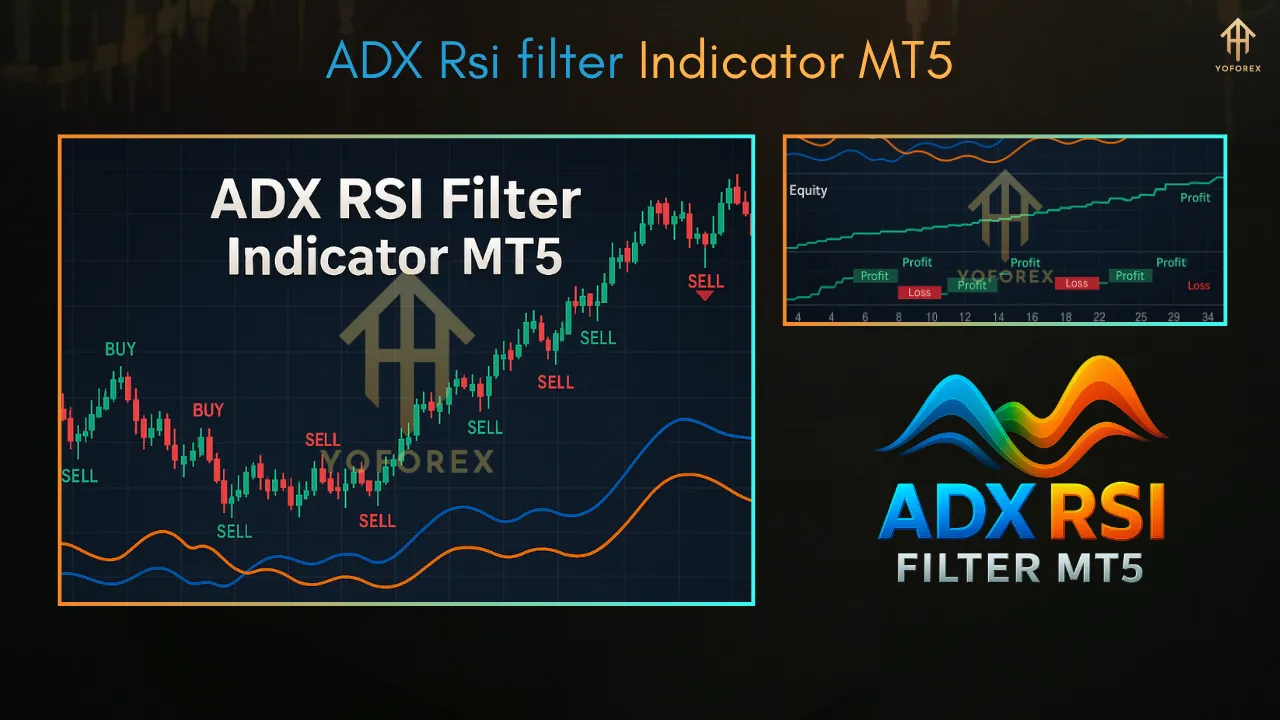
- Visual Signals: Some versions of the ADX RSI Filter Indicator for MT5, such as those available on platforms like IndicatorsPot, include visual cues like arrows or color-coded histograms to highlight buy and sell signals. For instance, green arrows may indicate a buy signal when the ADX confirms a strong uptrend and the RSI exits the oversold zone.
- Customizable Settings: Traders can adjust the ADX period (default is 14) and RSI settings (e.g., period, overbought/oversold levels) to suit their trading style, whether scalping, day trading, or swing trading.
Benefits of Using the ADX RSI Filter Indicator
- Enhanced Trend Identification: The ADX ensures traders focus on strong trends, reducing losses from whipsaws in range-bound markets.
- Improved Entry and Exit Points: The RSI filter helps traders time entries during pullbacks in a trending market, increasing the likelihood of profitable trades.
- Versatility Across Markets: The indicator is effective for forex, cryptocurrencies, indices, and other markets supported by MT5.
- Reduced False Signals: By combining trend strength (ADX) with momentum (RSI), the indicator minimizes false breakouts and reversals, making it ideal for trend-following strategies.
- User-Friendly Interface: With visual aids like arrows and histograms, even novice traders can interpret signals easily.
How to Set Up the ADX RSI Filter Indicator on MT5
- Download the Indicator: Obtain the indicator from a reliable source, such as IndicatorsPot or MQL5. Ensure it’s compatible with MT5 (.mq5 or .ex5 file).
- Install the Indicator:
- Open MT5 and navigate to File > Open Data Folder > MQL5 > Indicators.
- Copy the indicator file into the Indicators folder.
- Restart MT5 or refresh the Navigator panel to load the indicator.
- Apply to Chart: Drag the indicator onto your desired chart, adjust the ADX period (e.g., 13 or 20) and RSI settings (e.g., period 14, overbought 70, oversold 30), and configure alert preferences if available.
- Combine with Other Tools: For best results, pair the indicator with price action analysis, moving averages, or support/resistance levels to confirm signals.
Trading Strategy Using the ADX RSI Filter Indicator
- Identify the Trend:
- Check if the ADX is above 25 to confirm a strong trend.
- Use +DI and -DI crossovers to determine trend direction (+DI above -DI for bullish, -DI above +DI for bearish).
- Wait for RSI Confirmation:
- In a bullish trend, wait for the RSI to dip below 30 and then cross back above it for a buy signal.
- In a bearish trend, wait for the RSI to rise above 70 and then fall below it for a sell signal.
- Set Stop-Loss and Take-Profit:
- Place the stop-loss at the previous swing high (for sell trades) or low (for buy trades).
- Set the take-profit based on a risk/reward ratio of 1:1.2 to 1:1.4, or exit when the ADX falls below 25, indicating a weakening trend.
- Monitor Divergences: Watch for RSI divergences (e.g., price making a higher high but RSI forming a lower high) to anticipate potential reversals.
Tips for Success
- Backtest Thoroughly: Test the indicator on a demo account to optimize settings for your preferred market and timeframe.
- Avoid Ranging Markets: The ADX is less effective in sideways markets, so use RSI or other oscillators during low ADX readings (below 20).
- Use Multiple Timeframes: Analyze higher timeframes (e.g., 4H, Daily) for trend direction and lower timeframes (e.g., 15M, 1H) for precise entries.
- Combine Indicators: Pair the ADX RSI Filter with tools like Bollinger Bands or MACD for additional confirmation.
Limitations to Consider
- Lagging Nature: The ADX, based on exponential moving averages, may lag behind real-time price action, so confirm signals with price patterns.
- False Signals in Low Timeframes: The indicator can produce noise on shorter timeframes, making it less reliable for scalping without additional filters.
- Not a Standalone Tool: Relying solely on the ADX RSI Filter without other confirmations can lead to poor trade execution. Always use it as part of a broader strategy.
Conclusion
The
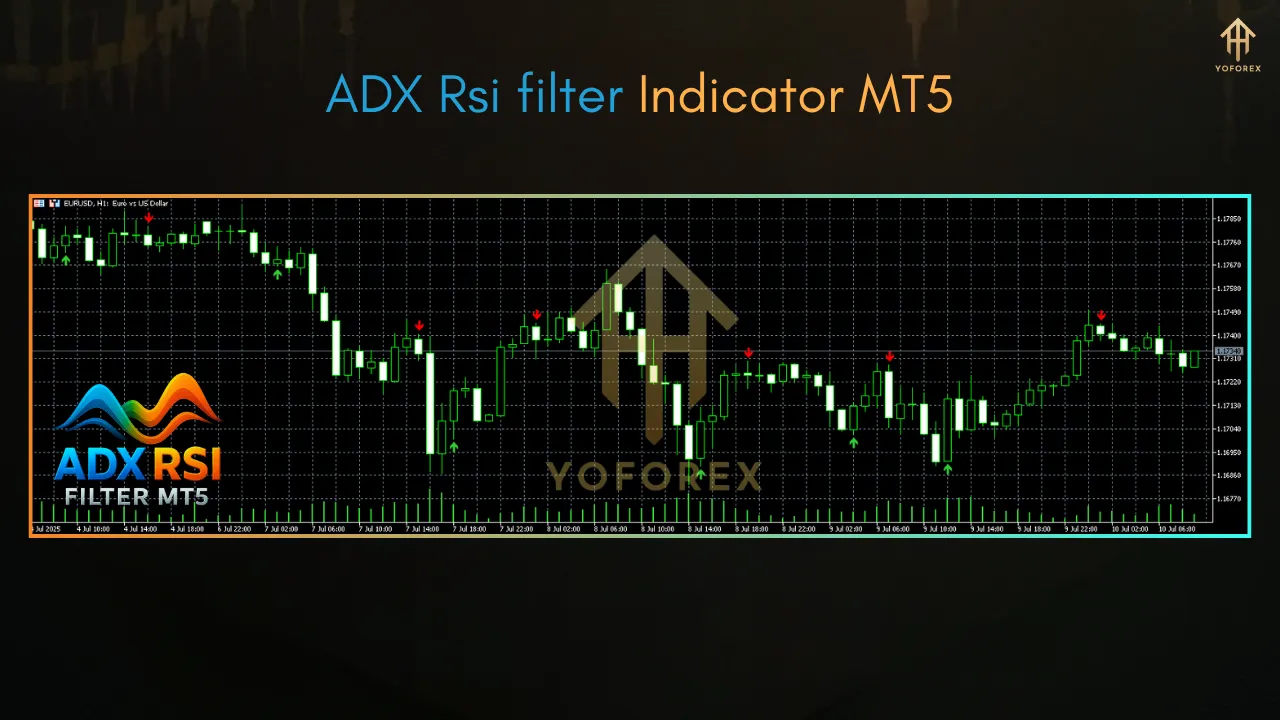
Indicator for MT5 is a robust tool for traders seeking to capitalize on strong trends while avoiding false signals. By combining the ADX’s trend-strength analysis with the RSI’s momentum insights, it offers a balanced approach to trend trading. Whether you’re a beginner or an experienced trader, this indicator’s customizable settings and visual signals make it accessible and effective. Download it from a trusted source, backtest it thoroughly, and integrate it into a comprehensive trading plan to maximize your success in the forex market.