Understanding the Range Detector Indicator for MT5: A Comprehensive Guide
Introduction
In the volatile world of currency exchange and stock trading, technical tools are crucial for making informed decisions. The Range Detector Indicator for MetaTrader 5 (MT5) is designed to help traders:
-
Spot periods of consolidation (low volatility)
-
Identify potential breakouts into trending phases
-
Avoid choppy market conditions
This guide dives into how the indicator works, how to install and configure it, practical trading applications, strategies, advantages, limitations, and best practices to enhance your performance.
What Is the Range Detector Indicator?
The Range Detector Indicator is a custom MT5 tool that:
-
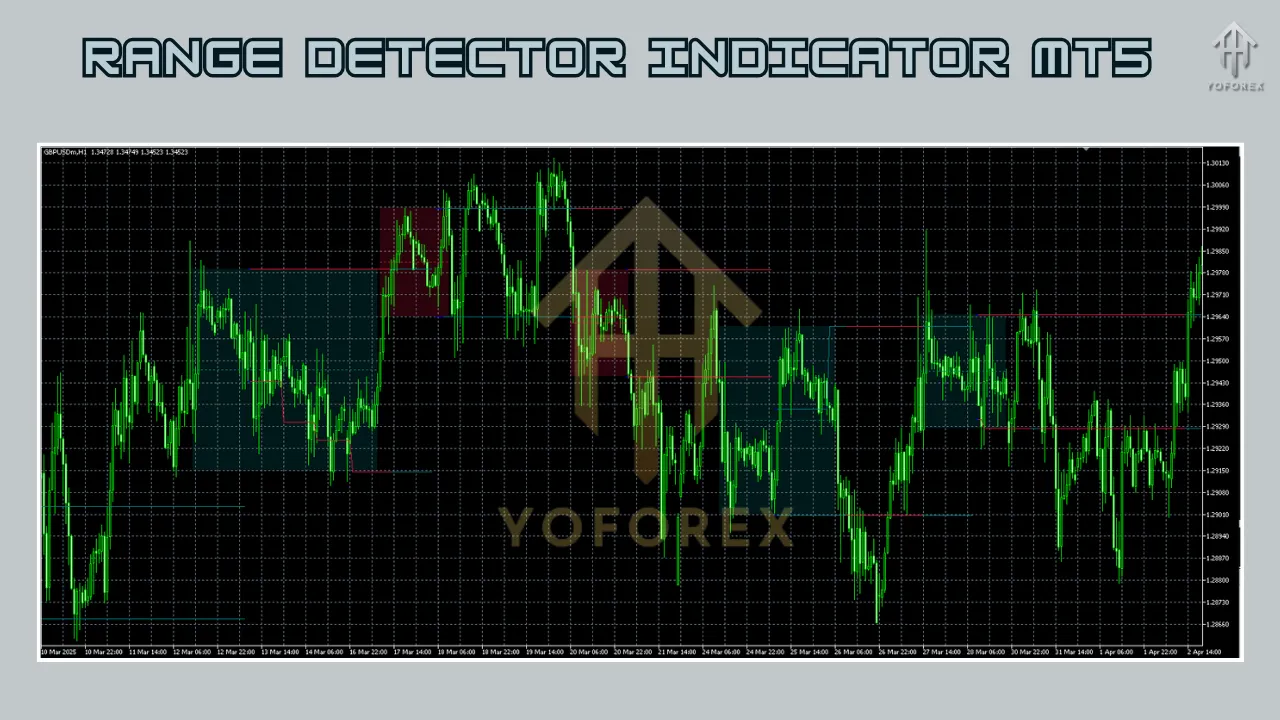
Identifies consolidation phases where price oscillates within defined support and resistance levels
-
Signals potential breakouts when price breaches those boundaries
-
Plots upper (resistance) and lower (support) lines on your chart for easy visualization
Unlike Moving Averages or RSI, it focuses exclusively on chart ranges and breakout timing.
How It Works
-
Range Calculation
-
Scans the last N bars (configurable period)
-
Finds recent highs and lows or uses volatility metrics (e.g., ATR)
-
-
Boundary Plotting
-
Draws horizontal lines at calculated support and resistance levels
-
-
Breakout Detection
-
Monitors price for a decisive close above or below the boundaries
-
Triggers visual/audible alerts on confirmed breakouts
-
-
Volatility Filtering (optional)
-
Applies an ATR-based multiplier to ensure true low-volatility conditions
-
Key Components
-
Range Boundaries
Upper and lower levels calculated from recent price extremes or volatility bands. -
Breakout Signals
Alerts (pop‑ups, sound, emails) when price closes beyond a boundary. -
Volatility Filter
An optional ATR-based check to confirm consolidation. -
Timeframe Flexibility
Use the indicator on any timeframe (M1–D1) or even analyze a higher timeframe on a lower chart.
Installation on MT5
-
Download the File
Obtain the.mq5or.ex5from a trusted source (MQL5 Market or forum). -
Copy to Indicators Folder
-
In MT5: File > Open Data Folder
-
Navigate to MQL5 > Indicators
-
Paste the indicator file
-
-
Restart MT5
-
Add to Chart
-
Drag “Range Detector” from the Navigator panel onto your chart
-
Or right‑click chart → Indicators → Range Detector
-
-
Configure Parameters (next section)
Configuration Settings
| Parameter | Description |
|---|---|
| Period | Number of bars used to calculate the range (e.g., 14 for short‑term) |
| Breakout Threshold | Minimum breakout distance to confirm signal |
| Volatility Multiplier | Factor to scale ATR for dynamic boundary width |
| Alert Settings | Enable or disable visual/sound/email alerts |
| Analysis Timeframe | (If supported) Use higher‑TF ranges on a lower‑TF chart |
Tip: Backtest various periods and multipliers to suit your preferred currency pair or asset.
Practical Applications
1. Range Trading
-
Buy at Support
-
Wait for price to approach lower boundary
-
Look for reversal candlesticks (e.g., pin bar, engulfing)
-
Enter long with stop loss just below the boundary
-
-
Sell at Resistance
-
Enter short near upper boundary
-
Place stop loss just above the boundary
-
-
Profit Target
-
Aim for the opposite boundary or a predefined risk‑reward ratio
-
2. Breakout Trading
-
Buy Breakouts
-
Watch for a candle close above the upper line
-
Confirm with rising volume or ATR spike
-
Enter long; stop loss below breakout candle low
-
-
Sell Breakouts
-
Opposite for downside moves
-
-
Confirmation Tools
-
RSI > 50 for bullish breakouts
-
ADX > 25 to ensure strong trend momentum
-
3. Trend Confirmation
-
Combine with Moving Averages:
-
Only take breakouts in the direction of the MA slope
-
-
Use higher‑TF range breaks to confirm long‑term trends
4. Risk Management
-
Stop Loss: Just outside range boundaries
-
Take Profit: Based on range width or key Fib levels (23.6%, 38.2%, 61.8%)
Trading Strategies
Strategy 1: Range Reversal
-
Apply indicator on H1 chart.
-
Wait for price near boundary.
-
Confirm reversal with candlestick pattern or RSI divergence.
-
Enter counter‑trend; SL outside boundary; TP at opposite boundary.
Strategy 2: Breakout Momentum
-
Set period ~20 bars, moderate threshold.
-
Identify breakout candle close beyond boundary.
-
Confirm with ATR > recent average or ADX > 25.
-
Enter in breakout direction; SL at candle extreme; TP for 1:2 RR.
Strategy 3: Multi‑Timeframe
-
Plot range on H4 chart (long overview).
-
Switch to M15 for precise entries within H4 boundaries.
-
Trade reversals or breakouts aligned with H4 trend.
Advantages
-
Versatile: Works in consolidation and breakout markets.
-
Clear Visuals: Instantly shows support/resistance levels.
-
Customizable: Adaptable to any asset and timeframe.
-
Proactive Alerts: Helps capture early trend moves.
Limitations
-
False Breakouts: Can trigger in choppy markets.
-
Lagging: Slight delay during rapid spikes.
-
Parameter Sensitivity: Requires careful optimization.
-
Trend Dependency: Underperforms in runaway trends without consolidation.
Tips for Maximizing Performance
-
Combine Indicators: RSI, MACD, or Bollinger Bands for additional confirmation.
-
Thorough Backtesting: Assess performance across multiple pairs and sessions.
-
Strict Risk Controls: Never trade without SL and maintain a healthy RR ratio.
-
Avoid Low‑Liquidity Times: Refrain from trading near major news releases or market close.
-
Keep Updated: Check for new versions or user improvements.
Common Mistakes to Avoid
-
Over‑Reliance: Always corroborate with other analysis methods.
-
Ignoring Market Context: Factor in overall trend and economic calendar.
-
Default Settings: Never trade “out of the box”—customize to current market behavior.
-
Overtrading: Focus on high‑probability setups; skip marginal signals.
Real-World Example
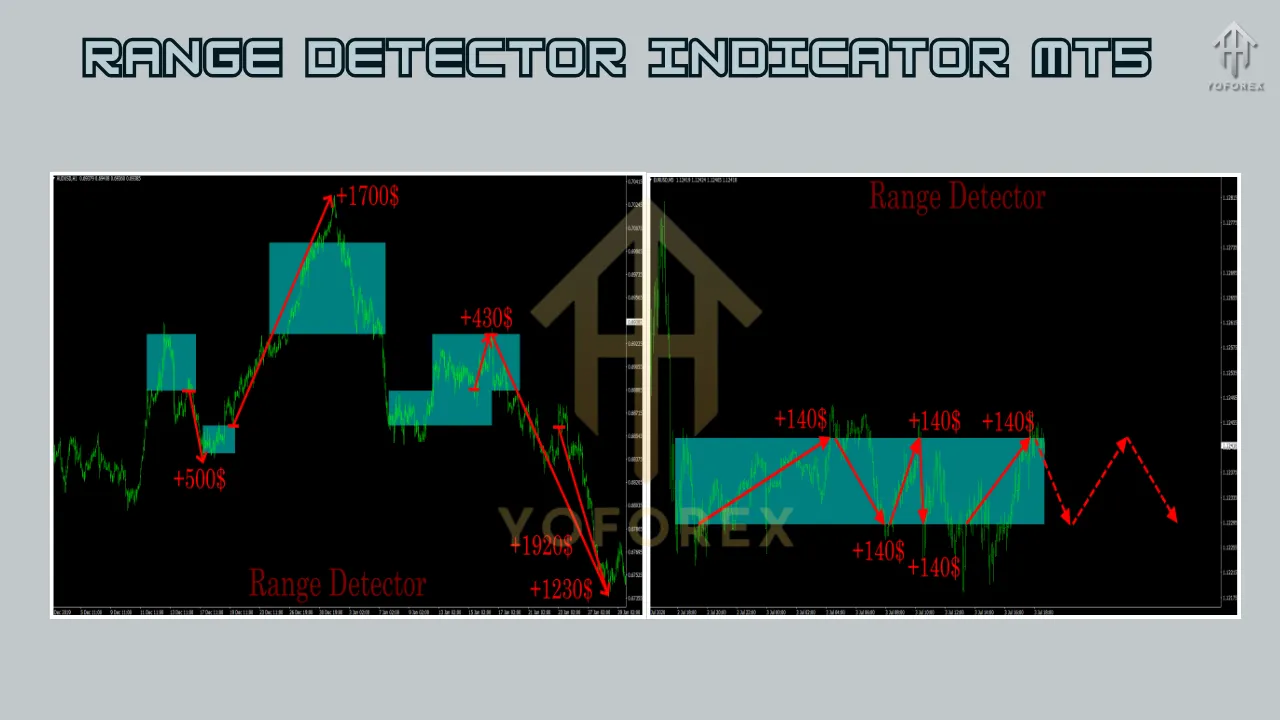
Imagine trading EUR/USD on a 1-hour chart using the Range Detector Indicator. The indicator identifies a range between 1.0800 (support) and 1.0850 (resistance) over the past 20 bars. The price approaches 1.0800, forming a bullish pin bar. You enter a long position at 1.0805, with a stop loss at 1.0790 and a take-profit at 1.0845 (near resistance). The price moves up, hitting your take-profit for a 40-pixel gain. Later, the price breaks above 1.0850 with high volume, signaling a breakout. You enter another long position, confirmed by a rising RSI, and ride the trend for a larger profit.
Conclusion
The Range Detector Indicator for MT5 is a versatile and powerful tool for traders looking to navigate range-bound markets and capitalize on breakouts. By understanding its functionality, customizing its settings, and integrating it into a robust trading strategy, you can enhance your decision-making process and improve your trading outcomes. However, like any technical tool, it requires practice, backtesting, and proper risk management to unlock its full potential. Whether you’re trading forex, stocks, or commodities, the Range Detector Indicator can be a valuable addition to your MT5 toolkit, helping you stay ahead in the competitive world of trading.
Support & Disclaimer
Got questions? Hit us up on WhatsApp at https://wa.me/+443300272265 or join our Telegram group: https://t.me/yoforexrobot. Our team’s ready to help you refine settings or debug install issues.
Disclaimer: Past performance isn’t a guarantee of future results. Range Detector Indicator MT5 is a tool to assist your analysis—not a “set and forget” profit machine. Always demo-test any strategy before risking real capital.