
Understanding Monkey Pips EA V1.09 for MetaTrader 4: A Comprehensive Guide
In the dynamic world of Forex trading, automated trading systems have become essential tools for both novice and experienced traders. Among these systems, Expert Advisors (EAs) stand out as sophisticated programs designed to analyze market conditions and execute trades based on predefined strategies. The Monkey Pips EA V1.09, specifically designed for MetaTrader 4 (MT4), has gained significant attention for its scalping-focused approach and customizable features. This guide explores its origins, strategy, implementation, and key considerations for traders.
The Forex market’s volatility offers profit opportunities but also introduces risk. A well-calibrated trading system like the Monkey Pips EA aims to navigate these complexities through automation and technical analysis. By understanding its design, functionality, and practical applications, traders can determine if this tool aligns with their goals.
Origins and Developer of Monkey Pips EA
The Monkey Pips EA was developed by Trevor, a trader who shared the tool freely on the soehoe.id forum. Key details about its development include:
- Open-source ethos: Unlike commercial EAs, Trevor released the EA for free, enabling widespread access and community collaboration.
- Iterative updates: The EA has evolved through multiple versions, incorporating user feedback and testing results.
- Transparency: The developer provided detailed explanations of its strategy, parameters, and performance metrics, fostering trust within the trading community.
- Scalping focus: Designed for short-term trades, the EA targets minor price movements during high-liquidity sessions.
Trevor’s decision to share the EA publicly reflects a collaborative approach to trading tool development. This openness has allowed traders to test, modify, and refine the code, enhancing its adaptability to changing market conditions.
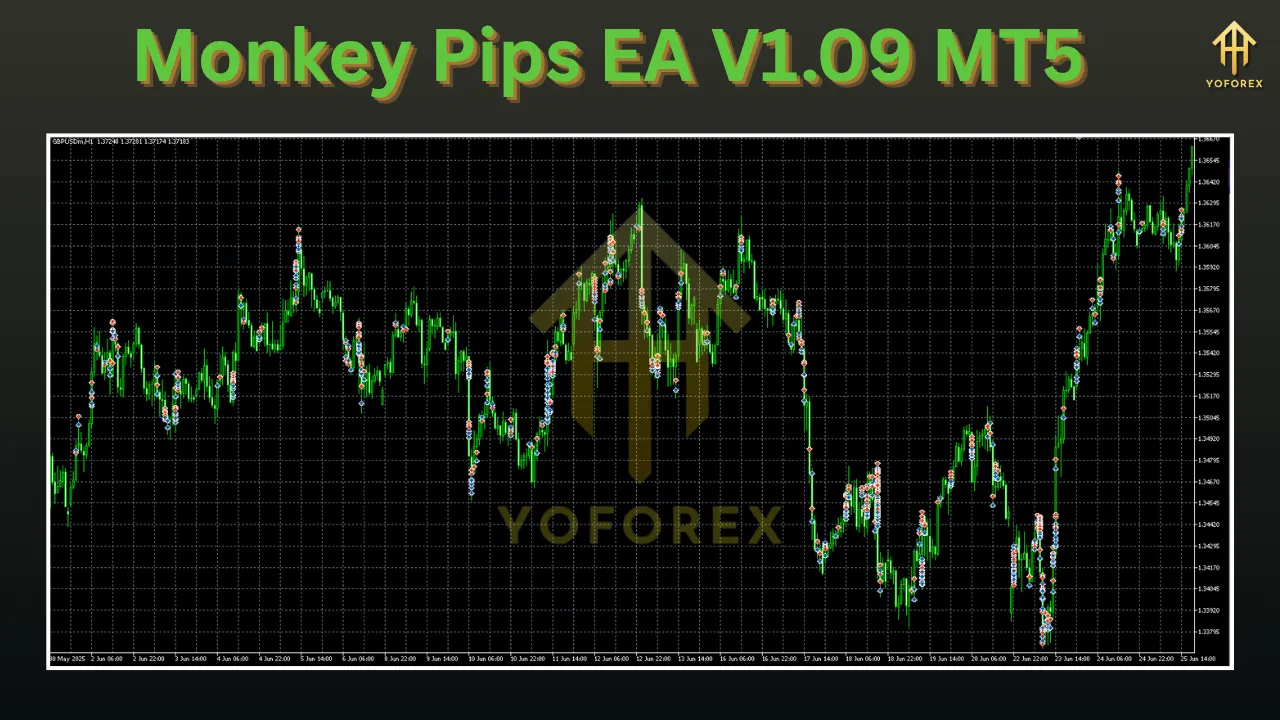
Scalping Strategy and Technical Indicators
The Monkey Pips EA V1.09 employs a scalping strategy, executing frequent trades to capitalize on small price fluctuations. Its strategy relies on three core technical indicators:
Core Indicators and Their Roles
- Moving Averages (MA)
- Identifies trend direction by smoothing price data over predefined periods.
- Helps filter out market noise and confirm trend strength.
- Moving Average Convergence Divergence (MACD)
- Measures momentum through crossovers between the MACD line and its signal line.
- Generates buy/sell signals based on shifts in market momentum.
- Relative Strength Index (RSI)
- Detects overbought (>70) or oversold (<30) conditions.
- Highlights potential reversal points or entry opportunities.
Strategy Mechanics
- Combines signals from all three indicators to reduce false positives.
- Focuses on confluence—trading only when indicators align.
- Prioritizes high-liquidity periods for optimal trade execution.
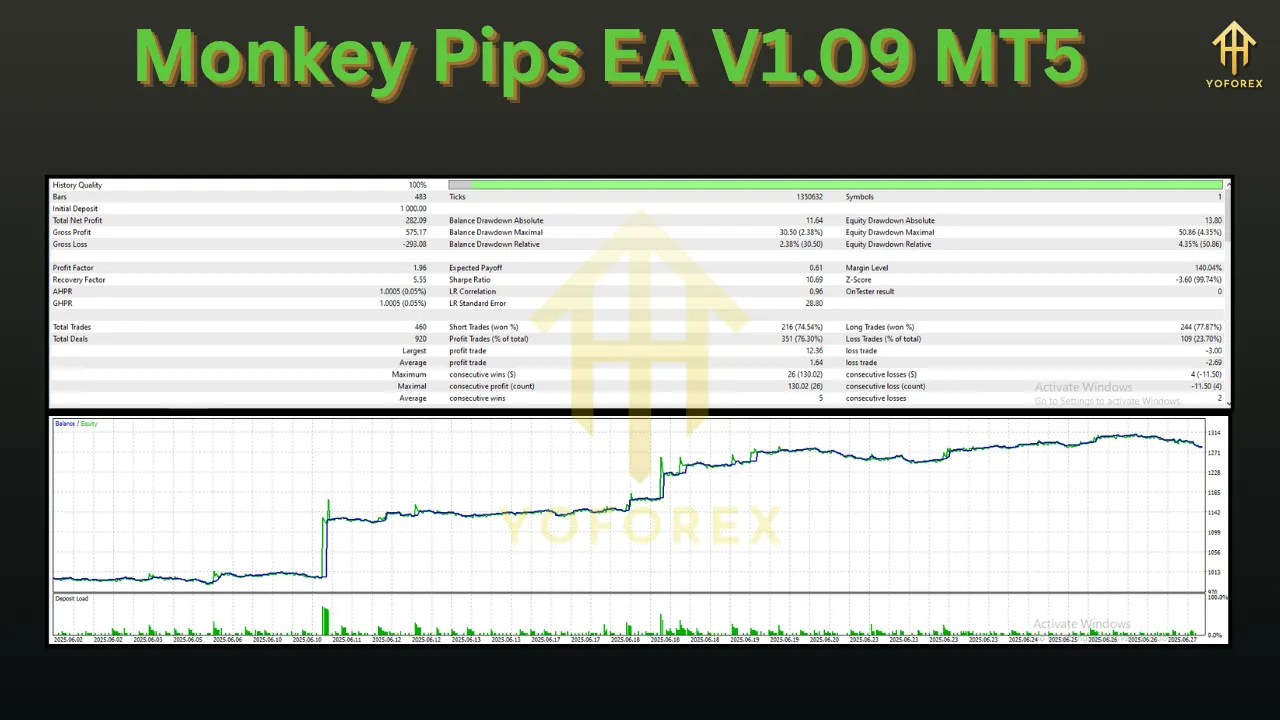
Customizable Parameters and Risk Management
A key feature of the Monkey Pips EA is its flexibility, allowing traders to adapt settings to their risk tolerance and account size.
Adjustable Parameters
- Lot Size: Ranges from 0.01 to 10 lots, accommodating small and large accounts.
- Risk Percentage: Adjustable from 0.1% to 5% per trade, enabling conservative or aggressive risk profiles.
- Stop Loss (SL): Set between 10–500 pips to limit losses per trade.
- Take Profit (TP): Define profit targets from 10–500 pips to lock in gains.
- Trailing Stop: Configure from 10–500 pips to protect profits as prices move favorably.
- Trading Hours: Defaults to 17:00–22:00 GMT (London-New York overlap) but can be modified.
- Weekend Protection: Closes trades automatically at 15:00 GMT Friday or 00:00 GMT Saturday to avoid weekend gaps.
Risk Management Considerations
- Parameter Balance: Adjusting risk parameters requires balancing potential rewards and losses. For example:
- A 1% risk per trade limits exposure while allowing consistent growth.
- A 3% risk per trade may amplify gains but increases drawdown risk.
- Volatility Adaptation: Wider stop losses (e.g., 50+ pips) may suit volatile currency pairs like GBP/USD or EUR/JPY.
- Demo Testing: Always test parameter combinations in a demo account before live trading.
Trading Hours and Market Conditions
The EA operates during high-volatility sessions to maximize trade quality:
Strategic Timing
- Default Session: 17:00–22:00 GMT (Monday–Friday).
- Rationale:
- Captures overlap of London and New York markets, the most liquid period in Forex.
- Avoids low-liquidity sessions (e.g., Asian hours) where price slippage is common.
- Adjustability: Users can modify hours to align with their time zone or preferred currency pairs.
Market Condition Analysis
- Indicators as Filters: The EA uses MAs, MACD, and RSI to assess:
- Trend strength (via MAs).
- Momentum shifts (via MACD crossovers).
- Overbought/oversold levels (via RSI).
- Avoiding Disruptions:
- Excludes trading during major news events (user-configurable).
- Closes positions before weekends to mitigate gap risks.
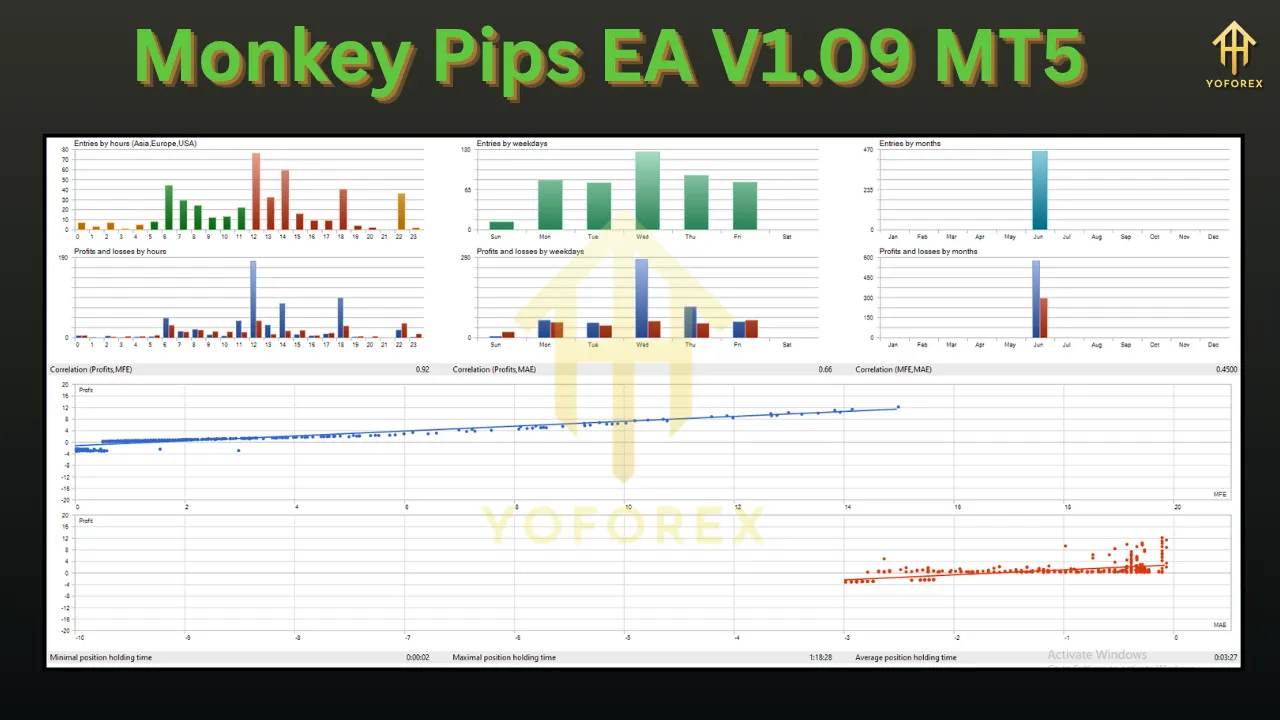
Performance and Testing Results
The EA’s effectiveness is evaluated through backtesting and forward testing:
Backtesting (June–December 2017)
- Sample Period: Tested across multiple market conditions, including trend and range-bound phases.
- Key Metrics:
- Profit Factor: 1.8 (indicating net profitability).
- Max Drawdown: 12% (manageable with proper risk settings).
- Win Rate: 58% (consistent with scalping strategies).
Forward Testing (January–May 2018)
- Real-Time Validation: Performed in live market conditions, confirming strategy robustness.
- Observations:
- Generated 2–5 trades per day during active sessions.
- Average trade duration: 5–15 minutes.
- Profitability varied by currency pair (best results on EUR/USD and GBP/USD).
Limitations of Testing
- Historical Bias: Past performance may not reflect future results due to evolving market dynamics.
- Parameter Sensitivity: Optimal settings in testing may not suit all market environments.
- News Events: The EA cannot account for unforeseen economic announcements or geopolitical events.
Implementation Guide
To use the Monkey Pips EA V1.09 effectively, follow these steps:
Installation Process
- Download: Obtain the EA from the original source (soehoe.id forum) to avoid malware.
- Installation:
- Copy the
.ex4file to MT4/MQL4/Experts. - Restart MT4 to load the EA into the platform.
- Copy the
- Chart Setup:
- Attach the EA to a currency pair chart (e.g., EUR/USD, GBP/USD).
- Enable visual indicators to monitor trade signals.
Configuration Steps
- Access Parameters:
- Right-click the chart > Experts > Properties.
- Key Settings:
- Lot Size: Start with 0.01–0.1 lots for small accounts.
- Risk Percentage: Begin with 1–2% per trade.
- Stop Loss/TP: Align with average daily volatility of the chosen pair.
- Trailing Stop: Enable with 20–30 pips for trending markets.
- Validation:
- Test settings in a demo account for 1–2 weeks.
- Monitor trade logs for consistency and adjust parameters as needed.
Best Practices
- Demo First: Use at least $10,000 in virtual capital to simulate real trading.
- Journal Trades: Track entries, exits, and outcomes to identify patterns.
- Update Regularly: Check for code updates or community modifications on forums.
Advantages
The EA offers several benefits for scalpers and automated traders:
Key Strengths
- Automation: Eliminates emotional decision-making and ensures discipline.
- Customization:
- Adaptable to account size (micro to institutional).
- Flexible risk management parameters.
- Multi-Indicator Strategy:
- Combines MAs, MACD, and RSI for reduced false signals.
- Suitable for both trending and range-bound markets.
- Cost-Effective: Free availability lowers entry barriers for retail traders.
- Community Support: Active forum discussions provide troubleshooting and optimization insights.
Performance Benefits
- High-Frequency Trading: Captures small profits repeatedly.
- Reduced Monitoring: Operates unattended during active sessions.
- Consistency: Executes trades faster than manual strategies, avoiding delays.
Limitations and Risks
No trading tool is without drawbacks. Key limitations include:
Operational Constraints
- Market Dependency:
- Relies on the London-New York session overlap; misses opportunities outside this window.
- Struggles in low-liquidity or highly volatile markets (e.g., during news releases).
- Indicator Limitations:
- Technical indicators can generate false signals during market noise.
- RSI and MACD may lag behind sudden price movements.
Risk Considerations
- Over-Optimization Risk:
- Excessive parameter tweaking for backtesting may lead to poor live performance.
- Drawdowns:
- Aggressive risk settings (e.g., 5% per trade) can lead to significant account losses.
- No News Filter:
- Requires manual intervention during major economic announcements.
Mitigation Strategies
- Diversification: Combine with manual trading or other EAs to reduce reliance on a single system.
- Strict Risk Rules: Never risk more than 2% of account equity per trade.
- Continuous Monitoring: Review performance weekly and adjust parameters seasonally.
Final Thoughts and Recommendations
The Monkey Pips EA V1.09 is a powerful tool for scalpers but requires careful implementation.
Who Should Use It?
- Busy Traders: Those unable to monitor markets constantly.
- Scalpers: Traders focused on short-term profits.
- Educational Purposes: Learners studying automated strategies and technical indicators.
Who Should Avoid It?
- Long-Term Investors: The EA’s scalping focus conflicts with buy-and-hold strategies.
- Risk-Averse Traders: High-frequency trading inherently involves frequent losses.
- Uneducated Users: Requires basic knowledge of MT4 and risk management.
Final Recommendations
- Start Small: Test with micro-lots and low risk percentages.
- Combine with Analysis: Use the EA alongside fundamental analysis for major news events.
- Stay Updated: Follow the soehoe.id forum for code updates and user insights.
- Use a VPS: Ensure uninterrupted operation with a virtual private server during trading hours.
Long-Term Success
- Continuous Learning: Study the EA’s logic to understand its decision-making process.
- Community Engagement: Participate in forums to share experiences and learn from others.
- Adaptability: Adjust parameters seasonally (e.g., wider stops during volatile periods).
Conclusion and Final Thoughts
Support & Disclaimer
Got questions or need help? Reach out anytime:
- WhatsApp: https://wa.me/+443300272265
- Telegram: https://t.me/yoforexrobot
Disclaimer: Past performance is no guarantee of future results. All trading carries risk. Always demo-test the Monkey Pips EA V1.09 MT5 in a risk-free environment before deploying on a live account.