RXT Stoploss EA V2.0 MT4 – Smart Risk Management for Consistent Trading
Introduction
In forex trading, profit opportunities are everywhere — but so are risks. Many traders fail not because of bad strategies, but because they don’t manage losses properly. One of the most critical components of long-term success in trading is Stop Loss management, and that’s exactly what the RXT Stoploss EA V2.0 MT4 specializes in.
This Expert Advisor is designed for MetaTrader 4 (MT4) and works with any pair, on any timeframe. By automating trade execution with precise stop loss placement, trailing stop adjustments, and dynamic exit strategies, the RXT Stoploss EA ensures traders maintain control over risk without sacrificing profitability.
What is RXT Stoploss EA V2.0 MT4?
RXT Stoploss EA is a risk-management-focused Expert Advisor that automates trade entries and exits while maintaining strict stop loss and trailing stop mechanisms. Unlike many EAs that emphasize only profit generation, this robot puts capital protection first — ensuring that drawdowns remain low while allowing steady account growth.
With its version 2.0 update, the EA has been upgraded with improved algorithms for faster execution, flexible customization, and compatibility across all forex pairs, commodities, indices, and cryptocurrencies available on MT4.
Key Features
The RXT Stoploss EA V2.0 MT4 stands out because of its focus on stability and protection:
- Universal Pair Compatibility – Works with forex majors, minors, gold, oil, indices, and cryptos.
- Any Timeframe Use – From M1 for scalping to D1 for swing trading.
- Smart Stop Loss System – Automatically places stop losses at calculated levels.
- Trailing Stop Function – Locks in profits as trades move in your favor.
- Break-Even Mechanism – Shifts stop loss to entry once profit threshold is reached.
- Risk Per Trade Settings – Configure risk percentage or fixed lot sizes.
- News Filter (Optional) – Pauses trades during high-impact events.
- User-Friendly Dashboard – Displays trade details directly on the MT4 chart.
- Non-Martingale Logic – Avoids dangerous doubling strategies.
- 24/5 Automation – Executes trades continuously without human intervention.
How the EA Works
The EA is built around three major risk-control principles:
- Capital Protection: Every trade has a predetermined stop loss, calculated dynamically based on volatility or set by trader preference.
- Profit Preservation: The trailing stop ensures that when the market moves favorably, profits are locked in automatically.
- Loss Minimization: Break-even adjustments prevent winning trades from turning into losses.
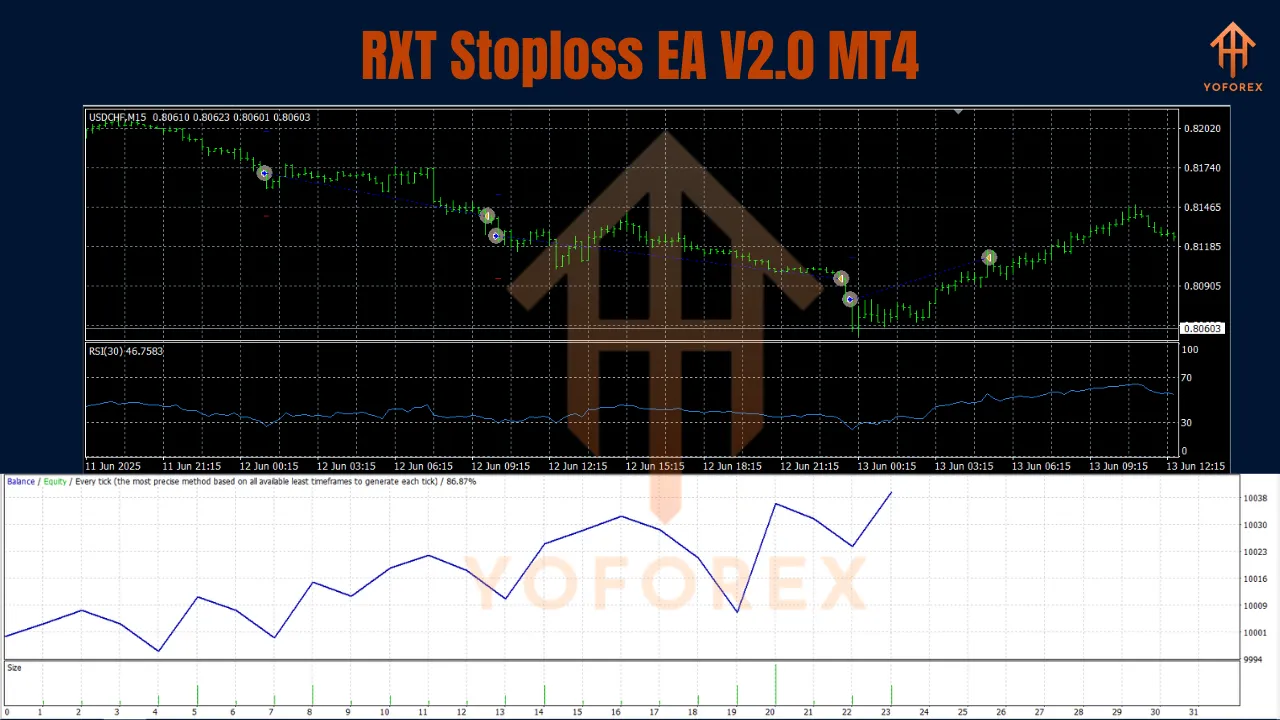
This ensures that even during volatile market conditions, the account balance remains stable and steadily growing.
Trading Strategies Supported
The RXT Stoploss EA can be adapted to multiple trading styles:
1. Scalping
- Timeframe: M1–M5
- Pairs: EURUSD, GBPUSD, USDJPY
- Approach: High-frequency small trades with tight stop losses.
2. Day Trading
- Timeframe: M15–H1
- Pairs: Any major/minor forex pair
- Approach: Medium-term positions with dynamic trailing stops.
3. Swing Trading
- Timeframe: H4–D1
- Pairs: Gold, Oil, Indices, Major FX pairs
- Approach: Long-term trades where stop loss protection prevents large drawdowns.
Recommended Settings
- Pairs: Any (majors and gold recommended for best results)
- Timeframe: Any (H1 for balance between risk & return)
- Leverage: 1:200 or higher
- Lot Size: 0.01 per $200 (scalable with account growth)
- Minimum Balance: $200 (micro account)
- Broker Type: ECN/STP with tight spreads
- VPS Hosting: Strongly recommended for 24/5 uptime
Advantages
Strong focus on risk management and stop loss automation
Compatible with all pairs and assets on MT4
Helps reduce emotional trading decisions
Adapts to scalping, day trading, and swing trading
Built-in trailing stop and break-even features
Installation Guide
- Download the EA (
.ex4file). - Place in MT4 Directory →
MQL4 → Experts. - Restart MT4 so the EA appears in the Navigator.
- Attach to Chart – Choose any pair and timeframe.
- Adjust Parameters – Set risk %, SL/TP, and trailing stop.
- Enable AutoTrading – Let the EA handle trade execution.
Risk Management Tips
- Risk only 1–2% per trade.
- Diversify across multiple assets to spread risk.
- Avoid over-leveraging, especially on volatile pairs like GBPJPY or XAUUSD.
- Pause trading during high-impact news events unless optimized for news strategies.
- Regularly backtest and optimize EA settings for changing market conditions.
Why Choose RXT Stoploss EA V2.0 MT4?
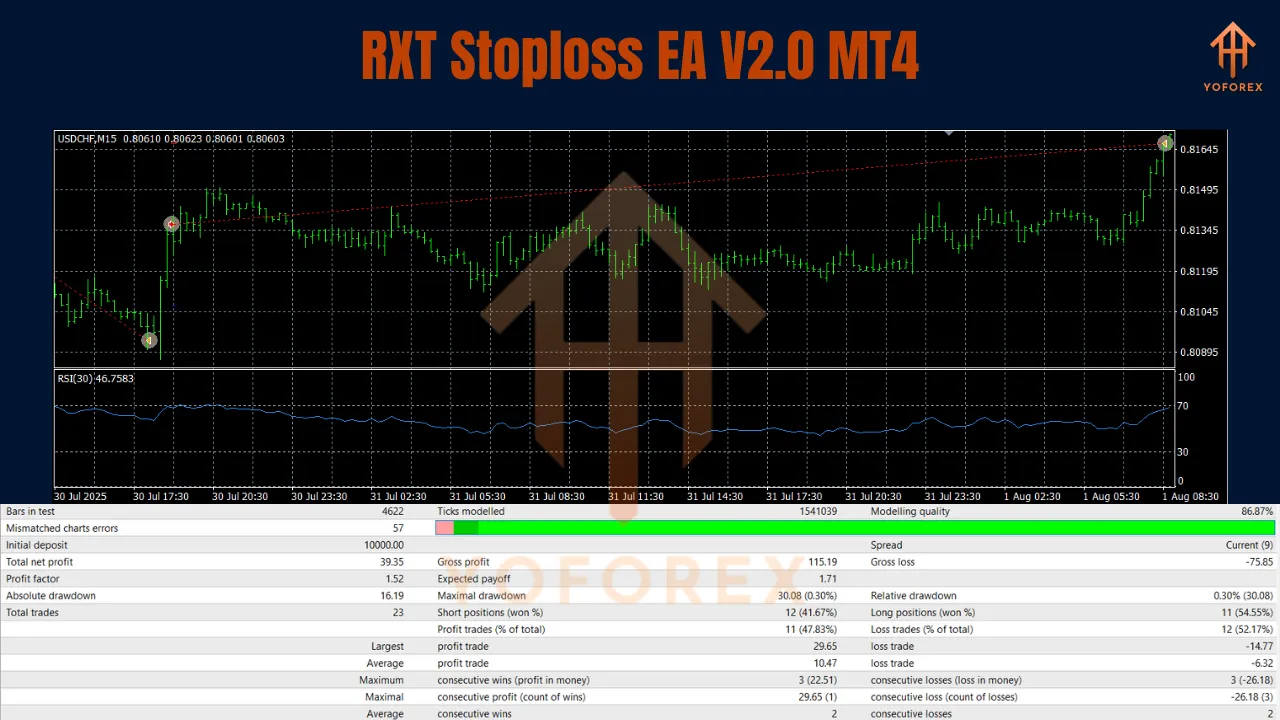
What makes RXT Stoploss EA stand out is its dedicated focus on capital preservation. While many robots chase high returns with risky strategies, this EA ensures steady profits while keeping drawdowns under control.
For traders who value long-term consistency over short-term gambling, RXT Stoploss EA V2.0 MT4 provides the perfect balance of safety and performance.
Conclusion
The RXT Stoploss EA V2.0 MT4 is more than just a trading robot — it is a complete risk management solution. By ensuring proper stop loss placement, trailing stops, and break-even adjustments, it gives traders the confidence to trade on any pair and timeframe without constant monitoring.
While no EA guarantees 100% profitability, the RXT Stoploss EA’s focus on disciplined risk management and safe automation makes it a powerful ally for traders looking to build steady, long-term trading success.
If you’re serious about trading with control, safety, and consistency, this EA is ready to deliver.
Join our Telegram for the latest updates and support