
In the fast-paced world of forex trading, automation has become a cornerstone for traders seeking efficiency, consistency, and profitability. Among the myriad of tools available, Gecko EA v1.2 MT4 stands out as a revolutionary Expert Advisor (EA) designed for the MetaTrader 4 platform. This blog dives deep into the features, benefits, and operational mechanics of Gecko EA v1.2, exploring why it’s gaining traction among traders worldwide.
What is Gecko EA v1.2 MT4?
Gecko EA v1.2 is an automated trading robot tailored for the MetaTrader 4 (MT4) platform, one of the most widely used trading platforms globally. Unlike many Expert Advisors that rely on high-risk strategies, Gecko EA employs a breakout trading strategy that identifies significant market highs and lows to execute trades with precision. Its advanced entry and exit algorithms ensure a high-probability approach to trading, making it suitable for both novice and experienced traders. With a claimed win rate of over 80% based on backtesting, this EA promises stable performance across major currency pairs like EUR/USD, GBP/USD, USD/JPY, and AUD/USD.
Why Choose Gecko EA v1.2 MT4?
1. Robust Risk Management
One of the standout features of Gecko EA is its emphasis on capital protection. Every trade is safeguarded with a strict stop-loss, ensuring that losses are minimized during volatile market conditions. The EA avoids risky strategies like martingale or grid trading, which can lead to significant drawdowns. Additionally, it incorporates dynamic trailing stop-loss and break-even protection, allowing traders to lock in profits as trades move in their favor. Traders can customize risk-per-trade settings to align with their risk tolerance, making it a versatile tool for various trading styles.
2. Powerful Breakout Strategy
Gecko EA’s core strategy revolves around breakout trading, where it identifies key price levels based on recent highs and lows. This approach capitalizes on market momentum, executing trades when prices break through these levels. The EA’s advanced algorithms analyze market conditions to ensure high-probability entries and exits, reducing the likelihood of false breakouts. Its optimization for the H1 (1-hour) timeframe ensures a balance between frequent trading opportunities and reliable signals.
3. Versatility Across Currency Pairs
While Gecko EA is primarily designed for EUR/USD, it performs admirably on other major pairs like GBP/USD, USD/JPY, and AUD/USD with minimal adjustments. This flexibility allows traders to diversify their portfolios without needing multiple EAs. The inclusion of pre-set configuration files (e.g., eurusd.set, gbpusd.set) simplifies setup, enabling traders to quickly adapt the EA to different pairs.
4. User-Friendly Customization
Gecko EA offers a high degree of customization, allowing traders to fine-tune parameters such as lot size, stop-loss, take-profit, and trailing stop settings. This adaptability ensures that the EA can cater to individual trading preferences, whether you’re a conservative trader prioritizing safety or an aggressive trader seeking higher returns. The EA’s compatibility with MT4’s build 1420+ and its no-DLL requirement further enhance its ease of use.
5. Backtested Performance
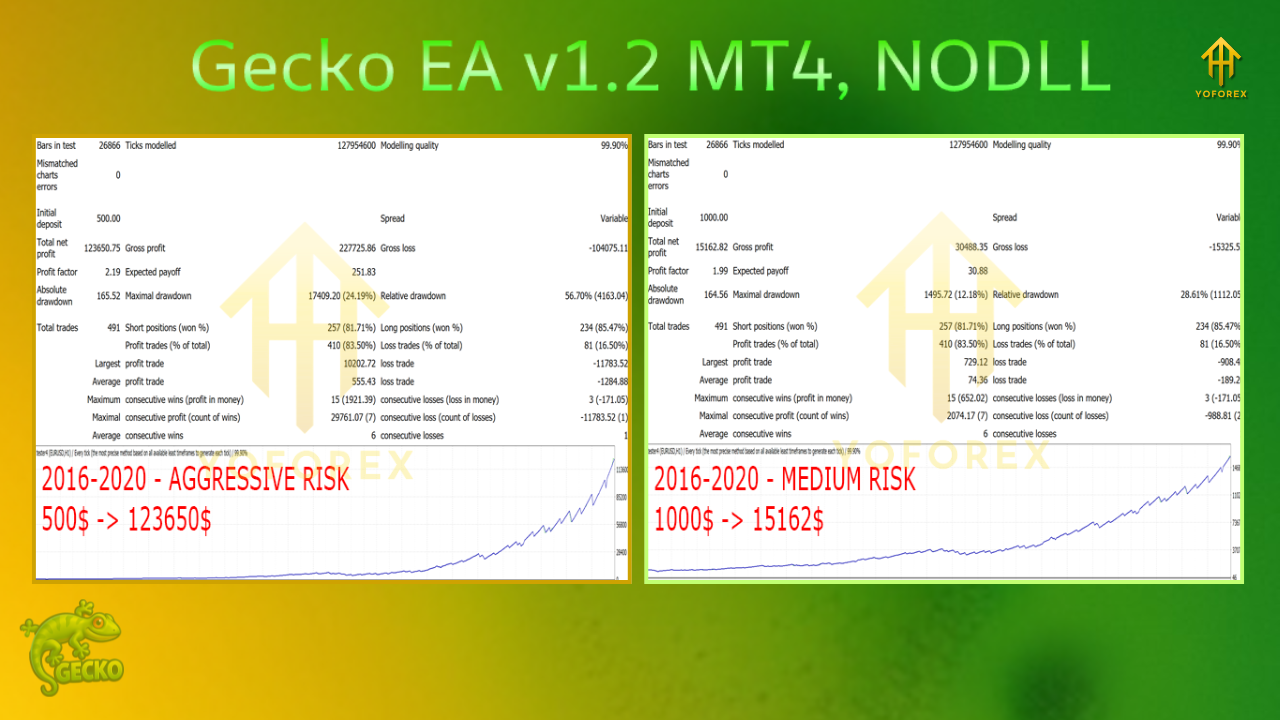
Gecko EA’s performance has been rigorously backtested from 2012 to 2020, with some sources reporting a remarkable 400% profit in just three months during backtesting. While past performance is not a guarantee of future results, these results highlight the EA’s potential for consistent profitability. Itswasser: The EA’s ability to operate without over-optimization ensures that it adapts to varying market conditions, reducing the risk of curve-fitting.
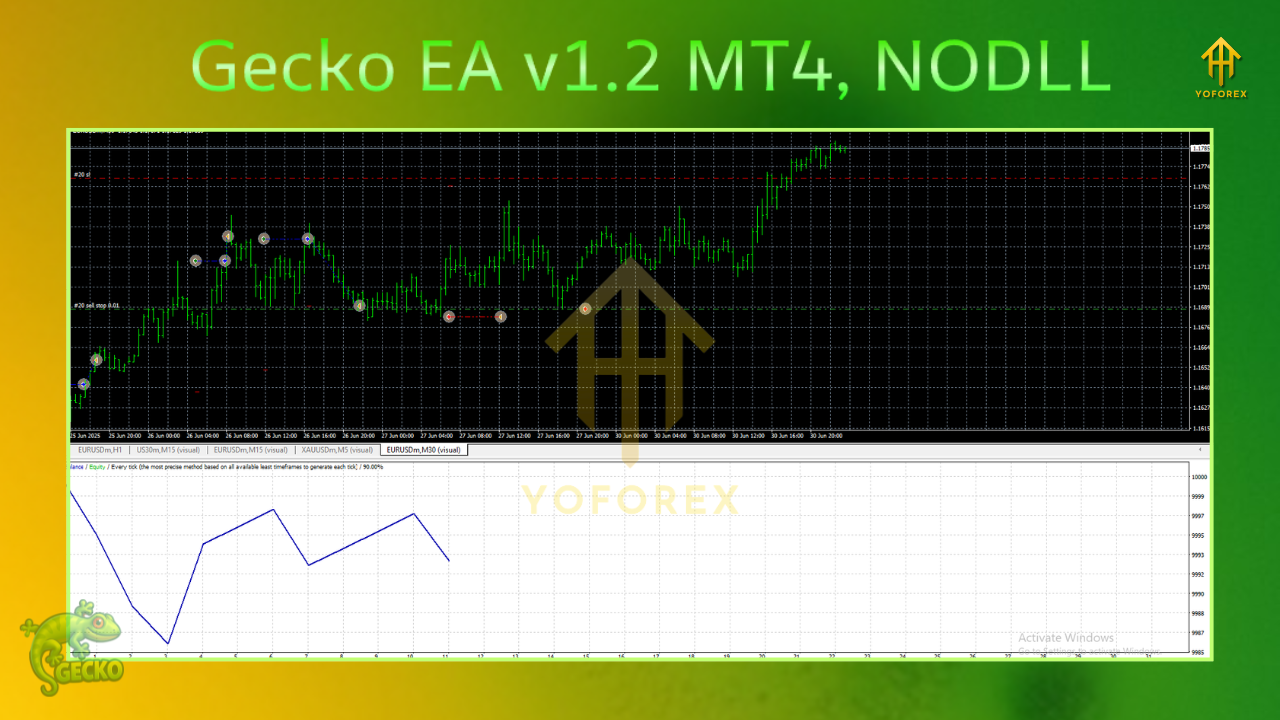
Key Features of Gecko EA v1.2 MT4
- Platform: MetaTrader 4 (MT4)
- Timeframe: H1 (recommended)
- Minimum Deposit: $100
- Currency Pairs: EUR/USD (primary), GBP/USD, USD/JPY, AUD/USD
- Risk Management: Stop-loss on every trade, dynamic trailing stop-loss, break-even protection
- Trading Style: Breakout-based, no martingale or grid
- Automation: 100% automated, VPS recommended
- Customization: Adjustable lot sizes, risk settings, and entry models
The EA’s user-friendly interface and pre-optimized settings make it accessible to traders of all levels. For optimal performance, a Virtual Private Server (VPS) is recommended to ensure 24/7 operation, especially for traders who cannot keep their computers running continuously.
How to Install and Run Gecko EA v1.2 MT4
- Open MetaTrader 4.
- Click on “File” > “Open Data Folder.”
- Navigate to the “MQL4” folder, then the “Experts” folder.
- Copy the Gecko v1.2.ex4 file into the “Experts” folder.
- Restart MT4 and attach the EA to a chart (preferably H1 timeframe).
- Load the appropriate preset file (e.g., eurusd.set) and adjust settings as needed.
Testing the EA on a demo account is highly recommended before deploying it on a live account. This allows traders to familiarize themselves with its performance and fine-tune settings without risking capital.
Benefits of Using Gecko EA v1.2 MT4
1. Time Efficiency
Manual trading can be time-consuming and emotionally taxing. Gecko EA automates the trading process, executing trades based on predefined criteria, allowing traders to save time and focus on strategy development.
2. Emotional Discipline
By eliminating emotional decision-making, Gecko EA ensures consistent execution of its breakout strategy. This reduces the likelihood of impulsive trades driven by fear or greed.
3. Cost-Effectiveness
With a minimum deposit requirement of just $100, Gecko EA is accessible to traders with varying account sizes. Its affordability, combined with its robust features, makes it a cost-effective solution for automated trading.
4. Scalability
Whether you’re trading a $100 micro-account or a larger portfolio, Gecko EA’s customizable lot sizing and risk settings allow it to scale with your account size and trading goals..
Considerations and Best Practices
- Start with a Demo Account: Test the EA thoroughly to understand its behavior in different market conditions.
- Use a VPS: Ensure uninterrupted trading with a reliable VPS, as recommended by the developers.
- Monitor Performance: Regularly review the EA’s performance and adjust settings as market conditions change.
- Risk Management: Stick to conservative risk settings, especially if you’re new to automated trading.
- Stay Informed: Join trading communities or follow the vendor’s Telegram channel for updates and support.
Where to Get Gecko EA v1.2 MT4
Gecko EA is available from various online vendors, with prices ranging from $19 to $49, significantly lower than its original price of $149. Some vendors offer free updates for a year, while others provide preset files for multiple currency pairs. Always purchase from reputable sources like forexseller.com, forexeashop.com, or eafxstore.com to ensure authenticity and support.
Conclusion
Gecko EA v1.2 MT4 is a powerful, secure, and user-friendly Expert Advisor that brings automation to the forefront of forex trading. Its breakout strategy, robust risk management, and compatibility with major currency pairs make it a versatile tool for traders seeking consistent profits. While no trading system is foolproof, Gecko EA’s backtested performance, customization options, and avoidance of risky strategies position it as a top choice for 2025.
Whether you’re a beginner looking to dip your toes into automated trading or a seasoned trader aiming to optimize your strategy, Gecko EA v1.2 MT4 offers a compelling solution. Start with a demo account, explore its features, and unlock the potential of automated forex trading today!