EA Black Dragon EA V13.0 MT5 – A Comprehensive Overview
Introduction
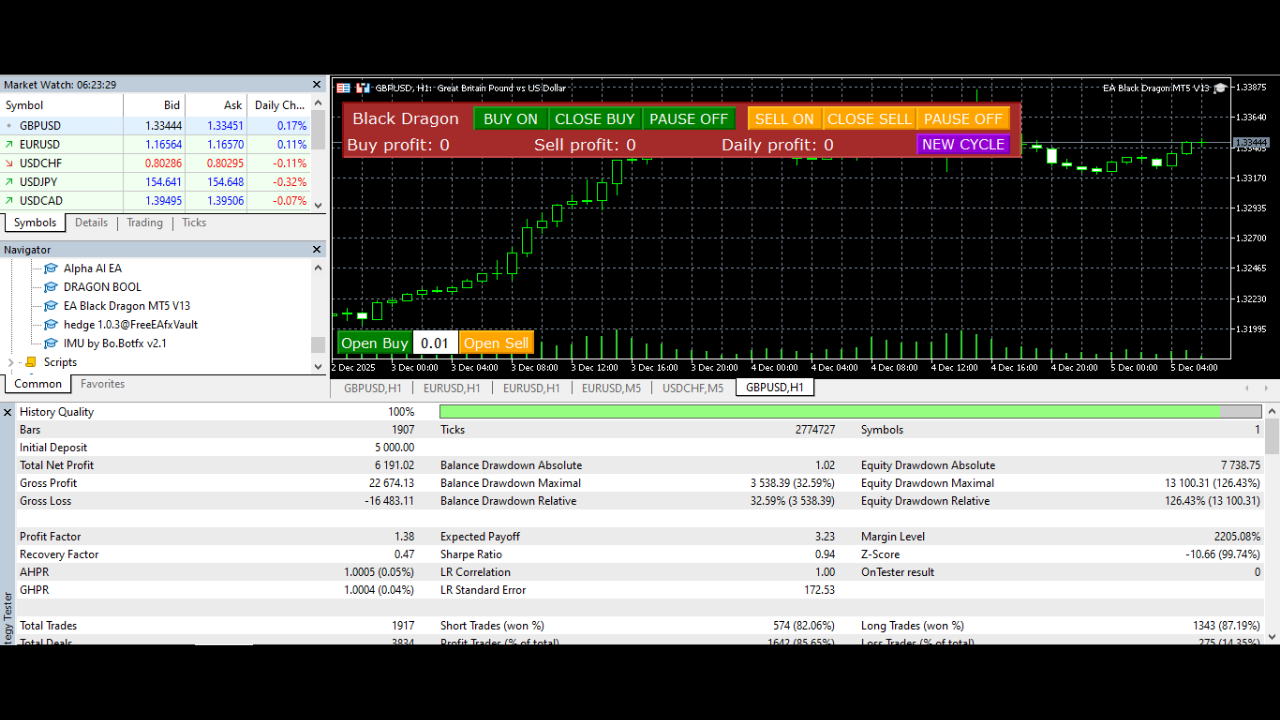
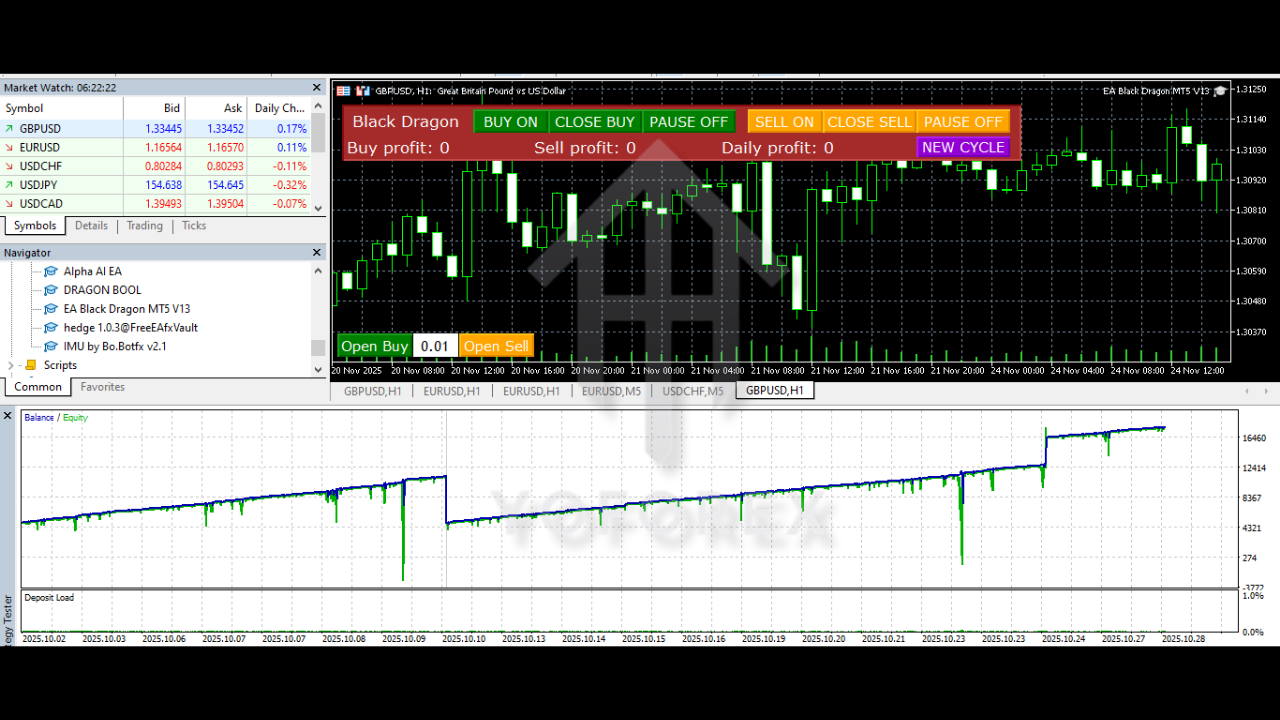
The EA Black Dragon EA V13.0 MT5 is a sophisticated trading robot designed for MetaTrader 5 (MT5), powered by a trend-following indicator. This Expert Advisor (EA) automates trades based on the color signals of the trend indicator, providing users with the opportunity to either increase their network of orders or manage risk through stop loss settings. The flexibility of the EA allows traders to fine-tune various parameters, offering a robust solution for traders who prefer hands-off trading with a customizable approach.
Overview
The EA Black Dragon is built to execute buy and sell orders based on trend-following indicators, making it suitable for both novice and experienced traders. It offers a range of customizable settings, which allow traders to fine-tune their risk exposure, trading hours, and trading preferences. Whether you want to take advantage of automatic trading during specific hours or control manual interventions, EA Black Dragon provides all these functionalities and more.
Key Features
-
Trend Indicator-Based Strategy
The EA operates based on a trend-following indicator, opening trades when the indicator color changes. The trend-following approach aims to capitalize on prolonged market moves, making it ideal for traders seeking to profit from significant trends. -
Customizable Trading Hours
EA Black Dragon allows traders to define the hours during which trading will take place, ensuring that trades are only executed during specific times. This feature can be adjusted to match the trader’s preferred trading session. -
Hedging Capability
One of the standout features of this EA is the ability to hedge. It allows the EA to open both buy and sell positions simultaneously, which can be useful in volatile market conditions. This hedging strategy can help manage risk and secure profits in both upward and downward trends. -
Order Management
With the option to manage manual orders, traders have complete control over their open positions. This feature enables users to intervene and manually adjust orders as necessary, providing flexibility and an added layer of security. -
Auto-Lot Calculation
EA Black Dragon comes with an automatic lot size calculation feature, which calculates the lot size based on the deposit amount. This ensures that the trader’s risk remains in proportion to their account size, offering an additional layer of risk management. -
Maximum Buy/Sell Orders
Traders can set the maximum number of buy and sell orders that the EA can open. This feature is useful for traders who want to limit the exposure in any given market condition. -
Dynamic and Fixed Distance Between Orders
The EA Black Dragon allows traders to set either fixed or dynamic distances between orders. The fixed distance ensures a uniform gap between orders, while the dynamic distance setting allows for greater flexibility based on the market conditions.
Recommended Settings
To make the most out of EA Black Dragon V13.0, here are some of the recommended settings based on common trading strategies:
-
Max Spread: Set this to a value that limits your exposure to wide spreads. A lower value can help prevent orders from opening in less favorable conditions.
-
Start and End Hour: These parameters can be set according to the trader’s preferred market hours. For instance, if trading during the London or New York sessions is preferred, this feature can be used to limit trading activity to those times.
-
Magic Number: A magic number helps the EA to identify and manage its positions. Set this to a unique value to ensure that the EA can distinguish its trades from other manually opened trades.
-
Use Stochastic: Enabling the stochastic feature allows the EA to incorporate additional indicators for improved market timing, helping to enter trades based on a more refined set of conditions.
-
TP and SL Settings: The TP (take profit) and SL (stop loss) settings can be customized to the trader’s risk tolerance. Setting appropriate levels ensures that the EA closes positions with favorable profits and protects against excessive losses.
-
Pause Between Orders: Setting a minimum pause between orders can help prevent overtrading in volatile conditions and ensures the EA doesn’t place trades too quickly after the previous one.
Advanced Features
-
Overlap Orders
The overlap feature allows the EA to reduce drawdowns by closing the first and last orders in the series together, thus reducing the risk exposure. This feature is useful in markets that show a clear reversal after an initial trade. -
Distance Multiplier for Orders
The distance multiplier feature is another advanced tool in EA Black Dragon. It increases the distance between orders after the first one, based on a user-defined multiplier. This feature can help in managing risk by spacing out orders and preventing overexposure. -
Order Dynamic Distance
This setting introduces flexibility in determining the distance between the first and subsequent orders, making the EA more adaptable to different market conditions. This is especially useful when trading volatile markets or during strong trends. -
Manage Manual Orders
EA Black Dragon can also handle manual trades, giving you the ability to let the EA take control of your existing positions and manage them according to your trading rules. This feature is perfect for those who want to automate their trading while still retaining some manual intervention.
Advantages
-
Automation with Customization
EA Black Dragon offers full automation with a variety of customizable settings. This allows traders to adapt the EA to their unique trading styles, risk management preferences, and market conditions. -
Hedging Capability
The ability to hedge positions helps mitigate risk in choppy or sideways markets. This feature ensures that traders can protect their capital even when the market moves against them. -
User-Friendly Interface
With intuitive settings for adjusting trading hours, lot sizes, and other parameters, EA Black Dragon provides an easy-to-use interface that requires no complex technical knowledge to get started. -
Incorporation of Stochastic Indicator
The EA’s integration of stochastic signals enhances its ability to time entries, making it more precise in catching potential market reversals or continuations.
Disadvantages
-
Dependence on Trend Indicators
While trend-following strategies can be highly profitable, they rely heavily on the market trending. In sideways or choppy markets, the EA may not perform optimally and could result in losses. -
Hedging Might Lead to Increased Exposure
Although hedging can reduce risk, it also has the potential to increase exposure, especially when large lots are involved. This feature should be used with caution, particularly in volatile market conditions. -
Complexity for Beginners
With its extensive set of features and configurations, EA Black Dragon might be overwhelming for beginners. However, experienced traders who understand risk management and trading strategies can benefit greatly from the EA’s flexibility.
Conclusion
The EA Black Dragon EA V13.0 MT5 is a versatile and powerful tool for trend-following traders. With its wide range of customizable settings, the EA offers a robust solution for traders who want to automate their strategies while maintaining full control over their risk and trading preferences. Whether you’re looking to hedge positions, automate buy/sell orders, or adjust trading hours, this Expert Advisor has the features you need to optimize your trading experience.