
Gep ATR Indicator V1.0 MT4
Introduction – Understanding Volatility Beyond Price Direction
Markets rarely move in straight lines. While most participants focus on direction—up or down—experienced analysts know that volatility often matters more than direction itself. Volatility defines risk, opportunity, and timing. This is precisely where the Gep ATR Indicator becomes relevant. The Gep ATR Indicator is designed to measure and visualize volatility using Average True Range logic while enhancing clarity for real-time decision-making. Unlike many generic ATR tools, this indicator aims to convert raw volatility data into actionable insights suitable for structured analysis. In this guide, we will explore Gep ATR Indicator V1.0 MT4 in exhaustive detail—its logic, configuration, practical usage, limitations, and strategic integration. Whether you analyze short-term price fluctuations or long-range movements, this indicator offers a structured lens into market behavior.
Overview of Gep ATR Indicator V1.0 MT4
The Gep ATR Indicator V1.0 MT4 is a volatility-based technical tool designed to help users understand how actively the market is moving rather than where it is moving. Built on the Average True Range (ATR) concept, this indicator focuses on measuring price expansion and contraction, allowing traders to adapt their decisions according to real market conditions. Unlike directional indicators, the Gep ATR Indicator does not attempt to predict bullish or bearish moves. Instead, it provides a clear view of market intensity by tracking how much price fluctuates over a defined period. This makes it especially useful for identifying high-energy phases, low-volatility consolidations, and transition zones where market behavior is likely to change. The indicator is optimized for MetaTrader 4, works smoothly across all timeframes, and can be applied to any instrument supported by the platform. Its clean visual output and lightweight performance make it suitable for both detailed analysis and long monitoring sessions without cluttering the chart. Overall, the Gep ATR Indicator serves as a powerful context-building tool. It enhances market awareness, supports better risk assessment, and helps users align their analysis with prevailing volatility conditions rather than relying solely on price direction.
How the Gep ATR Indicator V1.0 MT4 Works?
The Gep ATR Indicator works by measuring market volatility, not market direction. It tells you how much price is moving rather than where price is going. Below is a clear, practical breakdown of how it functions internally and how you should interpret it.
1. Core Calculation Logic
At its core, the Gep ATR Indicator uses the Average True Range (ATR) formula. For every candle, it calculates the True Range, which is the greatest of:
- Current candle High – Low
- Absolute value of High – Previous Close
- Absolute value of Low – Previous Close
This ensures that gaps, spikes, and sudden moves are fully captured.
The indicator then:
- Averages this True Range over a user-defined number of candles (ATR Period)
- Smooths the data to remove unnecessary noise
- Displays the result visually on the chart or indicator window
This value represents real market activity, not guesswork.
2. What the Indicator Is Actually Showing You
The Gep ATR Indicator visually shows volatility strength:
- Rising ATR line / bars → Market volatility is increasing
- Falling ATR line / bars → Market volatility is decreasing
- Flat ATR behavior → Market is ranging or consolidating
It does not:
- Predict buy or sell direction
- Generate entry signals
- Indicate trend bias
Its job is to give context, not commands.
3. How It Reacts to Market Conditions
High-Volatility Phase
When price starts moving aggressively (news, breakouts, strong momentum):
- ATR values expand
- The indicator clearly shows increased activity
- This warns that risk is higher and movements are faster
Low-Volatility Phase
When price slows down or moves sideways:
- ATR values contract
- The indicator flattens
- This signals compression, often before a big move
This behavior helps you avoid acting blindly in dead markets or overexposing yourself in fast ones.
4. Timeframe Sensitivity
The Gep ATR Indicator automatically adapts to the timeframe you use:
-
Lower timeframes (M1–M15)
→ Shows micro-volatility and short-term fluctuations -
Higher timeframes (H1–Daily)
→ Reveals broader volatility cycles and structural market behavior
This makes it useful for both short-term execution analysis and higher-timeframe context.
5. How It Helps in Decision-Making
The indicator helps you answer critical questions like:
- Is the market active enough right now?
- Should risk be reduced or expanded?
- Is this a calm phase or a volatile one?
- Is price movement genuine or weak?
By answering these, the Gep ATR Indicator improves:
- Timing awareness
- Risk control
- Market discipline
6. What It Does NOT Do?
- It does not give buy/sell signals
- It does not predict reversals
- It does not replace strategy logic.
Key Features of Gep ATR Indicator V1.0 MT4
1. Adaptive Volatility Visualization
The Gep ATR Indicator adjusts dynamically to changing market conditions, ensuring volatility spikes and contractions are clearly visible.
2. Clean Chart Integration
Unlike many cluttered tools, the Gep ATR Indicator integrates smoothly into MT4 without overwhelming the chart.
3. Multi-Timeframe Compatibility
From M1 to Monthly charts, the Gep ATR Indicator performs consistently across all timeframes.
4. Lightweight Performance
Optimized code ensures minimal CPU usage, making it ideal for long sessions or VPS environments.
5. Strategy-Neutral Design
The Gep ATR Indicator does not enforce a strategy—it complements any analytical framework.
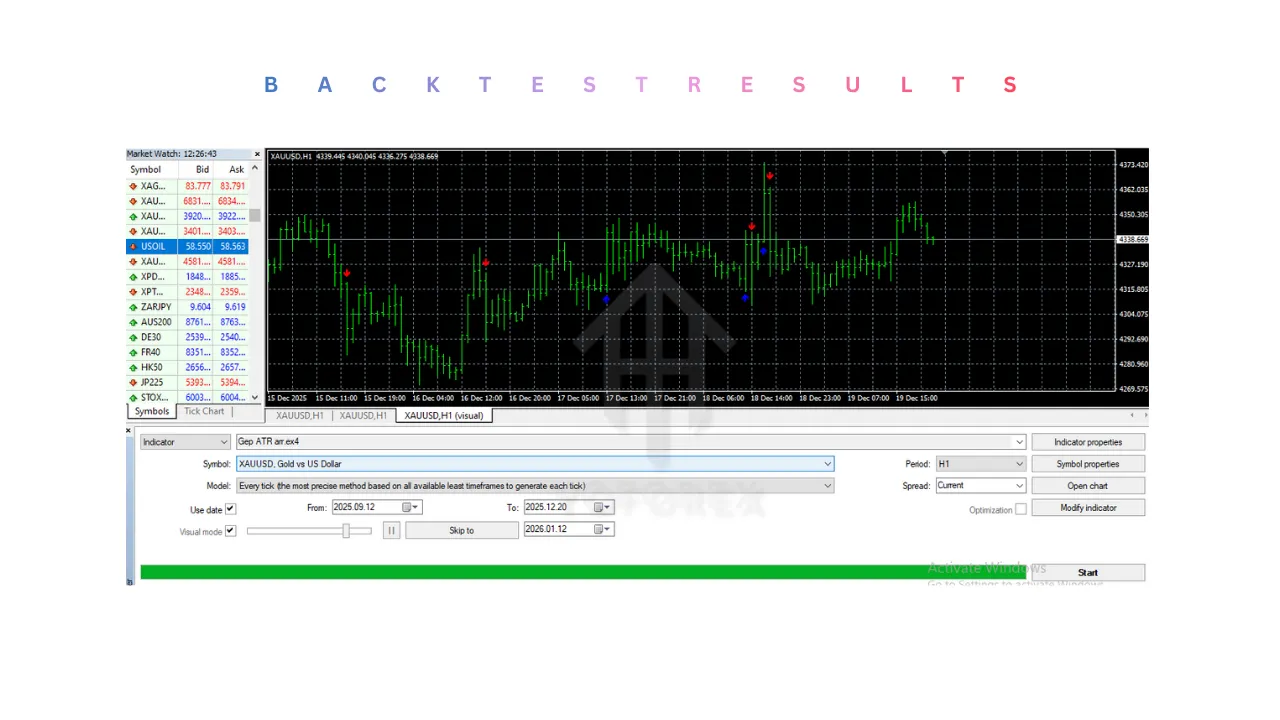
Setup and Installation Guide for Gep ATR Indicator V1.0 MT4
Step 1: Download the Indicator File
Make sure you have the Gep ATR Indicator V1.0 MT4 file (usually in .mq4 or .ex4 format).
Do not rename the file, as this may prevent MetaTrader 4 from recognizing it.
Step 2: Open MetaTrader 4 Data Folder
- Launch MetaTrader 4
- Click on File (top-left menu)
- Select Open Data Folder
This will open the main MT4 directory where all indicators and system files are stored.
Step 3: Copy the Indicator File to the Correct Folder
-
Inside the Data Folder, open:
MQL4 → Indicators
-
Paste the Gep ATR Indicator file into the Indicators folder
Make sure the file is placed only inside the Indicators folder, not in Experts or Scripts.
Step 4: Restart MetaTrader 4
To allow MT4 to load the new indicator:
- Close MetaTrader 4 completely
- Reopen MetaTrader 4
Alternatively, you can right-click inside the Navigator panel and click Refresh, but a full restart is recommended for stability.
Step 5: Attach Gep ATR Indicator to a Chart
-
Open any chart in MT4 (any symbol and timeframe)
-
In the Navigator panel:
- Go to Indicators → Custom
- Locate Gep ATR Indicator
-
Drag it onto the chart or double-click it
The indicator settings window will now appear.
Step 6: Configure Indicator Settings (Initial Setup)
Here are the recommended default setup values:
Common Settings
- ATR Period:
14(default and most balanced) - Calculation Mode: Default
- Applied Price: Close (recommended)
Visual Settings
- Choose a clear color that contrasts well with your chart background
- Line or histogram mode can be selected based on preference
- Keep thickness moderate for readability
Tip: Start with default settings before making adjustments.
Step 7: Save as a Template (Optional but Recommended)
To avoid repeating setup:
-
Right-click on the chart
-
Click Template → Save Template
-
Name it something like:
Gep_ATR_Template
You can now apply this template to any chart instantly.
Step 8: Verify Proper Functioning
After installation, confirm that:
- The indicator is visible and updating in real time
- ATR values change as price activity increases or decreases
- No error messages appear in the Experts or Journal tabs
If the indicator does not appear:
- Recheck folder placement
- Restart MT4 again
- Confirm the file format is compatible with MT4.
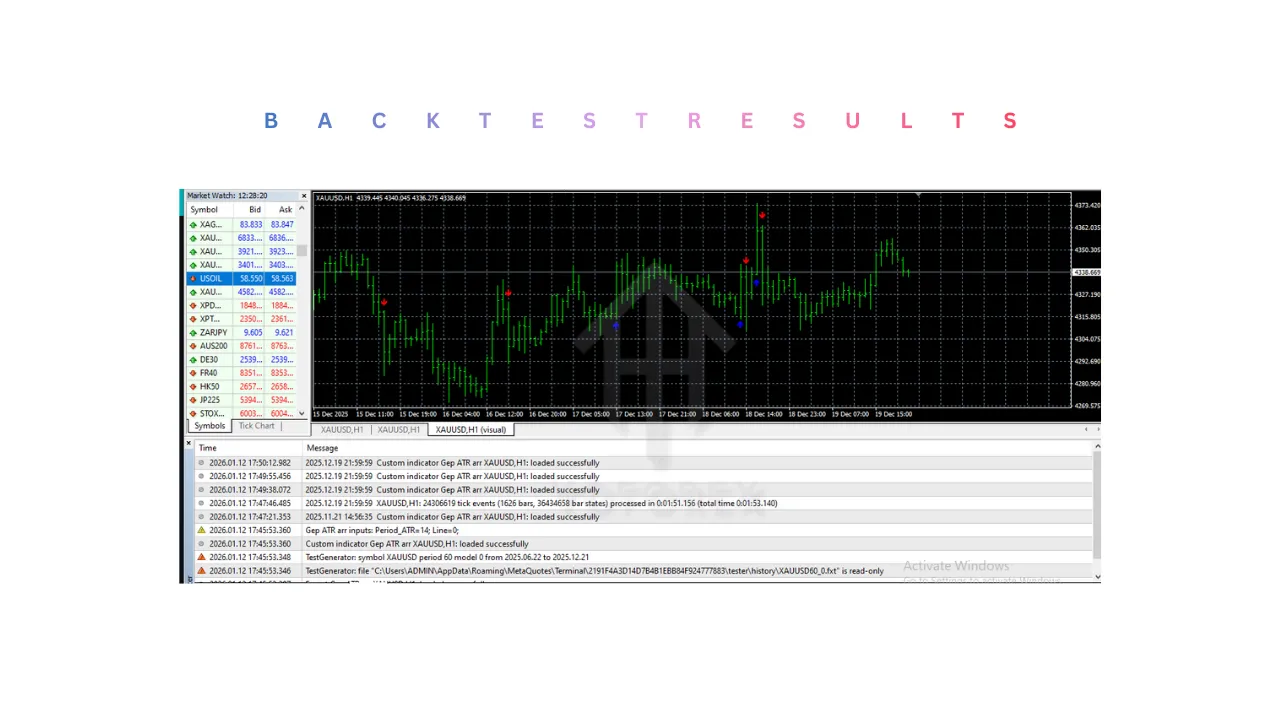
Advantages of Gep ATR Indicator V1.0 MT4
1. Accurate Volatility Measurement
The Gep ATR Indicator precisely measures real price movement using Average True Range logic. It captures market gaps, spikes, and sudden expansions, offering a reliable view of true market activity.
2. Works Across All Timeframes
Whether applied on M1 or Monthly charts, the Gep ATR Indicator adapts smoothly to different timeframes. This makes it useful for both short-term monitoring and long-term market condition analysis.
3. Strategy-Neutral and Versatile
The indicator does not force a specific method. The Gep ATR Indicator can be combined with trend tools, structure analysis, momentum studies, or price action without conflict.
4. Helps Improve Risk Management
By clearly showing volatility changes, the Gep ATR Indicator helps adjust:
- Position size
- Exposure level
- Stop-distance planning
This improves consistency and prevents over-risking during unstable conditions.
5. Clean and Non-Cluttered Display
Unlike many technical tools, the Gep ATR Indicator presents information in a simple and readable format, keeping charts clean and easy to interpret.
6. Non-Repainting Behavior
The Gep ATR Indicator uses closed-candle data and does not repaint, ensuring that past values remain fixed and trustworthy for analysis.
7. Lightweight and Stable Performance
The indicator runs efficiently on MT4 without slowing down the platform, making it suitable for long trading sessions and VPS usage.
Disadvantages of Gep ATR Indicator V1.0 MT4
1. No Buy or Sell Signals
The Gep ATR Indicator does not generate entry or exit signals. Users expecting automated decision-making may find it insufficient on its own.
2. Cannot Predict Market Direction
Since it measures volatility only, the Gep ATR Indicator cannot indicate whether price will move up or down—only how actively it is moving.
3. Requires Interpretation Skill
Beginners may misinterpret volatility spikes as immediate opportunities. The Gep ATR Indicator requires contextual understanding to be used correctly.
4. Less Useful in Extremely Flat Markets
During prolonged low-activity phases, the indicator may remain flat for extended periods, offering limited actionable insight.
5. Period Sensitivity
Improper ATR period settings can lead to:
- Over-sensitivity (too noisy)
- Excessive smoothing (delayed response)
This means some experimentation is required to find optimal settings.
6. Not a Standalone System
The Gep ATR Indicator should not be used alone for decisions. It performs best when paired with other analytical tools or frameworks.
Who Should Use Gep ATR Indicator V1.0 MT4?
The Gep ATR Indicator V1.0 MT4 is not designed for everyone—and that’s actually its strength. It is built for users who understand the importance of market conditions, volatility awareness, and risk control rather than quick signal-based decisions. Below is a clear breakdown of who will benefit the most from using this indicator.
1. Risk-Conscious Traders and Analysts
Anyone who prioritizes risk management should use the Gep ATR Indicator. Since it clearly shows when market volatility is expanding or contracting, it helps users adjust exposure, position size, and overall market participation based on real conditions rather than assumptions.
2. Price Action and Market Structure Traders
The Gep ATR Indicator works exceptionally well for those who analyze:
- Support and resistance
- Breakouts and fakeouts
- Consolidation vs expansion phases
It helps confirm whether price movement has enough strength behind it or if the market is simply drifting.
3. Multi-Timeframe Analysts
Users who combine higher-timeframe context with lower-timeframe execution will find the Gep ATR Indicator valuable. It allows them to align short-term activity with broader volatility cycles.
4. Swing and Position Traders
For those holding positions longer than a few minutes, understanding volatility is crucial. The Gep ATR Indicator helps identify:
- Calm conditions suitable for structured planning
- High-volatility phases requiring tighter risk control
5. Indicator-Based Strategy Builders
Traders who design or optimize strategies will benefit from using the Gep ATR Indicator as a filter—not as a signal generator. It improves the quality of existing setups by filtering out weak or unfavorable conditions.
6. Algorithm and EA Developers
Developers building Expert Advisors for MT4 can use the Gep ATR Indicator logic to:
- Detect volatility thresholds
- Control trade frequency
- Dynamically adjust stop distances
This makes it useful even beyond manual analysis.
7. Educators and Market Researchers
Anyone studying market behavior, volatility cycles, or price dynamics can use the Gep ATR Indicator as an educational tool to better understand how markets transition between phases.
Why Use Gep ATR Indicator V1.0 MT4?
Using the Gep ATR Indicator V1.0 MT4 is about making smarter, more informed decisions by understanding market conditions rather than reacting emotionally to price movement. Below is a clear and practical explanation of why this indicator is worth using.
1. Because Volatility Controls Risk
Price direction alone does not define risk—volatility does. The Gep ATR Indicator shows how aggressively the market is moving, helping you avoid overexposure during unstable periods and underutilization during calm phases.
2. Because It Improves Timing Quality
The Gep ATR Indicator helps identify:
- When the market is active
- When the market is quiet
- When expansion is beginning after compression
This allows you to act during favorable conditions instead of forcing decisions in dead markets.
3. Because It Filters Low-Quality Setups
Many trades fail not because the idea was wrong, but because the market environment was weak. The Gep ATR Indicator filters out low-volatility conditions where movements lack follow-through.
4. Because It Strengthens Risk Management
With the Gep ATR Indicator, you can:
- Adjust position sizing dynamically
- Plan volatility-aware stop distances
- Reduce risk during high-energy phases
This leads to better consistency over time.
5. Because It Works With Any Strategy
The Gep ATR Indicator does not replace your strategy—it enhances it. Whether you use price action, structure analysis, trend tools, or custom systems, it fits seamlessly without conflict.
6. Because It Reduces Emotional Decision-Making
By showing objective volatility data, the Gep ATR Indicator removes guesswork and emotion. Decisions become data-driven rather than reactive.
7. Because It Reveals Market Phases Clearly
Markets move through cycles of:
- Compression
- Expansion
- Stabilization
The Gep ATR Indicator makes these phases visually obvious, helping you align your actions with market behavior.
8. Because It Is Lightweight and Reliable
The indicator is non-repainting, stable, and efficient on MT4. The Gep ATR Indicator provides dependable information without slowing your platform.
Conclusion
The Gep ATR Indicator V1.0 MT4 is a practical and reliable volatility-analysis tool designed for users who value market awareness over signal chasing. Rather than attempting to predict price direction, it focuses on what truly defines opportunity and risk in the market—volatility. By clearly measuring price expansion and contraction, the Gep ATR Indicator helps users understand when the market is active, when it is quiet, and when conditions are shifting. This insight plays a critical role in improving timing, managing exposure, and maintaining consistency across different market environments. One of the strongest advantages of the Gep ATR Indicator is its versatility. It integrates seamlessly with any analytical approach, works across all timeframes, and remains lightweight and non-repainting. However, it must be used correctly—as a supporting tool, not a standalone decision system. In summary, the Gep ATR Indicator V1.0 MT4 is best suited for disciplined market participants who want clarity, structure, and risk-aware analysis. Used properly, it enhances decision quality, reduces emotional mistakes, and encourages a more professional approach to understanding market behavior.
Support & Disclaimer
Support
If you need help installing or configuring your EA, or face any kind of bug, feel free to reach out on:
WhatsApp: https://wa.me/+443300272265
Telegram Group: https://t.me/yoforexrobot
Disclaimer:
Forex and gold trading involve risk. Past performance doesn’t guarantee future results. Always test robots on demo before live trading and use proper risk management.
REFERRAL
Join the VIP Signals Telegram Channel for real-time expert trading signals and stay ahead in the forex market. Get personalized strategies by becoming a part of our Real Account Management Telegram Channel and optimize your trading experience. If you’re aiming to Pass PropFirm Challenges , join our dedicated channel for tips and proven methods. Start managing your capital effectively with expert advice from our Funded Account Management Telegram Channel. For advanced traders, our HFT EA / Passing Telegram Channel offers high-frequency trading insights and strategies to boost your performance.