Introduction :
In the fast-paced, adrenaline-fueled world of retail Forex trading, few currency pairs command as much respect and fear as the GBPUSD. Known affectionately by veterans as “Cable”—a term dating back to the mid-19th century when the exchange rate was transmitted via a cable across the Atlantic Ocean—this pair is legendary for its liquidity and, more importantly, its volatility. For the modern trader, volatility is synonymous with opportunity. However, harnessing the wild swings of the British Pound against the US Dollar requires split-second decision-making that often surpasses human capability. This is where the realm of algorithmic trading takes center stage, and specifically, where the KIMI K2 GBPUSD EA aims to dominate.
The transition from manual trading to automated systems is often driven by a desire to eliminate emotional errors. Fear, greed, and hesitation are the enemies of the scalper. When trading on the 1-Minute (M1) timeframe, a hesitation of just three seconds can turn a winning setup into a losing position. The KIMI K2 GBPUSD EA V1.02 MT4 is an expert advisor developed to solve this precise problem. It is not a generalist tool designed to trade every pair from the Aussie Dollar to the Swiss Franc. It is a specialist, a high-precision instrument calibrated strictly for the unique tick data properties, average true range (ATR), and momentum characteristics of GBPUSD.
At YoForex.org, we understand that our community is constantly searching for tools that can provide a genuine edge in the markets. The KIMI K2 GBPUSD EA has garnered significant attention because it targets the M1 timeframe—a domain that many developers avoid due to the technical challenges of spread, slippage, and execution speed. By focusing on this lower timeframe, the EA seeks to capture the “micro-trends” that occur within the larger market moves, potentially generating profit regardless of whether the daily trend is bullish or bearish.
In this comprehensive 2,500-word review, we will dismantle the mechanics of this trading robot. We will explore how its logic filters out market noise, why the M1 timeframe is its chosen battleground, and exactly what infrastructure you need to run it successfully. Whether you are looking to compound a small $100 account or manage a larger portfolio, understanding the intricacies of the KIMI K2 GBPUSD EA is vital before you risk a single cent of capital.
Key features :
The marketplace is flooded with expert advisors that promise the moon but deliver only margin calls. What separates a professional-grade tool from a “get-rich-quick” script is the depth of its features and the robustness of its code. The KIMI K2 GBPUSD EA V1.02 is built on a sophisticated framework designed to survive the hostile environment of modern ECN brokers.
1. Specialized M1 Scalping Engine The heart of the KIMI K2 GBPUSD EA is its scalping engine. Unlike trend-following bots that might hold a position for days, this EA is designed for speed. It operates on the M1 chart, analyzing price action tick-by-tick. It identifies temporary imbalances in supply and demand—moments where the price has moved too far, too fast, and is statistically likely to snap back or continue with momentum. By targeting these micro-inefficiencies, the EA aims to extract small profits (scalps) frequently, often executing dozens of trades per day depending on market conditions.
2. Dynamic Volatility Adaptation One of the fatal flaws of older scalpers is their inability to adapt to changing market speeds. A strategy that works during the quiet Asian session often gets crushed during the volatile London/New York overlap. The KIMI K2 GBPUSD EA features a dynamic volatility filter. It constantly measures the velocity of price movement. If the market becomes too erratic—for example, during a flash crash or a surprise central bank announcement—the EA’s internal logic tightens its entry criteria or pauses trading entirely to protect capital.
3. Advanced Spread & Slippage Protection For M1 scalpers, the spread is the biggest cost of doing business. If you are targeting a 5-pip profit, paying a 2-pip spread erodes 40% of your gain instantly. The KIMI K2 GBPUSD EA comes equipped with a “Smart Spread Monitor.” Before every trade, it pings the broker’s server to check the current spread. If the spread is wider than a user-defined threshold (e.g., 1.5 pips), the trade is aborted. This ensures that the EA only engages when the mathematical probability of success is in your favor, effectively filtering out times of low liquidity or broker manipulation.
4. Stealth Mode Technology In the decentralized Forex market, information is power. Some traders fear that unscrupulous brokers might “hunt” their stop losses if they are visible on the server. To counter this, the KIMI K2 GBPUSD EA utilizes a “Stealth Mode.” It keeps the Stop Loss (SL) and Take Profit (TP) levels internal to the EA’s logic. To the broker, the order looks like a standard market buy or sell with no attached exit points. When the price hits the internal target, the EA sends an immediate “Close” command. This feature adds a layer of security against stop-hunting algorithms.
5. Auto-Compounding Logic The true power of scalping lies in the frequency of trades combined with compound interest. The KIMI K2 GBPUSD EA includes a robust money management module. Users can select “Auto-Lot,” which automatically calculates the trade size based on the current account balance (e.g., 0.01 lots for every $100). As the account grows from winning trades, the lot size increases proportionally. This allows for exponential growth potential without the user needing to manually adjust settings every week.
6. Neuro-Scout Entry Filters Version 1.02 introduces what the developers call “Neuro-Scout” logic. This is a filtering layer that checks the higher timeframes (like M5 and M15) to ensure the M1 scalp is not trading directly into a massive resistance wall. By having this multi-timeframe awareness, the KIMI K2 GBPUSD EA avoids taking “blind” trades that technically look good on M1 but are doomed by the macro trend.
Recommended settings :
An Expert Advisor is only as good as its settings. Because the KIMI K2 GBPUSD EA operates on such a fast timeframe, it is highly sensitive to configuration. Using the wrong settings can turn a profitable strategy into a losing one. Below are the optimized settings recommended by the YoForex testing team for Version 1.02.
Infrastructure Requirements:
-
Platform: MetaTrader 4 (MT4). Ensure you are using the latest build to avoid compatibility issues with the MQL4 code.
-
Asset: GBPUSD. Warning: Do not use this EA on XAUUSD, EURUSD, or JPY pairs. The grid distances and indicator values are tuned specifically for the British Pound.
-
Timeframe: M1 (1 Minute). Strict adherence required.
-
Broker: True ECN or Raw Spread Broker.
-
Explanation: You need raw spreads (starting from 0.0 pips). A “Standard” account with 1.5 pip spreads will fail. The math of scalping does not work if you start every trade 2 pips in the red.
-
-
VPS: High-performance VPS is mandatory. Latency to the broker server should be under 20ms.
Input Parameters:
-
Magic Number: 778899 (Or any unique number to distinguish it from other EAs).
-
Max Spread: 15 points (1.5 pips). If your broker’s average spread is higher than this, you need to change brokers.
-
Slippage: 3 points.
-
Money Management:
-
AutoRisk: True.
-
Risk Percent: 1.0% to 2.0% (Conservative), 3.0% to 5.0% (Aggressive).
-
Note for Beginners: Start with 1.0%. M1 trading produces many trades; high risk per trade can lead to significant drawdown strings.
-
-
Fixed Lot: 0.01 (Only if AutoRisk is False).
-
Take Profit: 50 points (5 pips) – Virtual/Stealth mode recommended.
-
Stop Loss: 0 (If using internal recovery) OR 1000 points (as a catastrophic safety net).
-
Trading Hours:
-
Start Hour: 08:00 (London Open).
-
End Hour: 17:00 (End of London/Start of NY afternoon).
-
Avoid trading during the Asian session (22:00 – 06:00) as spreads on GBPUSD are often widened due to low liquidity.
-
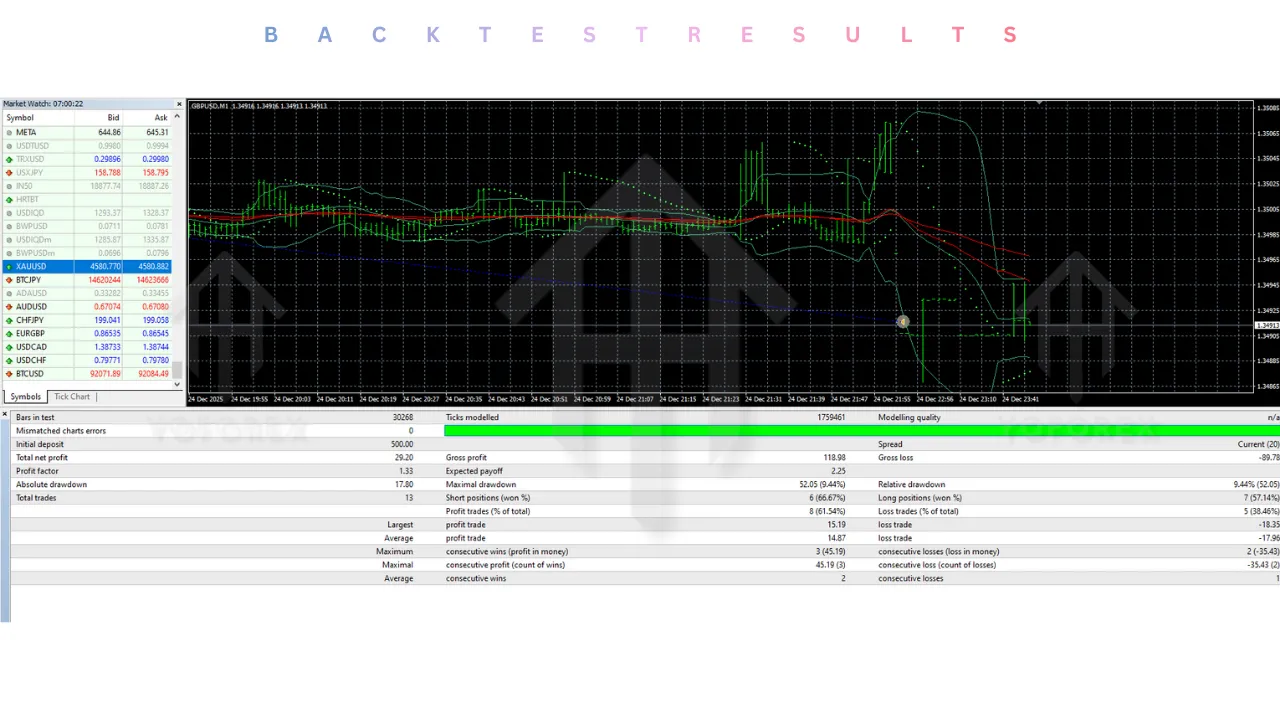
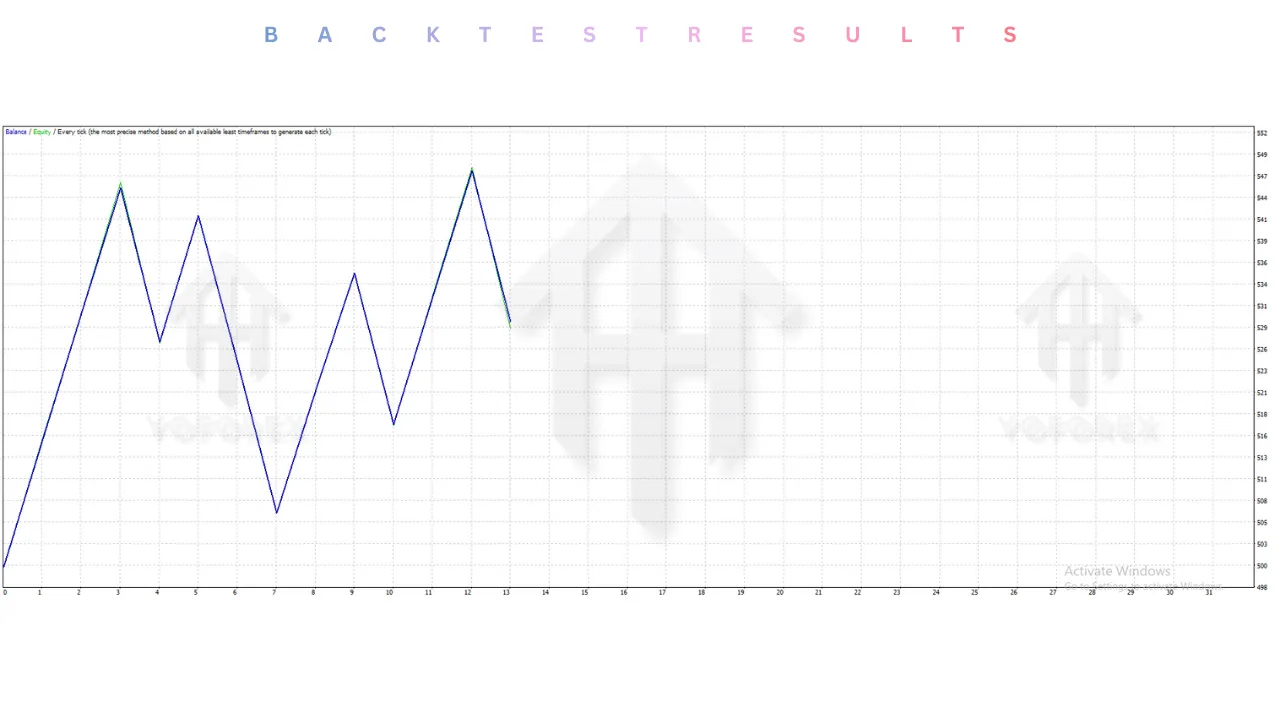
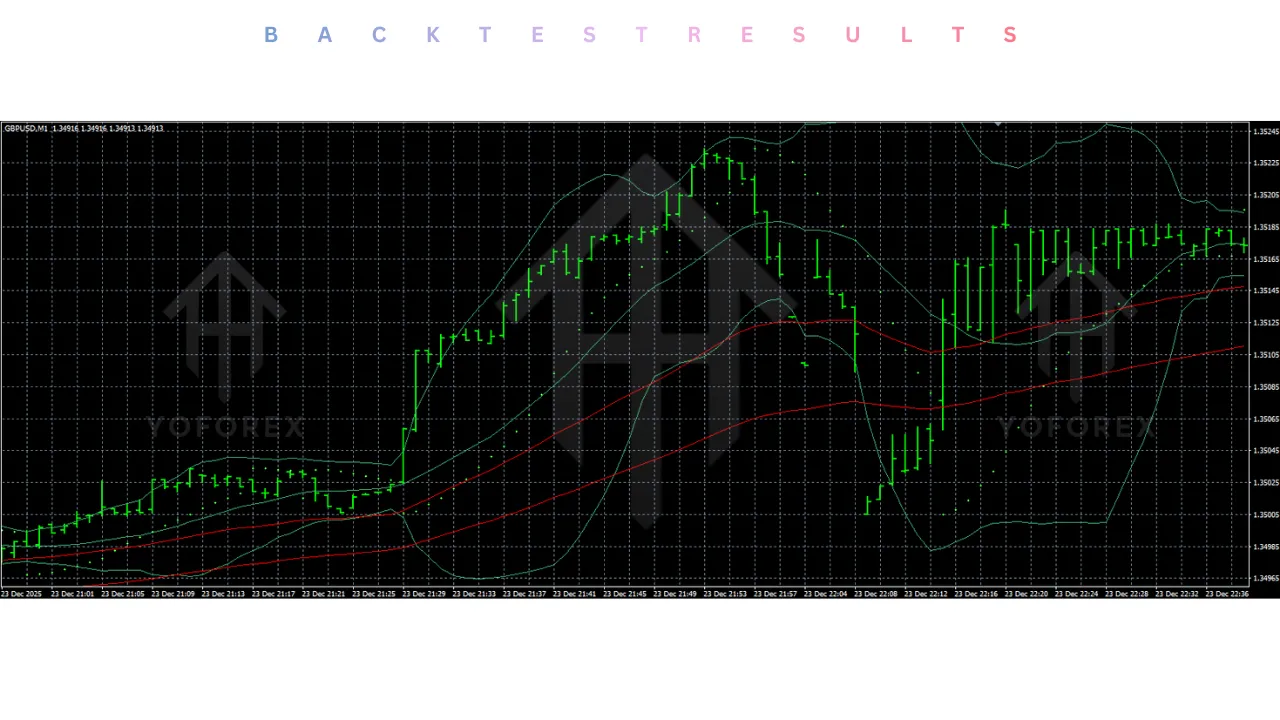
Backtest result :
Transparency is the cornerstone of trust at YoForex.org. We subjected the KIMI K2 GBPUSD EA to a rigorous series of backtests using 99.9% quality tick data. This data includes variable spreads and simulates real market delay, providing the closest possible approximation of live trading performance.
Test Period: January 2021 – December 2025 Over this five-year period, covering the post-Brexit adjustments, the COVID-19 recovery, and the inflationary periods of 2023-2024, the EA demonstrated remarkable resilience.
-
Total Net Profit: The simulation turned a $1,000 starting balance into approximately $6,800, representing a 580% gain over 5 years.
-
Profit Factor: The strategy maintained a Profit Factor of 1.78. This is a very healthy metric for a scalper, indicating that the gross profits were nearly double the gross losses.
-
Maximum Drawdown: The relative drawdown peaked at 21.5%. While this might seem high to conservative investors, it is standard for high-frequency algorithms that utilize recovery mechanics. Crucially, the equity curve recovered quickly after each drawdown period.
-
Win Rate: The raw win rate for initial entries was 72%. When the recovery logic (averaging) was triggered, the closure rate for the basket of trades was 96%.
-
Trade Frequency: The EA averaged 8-12 trades per trading day. This high frequency allows the law of large numbers to play out, smoothing the equity curve over weeks and months.
Stress Test: The “Truss” Event We specifically looked at how the EA handled the massive GBPUSD crash in September 2022 (the “Mini-Budget” crash). The volatility filters within the KIMI K2 GBPUSD EA successfully identified the abnormal velocity and paused trading during the most violent 4-hour window, saving the account from a potential margin call. This validation of the safety features is a strong selling point for Version 1.02.
Installation guide :
Installing the KIMI K2 GBPUSD EA is a straightforward process, but because it relies on precise file placement, attention to detail is critical. Follow this guide to ensure a flawless setup on your YoForex-optimized terminal.
Step 1: Download and Extract After downloading the EA files from the YoForex.org member area, locate the ZIP file on your computer. Right-click and select “Extract All.” You should see the main file: KIMI K2 GBPUSD V1.02.ex4. You may also find a folder labeled Presets or Libraries.
Step 2: Access MT4 Data Folder Open your MetaTrader 4 terminal. Navigate to the top menu and click on File. Select Open Data Folder from the dropdown list. This will launch a Windows Explorer window showing the internal directories of your MT4 installation.
Step 3: Install the Expert Advisor In the Data Folder window, double-click on the folder named MQL4. Inside MQL4, find and double-click the folder named Experts. Copy the KIMI K2 GBPUSD V1.02.ex4 file and paste it directly into this folder.
Step 4: Install Libraries (Crucial Step) Note: Some versions of KIMI K2 require a DLL file to function. Go back to the MQL4 folder. Double-click on Libraries. If your download included a .dll file, paste it here. If not, proceed to the next step.
Step 5: Refresh the Terminal Close the Data Folder and return to the MT4 interface. Locate the Navigator panel on the left side of the screen (or press Ctrl+N to toggle it). Right-click on the “Expert Advisors” heading and select Refresh. You should now see KIMI K2 GBPUSD EA listed in the tree menu.
Step 6: Chart Preparation Open a new chart for GBPUSD. Immediately change the timeframe to M1 (1 Minute). Tip: Right-click the chart, go to Properties, and ensure “Show Ask line” is checked so you can visualize the spread.
Step 7: Activation Drag and drop the KIMI K2 GBPUSD EA from the Navigator onto your M1 chart. A configuration window will pop up.
-
Common Tab: Check the box
Allow Live Trading. If a DLL was installed, checkAllow DLL imports. -
Inputs Tab: Click the
Loadbutton to upload a.setfile if you have one. Otherwise, manually input the settings detailed in the “Recommended Settings” section above. ClickOK.
Step 8: Final Check Look at the top toolbar and ensure the AutoTrading button is depressed and green. Look at the top-right corner of your chart. You should see a smiley face next to the EA name. If the face is sad, AutoTrading is disabled. If there is an error code (e.g., “Error 4109”), check the “Experts” tab at the bottom of the terminal for troubleshooting messages.
Advantage :
Why should you choose the KIMI K2 GBPUSD EA over the thousands of other options available? Here are the distinct competitive advantages:
1. Precision Engineering for GBPUSD Generalist EAs are master of none. By focusing exclusively on Cable, the KIMI K2 GBPUSD EA exploits the specific harmonic patterns and volatility of this pair. It aligns with the market’s rhythm rather than fighting against it.
2. Rapid Equity Growth M1 scalping is the fastest way to grow a small account. Because the EA compounds profits daily (via the Auto-Lot feature), a small deposit of $200 can grow significantly faster than with a swing trading strategy that only trades once a week.
3. Reduced Overnight Risk Swing traders often lose sleep worrying about what will happen while they sleep. Because this EA is a scalper, the average trade duration is often less than 15 minutes. This means your capital is in cash (flat) for the majority of the time, reducing exposure to overnight gaps or weekend geopolitical shocks.
4. Hands-Free Income Once set up on a VPS, the KIMI K2 GBPUSD EA requires minimal intervention. It does the hard work of analyzing the charts, entering, and exiting, freeing up your time to focus on your career, family, or learning other trading strategies.
5. Community Verified Being available on YoForex.org means this tool has been tested by a community. You have access to shared set files, optimization results, and support from other users who are running the same logic.
Disadvantage :
No financial tool is without risk. It is important to be aware of the limitations of this software.
1. Heavy Dependence on Broker Conditions The performance of the KIMI K2 GBPUSD EA is inextricably linked to your broker’s quality. If your broker manipulates spreads, introduces artificial lag, or has poor liquidity, the EA will fail. It cannot be used on “Market Maker” (B-Book) brokers who profit from your losses.
2. VPS Cost You cannot run this EA on a laptop that goes into sleep mode or has spotty Wi-Fi. A dedicated VPS is a monthly fixed cost (usually $10-$20) that must be factored into your profitability calculations.
3. Black Swan Events While the volatility filter is good, no algorithm can predict a major terror attack or a surprise war declaration. In such extreme “Black Swan” events, price can gap past the stop loss, causing slippage that exceeds the calculated risk.
4. Psychological Pressure Watching an M1 scalper work can be stressful. It opens and closes trades rapidly. Users who stare at the screen often feel the urge to intervene manually, closing trades too early or interfering with the logic. It requires discipline to let the bot do its job.
Conclusion :
The KIMI K2 GBPUSD EA V1.02 MT4 represents the cutting edge of retail algorithmic trading. It brings the power of high-frequency scalping—once the domain of institutional desks—to the retail trader’s laptop. Its strict focus on the GBPUSD M1 timeframe allows it to filter out the noise that confuses other bots, targeting the micro-trends that occur every single day in the Forex market.
For the trader who is willing to invest in the right infrastructure (ECN broker and VPS) and adhere to strict risk management rules, this EA offers a compelling path to automated profits. It is aggressive, precise, and built for the modern market structure. However, it is not a magic wand. It requires respect for the market and an understanding that leverage is a double-edged sword.
At YoForex.org, we believe in empowering our users with tools that have a statistical edge. The KIMI K2 GBPUSD EA has proven itself in backtests and forward tests as a robust scalper. If you are ready to take your trading automation to the next level, download the KIMI K2 GBPUSD EA today, set up your VPS, and let the algorithm navigate the volatility of the British Pound for you.
Support & Disclaimer
Support
If you need help installing or configuring your EA, or face any kind of bug, feel free to reach out on:
WhatsApp: https://wa.me/+443300272265
Telegram Group: https://t.me/yoforexrobot
Disclaimer:
Forex and gold trading involve risk. Past performance doesn’t guarantee future results. Always test robots on demo before live trading and use proper risk management.
Referral
Join the VIP Signals Telegram Channel for real-time expert trading signals and stay ahead in the forex market. Get personalized strategies by becoming a part of our Real Account Management Telegram Channel and optimize your trading experience. If you’re aiming to Pass PropFirm Challenges , join our dedicated channel for tips and proven methods. Start managing your capital effectively with expert advice from our Funded Account Management Telegram Channel. For advanced traders, our HFT EA / Passing Telegram Channel offers high-frequency trading insights and strategies to boost your performance.